Sorify MCP
Sorify - Nền tảng QA Agentic AI dành cho các tác tử AI. Kiểm thử AI E2E - quản lý người dùng đầy đủ, trình chạy kiểm thử, webhook CI, bộ lập lịch, thông báo, MCP cho các lần chạy kiểm thử, tạo, quản lý. Kèm tiện ích mở rộng Chrome và MCP để ghi lại sự kiện cho AI viết bài kiểm thử.
Tài liệu

Next generation AI First - Browser Testing
& browser automation platform
Fully AI controllable - Playwright Management Platform
Built for AI Agents - Claude・Codex
Built for developers
Manage entire workspace through MCP
Create powerful browser automations
With scheduler
Bi-directional webhooks integrations
Chrome Extension, with MCP (for Hybrid lovers)
24/7 Background Agents
Page aware MCP
Comprehensive test management
With Playwright runners on Ephemeral
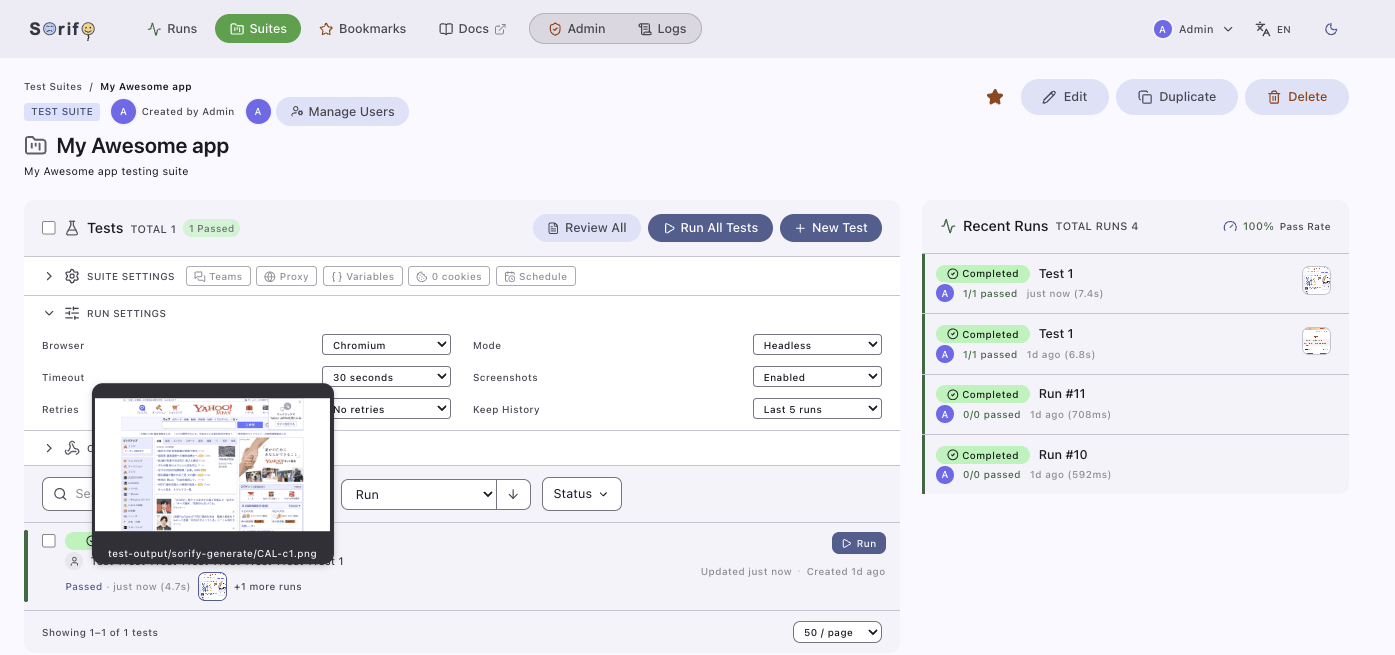
Control everything from local harness
Claude・Codex・OpenCode
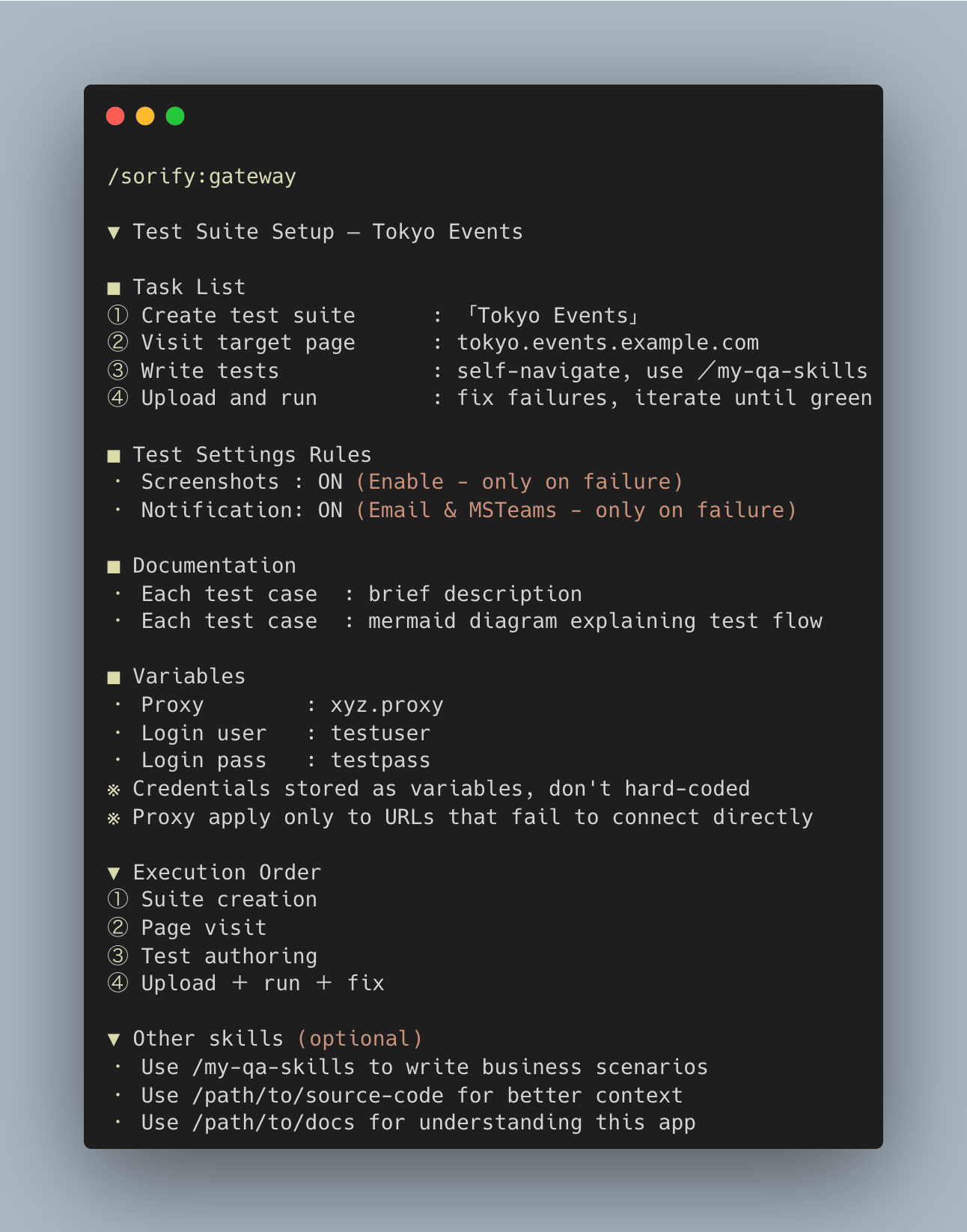
Pick up from where left off
AI agent on Dashboard itself
24/7 background AI Agents
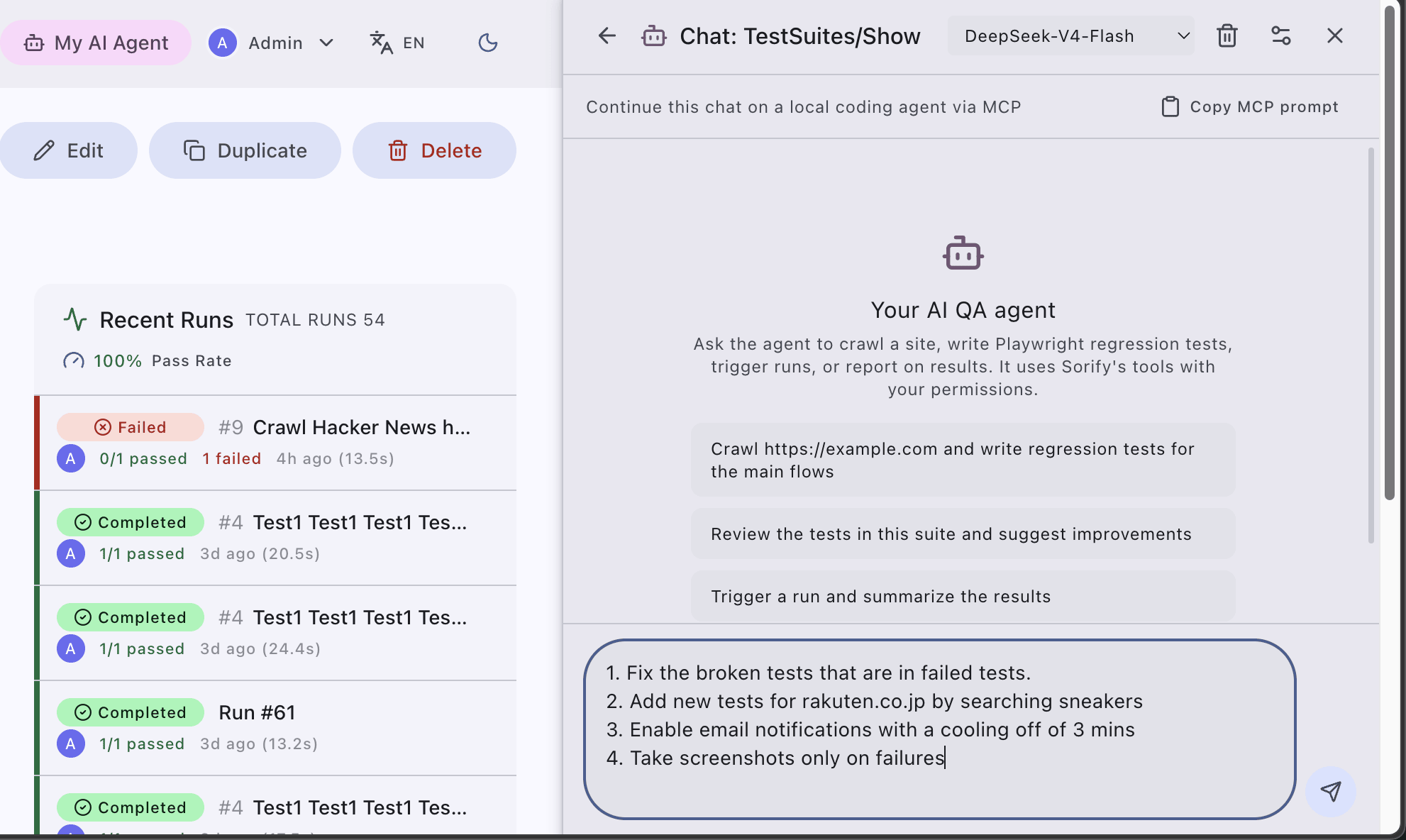
Page Aware - with MCP sync
Same MCP tools that power local harness
also on UI
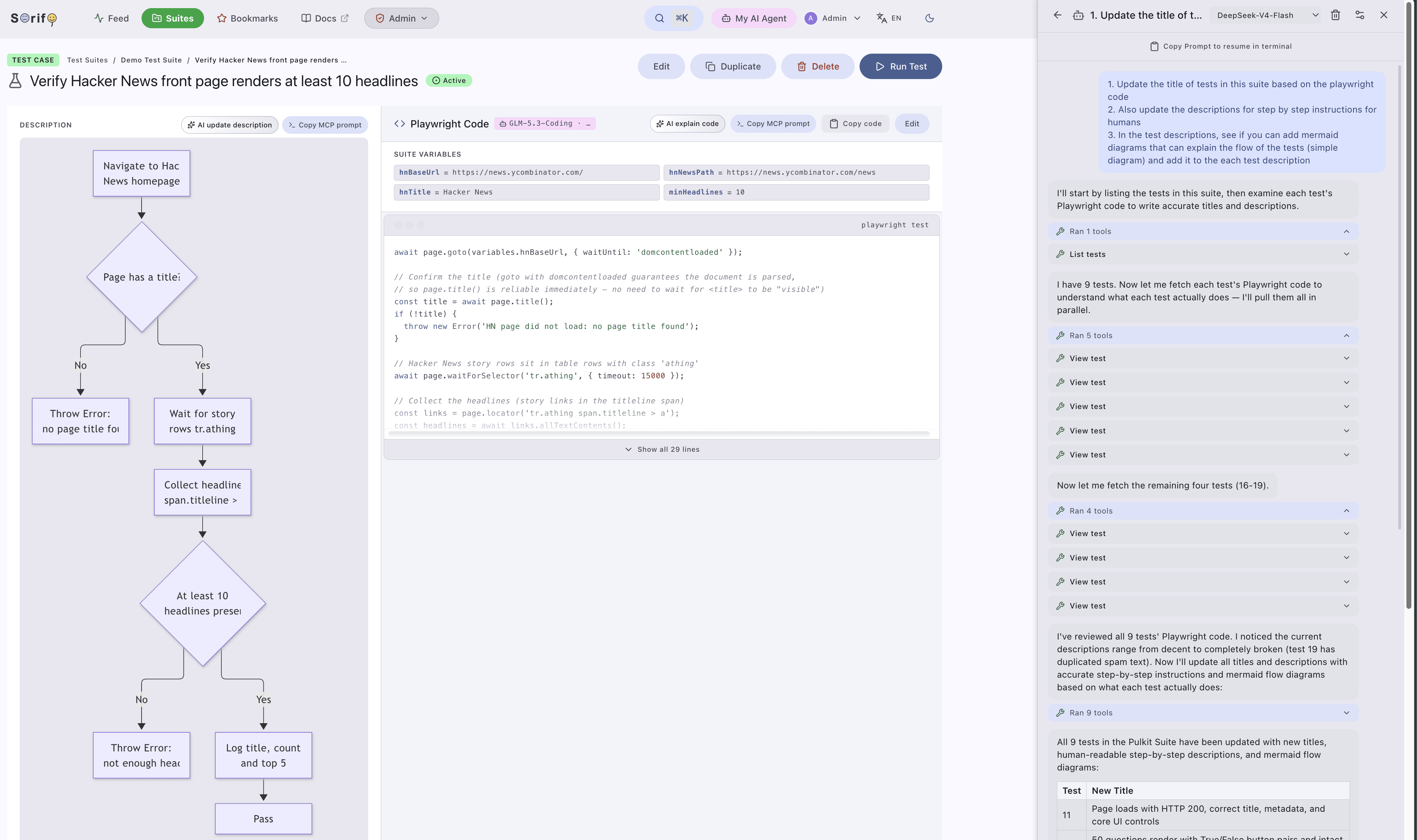
Admin tools
User management, oAuth apps
Monitor, logs and others

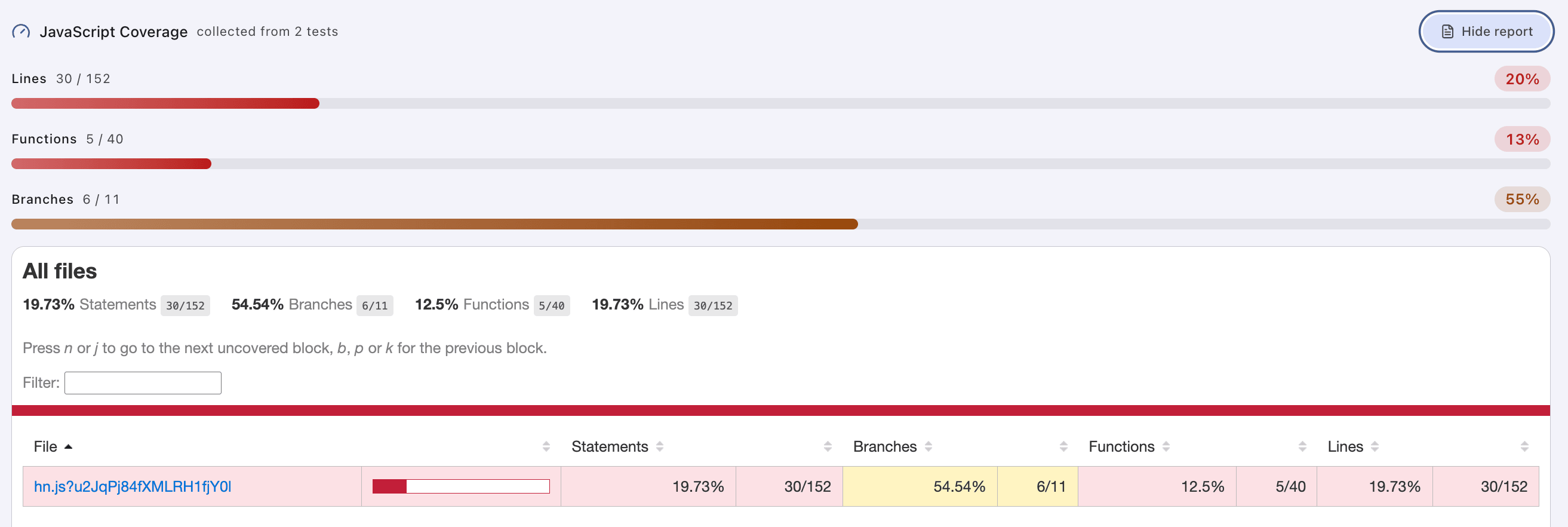
Code coverage
For frontend assets
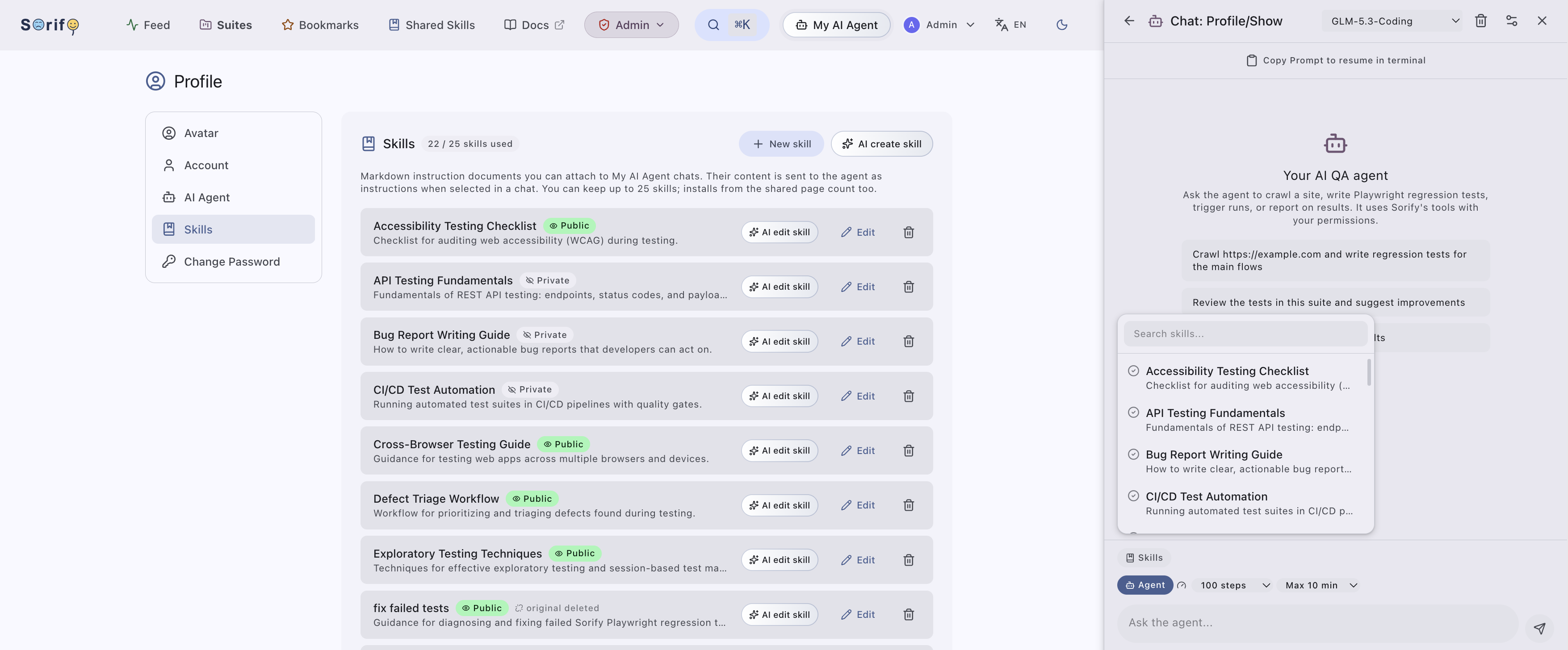
User Skills
Create, reuse skills - all in one place
Share, browse, copy, attach
For both local or UI Agent
★ Automate: Automate browser testing, using claude, codex - with skills, mcp, test runners & dashboard.
★ Chrome Extension: Capture browser actions, send to AI to write tests, upload, self heal.
★ Webhooks: 3 types of bi-directional integrations. Trigger runs remotely, or trigger Github Actions or HTTP webhook pre/post a run from Sorify.
★ Ephemeral: Self host, scalable on ephemeral mode.
★ Schedule: In built scheduler to run automated browser tasks.
✴︎ Test Management: Organize test suites and test cases, run them on demand or on a schedule.
✴︎ Playwright Code Coverage: Code coverage support within dashboard.
✴︎ Test Runners: Playwright-powered execution with full run history.
✴︎ Notifications: Get notified when suites finish or fail.
✴︎ Cookie Manager: Sorify supports per-suite cookie injection from UI, MCP and chrome extension.
✴︎ User Management: Roles, permissions, and per-user IAM.
✴︎ MCP Server: Low token consumption over MCP layer, control all aspects of tests cases, code.
✴︎ Agent Plugins: Claude/Codex plugins included - zero-code test code management.
✴︎ My AI Agent: In-dashboard background capable, AI agent your own OpenAI-compatible.
✴︎ MCP: Page aware chats that can call every Sorify MCP tool, resumable handoffs to local agents.
✴︎ Skills: Create, share skills for agents within platform. Use over MCP or UI agent within.
✴︎ i18n & 2 modes: Supports Japanese, Chinese, Malay, with dark mode.
Quick Start
docker-compose up
Features
WITH ALL MCP CONTROLS - SUPPORTED
▼ Core Testing
・ AI test generation        ・ Playwright execution
・ Browser automation        ・ Cross-browser support
・ Headless mode             ・ Scheduled runs
・ Cron scheduling           ・ Per-test scheduling
・ Run history               ・ Run cancellation
・ Status polling            ・ Test logs
・ Pass-rate analytics       ・ Screenshot on failure
・ Code coverage reports     ・ LCOV coverage export
・ Bundle URL filter         ・ Run retention pruning

▼ Test Management
・ Suite management          ・ Test case management
・ Bulk test creation        ・ Bulk test deletion
・ Suite duplication         ・ Test duplication
・ Code version history      ・ Version restore
・ Test enable/disable       ・ Search and filters
・ Suite bookmarks           ・ Suite review page
・ Dashboard analytics

▼ Sessions and Data
・ Cookie injection          ・ Pre-authenticated sessions
・ Storage state upload      ・ Suite variables
・ Proxy routing             ・ Per-domain proxies
・ Timeout configuration     ・ History retention

▼ Access Control
・ User management           ・ Role-based permissions
・ Per-suite members         ・ Suite sharing

▼ Notifications
・ Teams notifications       ・ Email notifications
・ Inline screenshot emails  ・ Notification cooldown
・ Digest summaries

▼ Integrations
・ CI webhook trigger        ・ Bi-directional webhooks
・ Webhook concurrency guard ・ Webhook token regeneration
・ GitHub Actions dispatch   ・ HTTP request hooks
・ Pre-run hooks             ・ Post-run hooks
・ Multi GitHub App support  ・ GitHub/GHE OAuth login
・ MCP discovery endpoint

▼ AI and Agents
・ MCP server                ・ Low-token consumption
・ Claude plugins            ・ Codex plugins
・ My AI Agent web chat      ・ Agent chat handoff to MCP
・ Agent profiles            ・ Ask and Agent chat modes
・ User skills (markdown)    ・ Skills library + copy
・ Long running agents       ・ Live agent streaming
・ Agent turn cancellation   ・ Agent web tools
・ AI healing                ・ Failure investigation
・ Gateway live lookups

▼ Dashboard and UI
・ Activity feed             ・ Cmd+K command palette
・ Global search             ・ Screenshot gallery
・ Syntax highlighted editor ・ Admin dashboard note
・ i18n (JA, ZH, MS)         ・ Dark mode

▼ Recorder
・ Chrome extension          ・ Session recording
・ Recorded test generation  ・ Standalone recorder MCP

▼ Deployment
・ Self hosting              ・ Ephemeral mode
・ Docker deployment         ・ Admin panel
・ Ephemeral readiness check ・ Execution mode switcher
・ Runner image build        ・ Data retention pruning
Feature Matrix
▼ Feature Matrix

                                                                            MCP  Dashboard   Webhook     API
                                                                        --------------------------------------
・ Suites: list/get/create/update/delete/duplicate                           ○      ○          —           ○
・ Suite schedule: update/delete                                             ○      ○          —           ○
・ Suite cookies: upload                                                     ○      ○          —           ○
・ Suite integrations: GitHub Action/HTTP request (pre/post run hooks)       ○      ○          —           ○
・ Suite bookmarks: list/toggle                                              ○      ○          —           ○
・ Suite members: list/add/update/remove                                     ○      ○          —           ○
・ Tests: list/get/create/update/update code/delete/duplicate                ○      ○          —           ○
・ Tests: bulk-create/bulk-delete                                            ○      ○          —           ○
・ Tests: toggle enabled/disabled                                            ○      ○          —           ○
・ Runs: trigger/list/get/cancel/delete                                      ○      ○          —           ○
・ Runs: status                                                              ○      ○          ○           ○
・ Runs: logs                                                                ○      ○          —           ○
・ Screenshots: list/get                                                     ○      ○          —           ○
・ Recorder: chrome extension events                                         ○      —          —           —
・ Suite webhook token: regenerate                                           —      ○          —           ○
・ Test code-version: restore                                                —      ○          —           ○
・ Login/register/logout/password reset                                      —      ○          —           ○
・ Profile: update name/password                                             —      ○          —           ○
・ Dashboard analytics (stats, recent runs)                                  —      ○          —           —
・ Admin: manage users (create, list, role, delete, reset password)          —      ○          —           ○
AI Usage
Claude Code
$ cat ~/.sorify
SORIFY_URL=http://localhost:8000/sorify
SORIFY_USERNAME=admin@sorify.local
SORIFY_PASSWORD=changeme
claude /plugin marketplace add https://github.com/rakutentech/sorify.git
Install sorify from that marketplace in Claude Code, then start a new
session. The existing /sorify:gateway, /sorify:generate, and
/sorify:recording commands remain available.
Codex
codex plugin marketplace add https://github.com/rakutentech/sorify.git
codex plugin add sorify@sorify
Codex: Invoke the $sorify:sorify-setup skill once.
Use the Codex skills
$sorify:sorify-gateway
$sorify:sorify-generate
$sorify:sorify-recording
$sorify:sorify-update
codex mcp get sorify

SKILL 1 - Sorify MCP
/sorify:gateway Create a test suite called "Awesome App"
/sorify:gateway List latest failing tests

/sorify:gateway Create new test suite. Get requirements from JIRA/GHE/Excel. Write using /sorify:generate
/sorify:gateway Update the test suite http://localhost:8000/sorify/suites/{id} by adding retry twice
AI Healing
/sorify:gateway why my test is failing <name of test>
/sorify:gateway why my test is failing <or-link-to-test>
SKILL 2 - In-Built QA Skills
# Tests from source code (git)
/sorify:generate Scan my code and generate tests for <github.com/your/repo>

# Tests from source code (path)
/sorify:generate Scan my code and generate tests for </path/to/your/source>, ref </path/to/your/docs>

# Tests from url (remote)
/sorify:generate Crawl site and generate tests for https://rakuten.co.jp
OR SKILL BYO - Bring your own QA Skills
/my:qa:skill Create detailed tests <...>
...then /sorify:gateway once done - upload, run and invetigate failed tests
Chrome Recorder - Record, Capture, Generate, upload (Chrome extension)
This is a chrome extension that works in hybrid mode optionally. While browsing it records browser events, and stores into a file. The sequence of events then can be picked up by AI to better write the test code, works well when more context about the project, such as source code is complemented.
Generate tests from a real recorded session instead of DOM exploration — chrome-mcp-playwright sorify-recorder-mcp
♢ 1. Install the mcp
curl -fsSL https://raw.githubusercontent.com/rakutentech/sorify/master/mcp/install-mcp.sh | sh
♢ 2. Load the Chrome extension
chrome://extensions/ → enable "Developer mode" → "Load unpacked" → select extension/ folder
we don't have npx, sorry
♢ 3. Start the recorder
Sorify recorder should start automatically when you launch Claude Code or
Codex. In Claude Code, check /mcp for
plugin:sorify:sorify-recorder.
If not, then start the listener at:
~/.sorify-bin/sorify-recorder-mcp
No 4. Click the extension icon → Connect → Start recording
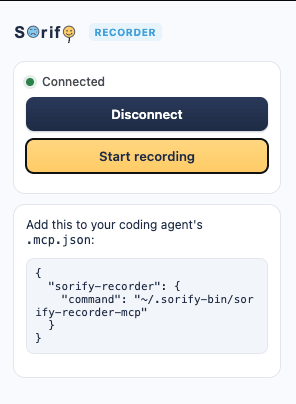
Perform the clicks/inputs you want turned into a test, then Stop recording.
Tip: to check the port lsof -nP -iTCP:7420 -sTCP:LISTEN
No 5. Generate tests
/sorify:recording latest
In Codex, use $sorify:sorify-recording and ask for the latest recording instead.
Quick Start (from source)
Development (local)
# Update: APP_KEY, DB_PASSWORD, MYSQL_ROOT_PASSWORD
cp .env.example .env

composer setup
php artisan dev
Verify
http://localhost:8000/sorify
- User: admin@sorify.local
- Password: changeme
See INSTALL.md for other details, self hosting, ephemeral mode, docker.
Customizable Settings
|
Suite settings Webhooks and integrations configured per suite 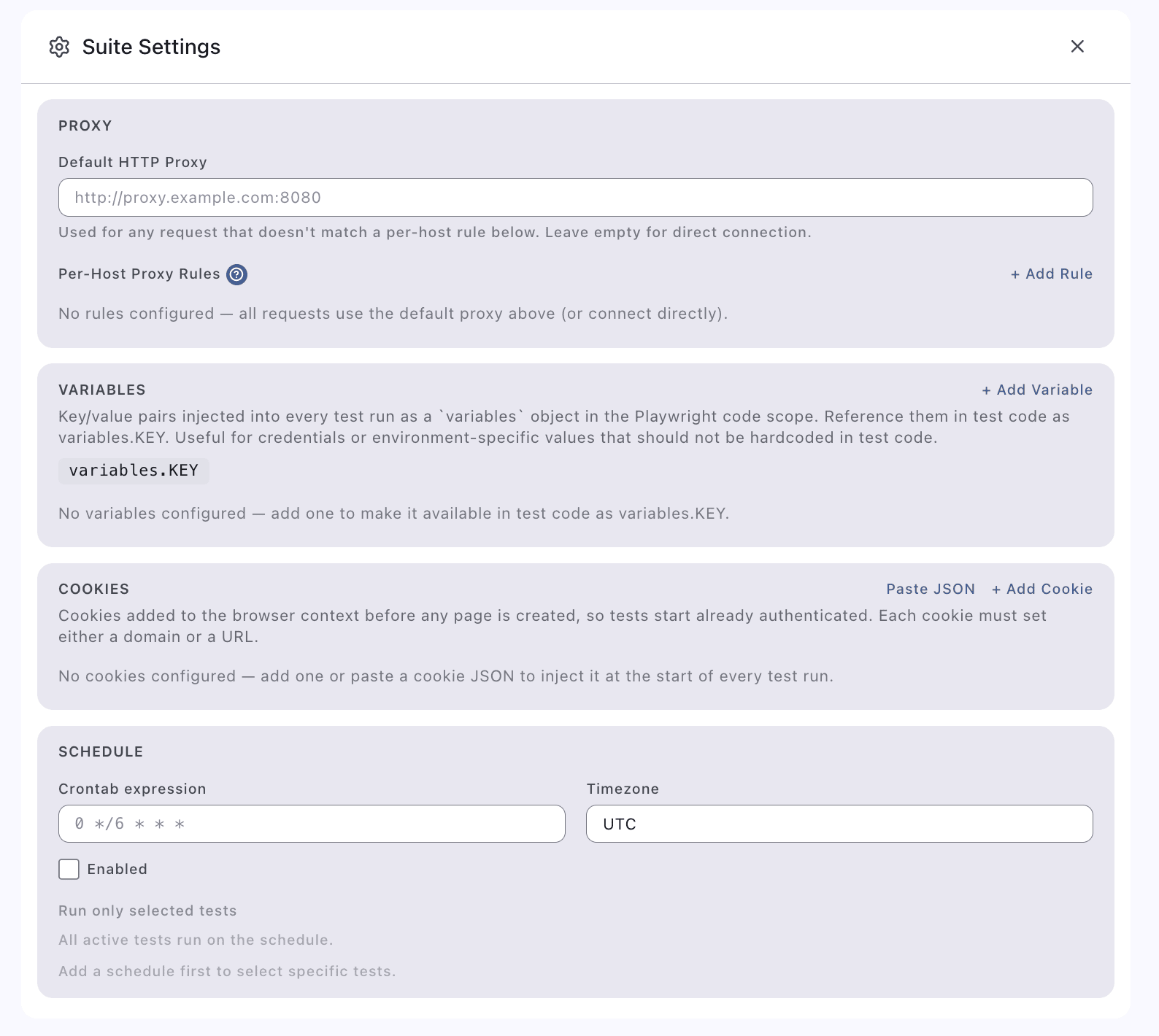
|
Webhook settings CI webhook for triggering Sorify runs 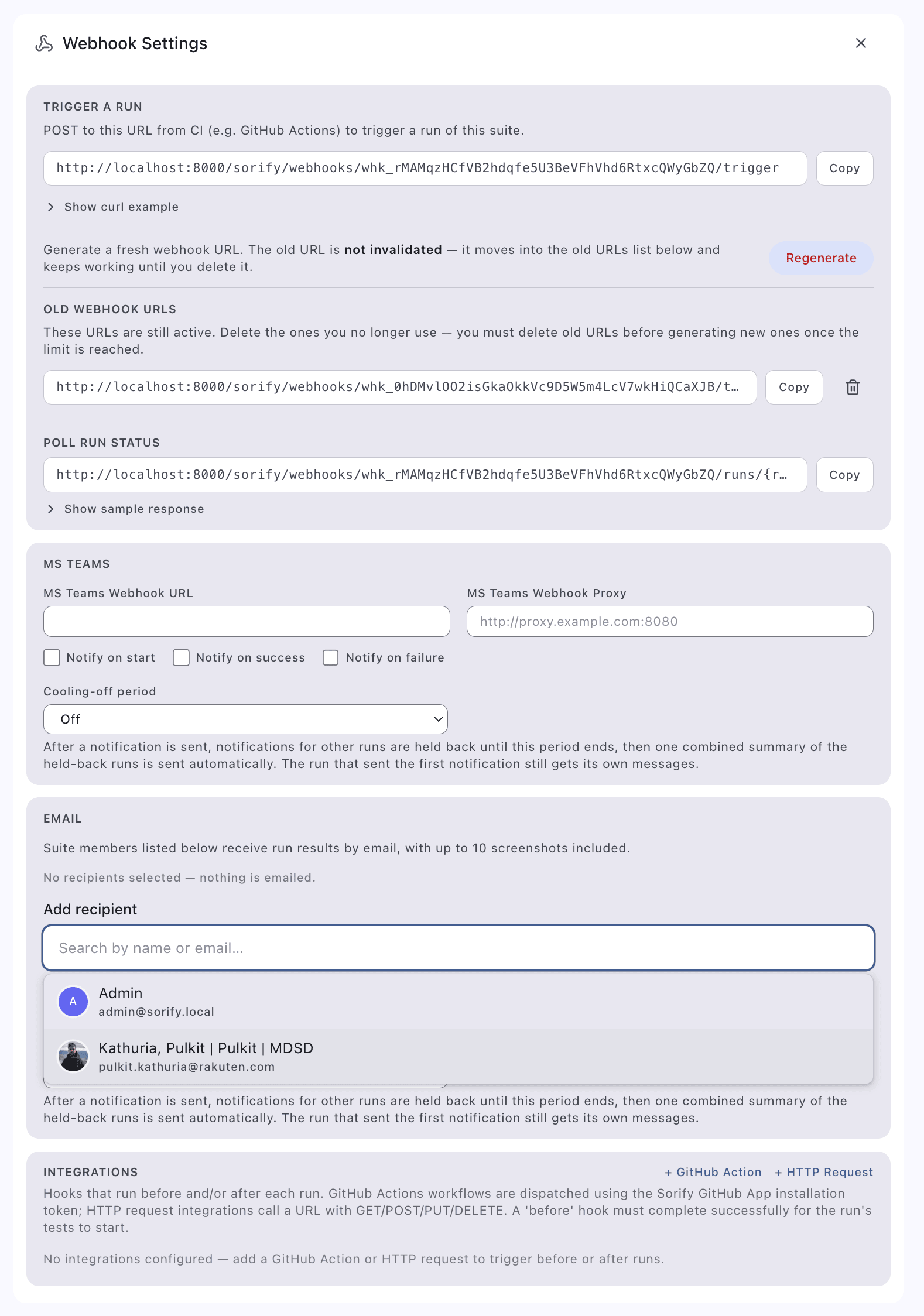
|
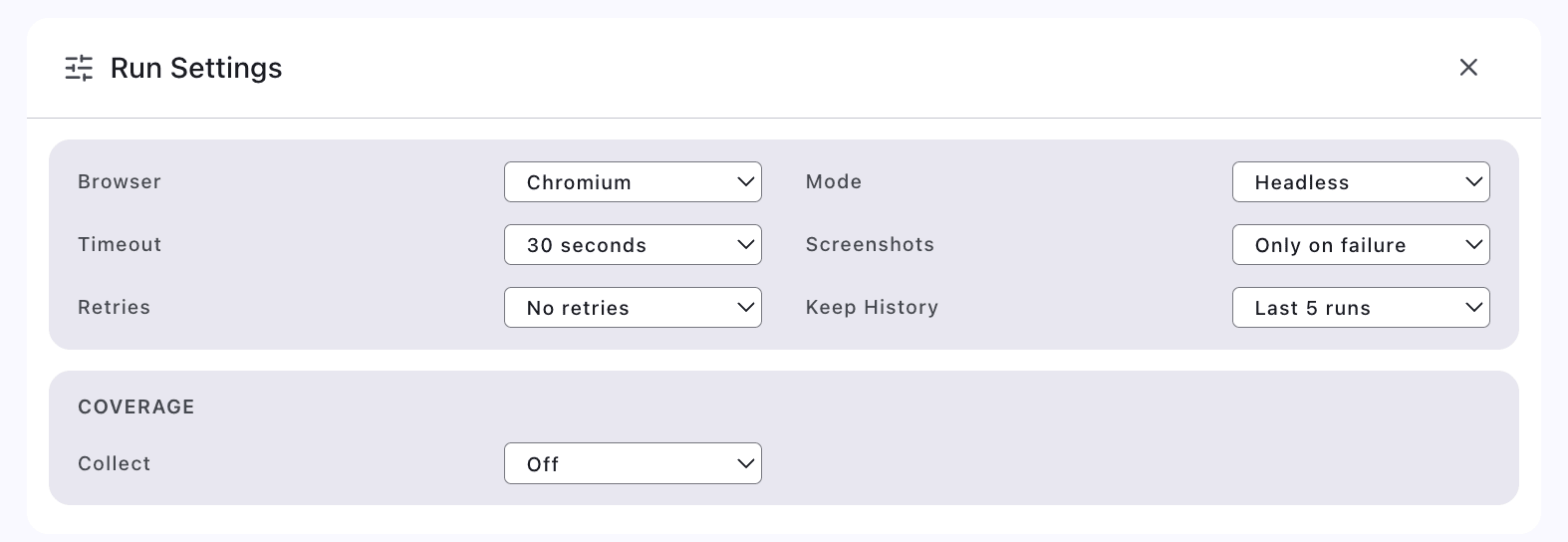
Run settings
Webhook URL, token and run options
Integrations
- Sorify Webhook: Trigger Sorify run/runs from outside
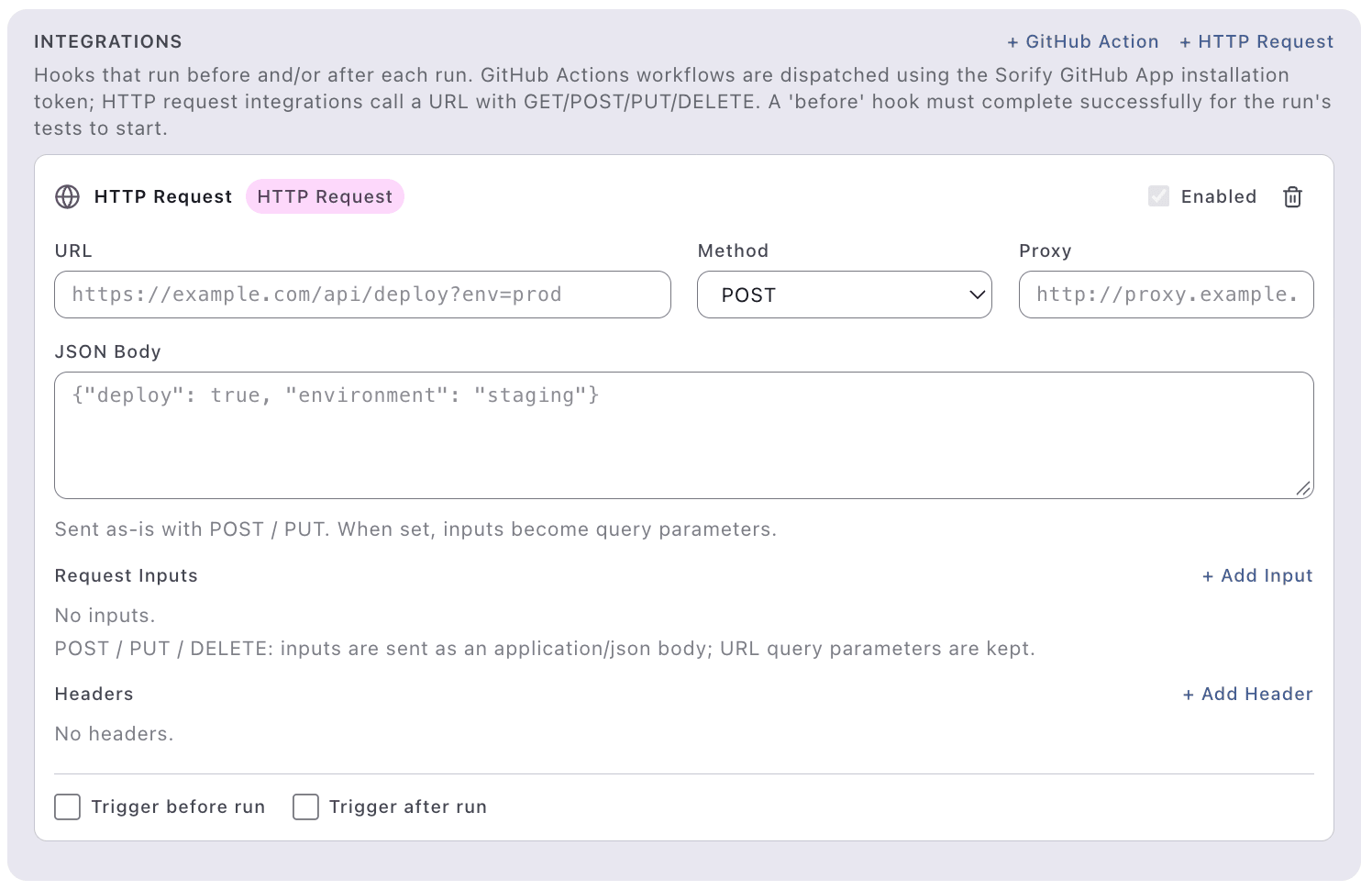
- HTTP Webhook: Trigger HTTP from sorify - pre/post run
- Github Action Webhook: Trigger Github action from sorify - pre/post run. Details below:

HTTP integration settings
Trigger HTTP from Sorify - pre/post run
GitHub, GHES, GHEC integrations
Integration 1: Github Actions → Sorify
Trigger Sorify runs from a workflow using the suite's CI webhook (token auth, no session). Grab the webhook URL from the suite's settings page, store the token as a secret, then:
on: [push]

jobs:
  e2e:
    runs-on: ubuntu-latest
    steps:
      - name: Trigger Sorify run
        run: |
          curl -sf -X POST "$SORIFY_WEBHOOK_URL/trigger" \
            -H "Content-Type: application/json" \
            -d '{"test_ids": [12, 34]}'   # omit to run all active tests
        env:
          SORIFY_WEBHOOK_URL: ${{ secrets.SORIFY_WEBHOOK_URL }}

      - name: Poll run status
        run: |
          curl -sf "$SORIFY_WEBHOOK_URL/runs/{run}/status"
        env:
          SORIFY_WEBHOOK_URL: ${{ secrets.SORIFY_WEBHOOK_URL }}
Integration 2: Sorify → Github Actions (pre or post)
GitHub Apps are managed under Admin → GitHub Apps (dashboard). Used for either login or triggering actions from Sorify.
To register an app, follow the walkthrough on the dashboard itself: Admin → GitHub Apps → "How to register".
A workflow dispatched by Sorify looks like this:
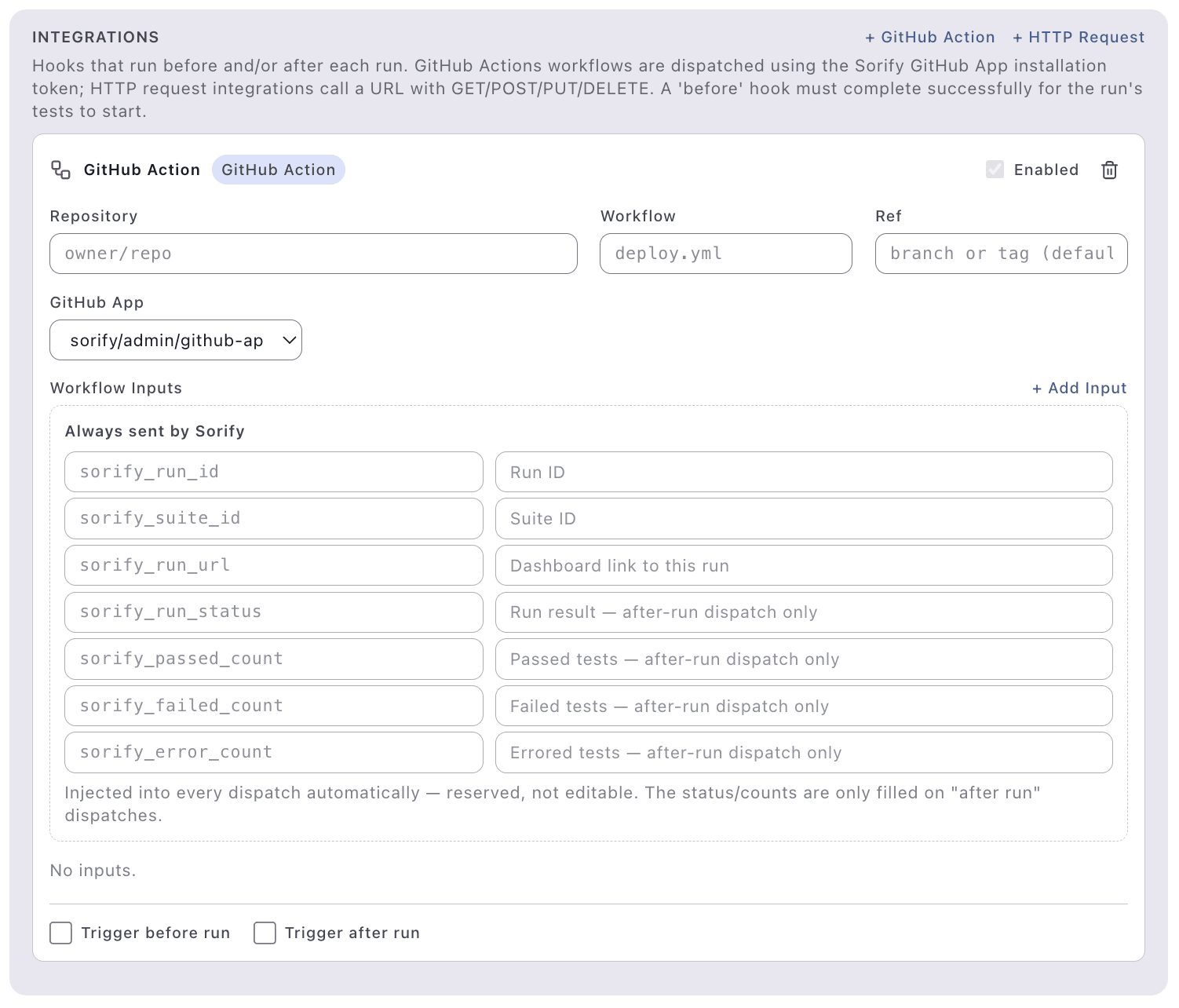
on:
  workflow_dispatch:
    inputs:
      # Injected by Sorify — do not edit
      sorify_run_id:
        type: string
      sorify_suite_id:
        type: string
      # and so on. Custom add from - sorify's suite/{id} > settings

jobs:
  sorify:
    name: Sorify
    steps:
      - name: Show Sorify context
        run: |
          echo "sorify_run_id=${{ github.event.inputs.sorify_run_id }}"
HTTP API Reference
See API.md for the complete endpoint list and sample curl requests.
Owners
 MarikoKikugawa |
 asghar-ahmed |
 HiromichiHagiwara | |
 kevincobain2000 |
 pulkit-kathuria |
 chetra-tep |
 chetratep |
Contribution
- Raise an issue or PR to
master
License
Licensed under the Apache License, Version 2.0.
The Chrome extension in extension/ is licensed separately
under the BSD 3-Clause License, which prohibits
publishing it (or a derivative) under the "Sorify Recorder" name without
permission. See extension/README.md for details.
CHANGE LOG
- v1 - Intial Release
- v1.1 - Batteries added on user management, mcp enhancement
- v1.2 - Chrome Extension to record and write playwright tests
- v1.3 - Skills updated, MS Teams notifications links to a screenshot, dashboard has admin editable msg
- v1.4 - Manage users from MCP.
- v1.5 - i18n support for English and Japanese for now.
- v1.6 - i18n support for Malay, Simplified Chinese. Extension captures file uploads, iframes, tabs, network. oAuth login, with Avatar. Duplicate a suite.
- v1.7 - Cookies support, variables support.
- v1.8 - MCP supports runs. Auto redirect after login page. Support for one time CI webhook and who ran the CI.
- v1.9 - Chrome extension memory leak fix. Support pre/post webhooks for multiple connectors.
- v2.0 - Ephemeral mode
- v2.1 - My AI Agent: in-dashboard agent chat (OpenAI-compatible profiles, page context, MCP handoff) and AI model attribution on test code.
- v2.2 - Long running agents, admin controlled stale runs, mermaid support on md, AI explain these buttons. Sleaker UI.
- v2.3 - Playwright coverage supported.
- v2.4 - User Skills: share, copy, distribute, use in agents.