MCPMate
MCPMate là một trung tâm quản lý Giao thức Ngữ cảnh Mô hình (MCP) toàn diện, được thiết kế để giải quyết độ phức tạp trong cấu hình, tiêu thụ tài nguyên, rủi ro bảo mật và các vấn đề khác trong hệ sinh thái MCP, cung cấp cho người dùng một nền tảng quản lý thống nhất.
Tài liệu
MCPMate
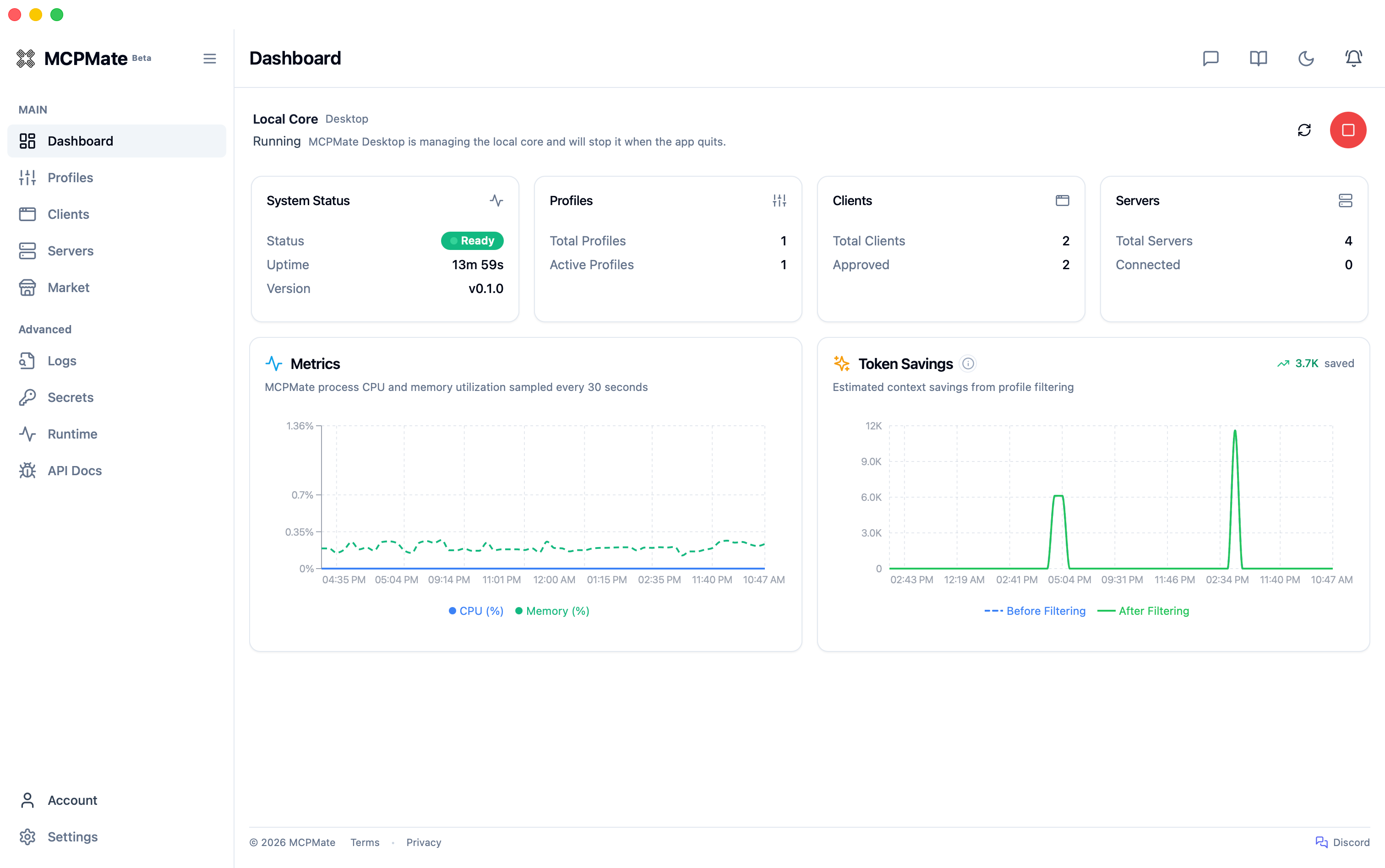
Your progressive MCP management partner.






Import MCP once. Start simple, then add profiles, per-client tools, and setup modes as your workflow grows.
MCPMate is a local-first assistant that grows with you—not just another config file editor.
MCPMate sits between your AI apps and MCP servers so you manage connections once and send the right tools to each app. It works with Claude Desktop, Cursor, Codex, Zed, VS Code, CLI tools, and other clients that follow the standard MCP config format.
Easy to begin, built to scale: one import with low friction; the same setup still fits as MCP spreads across more clients, servers, and scenarios—no product swap, no restart ritual.
| Stage | What you get |
|---|---|
| Start | Import servers, verify calls, and see health in one place |
| Grow | Scene profiles for coding, writing, or research; switch the full tool set in one click |
| Tune | Per-client trimming from one shared server library—less clutter, lower token use |
| Choose how to connect | Transparent (native config output), Hosted (durable proxy control), or Unify (small tool surface, on-demand discovery) |
Live site: mcp.umate.ai · Docs: mcp.umate.ai/docs
📑 Table of Contents
- MCPMate
🤔 Why MCPMate?
Managing MCP across multiple AI tools (Claude Desktop, Cursor, Zed, Codex, and custom clients) gets messy fast:
| · | Pain Point | · | MCPMate approach |
|---|---|---|---|
| ❌ | The same MCP setup is copied into every client by hand | ✅ | Configure once, use everywhere — servers, env vars, and connections live in one place |
| ❌ | Switching between coding, writing, and research means re-wiring each app | ✅ | Switch scenarios instantly — scene profiles swap the full tool set in one click |
| ❌ | Every client sees every tool, wasting tokens and cluttering the UI | ✅ | Each client sees what it should — one library, different visibility per app |
| ❌ | One integration style does not fit every client | ✅ | Hosted, Unify, or Transparent setup modes for the control level you need |
| ❌ | Hard to tell whether services are ready or calls are succeeding | ✅ | See it, verify it — inspector, structured logs, and dashboard in one local control plane |
| ❌ | Many MCP processes compete for RAM and handles | ✅ | A single proxy aggregates upstream servers with connection pooling |
🔄 How It Works
flowchart LR
subgraph mgmt ["🖥️ Management"]
APP["Tauri Desktop"]
DASH["Web Dashboard"]
end
subgraph proxy ["⚙️ MCPMate Proxy"]
direction TB
UP["Upstream Mgmt<br/><small>Connection Pool · OAuth 2.0 + PKCE</small>"]
PROF["Profile Engine<br/><small>Scene · App · Dynamic</small>"]
SEC["Event Logs & Security<br/><small>Secure Store · Structured Logs · SQLite Catalog</small>"]
UP --> PROF --> SEC
end
subgraph cfg ["🔧 Client Config"]
direction TB
DET["Detection & Adapter"]
MODES["Modes<br/><small>Transparent · Hosted · Unify</small>"]
DET --> MODES
end
subgraph clients ["📱 AI Clients"]
C["Cursor · VS Code · Zed · ..."]
end
subgraph upstream ["☁️ Upstream MCP Servers"]
S["uvx · bunx · npx<br/>SSE · Streamable HTTP"]
end
subgraph market ["🛒 MCP Marketplace"]
M["Official Registry"]
end
APP -->|"API"| proxy
DASH -->|"API"| proxy
market -.->|"Install"| proxy
upstream -->|"stdio / HTTP"| proxy
proxy -->|"Bridge / HTTP"| cfg
MODES --> clients
classDef mgmt fill:#e3f2fd,stroke:#1565c0,color:#000
classDef proxy fill:#fff3e0,stroke:#e65100,color:#000
classDef cfg fill:#e8f5e9,stroke:#2e7d32,color:#000
classDef clients fill:#fce4ec,stroke:#c62828,color:#000
classDef upstream fill:#f3e5f5,stroke:#6a1b9a,color:#000
classDef market fill:#fff9c4,stroke:#f9a825,color:#000
class APP,DASH mgmt
class UP,PROF,SEC proxy
class DET,MODES cfg
class C clients
class S upstream
class M market
MCPMate sits between your AI clients and MCP servers. To each app it looks like a normal MCP endpoint—no workflow disruption—while profiles, policy, and routing stay in the middle layer. The Bridge adapts stdio-only clients (such as Claude Desktop) to the HTTP proxy. The Profile Engine decides which tools each client sees—scene profiles for workflow context, app profiles for per-client tuning, and dynamic profiles that adjust at runtime. Transparent, Hosted, and Unify setup modes let you choose how much MCPMate sits in the path versus writing native client configs.
🚀 Key Features
| Feature | Description |
|---|---|
| Profile-Based Trimming | Organize MCP servers into scene, app, and dynamic profiles. Switch instantly without restarting services. |
| Multi-Client Support | Detect, configure, and manage Claude Desktop, Cursor, Zed, Codex, and user-defined clients. |
| Dynamic Client Governance | Database-first governance with Allow/Deny policies. No static template files. Verified config targets required for writes. |
| Market Integration | Browse and install from the official MCP registry without leaving the app. Detail views can show GitHub README context, source metadata, and OAuth authorization. |
| Runtime Manager | Installs and manages Node.js, uv (Python), and Bun runtimes used by local MCP servers. |
| Secure Store & OAuth Custody | Keeps local secrets, OAuth tokens, and client secrets in encrypted custody with lifecycle cleanup and degraded-state guidance. |
| OAuth 2.0 Upstream (PKCE) | Supports upstream OAuth 2.0 flows with PKCE for Streamable HTTP MCP servers, including metadata discovery, callback handling, and reconnect flows. |
| Transactional Capability Catalog | Versioned SQLite capability snapshots with a bounded in-process LRU for fast protocol and management reads. |
| Structured Logs | Dedicated Logs page with cursor-based pagination, actor/target/action metadata, and REST API access. |
| Browser Extension | Chrome/Edge extension browses Servers, Clients, and Portals, then imports MCP snippets, GitHub MCP entries, and Cursor.directory entries via mcpmate://import/server. |
| Tool Inspector | Run quick tool calls against connected servers and inspect structured responses from the console. |
🛠️ Core Components
Proxy
A high-performance MCP proxy server that connects to multiple MCP servers and aggregates their tools. Implements stdio and Streamable HTTP transport protocols aligned with the current MCP specification. Accepts legacy SSE-configured servers and automatically normalizes them to Streamable HTTP for backward compatibility.
Bridge
A lightweight bridging component that converts stdio protocol to HTTP transport without modifying the client. Automatically inherits all functions and tools from the HTTP service. Minimal configuration — only requires service address.
Runtime Manager
Installs and manages runtimes used by local MCP servers. Supports Node.js, uv (Python), and Bun with download progress tracking and automatic environment variable configuration.
runtime install node   # Install Node.js for JavaScript MCP servers
runtime install uv     # Install uv for Python MCP servers
runtime install bun    # Install Bun
runtime list           # List installed runtimes
Desktop App
Cross-platform desktop application built with Tauri 2. Complete graphical interface for managing MCP servers, profiles, and tools with real-time monitoring, intelligent client detection, and system tray integration. macOS, Windows, and Linux desktop builds are currently available as Beta releases.
Logs
Structured operational log for MCP proxy activity. Collects MCP operations and management-side changes into a structured timeline with cursor-based pagination, REST APIs, and a dedicated Logs page in the dashboard UI.
⚡ Quick Start
Option A: Download the Desktop App (Recommended)
Download the latest release for your platform from GitHub Releases.
Note: macOS builds are signed and notarized to reduce system security prompts and improve package trust.
macOS and Linux users can also install the Homebrew Beta cask with brew install --cask loocor/tap/mcpmate@beta. See the Installation guide for updates and uninstall steps.
Option B: Build from Source
Prerequisites: Rust 1.85+, Node.js 18+ or Bun, SQLite 3
1. Clone & Build the Backend
git clone https://github.com/loocor/MCPMate.git
cd MCPMate/backend
cargo build --release
2. Start the Proxy
cargo run --release
The proxy starts with:
- REST API on
http://localhost:8080 - MCP endpoint on
http://localhost:8000
3. Launch the Dashboard
cd ../board
bun install
bun run dev
Dashboard available at http://localhost:5173.
Option C: Online Demo
Coming soon. An online environment will let you explore the dashboard, profiles, and client configuration without a local setup.
🧰 Tech Stack
| Layer | Technology |
|---|---|
| Proxy / Backend | Rust, tokio, rmcp, SQLite (configuration and capability catalog), in-process LRU |
| Dashboard | React, Vite, Zustand, React Query, Radix UI |
| Desktop | Tauri 2, system tray, native notifications |
| Bridge | Rust binary, stdio-to-HTTP conversion |
| Runtime Manager | Multi-runtime (Node.js, uv, Bun) |
| Protocol | MCP 2025-11-25, stdio + Streamable HTTP |
🚢 Deployment Modes
- Integrated mode (desktop) — Tauri bundles backend + dashboard for local all-in-one operation
- Separated mode (core server + UI) — Run backend independently and connect either the web dashboard or desktop shell to that core service
- Client mode flexibility — Managed clients can continue using hosted/transparent workflows while the control plane runs remotely
🔧 Development
# Run all checks
./scripts/check

# Start backend + board together
./scripts/dev-all
See AGENTS.md for development guidelines, coding standards, and contribution workflow.
🗺️ Roadmap
- Discovery-to-install polish — tighter browser extension, Market, README, and source-metadata flows
- Account-based configuration backup & restore
- Skills-mode packaged profiles
- Standalone Inspector — a focused path for MCP server connection, capability discovery, and call verification
🤝 Contributing
Contributions are welcome! Please:
- Read AGENTS.md for development guidelines
- Open an issue to discuss significant changes
- Submit pull requests against the
mainbranch
📄 License
GNU Affero General Public License v3.0 (AGPL-3.0)