Binance MCP Server
Cung cấp quyền truy cập liền mạch vào API sàn giao dịch Binance. Yêu cầu cấu hình thông tin xác thực API Binance.
Tài liệu
Binance MCP Server

A Binance Spot MCP server for compatible AI clients, using stdio and ten tools. Node.js 24+ is required. Futures, withdrawals and streaming subscriptions are not exposed.
2.0.0 is published on npm. Install it with npm install -g binance-mcp-server, or use the source setup below. See migration notes.
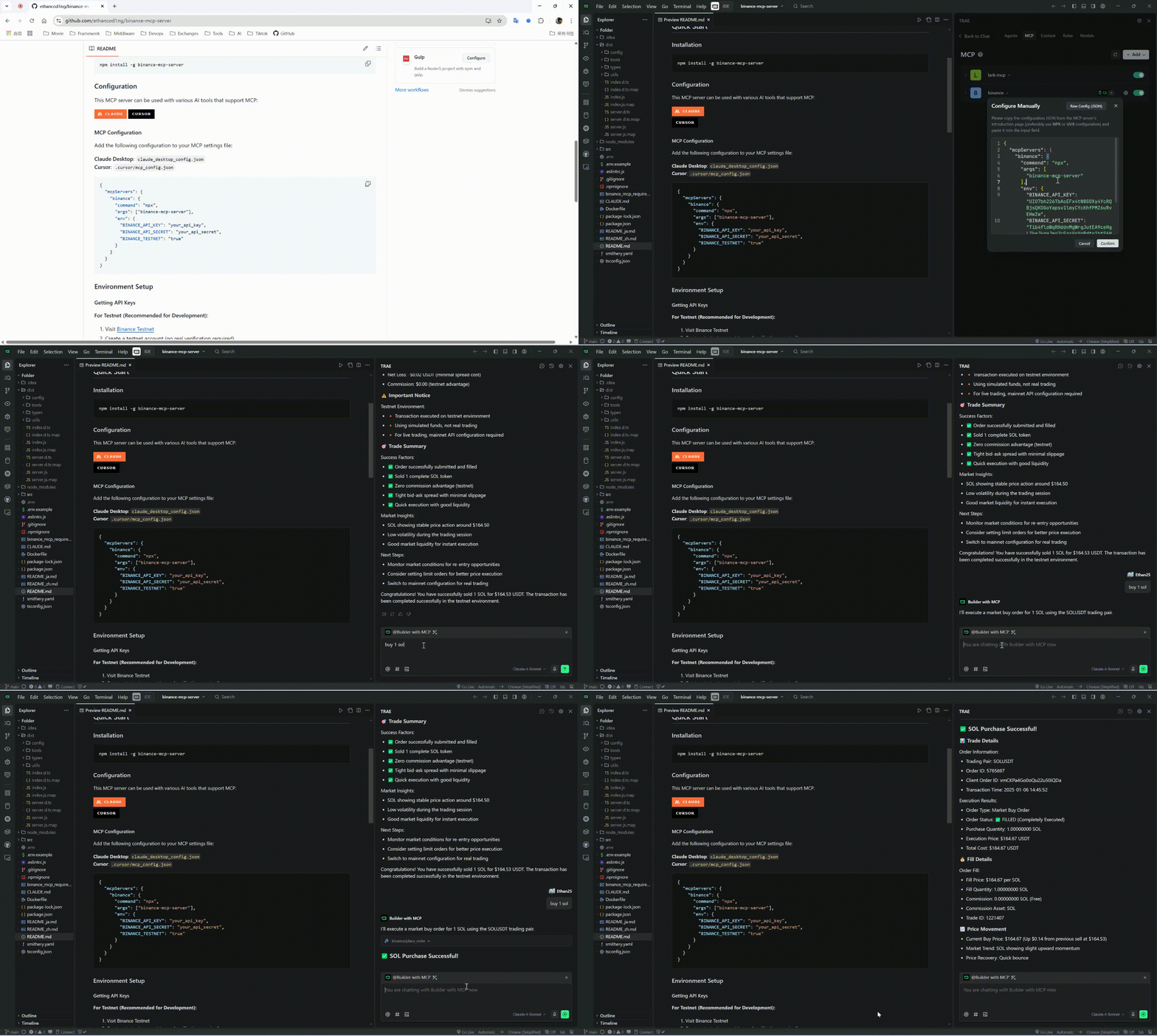
📹 Video Tutorial
Watch our comprehensive MCP usage tutorial to get started quickly:
Setup from source
git clone https://github.com/ethancod1ng/binance-mcp-server.git
cd binance-mcp-server
npm ci
npm run build
cp .env.example .env
Copy .env.example to .env and use keys for the selected network. Even market-data queries currently require both credentials at startup. The .env file is read from the process working directory; MCP client env settings are recommended.
MCP client configuration
Replace the absolute path with your built checkout. The client launches and owns this stdio process; it is not an HTTP service.
{
  "mcpServers": {
    "binance": {
      "command": "node",
      "args": [
        "/absolute/path/to/binance-mcp-server/dist/index.js"
      ],
      "env": {
        "BINANCE_API_KEY": "your_testnet_api_key",
        "BINANCE_API_SECRET": "your_testnet_api_secret",
        "BINANCE_TESTNET": "true"
      }
    }
  }
}
After 2.0.0 is published, a client may use command: "npx" with args: ["-y", "binance-mcp-server@2.0.0"] and the same environment settings. Runtime version comes from package.json; MCP_SERVER_VERSION is ignored.
Network selection
BINANCE_TESTNET selects the network: "true" uses testnet; any other value — including omitting it — uses mainnet. Use keys issued for the selected network. All tools, including placing and cancelling orders, work on both networks; no separate trading switch is required. Before an order mutation on mainnet, the server logs a warning that real funds are involved; the warning does not block the operation. Use only the API permissions needed; withdrawal permission is unnecessary.
Tools
| Tool | Inputs and behavior |
|---|---|
get_price | Required symbol. |
get_orderbook | Required symbol; limit defaults to 100, allowed: 5, 10, 20, 50, 100, 500, 1000, 5000. |
get_klines | Required symbol, interval; limit 1–1000, default 500. No start/end time parameters. |
get_24hr_ticker | Optional symbol; omitted means all symbols. |
get_account_info | No inputs; returns nonzero balances with decimal totals. |
get_open_orders | Optional symbol; omitted means all open orders. |
get_order_history | Required symbol; limit 1–1000, default 500. No time or order-ID pagination. |
place_order | Required symbol, side BUY/SELL, type MARKET/LIMIT, quantity as a base-asset decimal string. LIMIT requires price and uses GTC. |
cancel_order | Required symbol and positive safe-integer orderId. |
cancel_all_orders | Required symbol; cancels all open orders for that symbol only. |
Symbols are uppercase and may contain digits, e.g. 1INCHUSDT. Prices and quantities must be positive plain decimal strings. Binance still enforces symbol availability, tick size, lot size and notional filters. K-line intervals: 1m, 3m, 5m, 15m, 30m, 1h, 2h, 4h, 6h, 8h, 12h, 1d, 3d, 1w, 1M.
Results contain JSON as MCP text content. Tool execution errors return isError: true. Query timestamps added by this server are local milliseconds; source fields retain Binance semantics.
Examples
{"name":"get_price","arguments":{"symbol":"BTCUSDT"}}
{"name":"get_klines","arguments":{"symbol":"ETHUSDT","interval":"1h","limit":24}}
{"name":"place_order","arguments":{"symbol":"BTCUSDT","side":"BUY","type":"LIMIT","quantity":"0.001","price":"50000"}}
Development and packaging
npm run check
npm audit --omit=dev
npm pack --dry-run
docker build -t binance-mcp-server .
docker run --rm -i --env-file .env binance-mcp-server
If startup fails, check Node version and credentials. For signature/timestamp errors, verify the network/key pair and system clock. Never paste credentials into issue reports.
