BoardRepo
Tìm kiếm và xem xét các dự án PCB KiCad và Altium thông qua máy chủ MCP OAuth chỉ đọc.
Tài liệu
We'd like to use optional cookies for analytics, session replay and marketing. You can change this any time. Privacy policy
AcceptReject
Connect AI
Sign in to BoardRepo
New here? Signing in creates your account; there is no separate sign-up.
Connect AI
Your AI, working on your hardware.
Save your assistant’s work, inspect the board, and continue in KiCad.
Claude ChatGPT Cursor Gemini
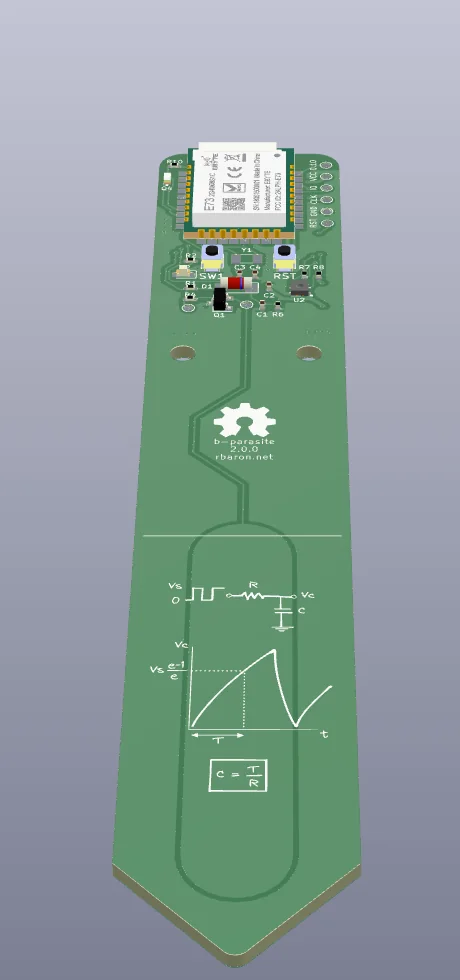
An example conversation with BoardRepo in an AI assistant: it finds the open-source b-parasite soil sensor and shows its schematic, PCB and 3D view; explains how its moisture sensing circuit works; then changes R10 from 470 Ω to 4.7 kΩ to make the light sensor more sensitive and saves a copy to the user's workspace.
Share•••
 BoardRepo find an open-source soil moisture sensor with Bluetooth that runs on a coin cell
Searching Open-Source Boards
BoardRepo
b-parasiterbaron · ★ 2.4kSchematicPCB3D
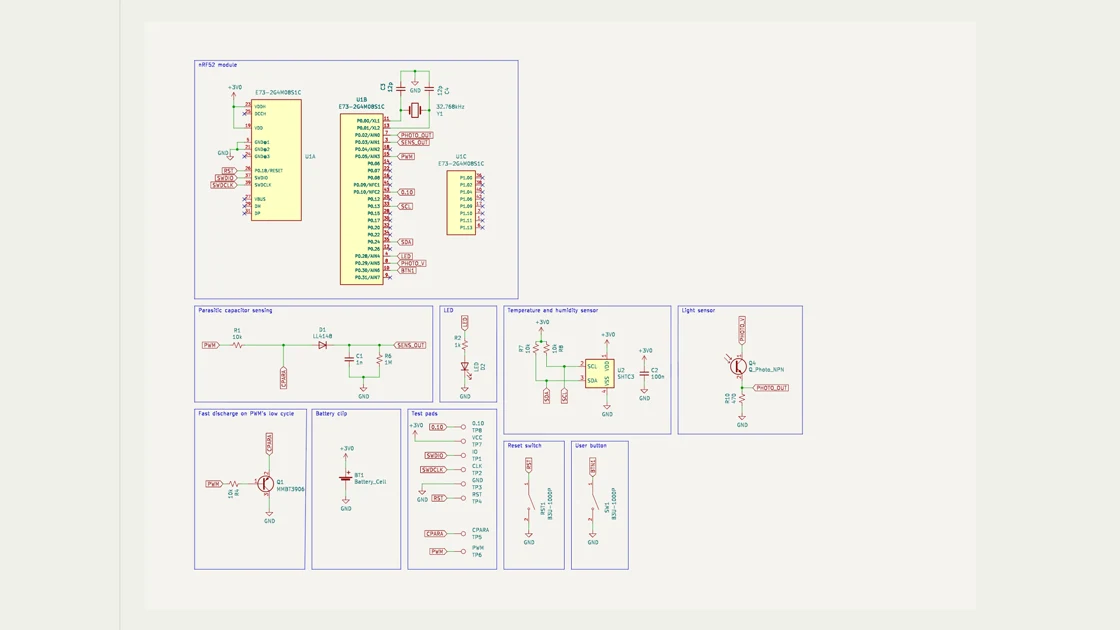
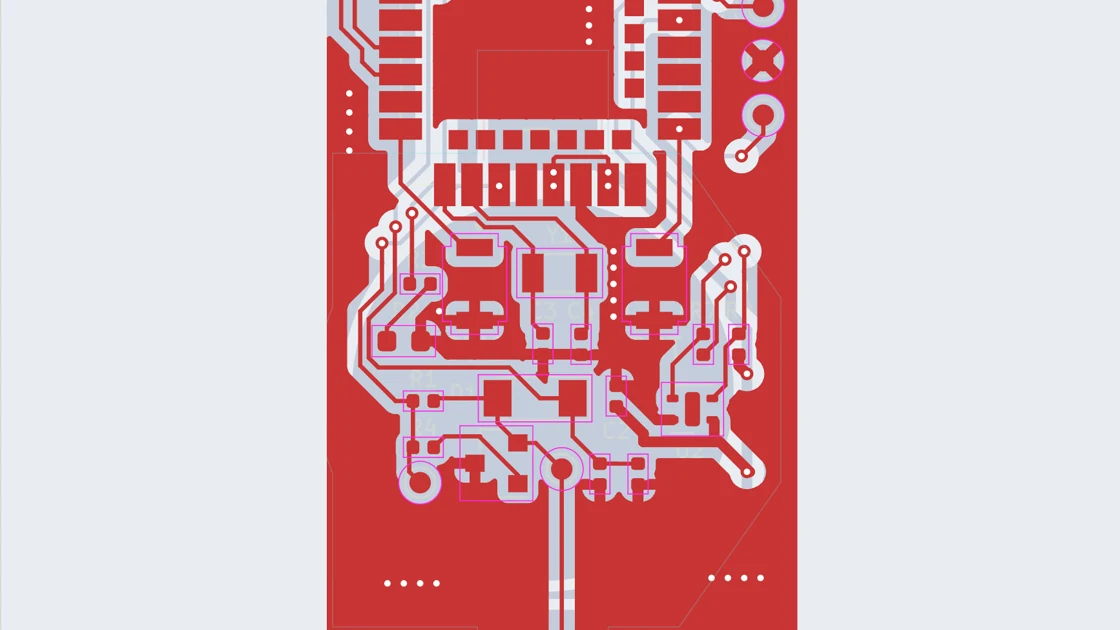 InspectMeasureFitLayers
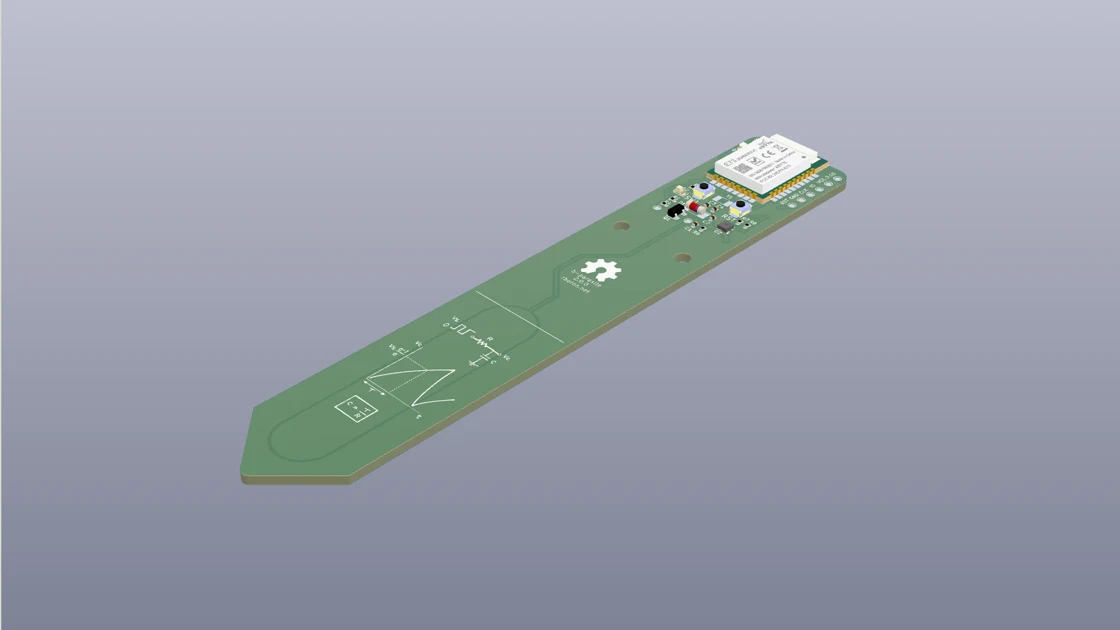 FitViewLightScale
b-parasite fits all three: an nRF52 Bluetooth module, a CR2032 holder, and 2.4k stars on GitHub.
How does it actually sense moisture?
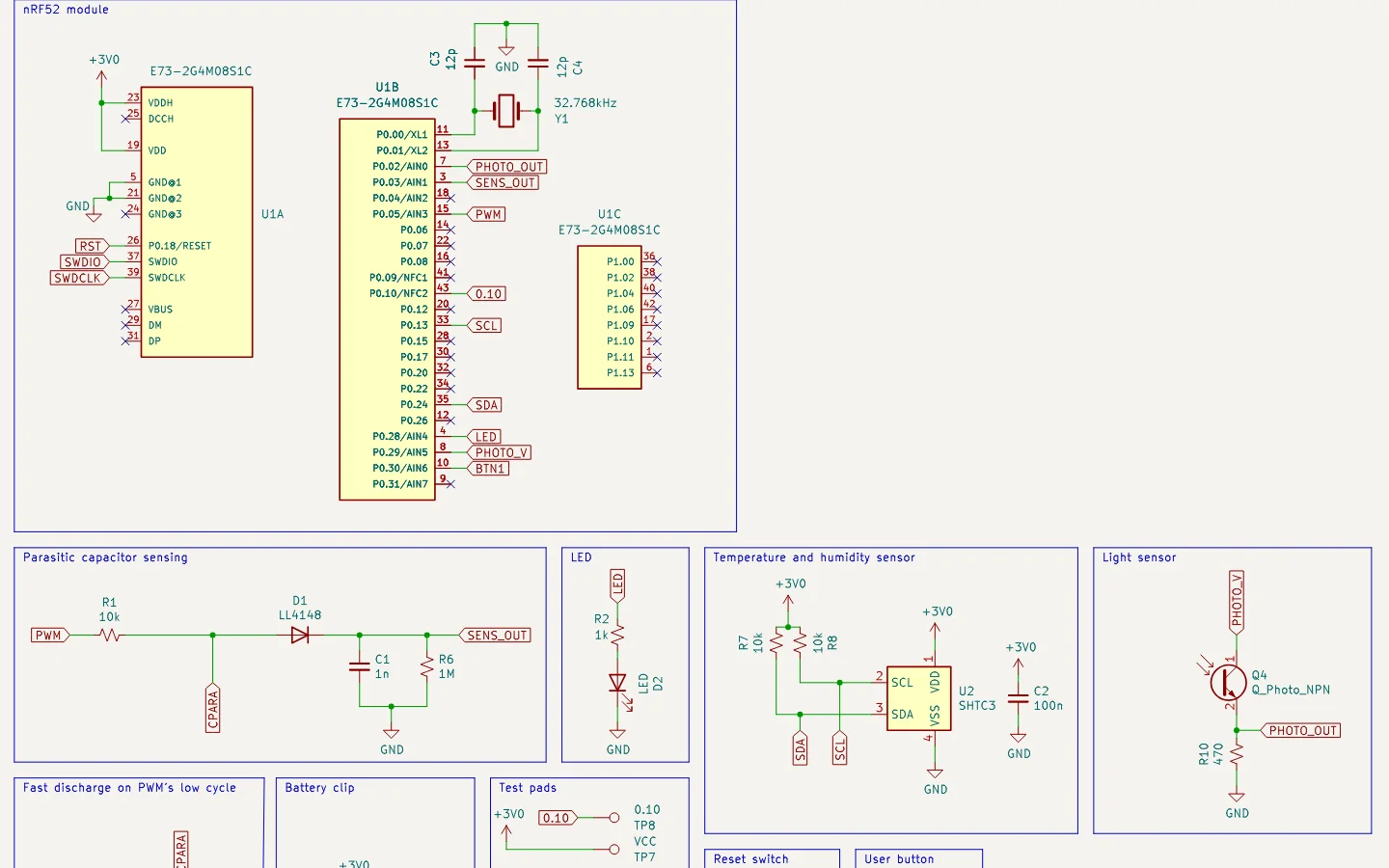
Reading the b-parasite Schematic
BoardRepo
SchematicParasitic capacitor sensing
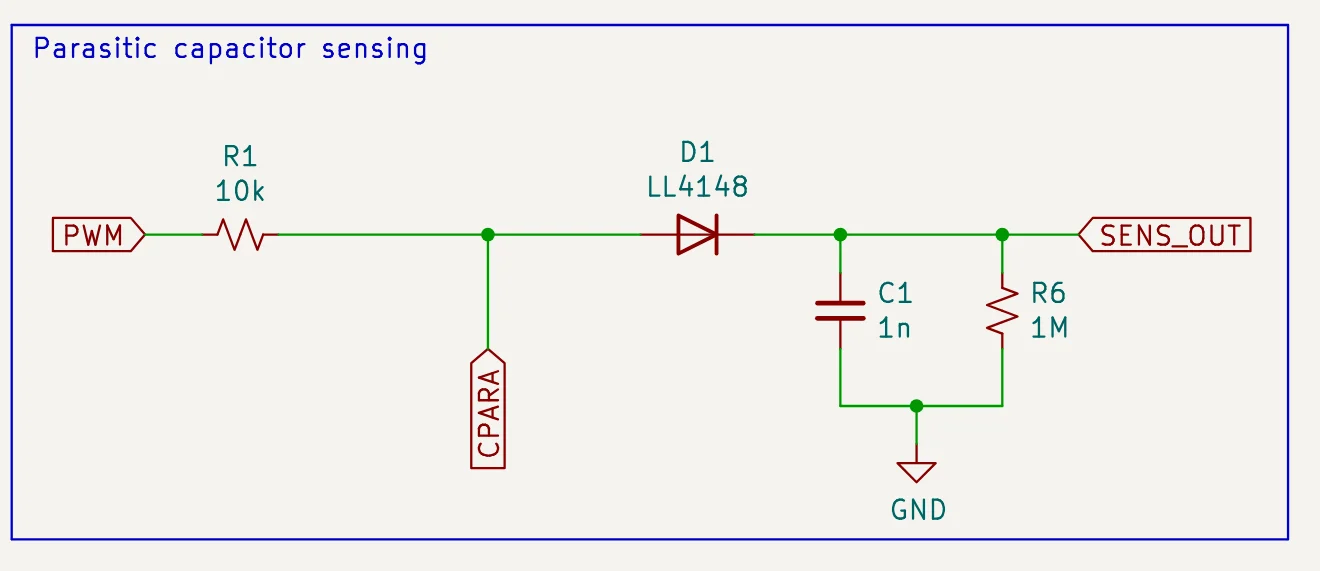
- R1Square wave in from P0.05
- CPARAProbe traces: wetter soil, more capacitance
- D1 C1 R6Hold the peak, lower when wetter
- SENS_OUTRead on P0.03
My plants are on a dim shelf. Make the light sensor more sensitive and save it to my workspace.
Editing R10 and Saving a Copy
BoardRepo
SchematicLight sensor
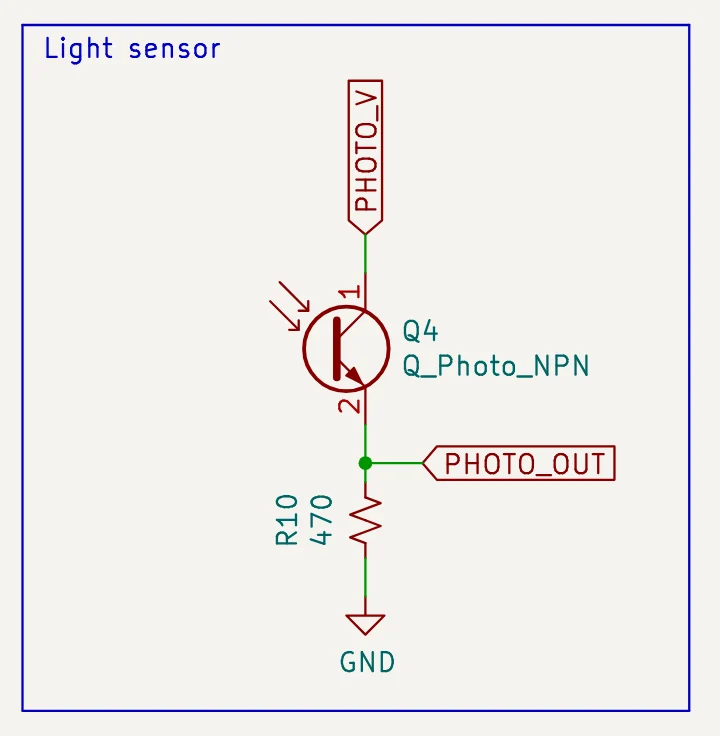 4.7k
R10470 Ω→4.7 kΩ
About 10× the signal in dim light
Save to my workspaceSaved · v1you/b-parasite
Saved as you/b-parasite v1, based on rbaron / b-parasite. R10 is now 4.7 kΩ and nothing else changed.
+Ask anything↑
R10470 Ω→4.7 kΩSaved · v1you/b-parasite
Example conversation · In-chat board views require enrollment and a supported client · Saving requires your explicit write consent · b-parasite by rbaron, CC BY-SA 4.0
Ask about any board.
Three to try on b-parasite by rbaron, CC BY-SA 4.0.
BoardRepo Find a Bluetooth soil moisture sensor that runs on a coin cell.
BoardRepo How does b-parasite measure soil moisture? Show me the signal path.
The first rows of b-parasite's bill of materials
| Qty | Part | Refs | MPN |
|---|---|---|---|
| 4 | 10k0402 | R1, R4, R7-R8 | C25744 |
| 1 | 1k0402 | R2 | C11702 |
| 1 | 1M0402 | R6 | C26083 |
| 1 | 4700402 | R10 | C25117 |
BoardRepo Read b-parasite's BOM and check results. What should I review before ordering?
From a conversation to a project.
-
0 1
Save the source
With your save permission, an assistant that can upload files publishes a personal project or a new version.
-
0 2
Inspect the board
Open it in your browser to review the schematic, PCB and changes.
-
0 3
Continue in KiCad
Pull the current version with BoardRepo for KiCad, or download the source.
Using KiCad with Claude or ChatGPT
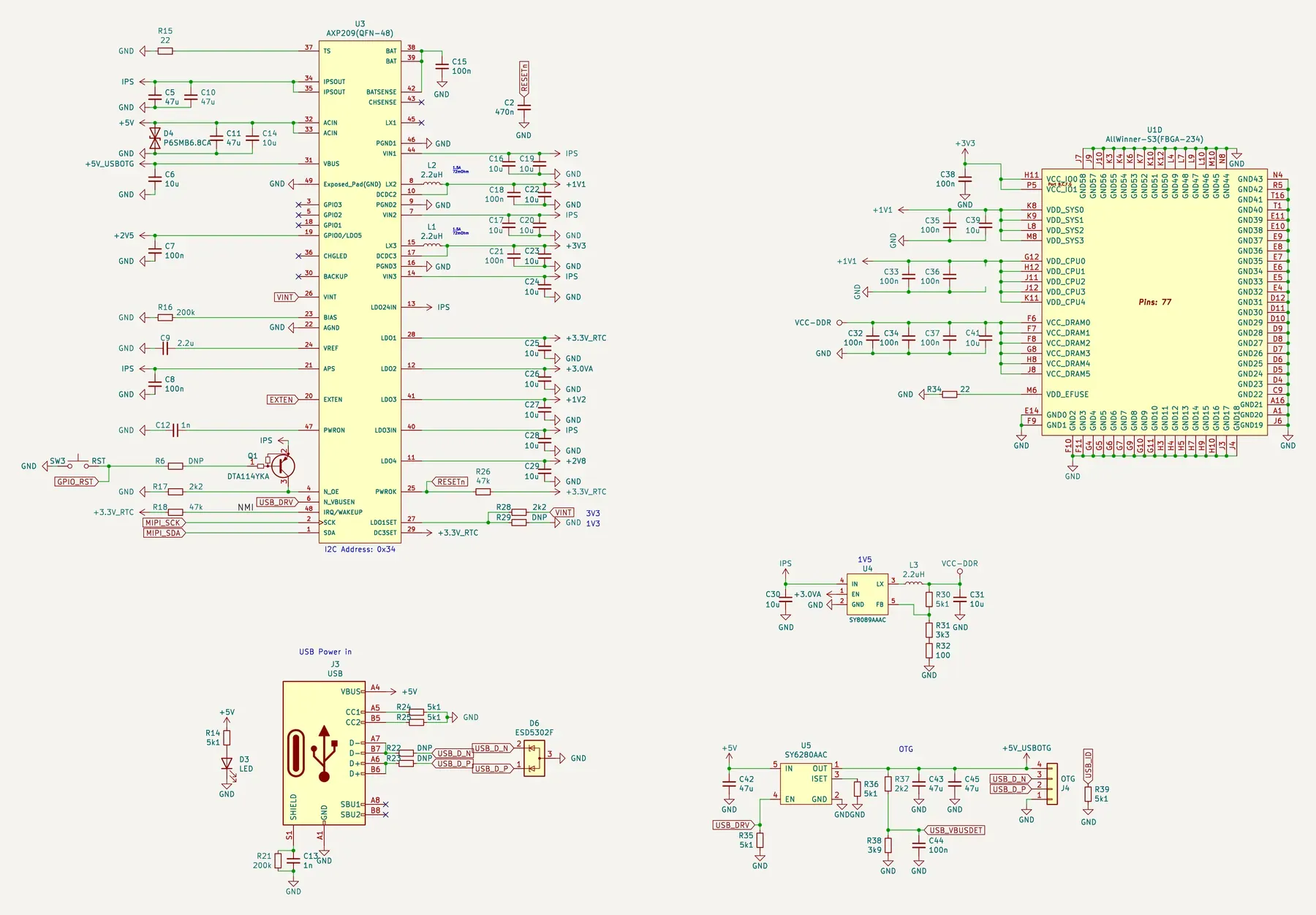 Schematic
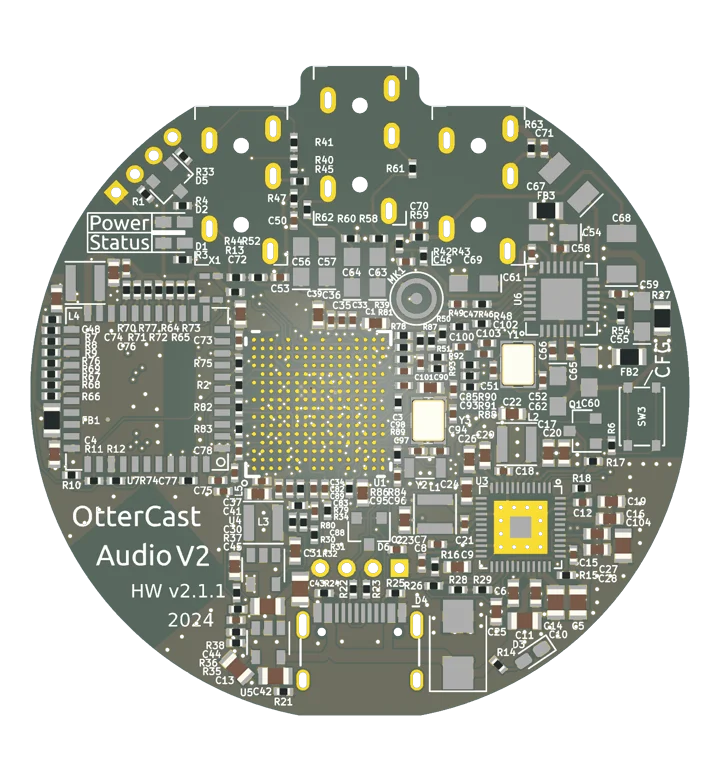 PCB
Reference project: OtterCastAudioV2 by Ottercast · MIT
Connect your assistant
Public boards, plus your own if you approve that access. Organization boards need separate consent.
Let your agent set it up
Add the BoardRepo MCP server. It is a remote HTTP MCP server at https://boardrepo.com/mcp. It uses OAuth, so there is no API key.

Read access is the default. Saving boards, when available, requires my explicit write consent; set up read access for this request.

Start the sign-in and tell me once it is connected. For Claude Code:
claude mcp add --scope user --transport http boardrepo https://boardrepo.com/mcp
Copy prompt
Paste it into Claude Code, Codex, Cursor or any coding agent.
Or add it yourself
ClaudeChatGPTClaude CodeCodexCursorVS CodeGeminiGemini CLIGrokOpenCodeWindsurfLM StudioOther
Claude
Add BoardRepo to Claude (opens in a new tab)
Then press Connect.
Set it up by hand instead
- In Customize, open Connectors and choose Add custom connector.
- Name it BoardRepo and enter
https://boardrepo.com/mcp. - Choose OAuth with Register automatically, then sign in to BoardRepo.
On Team or Enterprise, an admin adds BoardRepo first. Free plans allow one custom connector. Claude's setup guide
ChatGPT
Add BoardRepo to ChatGPT (opens in a new tab)
Then press Connect.
Set it up by hand to save boards
- In Plugins, choose Add custom MCP server.
- Name it BoardRepo, enter
https://boardrepo.com/mcpunder Connection, and select OAuth. - Accept the risk warning, select Create as a plugin, and sign in to BoardRepo.
- Install the plugin, then @mention BoardRepo in a new chat.
Web only. Saving needs Business, Enterprise or Edu. OpenAI's requirements
Claude Code
claude mcp add --scope user --transport http boardrepo https://boardrepo.com/mcp
Then run /mcp to sign in.
Codex
codex mcp add boardrepo --url https://boardrepo.com/mcp codex mcp login boardrepo
Cursor
Cursor opens and asks you to sign in.
Set it up by hand instead
Add this to ~/.cursor/mcp.json, then click Login:
{ "mcpServers": { "boardrepo": { "url": "https://boardrepo.com/mcp" } } }
VS Code
Add BoardRepo to VS Code (opens in a new tab)
Needs GitHub Copilot.
Set it up by hand instead
In the Command Palette, run MCP: Add Server, choose HTTP and paste https://boardrepo.com/mcp. It writes:
{ "servers": { "boardrepo": { "type": "http", "url": "https://boardrepo.com/mcp" } } }
Gemini
- At gemini.google.com, open Settings & help, then Connected Apps, and choose Add a custom app.
- Paste
https://boardrepo.com/mcpand approve the sign-in.
Personal Google accounts, 18+, in the US, with Activity on.
Gemini CLI
gemini mcp add --transport http boardrepo https://boardrepo.com/mcp
Set it up by hand instead
Add this to ~/.gemini/settings.json. The field is httpUrl, not url:
{ "mcpServers": { "boardrepo": { "httpUrl": "https://boardrepo.com/mcp", "authProviderType": "dynamic_discovery" } } }
Grok
- Open grok.com/connectors and choose New Connector, then Custom.
- Enter
https://boardrepo.com/mcpand sign in to BoardRepo.
OpenCode
Add this to opencode.json in the project, or to ~/.config/opencode/opencode.json:
{ "$schema": "https://opencode.ai/config.json", "mcp": { "boardrepo": { "type": "remote", "url": "https://boardrepo.com/mcp", "enabled": true } } }
Windsurf
In Settings, open Cascade, then MCP Servers, choose Add custom server and paste https://boardrepo.com/mcp.
Set it up by hand instead
Edit ~/.codeium/windsurf/mcp_config.json. The field is serverUrl, not url:
{ "mcpServers": { "boardrepo": { "serverUrl": "https://boardrepo.com/mcp" } } }
LM Studio
Needs LM Studio 0.4.10 or newer.
Set it up by hand instead
In the Program tab, choose Install, then Edit mcp.json, and add:
{ "mcpServers": { "boardrepo": { "url": "https://boardrepo.com/mcp" } } }
Other
Any client with Streamable HTTP and OAuth dynamic client registration connects with https://boardrepo.com/mcp alone.
My client asks for a command to run, not a URL
Run the mcp-remote bridge. It opens the BoardRepo sign-in in your browser on first use.
{ "mcpServers": { "boardrepo": { "command": "npx", "args": ["-y", "mcp-remote", "https://boardrepo.com/mcp"] } } }
Needs Node.js. The bridge is a third-party package, not published by BoardRepo.
Serverhttps://boardrepo.com/mcp
{"@context":"https://schema.org","@type":"Organization","name":"BoardRepo","url":"https://boardrepo.com","logo":"https://boardrepo.com/brand/boardrepo-icon-512.png","description":"Share hardware projects, inspect schematics and PCBs in the browser, and review saved versions with your team. Continue in KiCad or connect your AI assistant.","contactPoint":[{"@type":"ContactPoint","contactType":"customer service","email":"hello@boardrepo.com","availableLanguage":"en"},{"@type":"ContactPoint","contactType":"security","email":"security@boardrepo.com","availableLanguage":"en"},{"@type":"ContactPoint","contactType":"privacy","email":"privacy@boardrepo.com","availableLanguage":"en"}]}