MCP Chat Desktop App
Một ứng dụng desktop đa nền tảng để tương tác với nhiều Mô hình Ngôn ngữ Lớn (LLM) khác nhau thông qua Giao thức Ngữ cảnh Mô hình (MCP).
Tài liệu
MCP Chat Desktop App
A Cross-Platform Interface for LLMs
This desktop application utilizes the MCP (Model Context Protocol) to seamlessly connect and interact with various Large Language Models (LLMs). Built on Electron, the app ensures full cross-platform compatibility, enabling smooth operation across different operating systems.
The primary objective of this project is to deliver a clean, minimalistic codebase that simplifies understanding the core principles of MCP. Additionally, it provides a quick and efficient way to test multiple servers and LLMs, making it an ideal tool for developers and researchers alike.
News
This project originated as a modified version of Chat-UI, initially adopting a minimalist code approach to implement core MCP functionality for educational purposes.
Through iterative updates to MCP, I received community feedback advocating for a completely new architecture - one that eliminates third-party CDN dependencies and establishes clearer modular structure to better support derivative development and debugging workflows.
This led to the creation of Tool Unitary User Interface, a restructured desktop application optimized for AI-powered development. Building upon the original foundation, TUUI serves as a practical AI-assisted development paradigm, if you're interested, you can also leverage AI to develop new features for TUUI. The platform employs a strict linting and formatting system to ensure AI-generated code adheres to coding standards.
📢 Update: June 2025
The current project refactoring has been largely completed, and a pre-release version is now available. Please refer to the following documentation for details:
Features
-
Cross-Platform Compatibility: Supports Linux, macOS, and Windows.
-
Flexible Apache-2.0 License: Allows easy modification and building of your own desktop applications.
-
Dynamic LLM Configuration: Compatible with all OpenAI SDK-supported LLMs, enabling quick testing of multiple backends through manual or preset configurations.
-
Multi-Client Management: Configure and manage multiple clients to connect to multiple servers using MCP config.
-
UI Adaptability: The UI can be directly extracted for web use, ensuring consistent ecosystem and interaction logic across web and desktop versions.
Architecture
Adopted a straightforward architecture consistent with the MCP documentation to facilitate a clear understanding of MCP principles by:
How to use
After cloning or downloading this repository:
-
Please modify the
config.jsonfile located in src/main.
Ensure that thecommandandpathspecified in theargsare valid. -
Please ensure that Node.js is installed on your system.
You can verify this by runningnode -vandnpm -vin your terminal to check their respective versions. -
npm install -
npm start
Configuration
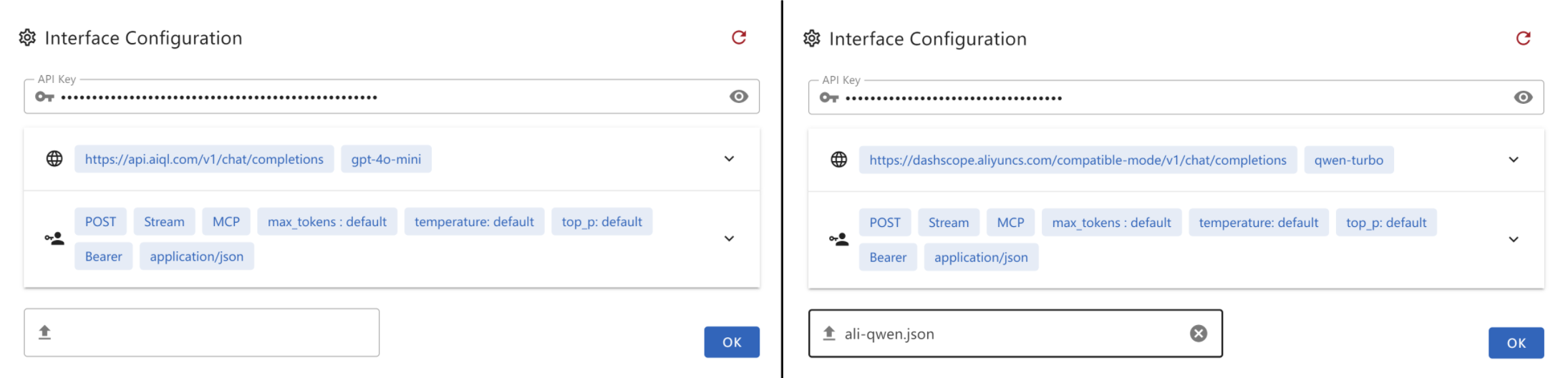
Create a .json file and paste the following content into it. This file can then be provided as the interface configuration for the Chat UI.
-
gtp-api.json{ "chatbotStore": { "apiKey": "", "url": "https://api.aiql.com", "path": "/v1/chat/completions", "model": "gpt-4o-mini", "max_tokens_value": "", "mcp": true }, "defaultChoiceStore": { "model": [ "gpt-4o-mini", "gpt-4o", "gpt-4", "gpt-4-turbo" ] } }
You can replace the 'url' if you have direct access to the OpenAI API.
Alternatively, you can also use another API endpoint that supports function calls:
-
qwen-api.json{ "chatbotStore": { "apiKey": "", "url": "https://dashscope.aliyuncs.com/compatible-mode", "path": "/v1/chat/completions", "model": "qwen-turbo", "max_tokens_value": "", "mcp": true }, "defaultChoiceStore": { "model": [ "qwen-turbo", "qwen-plus", "qwen-max" ] } } -
deepinfra.json{ "chatbotStore": { "apiKey": "", "url": "https://api.deepinfra.com", "path": "/v1/openai/chat/completions", "model": "meta-llama/Meta-Llama-3.1-70B-Instruct", "max_tokens_value": "32000", "mcp": true }, "defaultChoiceStore": { "model": [ "meta-llama/Meta-Llama-3.1-70B-Instruct", "meta-llama/Meta-Llama-3.1-405B-Instruct", "meta-llama/Meta-Llama-3.1-8B-Instruct" ] } }
Build Application
You can build your own desktop application by:
npm run build-app
This CLI helps you build and package your application for your current OS, with artifacts stored in the /artifacts directory.
For Debian/Ubuntu users experiencing RPM build issues, try one of the following solutions:
-
Edit
package.jsonto skip the RPM build step. Or -
Install
rpmusingsudo apt-get install rpm(You may need to runsudo apt updateto ensure your package list is up-to-date)
Troubleshooting
Error: spawn npx ENOENT - ISSUE 40
Modify the config.json in src/main
On windows, npx may not work, please refer my workaround: ISSUE 101
- Or you can use
nodein config.json:{ "mcpServers": { "filesystem": { "command": "node", "args": [ "node_modules/@modelcontextprotocol/server-filesystem/dist/index.js", "D:/Github/mcp-test" ] } } }
Please ensure that the provided path is valid, especially if you are using a relative path. It is highly recommended to provide an absolute path for better clarity and accuracy.
By default, I will install server-everything, server-filesystem, and server-puppeteer for test purposes. However, you can install additional server libraries or use npx to utilize other server libraries as needed.
Installation timeout
Generally, after executing npm install for the entire project, the total size of files in the node_modules directory typically exceeds 500MB.
If the installation process stalls at less than 300MB and the progress bar remains static, it is likely due to a timeout during the installation of the latter part, specifically Electron.
This issue often arises because the download speed from Electron's default server is excessively slow or even inaccessible in certain regions. To resolve this, you can modify the environment or global variable ELECTRON_MIRROR to switch to an Electron mirror site that is accessible from your location.
Electron builder timeout
When using electron-builder to package files, it automatically downloads several large release packages from GitHub. If the network connection is unstable, this process may be interrupted or timeout.
On Windows, you may need to clear the cache located under the electron and electron-builder directories within C:\Users\YOURUSERNAME\AppData\Local before attempting to retry.
Due to potential terminal permission issues, it is recommended to use the default shell terminal instead of VSCode's built-in terminal.
Demo
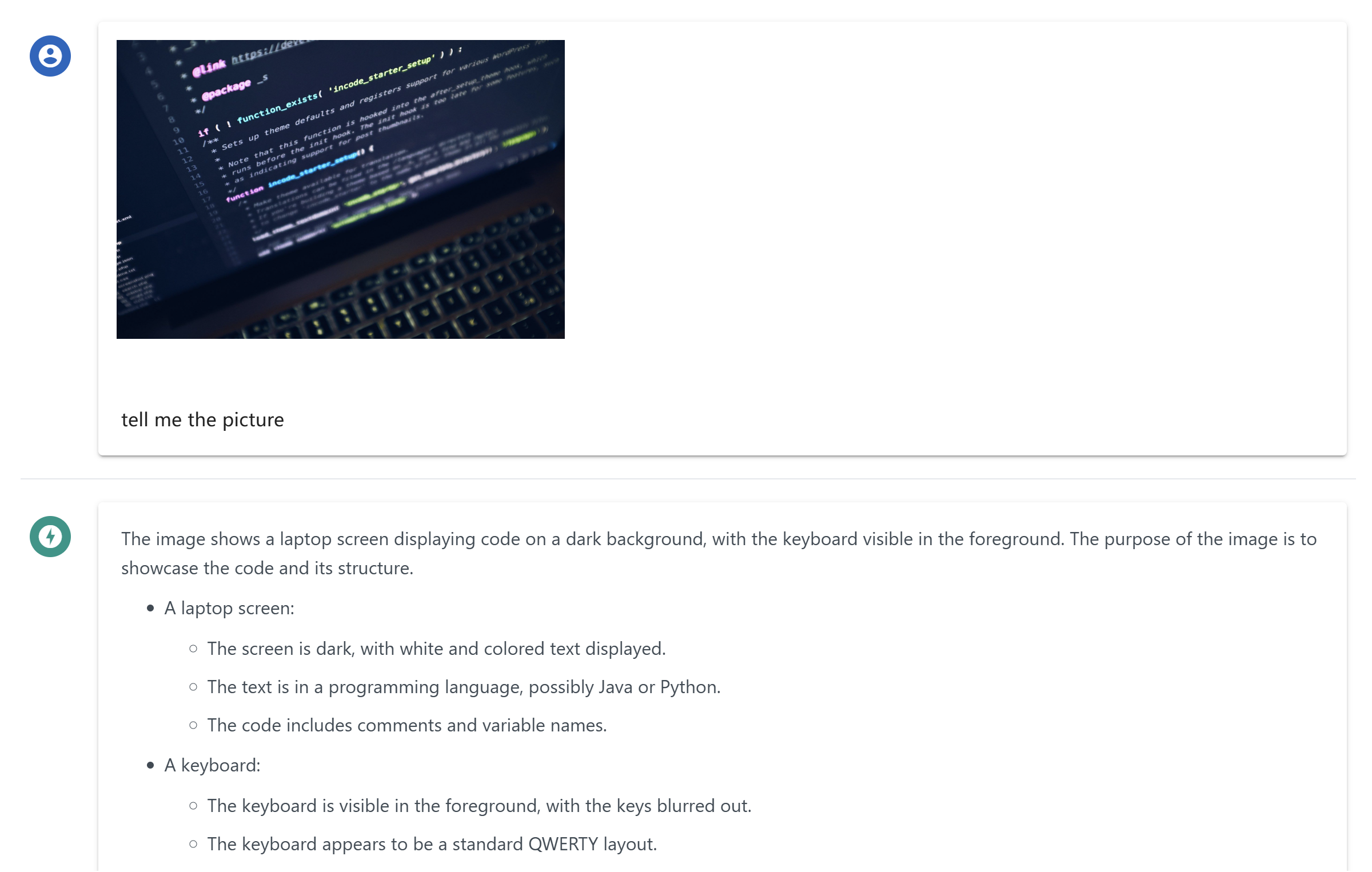
Multimodal Support
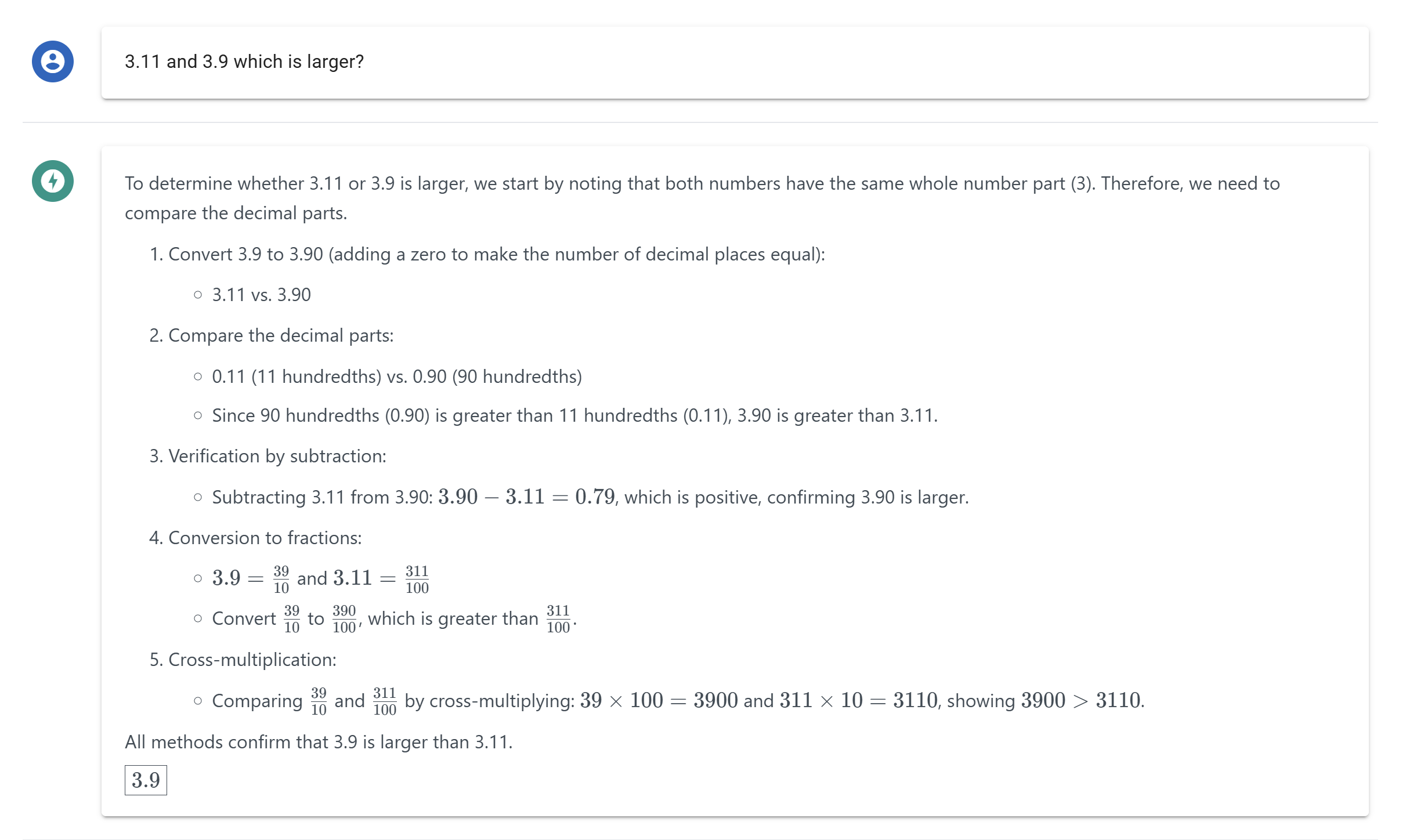
Reasoning and Latex Support
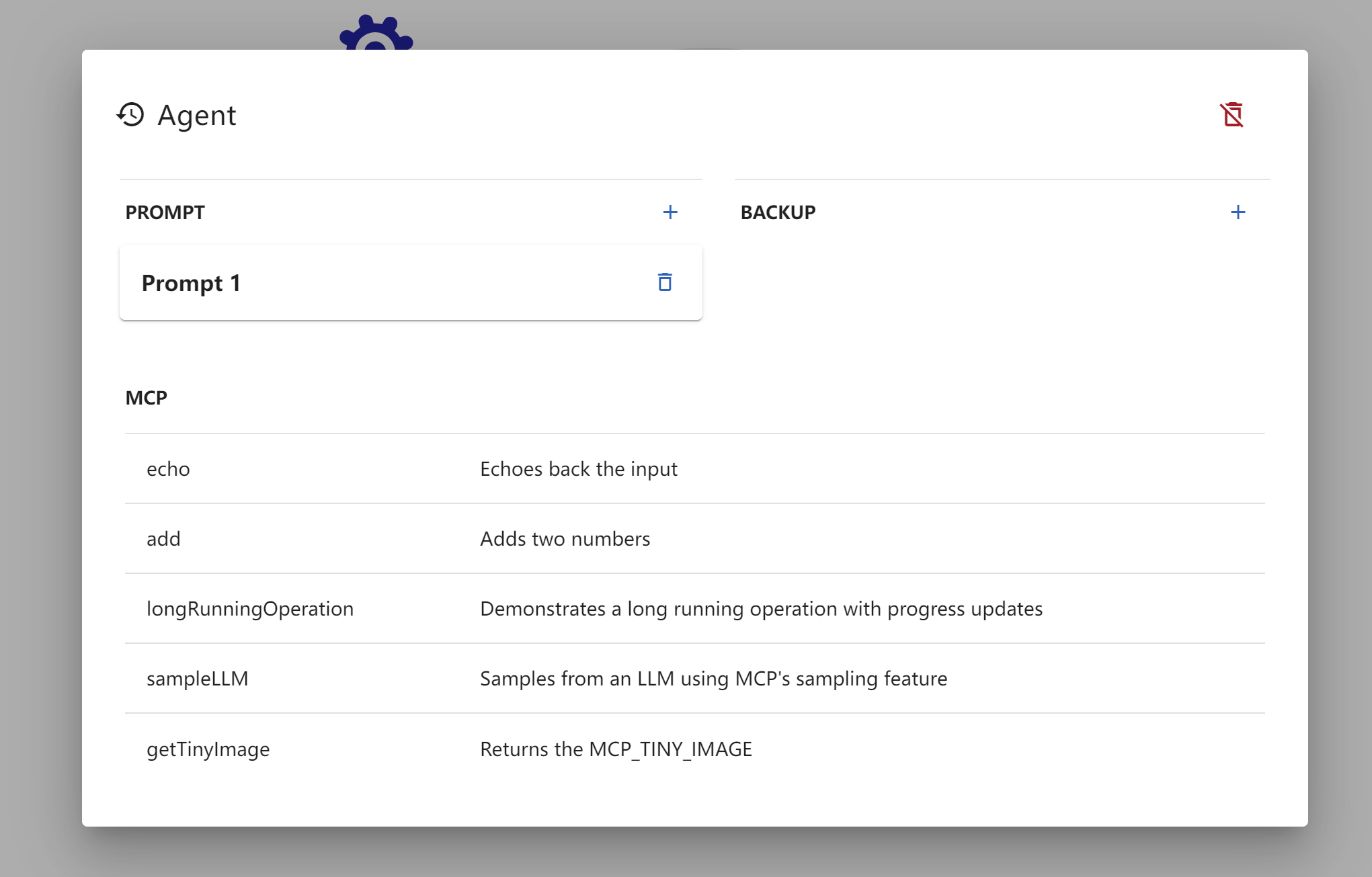
MCP Tools Visualization
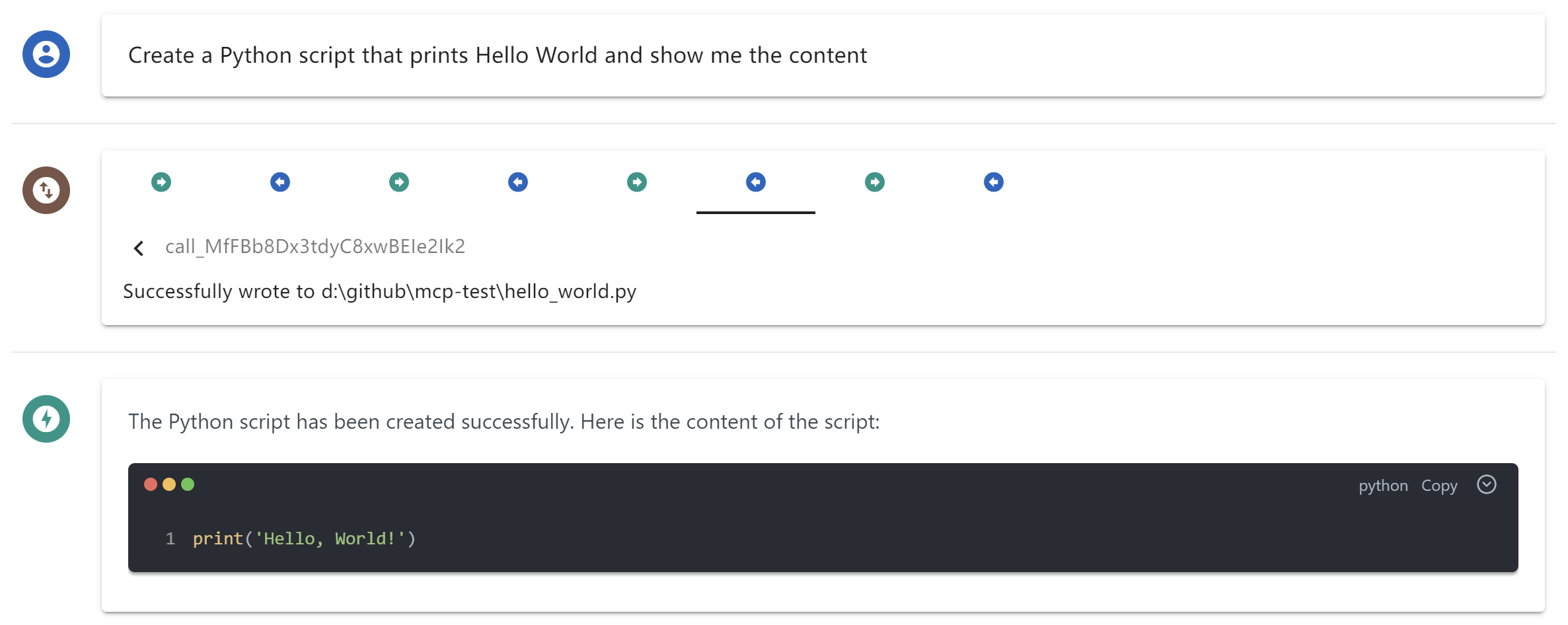
MCP Toolcall Process Overview
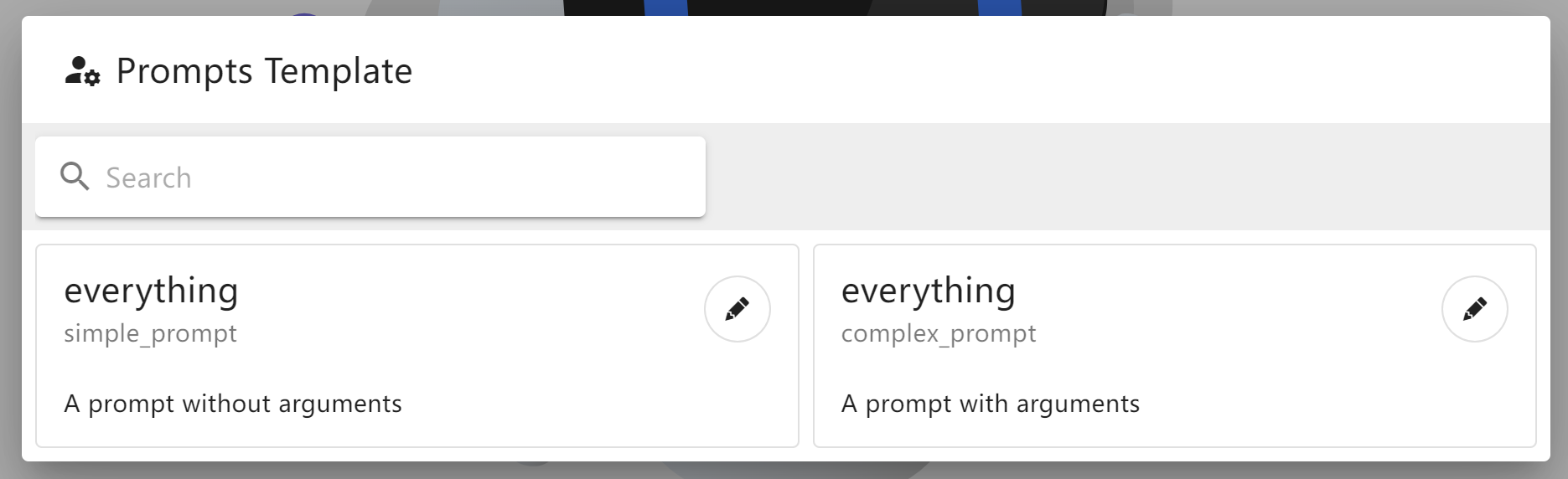
MCP Prompts Template
Dynamic LLM Config
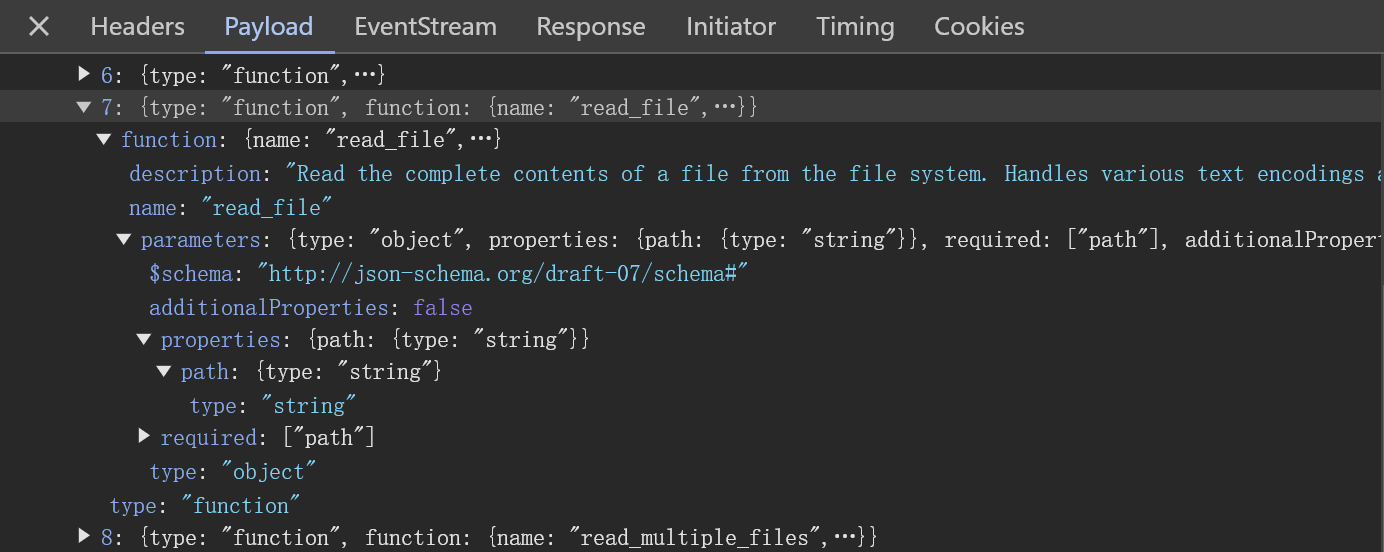
DevTool Troubleshooting