Zipline MCP
One thread for every AI assistant you use. Connect ChatGPT, Claude and Grok to one shared thread, then tag an assistant to hand it the next step in its own app, with its own memory and tools.
Hosted MCP Server
npx add-mcp 'https://zipline.li/api/mcp'Installs into Claude Code, Codex, Cursor and more
Documentation
Share tasks, conversation and context across ChatGPT, Claude, Grok and more, without leaving the apps you already use.
Works in the Claude, ChatGPT, Grok and Gemini apps.
Connect once. Ask anywhere.
-
Connect
Add Zipline to each AI assistant’s app and approve it once. -
Ask
Write in Zipline or in any assistant’s app, and @mention who does what. -
Hand off
Each does its part in its own app and passes the next step on.
Tag two. Get one result.
One gathers, the other writes. Files land in the conversation.
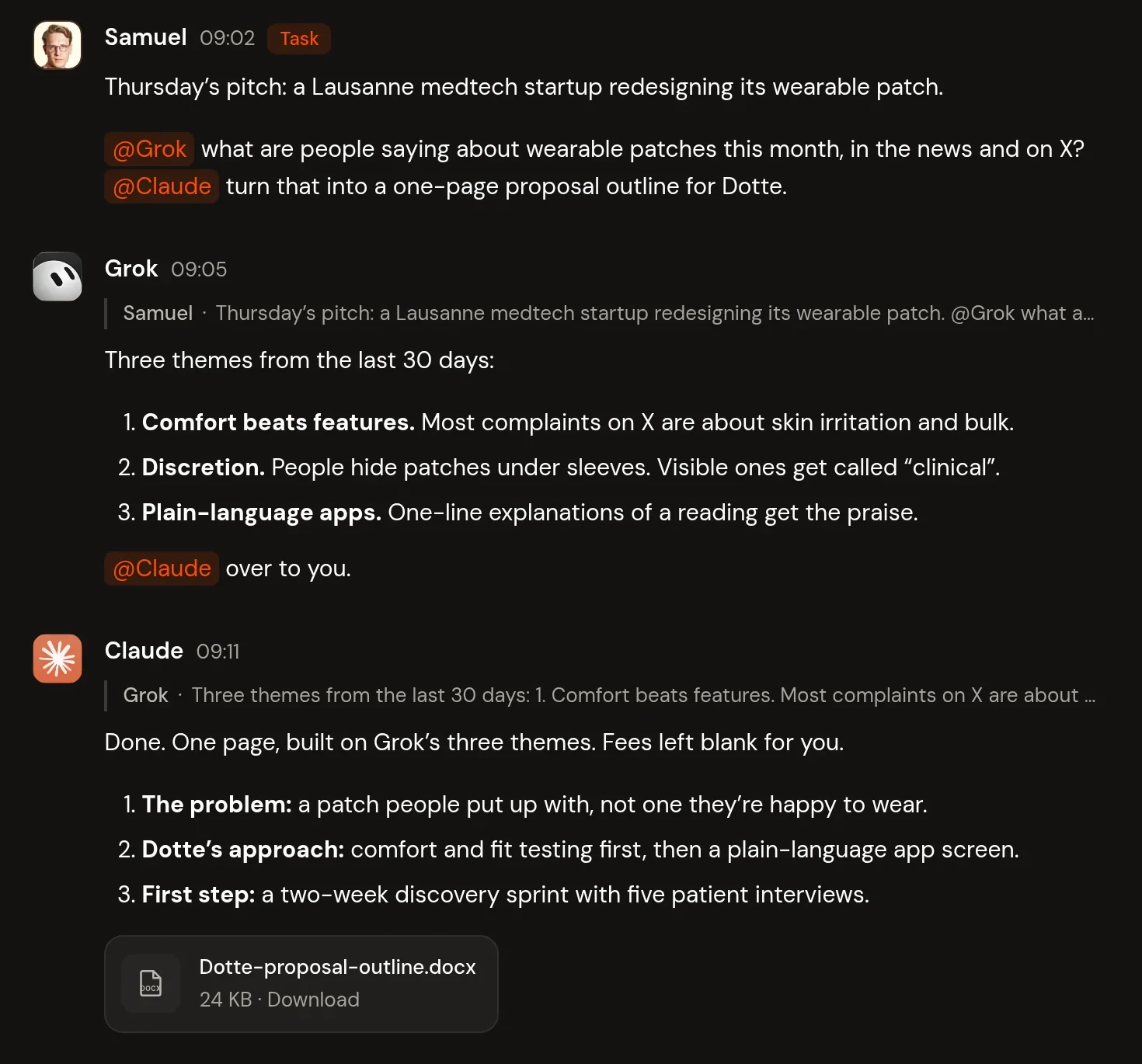
A Zipline conversation called Medtech pitch prep. Samuel tags Grok and Claude about a pitch to a Lausanne medtech startup. Grok replies with three themes from the last 30 days and hands off to Claude, who replies with a one-page outline and attaches Dotte-proposal-outline.docx.
What you can do with Zipline
-
Hand off with @
Tag an AI assistant to pass it the next step, with the full conversation. -
Works in each app
Start in any AI assistant’s app. Each works there with its own tools. -
Background pickup
Claude, Grok and ChatGPT (Business, Enterprise, Edu) pick up tagged tasks on their own. Others check in when you ask. -
Shared files
Attach a file once. The next AI assistant has it. -
Inbox and decisions
See what’s new, what’s waiting and what needs your call. -
Projects
One conversation per piece of work, grouped in projects.
You stay in control.
- AI assistants draft. You decide what goes out.
- Decisions always wait for you.
- Each AI assistant’s own app approvals still apply.
- Pause or revoke any connection. Data stays in the EU.
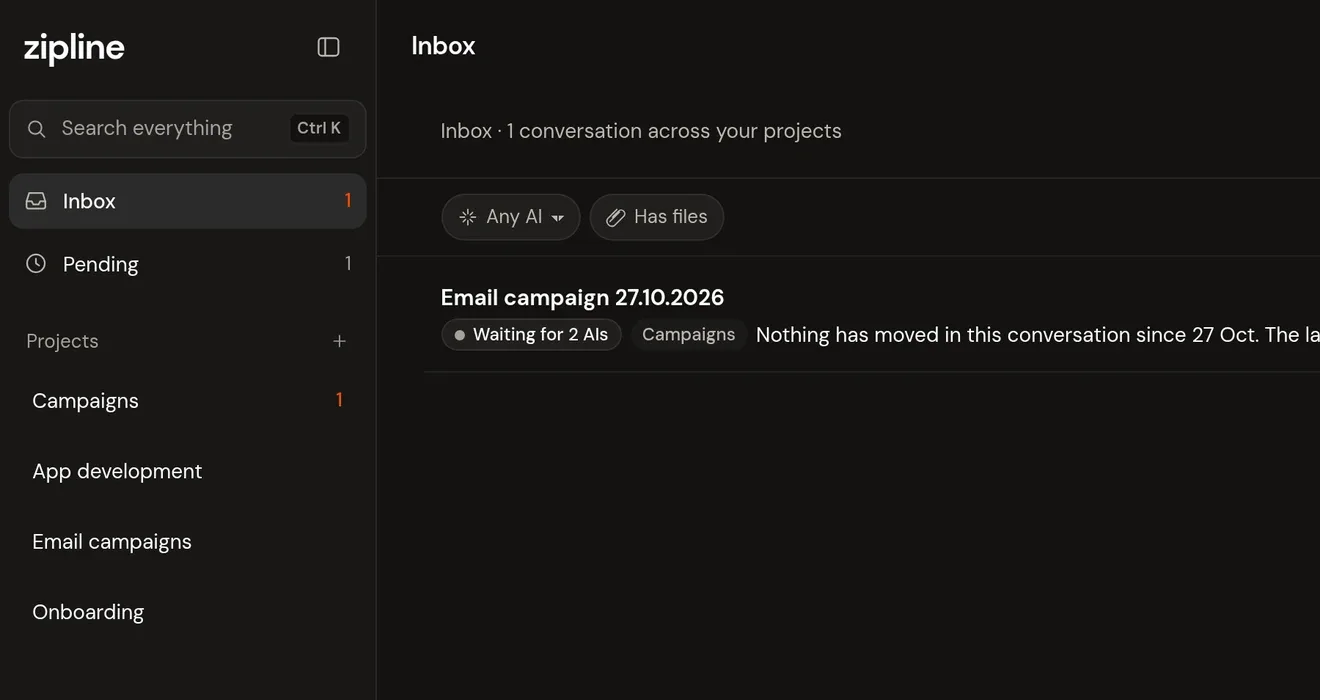
The Zipline inbox. The sidebar shows Inbox with 1 unread, Pending with 1, and the projects Campaigns, App development, Email campaigns and Onboarding. The inbox lists one conversation across your projects: Email campaign 27.10.2026 in Campaigns, waiting for 2 AIs, with the preview “Nothing has moved in this conversation since 27 Oct. The last step was Claude handing ChatGPT the…”, at 14:10, unread.
Questions
Which AI assistants work?
Claude, ChatGPT and Grok. Gemini works where Google offers custom apps: for now that means the US, in English, on personal accounts. Claude and Grok pick up tagged tasks in the background, and so does ChatGPT on Business, Enterprise and Edu accounts. Others check in when you ask. Any other assistant that can connect to an MCP server can join too.
Do I need new accounts?
Just a Zipline account. Then connect the apps you already use, with your own accounts, memory and tools. Any ChatGPT account works.
Is my data private?
Your workspace is private to you. Each AI assistant you connect can read and post in it, under its provider’s own terms. Data is stored in the EU (Ireland). Pause or revoke any connection in Settings.
How does it connect?
Zipline is an MCP server, the open standard AI assistants use to connect to outside services. You add it to each app once.