Yaptake
Edit video on your Mac by editing its transcript: cut, remove filler words, add captions and export, all run locally.
Documentation
Cut unwanted words, tighten pauses and add captions. Everything runs on your Mac, so you can edit wherever you are.
Apple Silicon · macOS 26 or later
Version 0.1.4 · 35 MB
First 3 exports free. No watermark, account or credit card.
Built by an early Venmo and Stripe engineer.
Everything a short video needs
 To cut:
• every “um”
• the sneeze
• “is this on?” interview-final-FINAL-v3.mov Takes I’ll never use 
Coast walk Portrait 9:16Vertical 4:5Square 1:1Landscape 16:9
TranscriptLibrary
On the trainSo, um, we’re about an hour out. 0.8s0.4s Next stop is the cost,coast, and I can’t wait.
Cliff pathOkay, uh, this is the cliff path. 1.4s0.4s It goes all the way to, you know, the lighthouse.
Island dayWe caught the ferry at golden hour.
We caught the ferry at golden hour.SaysIsland day · 0:12.4 The ferry back leaves at six.SaysIsland day · 0:27.9
Island day

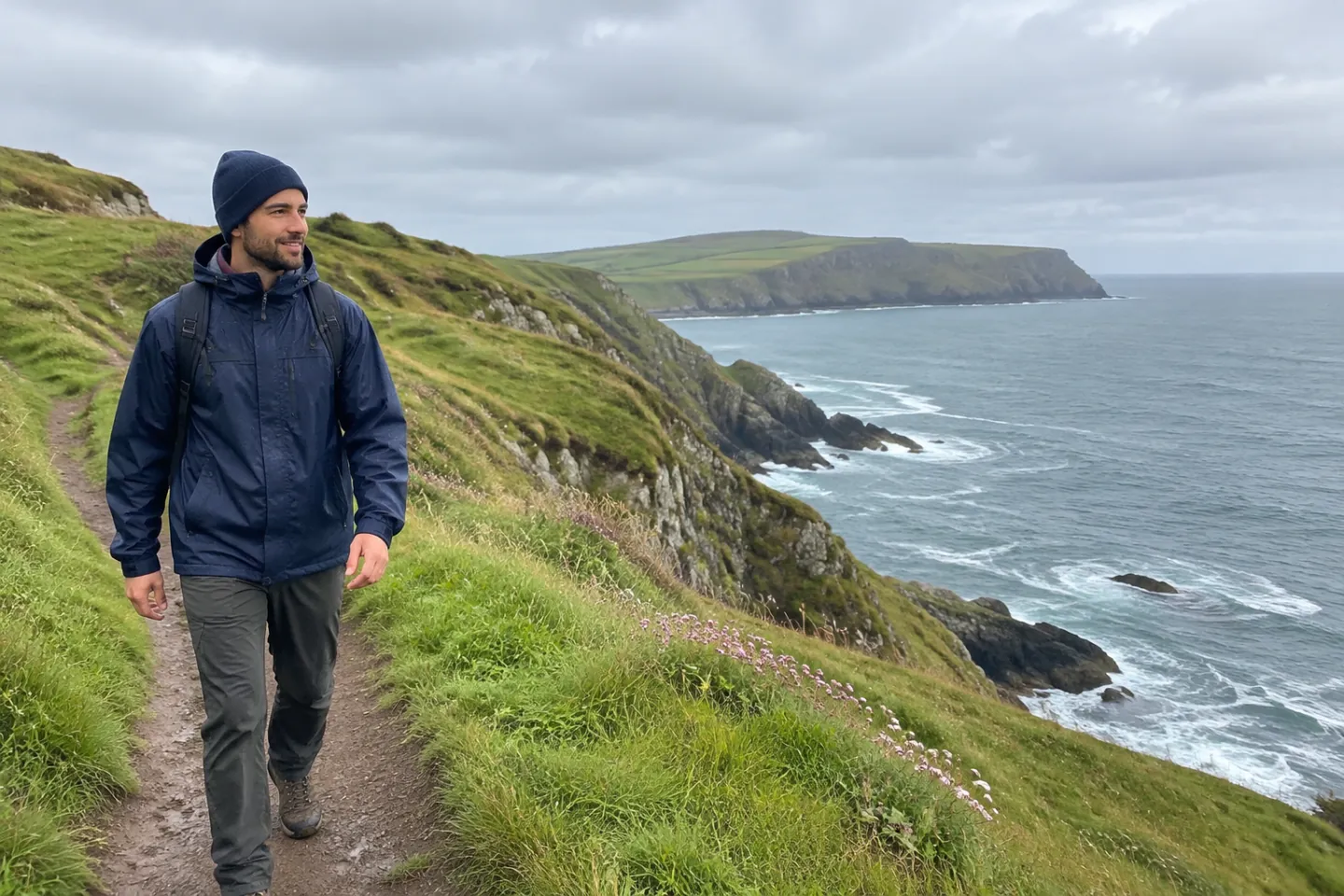 Coast walk So, um, we’re about an hour out. Next stop is the costcoast this is the cliff path.
Edit by asking Try askingCut the ums, uhs and long pausesCut the last sentence Get this under 30 seconds. This cuts 4 words and changes 9 pauses (about 29% of the video). Apply it?ApplyDon’t Apply Cut 4 words, changed 9 pauses. Now 29 seconds, was 41 seconds.Undo Ask for an edit
0:04.80:17.80:01.5 / 0:42.20:41.00:29.00:31.8 Follow Subject 0:000:100:200:300:40 On the train Cliff path Island day Coast walk
claude › Add the title “Coast walk” for 3 seconds. $ yaptake edit Coast-walk.yaptake --ops --file ops.ts add_text("Coast walk", { seconds: 3, typewriter: true }) ✓ Applied as one undo step.
Set up an agent See a walkthrough What agentic editing is
Try Yaptake free.
First 3 exports free. No watermark, account or credit card.
From your fourth successful export, choose a subscription. Editing is always free.
Monthly$9.99 /month
Yearly Save 34% $79 /year
Renews automatically. Cancel any time. Terms
Black Friday: half price for your first year with code YAPTAKEBF26, through 2 December 2026.
- 9:16, 4:5, 1:1 and 16:9
- Burned-in captions
- Sound leveled to −14 LUFS
How it compares.
Yaptake edits on your Mac with or without a connection, and uploads nothing. Here is what each app’s own pages say. Pick a name for the full comparison, including where the other app is the better pick.
 |  Descript |  Kapwing |  CapCut |  BlitzCut |  Captions |  Submagic | |
|---|---|---|---|---|---|---|---|
| Transcribes and edits offline | Yes | No Needs a connection | No Browser only | Partly Local captions in some regions | No AI needs a connection | No Auto captions need a connection | No Browser only |
| Footage stays on your Mac | Yes | No Syncs to the cloud | No Cloud storage | No May upload imports | No Audio is uploaded | No Uploaded for AI edits | No Uploaded |
| No AI credits or minutes | Yes | No Credits and minutes | No Credits | No Credits | No Credits | No Credits | No Credits |
Offline means generating a transcript from a new recording and editing it without a connection. Yaptake needs a connection once to download its models.
Questions.
Does Yaptake work offline?
Yes. Transcription, search, the assistant and export run on your Mac. You need a connection to download the app and its models, to subscribe and to get updates. What runs on your Mac, and what needs a connection.
Is my video uploaded anywhere?
No. There is no Yaptake cloud. Recordings, transcripts and projects stay in folders you choose. A coding agent you connect follows its own provider’s data settings.
Do I need an account?
Not to edit. You give an email only when you subscribe, so the subscription can follow you to another Mac.
How is Yaptake different from Descript or Kapwing?
Those are cloud services that meter AI with credits or minutes. Yaptake runs on your Mac for one flat price and does less: short videos with burned-in captions. Yaptake is not affiliated with Kapwing, Descript or VEED. Read how it compares with Descript, Kapwing, VEED and others.
Can Claude edit my video?
Yes. Claude Code and Codex can edit the open project through Yaptake’s command line or MCP server. Each request is one undo step. See how.
Which Macs does it run on?
Apple Silicon Macs with macOS 26 or later. The app’s menus and windows are in English, Spanish, Italian, French, Portuguese and German. Speech recognition works in the same six languages.
Is there a free version?
Editing is always free. Your first 3 successful exports on each Mac are free, with no watermark, account or credit card required and no expiry. From your fourth successful export, exporting needs a subscription: $9.99 a month or $79 a year.
Say it. Cut it. Post it.
Apple Silicon · macOS 26 or later. Pictures on this page are generated samples. Privacy policy