Spacebring
Spacebring MCP server. Look up members, bookings, invoices, subscriptions, events and more from MCP-compatible AI assistants that support remote servers with OAuth.
Hosted MCP Server
npx add-mcp 'https://mcp.spacebring.com/mcp'Installs into Claude Code, Codex, Cursor and more
Documentation
Spacebring MCP
Connect your AI assistant to your Spacebring network with the Model Context Protocol (MCP), get answers and information instantly by asking AI in plain language, and understand how your data stays secure and private.
Spacebring MCP connects your Spacebring data directly to your AI assistant — like Claude or ChatGPT — using the Model Context Protocol (MCP), an open standard for linking AI assistants to other tools and platforms.
Once connected, your AI assistant has access to your Spacebring network's data, so you can ask about it right inside your AI chat and get answers instantly. Instead of navigating the admin dashboard yourself, just ask in plain language and your AI assistant finds what you need. It can even use what it finds together with your other connected apps — for example, to draft a follow-up email.
What you can do with Spacebring MCP
Once connected, your AI assistant can look up data from across your Spacebring network. Ask about any of the following in plain language, and it finds the answer for you:
- Network & locations — your network and the details of every location you operate.
- Customers — members and companies, with their full membership and contact details, and their credits and day passes balances.
- Contracts & subscriptions — contracts, contract templates, and subscriptions.
- Invoices & transactions — invoices, pending invoice items, upcoming invoice previews, money, credits, and day passes transactions, and alternative currencies.
- Resources & bookings — your resources, their bookings, and whether a resource is free for a time slot.
- Plans, products & packages — the membership and resource plans you offer, your shop products and orders, and the credit and day pass packages you sell.
- Discounts — coupons, promo codes, and their redemptions.
- Events, feed & benefits — events and their tickets, community feed posts with their comments and likes, and benefits and applications.
- Check-ins & visitors — check-ins, visits, visitor contacts, and visit requests.
- Support tickets & guides — support tickets with their activity, and your location guides.
Connect Spacebring MCP
Before you connect, make sure you have an active Spacebring network. There are no API keys, hosting, or technical configuration to set up.
Connect in Claude
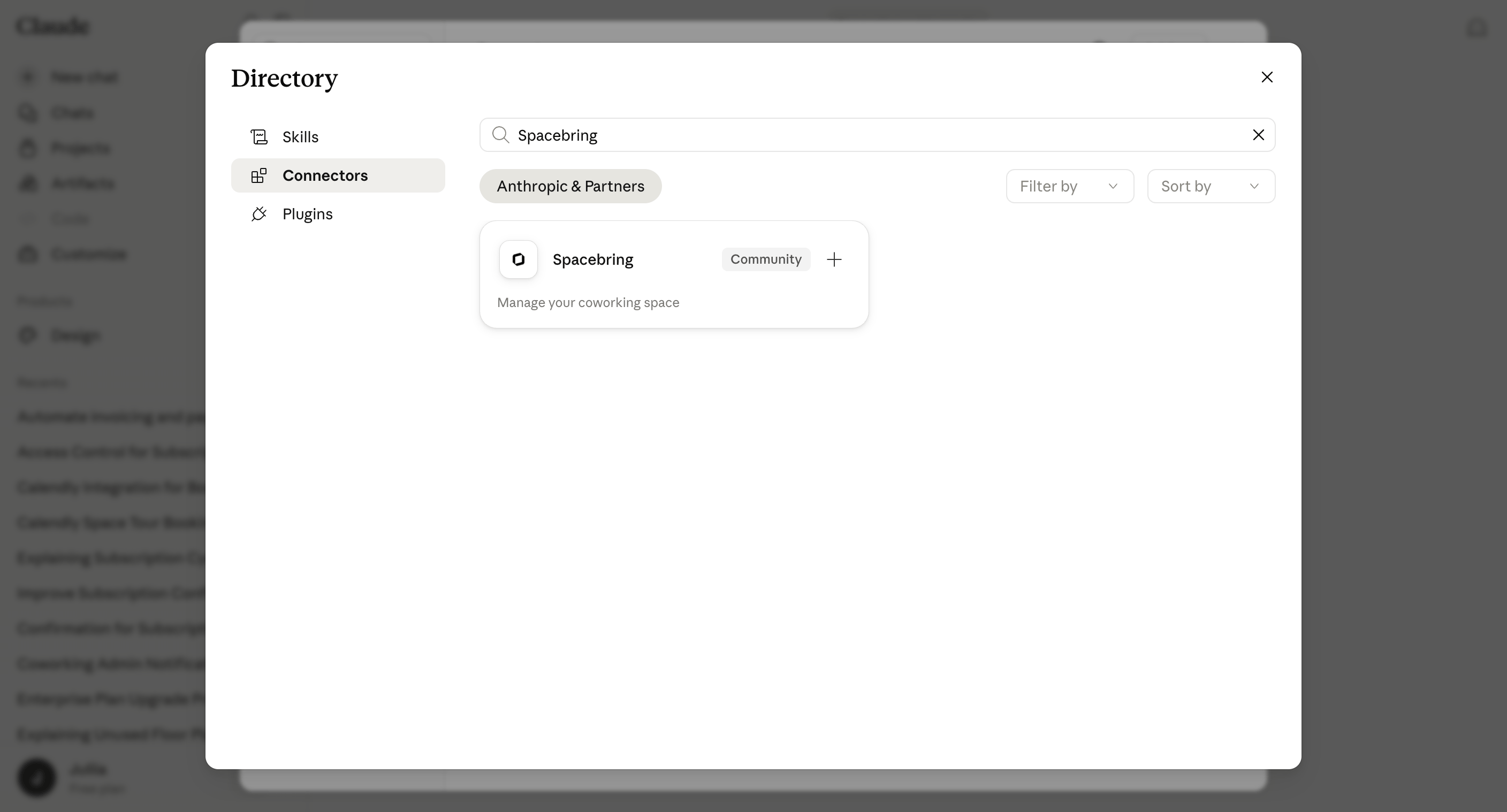
Spacebring is officially listed in Claude's connector directory, so you can add it in a couple of clicks.
- Open Spacebring in the Claude connector directory, or search for Spacebring under Settings > Connectors in Claude.
- Click Connect.
- When prompted, authorize access to your Spacebring network.
Connect in ChatGPT
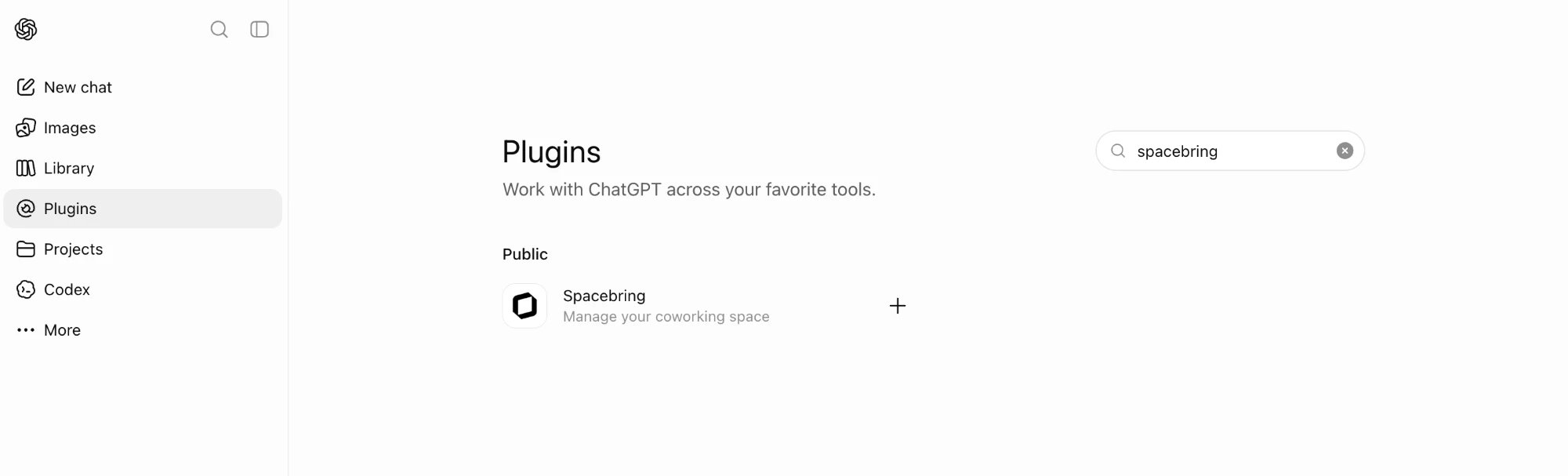
Spacebring is officially listed in ChatGPT's plugin directory, so you can add it in a couple of clicks.
- Open Spacebring in ChatGPT's plugin directory, or search for Spacebring under Settings > Plugins in ChatGPT.
- Click Install plugin.
- When prompted, authorize access to your Spacebring network.
Connect in another AI assistant
For any other MCP-compatible assistant, add Spacebring as a custom connector:
- In your AI client, open the connectors settings and choose to add a custom connector.
- Enter the Spacebring server URL:
https://mcp.spacebring.com/mcp - When prompted, authorize access to your Spacebring network.
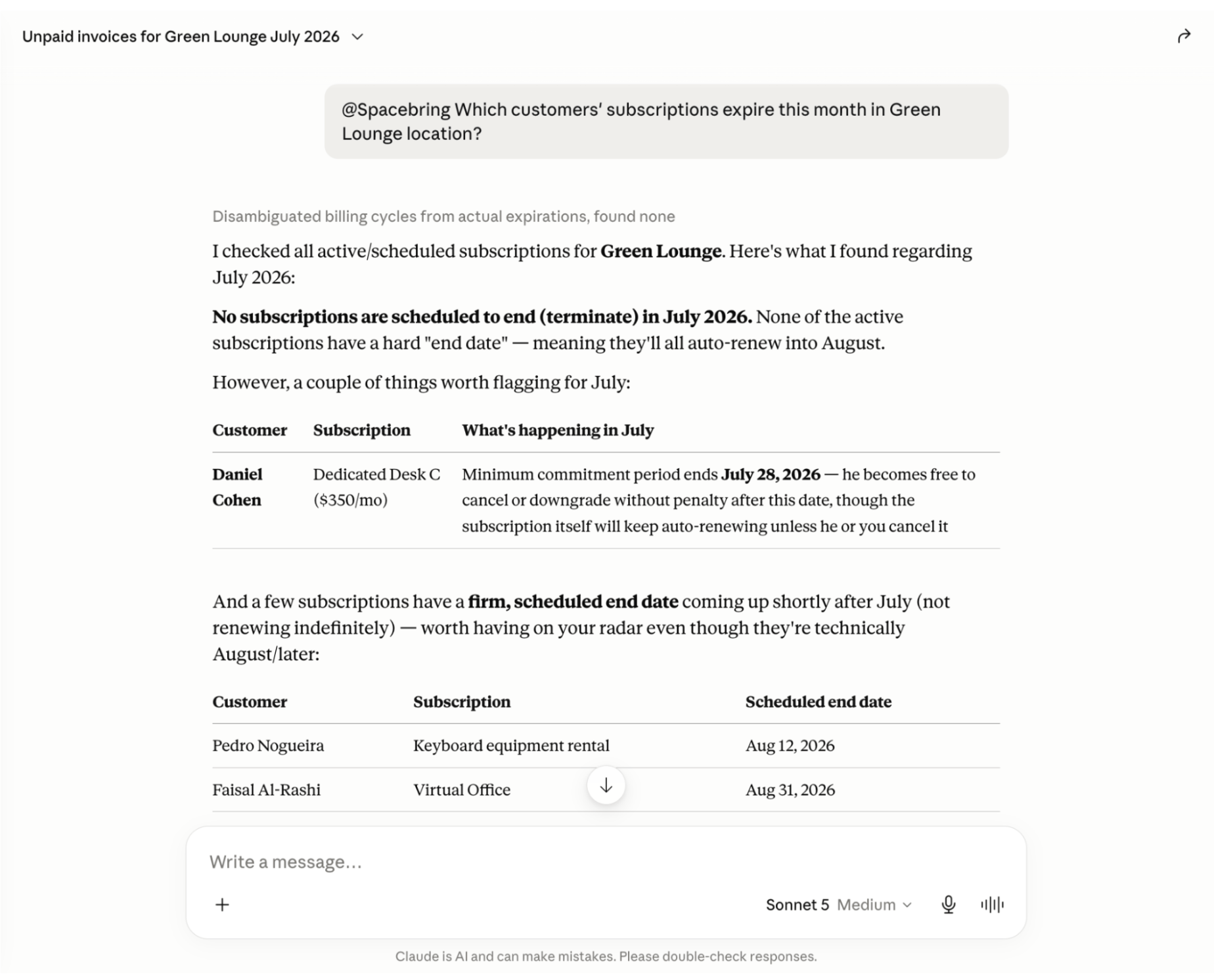
Once connected, your AI assistant can access your Spacebring network's data, and you can start asking. Just name what you're looking for in plain language, and your AI assistant finds the right information for you.
Supported tools
These are the tools your AI assistant can use to look up information across your Spacebring network. They work together, so your single request can span members, subscriptions, bookings, invoices, and more.
Network & locations
| Tool | Description | Example prompts |
|---|---|---|
getNetwork | See the key details of your Spacebring network | • "What's the name of our coworking network?" |
getLocations | See all your locations, with their addresses, contact details, and other key information | • "List our locations and their addresses" |
getLocation | Get full details about one location | • "Show the address and contact details for our Downtown location" |
Customers
| Tool | Description | Example prompts |
|---|---|---|
getCustomers | Find members and companies by name, email, or phone number, or list them across your network or in one location, with their full membership and contact details | • "Find Jane Doe" • "List all active companies" |
getCustomer | Get full details about one member or company, including their contact, membership, and subscription details | • "Pull up Jane Doe's profile, subscription, and recent invoices" |
getCreditsBalances | See a customer's credits balances, with the allocation, the remaining amount, and when the credits expire | • "How many credits does Acme Co. have left this month?" |
getDayPassesBalances | See a customer's day passes balances, with the allocation, the remaining amount, and when the passes expire | • "How many day passes does Jane Doe have left?" |
Contracts & subscriptions
| Tool | Description | Example prompts |
|---|---|---|
getContracts | List contracts across all locations, or by location, customer, status, or title | • "Which contracts are still in draft?" • "Which contracts haven't been signed yet?" |
getContract | Get full details about one contract, including a link to the document | • "What's the status of Acme Co.'s contract, and has it been signed?" |
getTemplates | List the contract templates you generate contracts from, in one location or across all of them | • "Which contract templates do we have to work from?" |
getTemplate | Get full details about one contract template, including a link to the file | • "Show our standard membership agreement template" |
getSubscriptions | List subscriptions across all locations, or by location, customer, plan, status, or date range, with their full details | • "Which subscriptions expire this month?" • "Who is on a monthly subscription vs. an annual one?" |
getSubscription | Get full details about one subscription | • "When does Acme Co.'s subscription renew and what does it include?" |
Resources & bookings
| Tool | Description | Example prompts |
|---|---|---|
getResources | List bookable resources — rooms, desks, offices, parking lots, and more — in one location or across all of them, with their full details and settings | • "List all our bookable resources and their booking rates" |
getResource | Get full details and settings for one resource | • "What's the capacity and hourly rate for the Boardroom?" |
getBookings | List bookings across all locations, or by location, resource, customer, or date range | • "What's booked in the Boardroom this week?" • "How busy were our meeting rooms yesterday?" • "Which bookings start tomorrow across all our locations?" |
getBooking | Find the full details of a specific booking | • "Who booked the Boardroom at 2 PM today, and for how long?" |
Invoices & transactions
| Tool | Description | Example prompts |
|---|---|---|
getInvoices | List invoices by location, customer, status, or date range, each with a link to its PDF | • "List unpaid invoices due this week" • "How much revenue did we invoice last month?" |
getInvoice | Get full details about one invoice, including a link to its PDF | • "What does Acme Co.'s latest invoice cover, and has it been paid?" |
getInvoiceItems | List the items of one invoice, or the invoice items of a customer or location — pending ones not billed yet, billed ones, or both — by type, invoice status, or date | • "What hasn't Acme Co. been invoiced for yet?" • "Which pending invoice items does our Berlin location have?" |
getUpcomingInvoice | Preview the next invoice of a subscription, with its draft items and projected subscription charges | • "What will Acme Co.'s next invoice look like?" |
getCreditNotes | List the credit notes of one invoice or of a location, by status or date range | • "Which credit notes did we issue last month?" • "Was Acme Co.'s March invoice credited?" |
getCreditNote | Get full details about one credit note, including its lines and refunds | • "How much of credit note ACME-0007-CN-01 was refunded?" |
getMoneyTransactions | List money transactions — what customers paid — by location or customer, by status, type, or date range | • "Which payments failed this week?" • "How much did Acme Co. pay us last month?" |
getMoneyTransaction | Get full details about one money transaction, including its refunds | • "Was Jane Doe's last payment refunded?" |
getCreditsTransactions | List credits allocations and spending by location or customer, by status, type, or date range | • "What did Acme Co. spend its credits on this month?" |
getCreditsTransaction | Get full details about one credits transaction | • "Why were 20 credits taken from Jane Doe yesterday?" |
getDayPassesTransactions | List day pass allocations and spending by location or customer, by type or date range | • "When did Jane Doe use day passes this month?" |
getDayPassesTransaction | Get full details about one day passes transaction | • "What was the last day pass Acme Co. used for?" |
getAltCurrencies | List the alternative currencies a location uses to price and pay for items | • "Which alternative currencies do we accept at our Downtown location?" |
getAltCurrency | Get one alternative currency with its exchange rate and how the rate is updated | • "What exchange rate do we use for USD at our Downtown location?" |
Resources & bookings
| Tool | Description | Example prompts |
|---|---|---|
getResources | List bookable resources — rooms, desks, offices, parking lots, and more — with their full details and settings | • "List all our bookable resources and their booking rates" |
getResource | Get full details and settings for one resource | • "What's the capacity and hourly rate for the Boardroom?" |
getResourceAvailability | Check whether a resource is free to book for a time slot, including a repeating one, and why it isn't | • "Is the Boardroom free tomorrow from 2 to 4 PM?" • "Can I book the Boardroom every Monday at 10 AM for the next month?" |
getBookings | List bookings by location, resource, customer, resource type, or date range | • "What's booked in the Boardroom this week?" • "How busy were our meeting rooms yesterday?" |
getBooking | Find the full details of a specific booking | • "Who booked the Boardroom at 2 PM today, and for how long?" |
Plans, products & packages
| Tool | Description | Example prompts |
|---|---|---|
getPlans | List the membership and resource plans you offer, in one location or across all of them, with their full details and settings | • "Compare our membership plans — what's included in each and how they're priced" |
getPlan | Get full details about one plan | • "Pull the details of our Dedicated Desk plan to share with a prospect" |
getProducts | List shop products, for a whole location or by category, with their full details and pricing | • "List all our shop products and their prices" |
getProduct | Get full details about one product | • "What's the price of a coffee in our shop?" |
getShopCategories | List shop categories | • "List the categories in our shop" |
getShopCategory | Get full details about one shop category | • "Which products do we sell in the drinks category?" |
getOrders | List shop orders by location, customer, category, product, status, or date range | • "What did members order in the shop this week?" • "Which products are selling best this month?" |
getOrder | Get full details about one order | • "What did Acme Co. order, and has it been paid for?" |
getPackages | List the credit and day pass packages your locations sell, in one location or across all of them, with what each package grants | • "Which credit packages can members buy?" |
Discounts
| Tool | Description | Example prompts |
|---|---|---|
getCoupons | List the coupons of a location or of all of them, optionally by the type of item they apply to | • "Which discounts do we offer on room bookings?" |
getCoupon | Get full details about one coupon | • "What are the terms of our Summer coupon?" |
getPromocodes | List promo codes by location or coupon, or across all locations | • "Which promo codes are active for the Summer coupon?" |
getPromocode | Get full details about one promo code | • "Is the SUMMER10 code still valid, and how many times has it been used?" |
getDiscountRedemptions | List redemptions of a coupon or promo code | • "Who used the SUMMER10 code this month?" |
Events, feed & benefits
| Tool | Description | Example prompts |
|---|---|---|
getEvents | List events by location and date range | • "What events are coming up next week?" • "Which events did we host last month?" |
getEvent | Get full details about one event | • "Show the details of the Friday networking event" |
getEventTickets | List event tickets by event, location, or customer | • "Who is attending the Friday networking event?" • "How many tickets did we sell for last month's events?" |
getEventTicket | Get full details about one event ticket | • "Has Jane Doe's ticket for the workshop been checked in?" |
getPosts | List the community feed posts of a location | • "What was posted in our community feed this week?" |
getPost | Get full details about one feed post | • "Show the full text of the latest announcement" |
getPostComments | List the comments on one feed post | • "What did members reply to the parking announcement?" |
getPostLikes | List who liked one feed post | • "Who liked our latest announcement?" |
getBenefits | List the benefits available to members, across all locations, for one location or by category, with their full details | • "What perks and discounts do we currently offer members?" |
getBenefit | Get full details about one benefit | • "What are the terms of the coffee discount benefit?" |
getBenefitCategories | List benefit categories, in one location or across all of them | • "List our benefit categories" |
getBenefitCategory | Get full details about one benefit category | • "Which benefits fall under the wellness category?" |
getBenefitApplications | See which members have applied for or redeemed benefits, across all locations or by location, benefit, customer, or date range, with full details | • "Who has applied for member benefits recently?" |
getBenefitApplication | Get full details about one benefit application | • "What benefits has Jane Doe applied for?" |
Check-ins & visitors
| Tool | Description | Example prompts |
|---|---|---|
getCheckIns | List check-ins in a location for bookings, event tickets, visits, and subscriptions, by status, type, member, or arrival date range | • "Who is checked in at Downtown right now?" • "How many people checked in last week?" |
getCheckIn | Get full details about one check-in, including who checked in and the booking, event ticket, or visit it's for | • "When did Jane Doe check out yesterday?" |
getVisits | List visits by location, host, visitor, visit date, or date range | • "Who is visiting today?" • "How many visitors did we have last month?" |
getVisit | Get full details about one visit | • "When is Jane Doe's guest arriving, and who is hosting?" |
getVisitorsContacts | List visitor contacts by location or date range | • "Which visitors have we registered this month?" |
getVisitorsContact | Get full details about one visitor contact | • "Pull up the contact details of the visitor John Smith" |
getVisitorsRequests | List the visit requests visitors submitted, by location or date range | • "Which visit requests did we get this week?" |
getVisitorsRequest | Get full details about one visit request, including the visitor and the host | • "Who asked to visit Jane Doe, and how can we reach them?" |
Support tickets & guides
| Tool | Description | Example prompts |
|---|---|---|
getSupportTickets | List support tickets across all locations, or by location, assignee, or date range | • "Which support tickets are still open?" • "How many tickets did we get last week?" |
getSupportTicket | Get full details about one ticket, including its comments and status changes | • "What's the latest on the broken printer ticket?" |
getGuides | List the guides available in a location or across all of them | • "List the guides we've published for members" |
getGuide | Get the full content of one guide, including its text | • "Pull up our Wi-Fi guide to share with a member" |
Info
Spacebring's tools are read-only — they retrieve and summarize information from your network but can't change any data in your Spacebring account. Support for write actions may come in a future update. We're continuously adding new data types and capabilities to the Spacebring MCP connector.
Data security and privacy
Connecting Spacebring MCP doesn't open a new way into your Spacebring network.
Access
- You authorize the connection yourself — there are no API keys to manage in your AI client.
- You can disconnect Spacebring from your AI client at any time to end its access.
- Your AI assistant only reaches the network you authorize, based on your Spacebring role and permissions.
Data
- Spacebring's tools are read-only, so nothing in your account can be changed.
- Your AI assistant sees the same data your Spacebring account can access — nothing more.
- Nothing is shared beyond the AI client you connect.
How your AI provider handles your data
The data your AI assistant looks up becomes part of your chat. Your AI provider, like Anthropic for Claude or OpenAI for ChatGPT, handles it under its own terms and privacy policy. Your plan and settings in your AI client decide, for example, whether your chats can be used to train its models.
Tip
If you have questions about Spacebring MCP, reach out to our team at api@spacebring.com.
FAQs
Spacebring MCP accesses your data through the [Spacebring API](/docs/developer) and shares its [rate limit](/docs/developer/api/rate-limiting) of up to 10 requests per second. Normal, conversational use stays well within this limit. If you do exceed it, requests are temporarily rejected with a `429` response — prompt your AI tool to reduce parallel operations, space out sequential requests, and try again after a brief pause. Yes. Each connection — whether it's a different assistant like Claude or ChatGPT, or multiple accounts on the same assistant — authorizes independently and gets its own access token. There's no limit on how many can be connected to your network at once. For example, several members of your team can each connect their own account to Spacebring MCP, and all of them can use it at the same time. No. When tools are added or changed, Spacebring MCP lets your AI assistant know with its next request, and assistants that support this reload the tool list on their own. If yours keeps using the old list, disconnect and reconnect Spacebring MCP.This documentation is built and hosted on Mintlify, a developer documentation platform.