Social Post Flow
Schedule and publish social media posts from your AI assistant to Facebook, X (Twitter), LinkedIn, Instagram, Threads, Pinterest, TikTok, Bluesky, Mastodon, Telegram and Google Business Profile.
Hosted MCP Server
npx add-mcp 'https://app.socialpostflow.com/mcp'Installs into Claude Code, Codex, Cursor and more
Documentation
Introduction
Social Post Flow’s MCP Server allows you to connect Social Post Flow to your AI assistant, and issue instructions – such as listing profiles, listing posts and creating, updating and deleting posts.
Prerequisites
- A registered account with Social Post Flow, either in trial or on a paid subscription,
- At least one social media profile connected to Social Post Flow
Setup
The MCP server can be found at https://app.socialpostflow.com/mcp.
It supports OAuth discovery, client registration and authentication flow using OAuth, conforming to the Model Context Protocol standards.
For clients that do not support OAuth, you’ll need to configure your AI client using the below settings. Your personal access token can be found on the Integrations > MCP screen. However, it’s recommended to use OAuth if your AI client provides this.
| Setting | Value |
|---|---|
| Endpoint | https://app.socialpostflow.com/mcp |
| Authorization Header | Bearer <token> |
| Transport | HTTP (Streamable HTTP) |
Claude
Open https://claude.ai/customize/connectors in your web browser
Click the + symbol and click Add custom connector
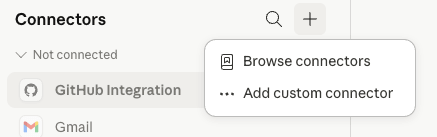
Social Post Flow: Claude: Connector: Add Custom Connector
A dialog window will display:
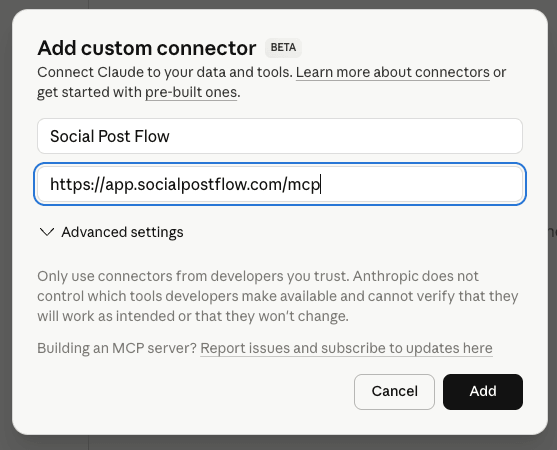
Social Post Flow: Claude: Connector: Add Custom Connector
Enter the following information
- Name: Social Post Flow
- Remote MCP server URL: https://app.socialpostflow.com/mcp
Click Add
Claude will advise that you are not connected to Social Post Flow yet. Click the Connect button.
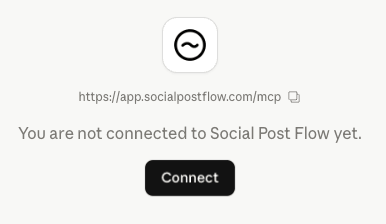
Social Post Flow: Claude: Connector: Connect
You’ll be redirected to app.socialpostflow.com, and asked to authorize Claude to have access to your Social Post Flow account:
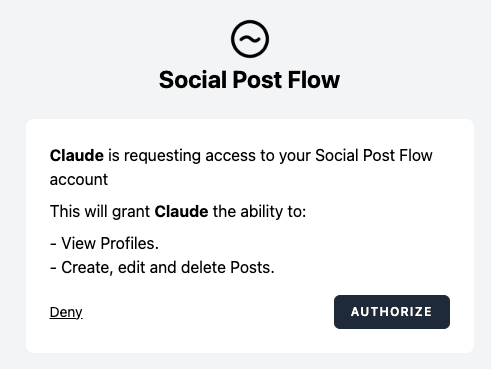
Social Post Flow: Claude: Connector: OAuth Authorization
Click Authorize
After a few moments, you’ll be take back to claude.ai, where Social Post Flow will display that it is connected and the available tools:
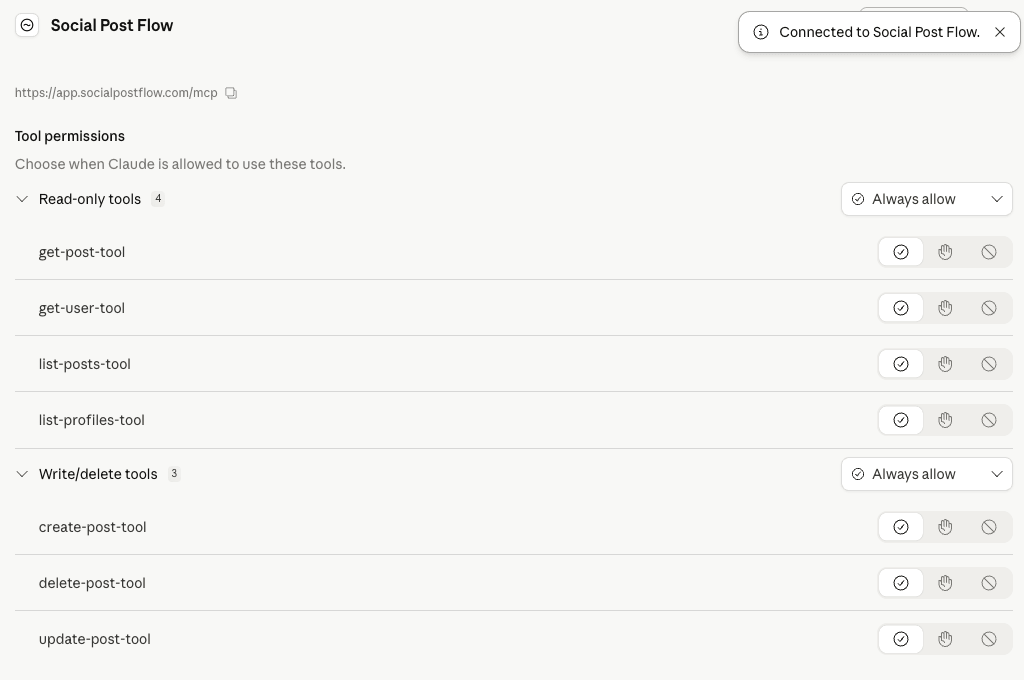
Social Post Flow: Claude: Connector: Tools
Tool Reference
Social Post Flow’s MCP server provides the following tools, which your AI client will discover automatically. These directly map to our API; refer to the API Docs link for the applicable tool to see the query parameters that can be used.
| Tool | Description | Parameters |
|---|---|---|
| get-user-tool | Returns information about the authenticated user. | None |
| list-profiles-tool | Returns a list of social media profiles | API Docs |
| list-posts-tool | Returns a list of all posts created on Social Post Flow | API Docs |
| get-post-tool | Returns a specific post created on Social Post Flow | API Docs |
| create-post-tool | Creates a text, link, image, story or Pinterest post on Social Post Flow, with options to schedule immediately or at a specific date and time in the future | Text Post Link Post Image Post Pinterest Pin Post Story Post |
| update-post-tool | Updates an existing post on Social Post Flow that has not yet been published to social media | API Docs |
| delete-post-tool | Deletes an existing post on Social Post Flow. Note that this does not delete the post on social media, if it has been published | API Docs |
Tool Usage
These are designed as a guide. You may provide your own prompts/commands as necessary.
Get User
List my account details in Social Post Flow.
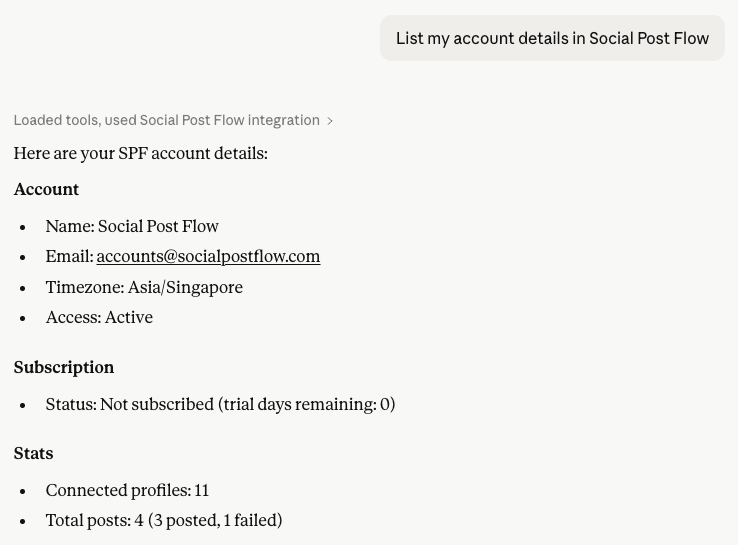
Social Post Flow: MCP: Get User
List Profiles
List my connected social media profiles in Social Post Flow.
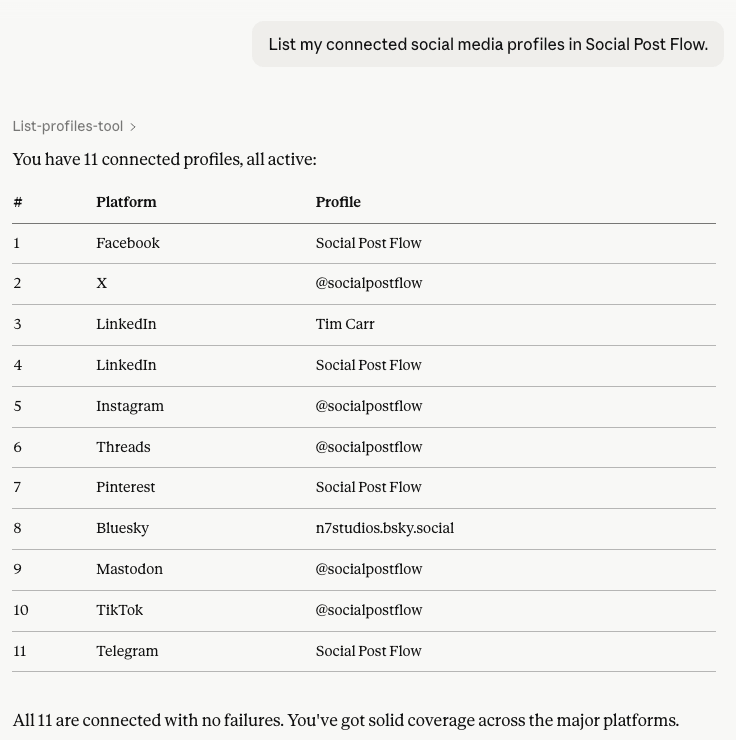
Social Post Flow: MCP: Get Profiles
List Posts
List my posts in Social Post Flow
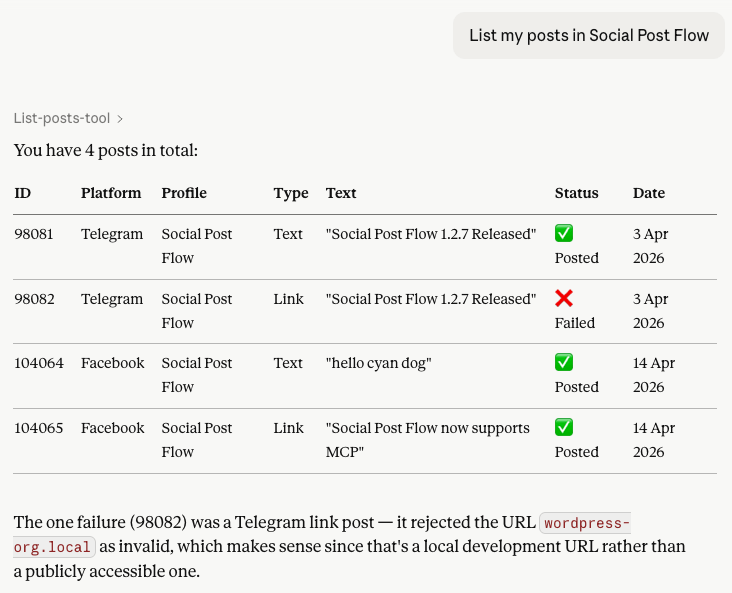
Social Post Flow: MCP: Get Posts
List my published posts in Social Post Flow on April 14th 2026
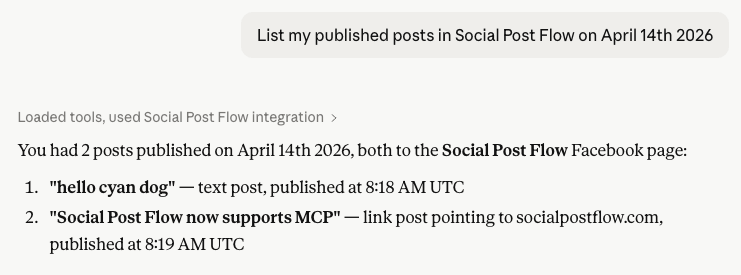
Social Post Flow: MCP: Get Posts by Date
List my failed posts in Social Post Flow
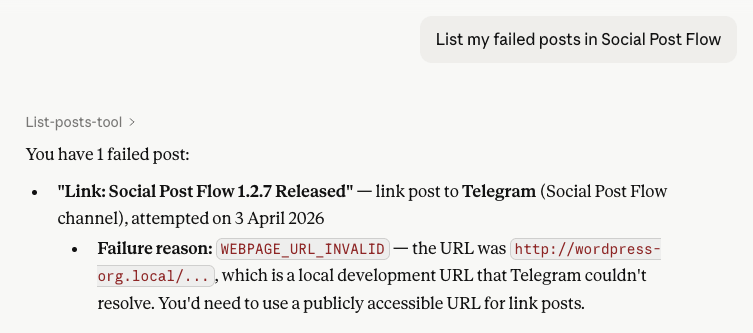
Social Post Flow: MCP: Get Failed Posts
List Post
Display post 98081 from Social Post Flow
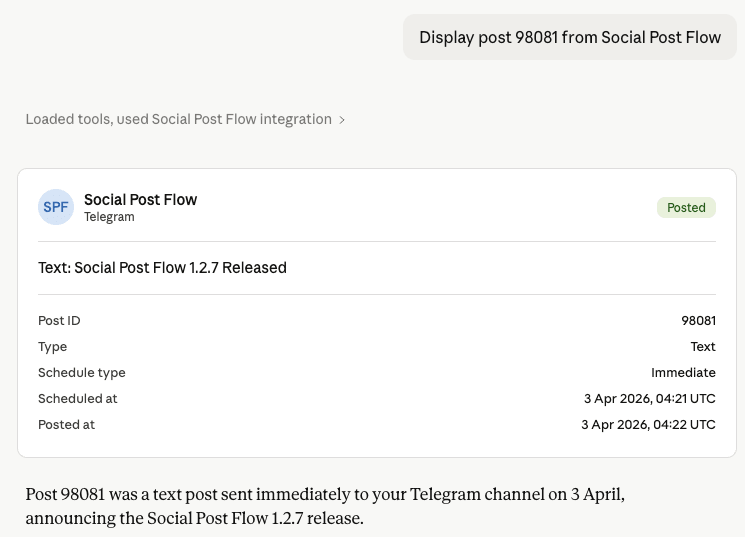
Social Post Flow: MCP: Get Post
Create a Post
Create a text post for the Facebook profile “Social Post Flow” with text “Hello, world”, and post it immediately
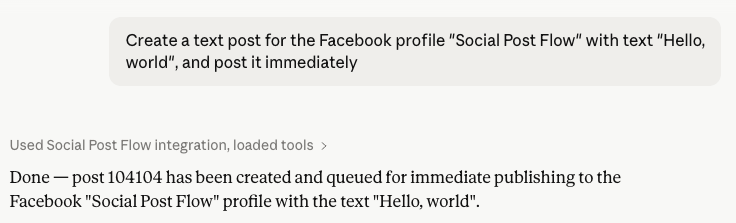
Social Post Flow: MCP: Create Post
Create a link post for the Facebook profile “Social Post Flow” with text “Social Post Flow introduces MCP support”, linking to https://www.socialpostflow.com/integrations/mcp, scheduled to post in 15 minutes time.
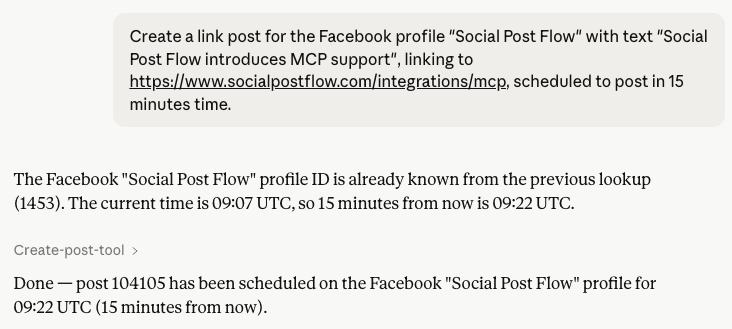
Social Post Flow: MCP: Create Link Post
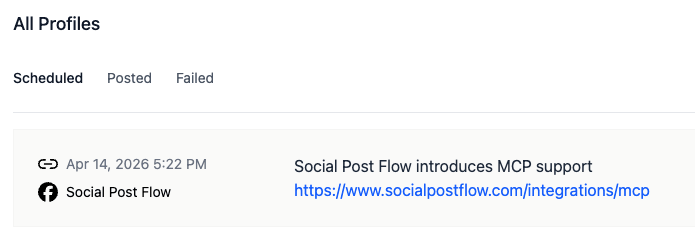
Social Post Flow: MCP: Create Link Post Result
Edit a Post
Edit post 104105 from Social Post Flow, setting the text to “Social Post Flow adds MCP support”
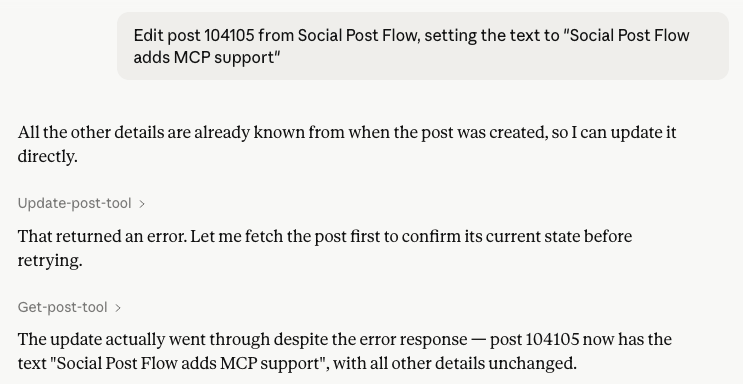
Social Post Flow: MCP: Edit Post
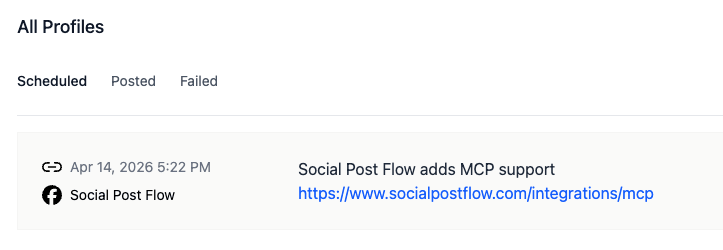
Social Post Flow: MCP: Edit Post Result
Delete a Post
Delete post 104105 from Social Post Flow
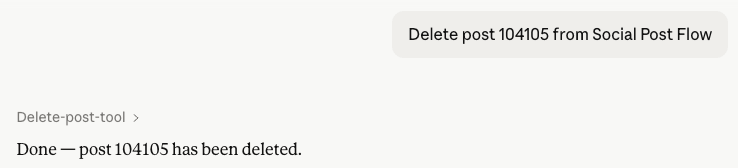
Social Post Flow: MCP: Delete Post