MCP for Hevy
Manage your Hevy workouts and routines with this MCP
Documentation
Your Hevy workouts,in any AI chat.
Connect Claude, Cursor, Codex or any MCP client to your Hevy account. Ask about your progress, log workouts, build routines — no install required.
See it in action
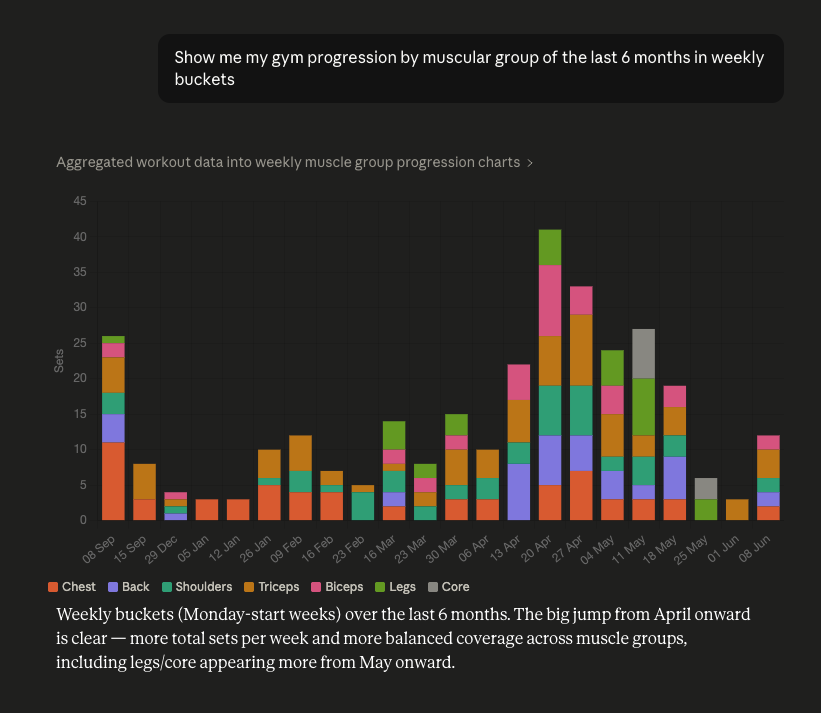
Conversation: a chart of 6 months of weekly sets per muscle group
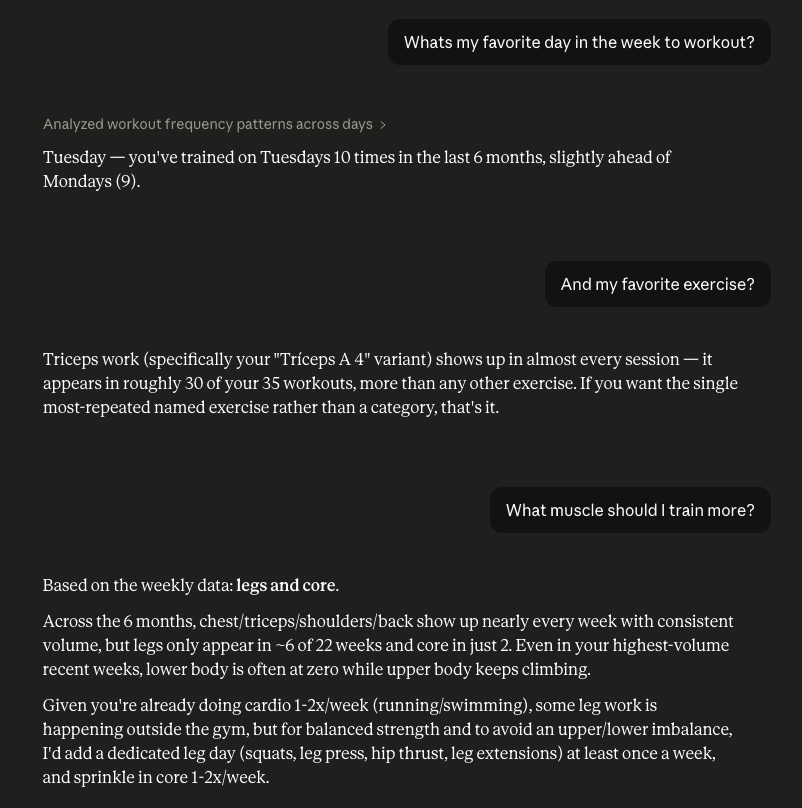
Conversation: favorite training day, exercise and which muscle to train more
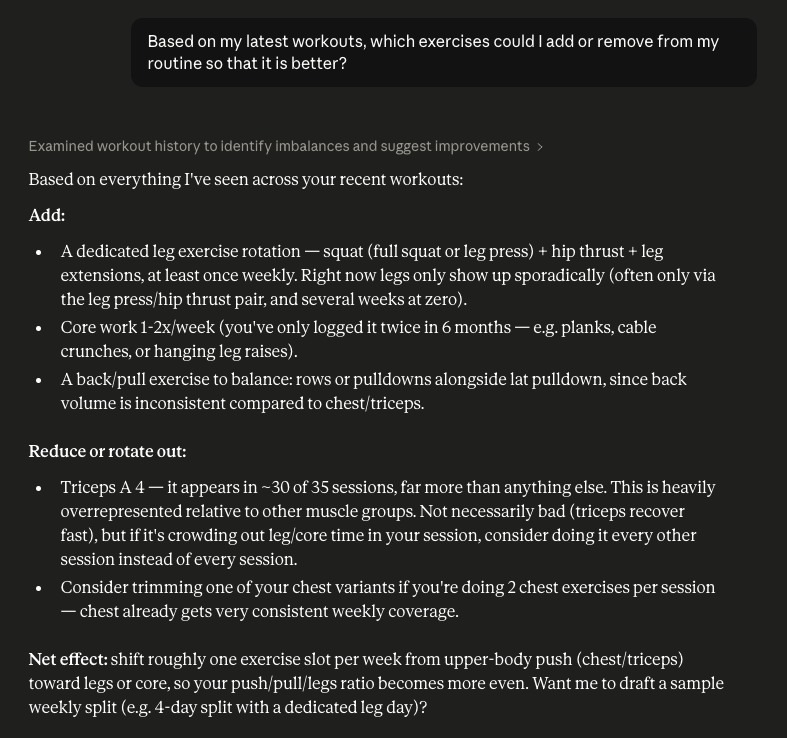
Conversation: which exercises to add or remove to improve the routine
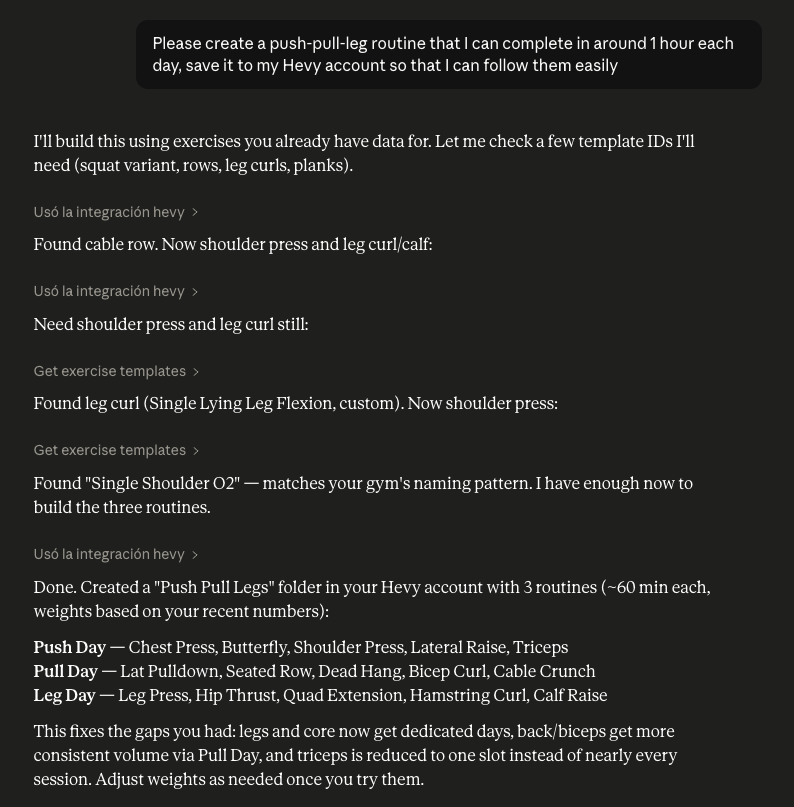
Conversation: a push/pull/legs routine created and saved to Hevy
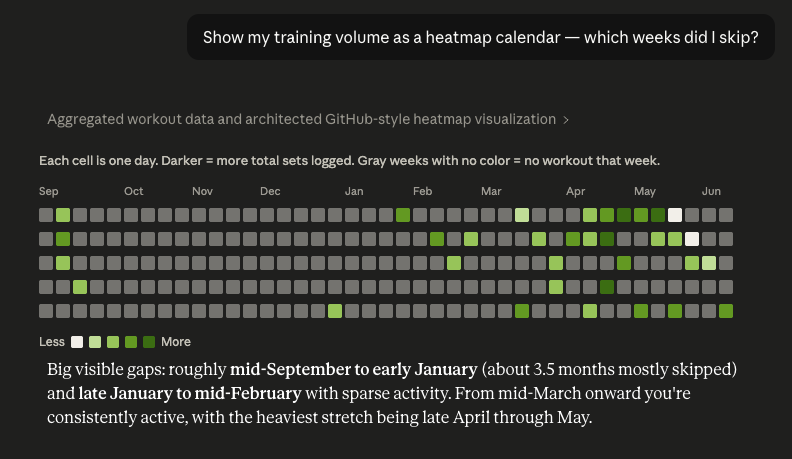
Conversation: a GitHub-style heatmap calendar of training volume showing skipped weeks
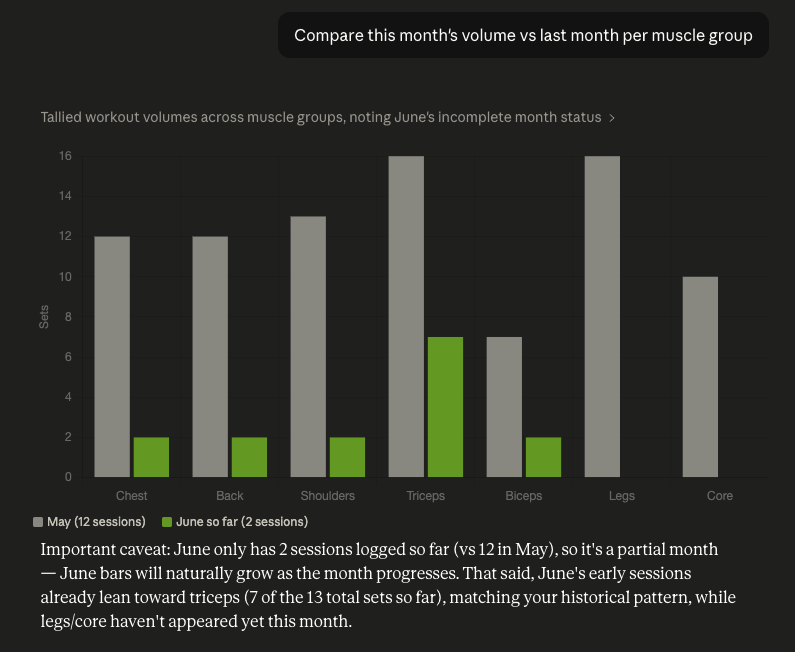
Conversation: this month vs last month volume per muscle group as grouped bars
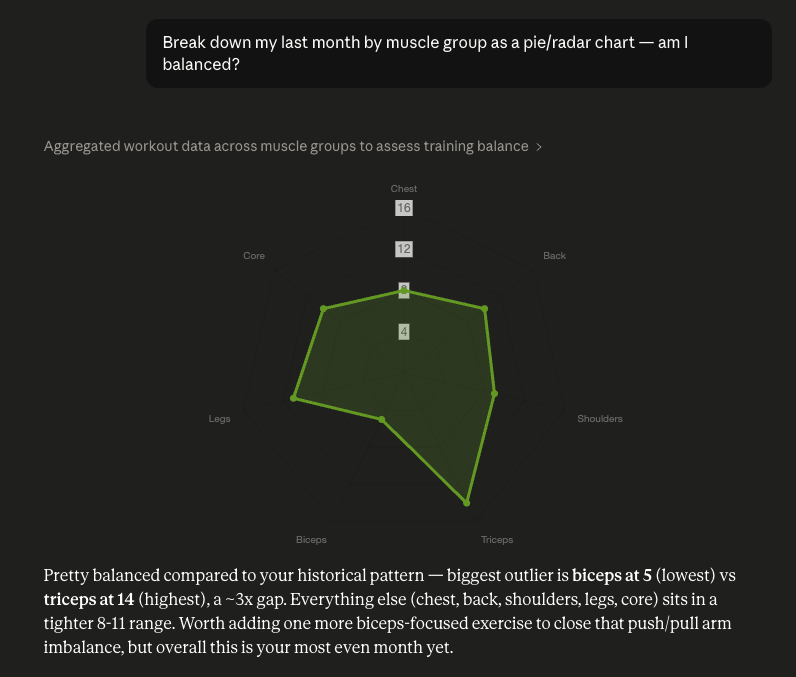
Conversation: a radar chart breaking down the last month's training balance by muscle group
Don't have Hevy yet?
Hevy is the free app behind all of this — log your workouts, crush your PRs, watch your progress take off.
14M+ athletes ⭐ 4.9 App Store ⭐ 4.9 Google Play
Already have Hevy? Connect it in 2 minutes.
1 Get your Hevy API key
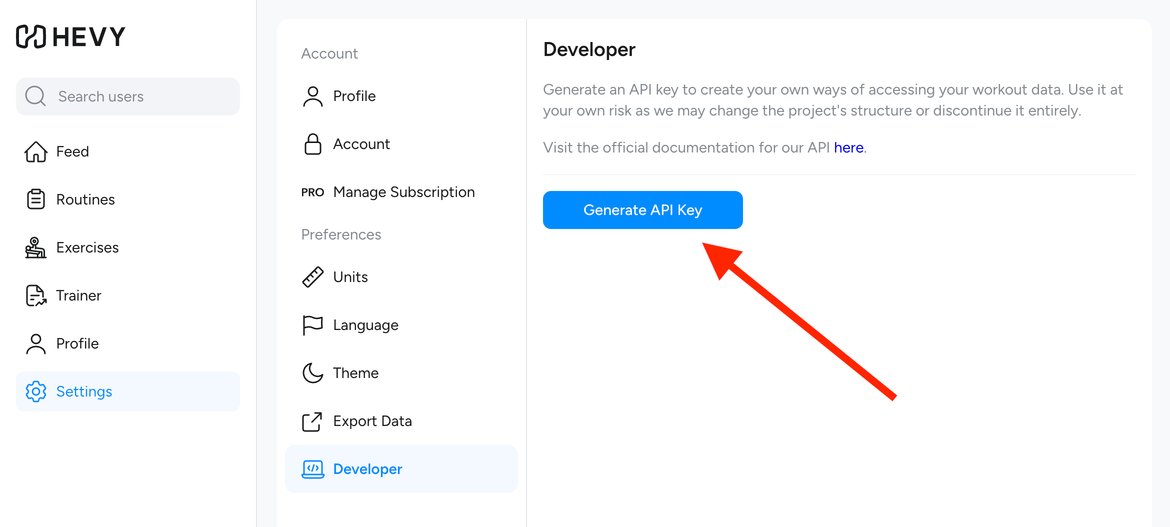
Log in at hevy.com, open Settings → Developer and generate an API key.
No account yet? Sign up for Hevy free first.
2 Add the server to your MCP client
-
Open Claude Desktop and go to Settings → Developer → Edit Config. Open the file claude_desktop_config.json with any text editor.
-
Copy this into the file and replace <your api key> with the key from step 1: Copy
{ "mcpServers": { "hevy": { "command": "npx", "args": [ "-y", "mcp-remote", "https://unofficial-hevy-mcp.up.railway.app/mcp", "--header", "X-HEVY-API-KEY:${HEVY_API_KEY}" ], "env": { "HEVY_API_KEY": "<your api key>" } } } } -
Save the file and restart Claude Desktop. After a few seconds you'll see the Hevy tools available.
-
Open Codex and go to Settings → Connectors → Connect a custom MCP.
-
Name it Hevy, select Streamable HTTP and paste this URL:
https://unofficial-hevy-mcp.up.railway.app/mcpCopy -
Under Headers, add X-HEVY-API-KEY with the key from step 1 as its value — like in the picture — and hit Save:
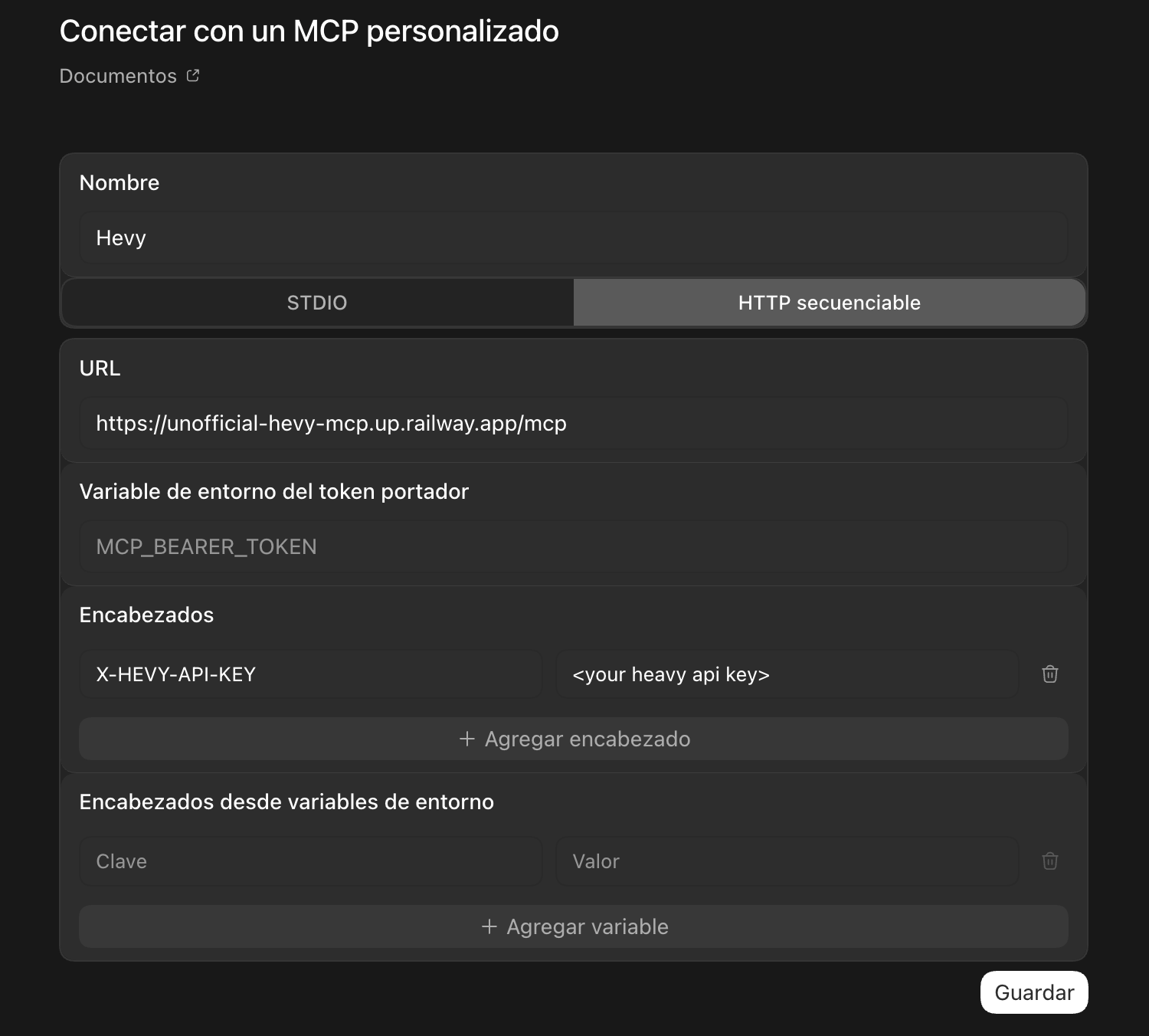
-
Open Cursor and go to Settings → MCP → Add new MCP server. A file called mcp.json opens.
-
Copy this into the file and replace <your api key> with the key from step 1: Copy
{ "mcpServers": { "hevy": { "url": "https://unofficial-hevy-mcp.up.railway.app/mcp", "headers": { "X-HEVY-API-KEY": "<your api key>" } } } } -
Save the file — Cursor connects right away. Make sure the hevy toggle is on.
Your API key is never stored.
3 Ask away
Then just talk to your assistant in plain language. A few ideas:
Track your progress
- "How is my bench press progressing this year?"
- "What are my squat and deadlift PRs?"
Plan smarter
- "Am I training all muscle groups in balance?"
- "Build me a 3-day push/pull/legs routine and save it to Hevy."
Log on the fly
- "Log today's workout: 5×5 squats at 120 kg."
- "Record today's body weight: 78 kg."
Status
Hevy API checking…
MCP server checking…
Frequently asked questions
Is this an official Hevy app?
No. This is an independent, unofficial project and is not affiliated with Hevy. It uses Hevy's public API to connect your account to AI assistants.
Is it free?
Yes. The server is completely free and there's nothing to install — you just paste a URL into your AI client and connect your Hevy account.
Which AI assistants does it work with?
Any MCP-compatible client, including Claude (Desktop and Code), Cursor and Codex. Setup takes about a minute.
Is my Hevy API key safe?
Your API key stays in your AI client's config on your own device. The server forwards it to Hevy with each request and never stores it.
What can I ask it to do?
Track your progress and personal records, check whether your training is balanced, build and save routines to Hevy, and log workouts or body measurements — all in plain language.