LystBot
People and AI agents can use the same shared lists. LystBot's local stdio MCP server lets an agent add or check items; updates appear in the app. Self-submitted by the LystBot project maintainer.
Documentation

Smart lists and reminders that your AI can actually use.


LystBot is not another AI list app. There's no built-in AI, no chatbot and no "AI-powered suggestions".
Instead, LystBot gives your AI (a personal agent on OpenClaw, a Custom GPT, Claude) direct access to your lists and reminders.
Your AI writes to the lists. You see the result in the app on your phone.
🚀 Getting started
1. Get the app


Open the app, create your first list, and grab your API key from Settings → AI Agents.
🖥️ Use it in your browser
app.lystbot.com: all your lists on desktop. Pair it with a code from the app, no account required.
👉 Just curious? Try the demo: runs fully in your browser, nothing is stored.
2. Connect your AI agent
The agent setup page has step-by-step instructions:
There are three ways to connect:
| Method | Best for | Setup time |
|---|---|---|
| CLI | OpenClaw, Grok Bot, personal agents, scripts, automation | 1 min |
| MCP server | Claude Desktop, Claude Code, Codex, Cursor, Devin Desktop | 2 min |
| REST API | ChatGPT Actions, Copilot Studio, custom agents, Home Assistant | 5 min |
3. That's it
npx lystbot login YOUR_API_KEY
npx lystbot add "Groceries" "Oat milk, Bananas, Coffee"
The items show up in the app right away.
🧠 How it works
Most "AI list apps" put a chatbot inside the app. LystBot does the opposite: you keep using the AI you already have, and it controls LystBot from the outside.
You → talk to your AI → AI calls LystBot API → your phone updates instantly
There's no new AI to learn and no prompting inside the app. Connect your existing AI and let it manage groceries, packing lists, todos and reminders.
- "Add eggs to my shopping list" works from any AI you already use.
- Your phone is the display. Your AI writes, you see the change.
- The app is for humans, the API is for agents.
- Changes sync in real time: your AI adds milk, your partner sees it immediately.
✨ Features
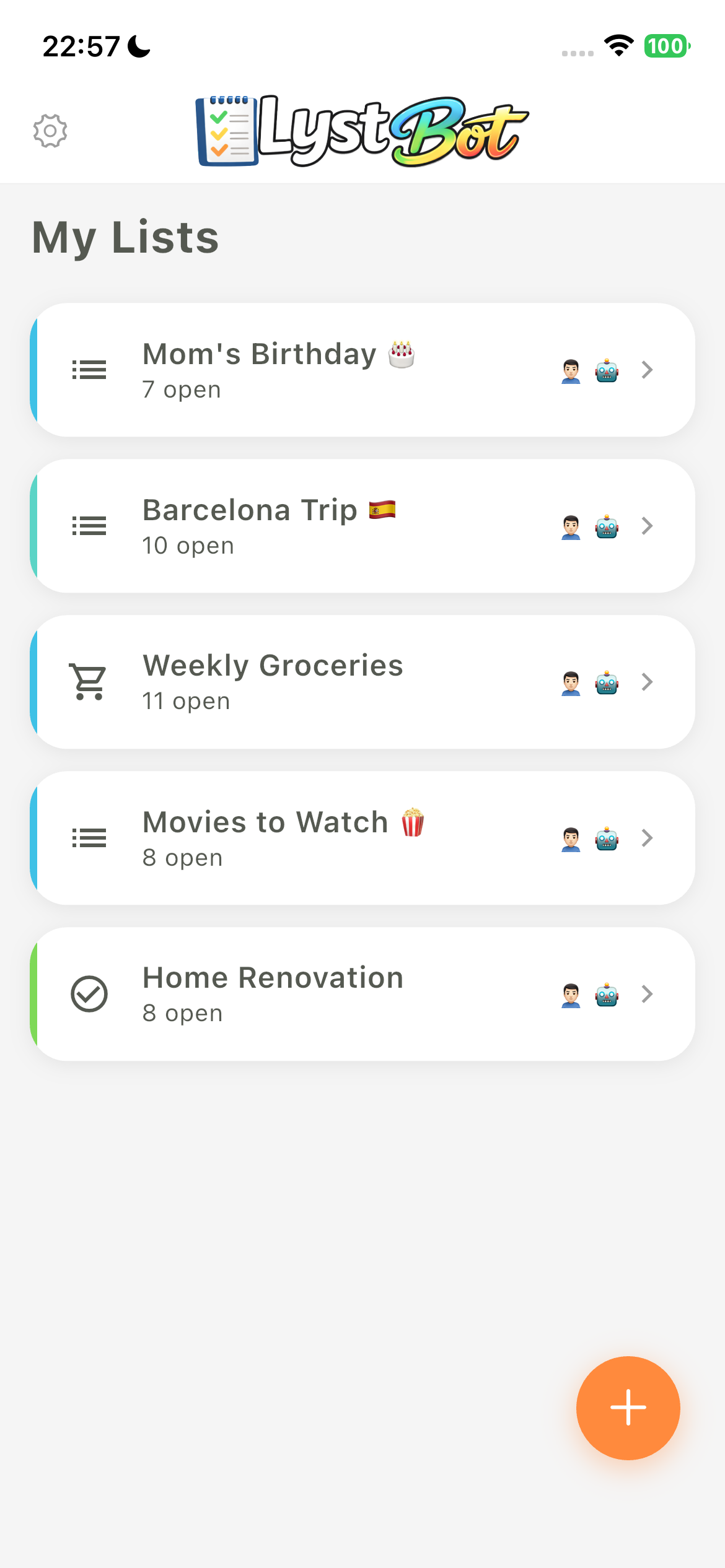
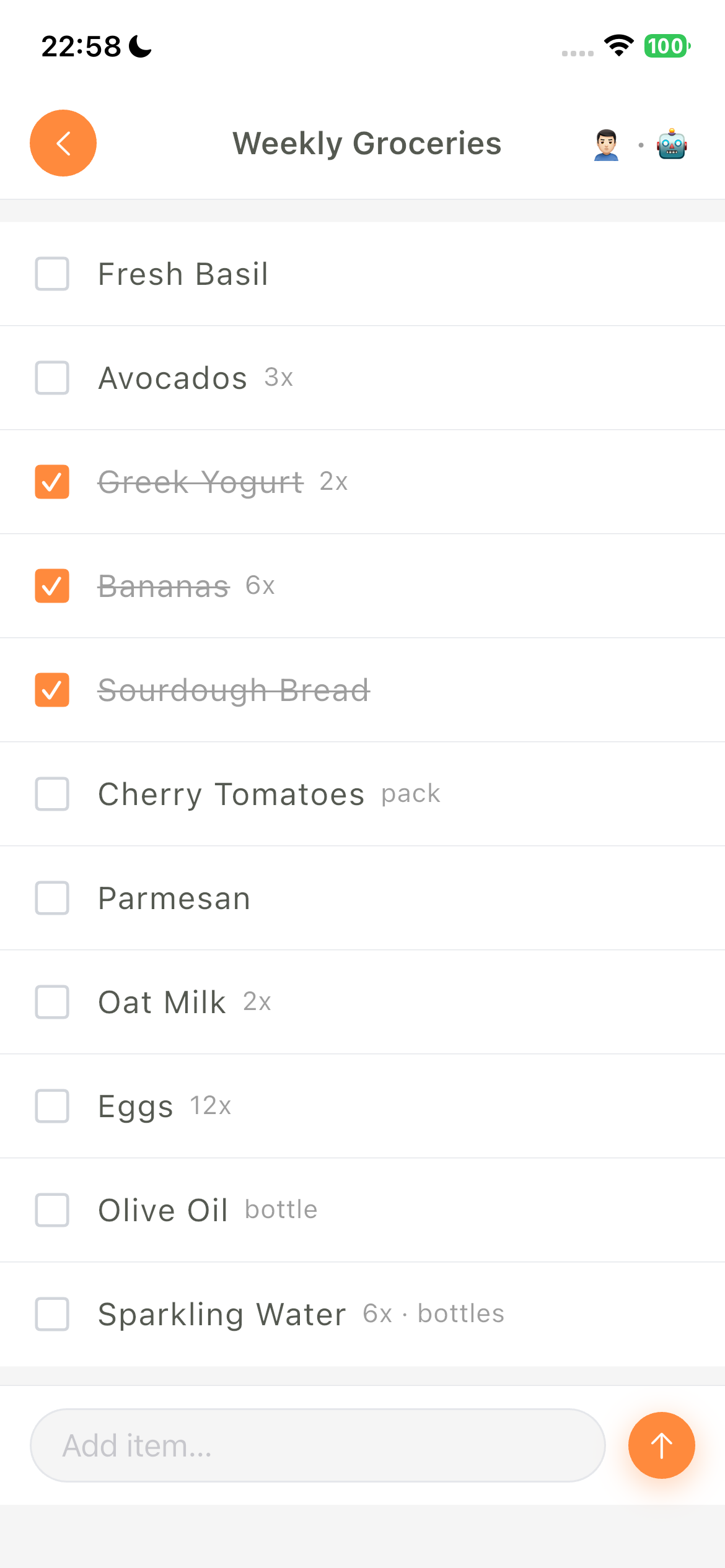
- Lists: create, organize and share lists.
- Sharing: invite others with a share code and edit the same list together.
- Platforms: iOS and Android apps, plus CLI and API access.
- Favorites: quick access to items you add often.
- Categories: split a list into sections and move items between them. Items without a category go to Other.
- Attachments: add images and links to items from the app, the CLI or an MCP client.
- Reminders: your AI can create, update, disable and delete one-time or recurring reminders.
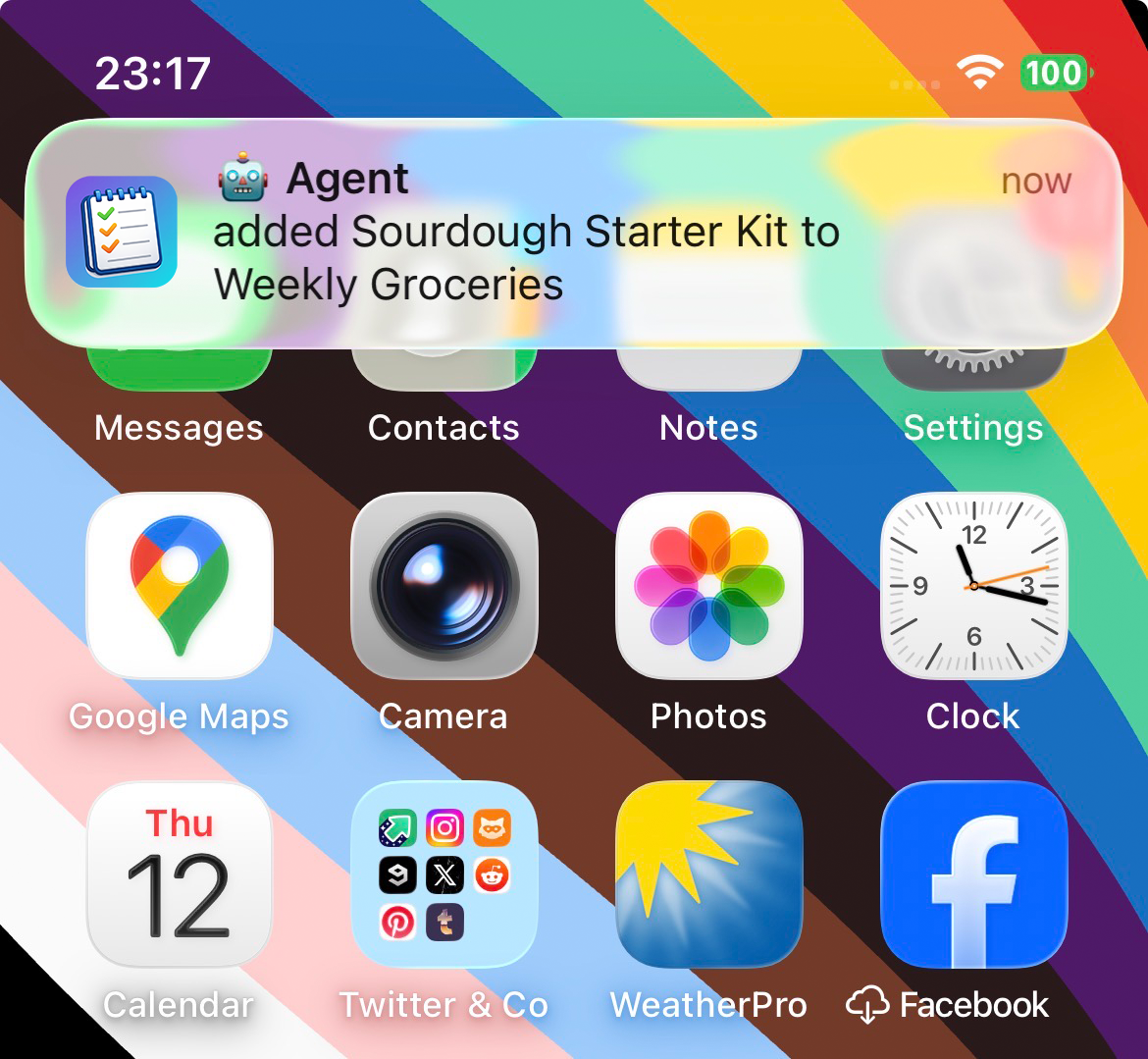
- Push notifications: get notified when your AI or your family changes a list.
- REST API: any AI agent can read and change lists, categories and reminders.
🤖 Agent integrations
LystBot works with any AI that can make HTTP requests. Here's how to connect yours:
Personal agents & autonomous frameworks
| Agent | Provider | Integration |
|---|---|---|
| OpenClaw | OpenClaw | CLI (npx lystbot) or MCP Server |
| Hermes Agent | Nous Research | MCP Server |
| Grok Bot | xAI | CLI on the Bot's cloud computer |
| Devin | Cognition | CLI or REST API |
| Aider | Open Source | CLI |
| OpenCode | Open Source | CLI or MCP Server |
| AutoGPT | Open Source | REST API |
| CrewAI | Open Source | REST API or MCP Server |
| Manus AI | Manus | REST API |
Coding agents & IDEs
| Agent | Provider | Integration |
|---|---|---|
| Claude Desktop | Anthropic | MCP Server (setup below) |
| Claude Code | Anthropic | MCP Server (setup below) |
| Codex | OpenAI | MCP Server (setup below) |
| Cursor | Anysphere | MCP Server |
| Devin Desktop (formerly Windsurf) | Cognition | MCP Server |
| GitHub Copilot | GitHub | MCP Server |
| Grok Build | xAI | MCP Server (setup below) |
| Antigravity | MCP Server | |
| Cline | Open Source | MCP Server |
Voice assistants & chat AI
| Agent | Provider | Integration |
|---|---|---|
| ChatGPT | OpenAI | Custom GPT with OpenAPI Actions |
| Google Gemini | Gemini API function calling with the REST API | |
| Microsoft Copilot | Microsoft | Copilot Studio agent with a REST API tool (OpenAPI) |
| Grok | xAI | xAI API function calling with the REST API |
| Siri / Apple Intelligence | Apple | Apple Shortcuts with REST API |
| Amazon Alexa | Amazon | LystBot Alexa skill |
Don't see your agent? If it can call an API, it can use LystBot. Check the API docs.
💻 CLI
The LystBot CLI manages your lists from the terminal. It's built for AI agents like OpenClaw that work best with command-line tools, and for anyone who likes to script things.
Install & login
npm install -g lystbot
lystbot login <YOUR_API_KEY>
Without a global install, prefix every command with npx, for example npx lystbot lists.
Commands
# Lists
lystbot lists                              # Show all lists
lystbot show "Groceries"                   # Show a list with items
lystbot create "Packing List" --emoji "🧳" # Create a new list
lystbot delete "Old List" --force          # Delete a list

# Items
lystbot add "Groceries" "Milk, Eggs, Bread"  # Add items (comma-separated)
lystbot add "Groceries" "250g Mehl; 3x Milch; 3 Bananen" # Parse unit and count prefixes
lystbot add "Groceries" "Mehl" --quantity 2 --unit "500g" # Explicit fields
lystbot check "Groceries" "Milk"             # Check off an item
lystbot uncheck "Groceries" "Milk"           # Uncheck an item
lystbot remove "Groceries" "Milk"            # Remove an item

# Attachments
lystbot attach-image "Groceries" "Milk" ./photo.jpg     # Attach a local image
lystbot attach-url "Groceries" "Milk" "https://example.com" "Recipe"  # Attach a link
lystbot attachments "Groceries" "Milk"                  # Show attachments
lystbot detach <attachment-id>                          # Delete an attachment

# Categories
lystbot categories "Groceries"                 # List categories (incl. Other)
lystbot category add "Groceries" "Fruits"      # Create a category
lystbot add "Groceries" "Bananas" --category "Fruits"   # Add into a category
lystbot move "Groceries" "Bananas" --category other      # Move to Other/uncategorized

# Reminders
lystbot reminders                                      # Show all reminders
lystbot reminder <id>                                  # Show one reminder
lystbot remind "Take vitamins" --at "2026-05-08 09:00" --timezone "Europe/Berlin"
lystbot reminder-update <id> --title "Take supplements"
lystbot reminder-update <id> --at "2026-05-09 09:00" --enabled
lystbot reminder-update <id> --disabled
lystbot reminder-delete <id> --yes

# Sharing
lystbot share "Groceries"                  # Generate a share code
lystbot join ABC123                        # Join a shared list

# Agent identity
lystbot profile --name "TARS" --emoji "🤖" # Set your bot's display name
Full reference: CLI docs
🔌 MCP Server
The CLI includes an MCP server. It runs locally over stdio, so it works with Claude Desktop, Claude Code, Codex, Cursor, Devin Desktop, Grok Build, Antigravity, Cline and any other MCP client that can start a local server.
For Cline, see the installation guide.
Log in first. Every setup below needs this:
npx lystbot login <YOUR_API_KEY>
Claude Desktop
Add this to your config file:
macOS: ~/Library/Application Support/Claude/claude_desktop_config.json
Windows: %APPDATA%\Claude\claude_desktop_config.json
{
  "mcpServers": {
    "lystbot": {
      "command": "npx",
      "args": ["lystbot", "mcp"]
    }
  }
}
Then restart Claude Desktop.
Claude Code
claude mcp add lystbot -- npx lystbot mcp
Claude Code can now manage your lists.
Codex / Grok Build
codex mcp add lystbot -- npx lystbot mcp   # Codex
grok mcp add lystbot -- npx lystbot mcp    # Grok Build
Cursor / Devin Desktop / Antigravity / Cline
Add the same config to the tool's MCP settings. For Cursor that's .cursor/mcp.json, for Devin Desktop ~/.config/devin/mcp_config.json and for Antigravity ~/.gemini/config/mcp_config.json. Cline has its own MCP settings screen.
{
  "mcpServers": {
    "lystbot": {
      "command": "npx",
      "args": ["lystbot", "mcp"]
    }
  }
}
Available tools
| Tool | Description |
|---|---|
list_lists | Get all your lists |
get_list | Get a specific list with items |
create_list | Create a new list |
delete_list | Delete a list |
add_items | Add natural strings or structured {text, quantity?, unit?} items |
check_item | Check off an item |
uncheck_item | Uncheck an item |
remove_item | Remove an item from a list |
clear_checked | Remove all checked (completed) items from a list |
share_list | Generate a share code for a list |
join_list | Join a shared list via code |
list_categories | List categories for a list |
create_category | Create a category |
rename_category | Rename a category |
delete_category | Delete a category |
reorder_categories | Reorder categories |
move_item | Move an item to a category (or Other) |
add_item_image | Attach an image to an item (local path or base64) |
add_item_url | Attach a link to an item |
list_item_attachments | List all attachments of an item |
delete_item_attachment | Delete an attachment by ID |
list_reminders | Get all reminders |
get_reminder | Get one reminder |
create_reminder | Create a reminder |
update_reminder | Update a reminder |
delete_reminder | Delete a reminder |
add_items understands 250g Mehl, 3x Milch, plain counts such as 3 Bananen or 3 bananas, and container forms such as 2 Flaschen Wein. Agents can also send structured items like [{"text":"Mehl","quantity":2,"unit":"500g"}]. Weights go into unit, so 250 g of flour is "unit":"250g", not "quantity":250.
🏗️ Architecture
┌──────────────┐  ┌──────────────┐  ┌──────────────┐  ┌──────────────┐
│  Your Phone  │  │   Your AI    │  │  MCP Client  │  │     CLI      │
│  (LystBot    │  │  (OpenClaw,  │  │  (Claude,    │  │  (npx        │
│   App)       │  │   ChatGPT)   │  │   Cursor)    │  │   lystbot)   │
└──────┬───────┘  └──────┬───────┘  └──────┬───────┘  └──────┬───────┘
       │                 │                 │                 │
       │ X-Device-UUID   │ Bearer Token    │ MCP via CLI     │ Bearer Token
       │                 │                 │                 │
       └────────┬────────┴────────┬────────┴────────┬────────┘
                │                 │                 │
         ┌──────▼─────────────────▼─────────────────▼──────┐
         │               LystBot API                       │
         │               (REST/JSON)                       │
         └─────────────────────────────────────────────────┘
The MCP server runs locally as lystbot mcp and calls the same REST API with your API key.
📚 Documentation
- API reference: all endpoints with curl examples
- CLI reference: all commands and flags
- MCP server:
npx lystbot mcp(see setup above)
🤝 Contributing
Bug reports and feature requests go to Issues. Pull requests for the CLI and the docs are welcome.
📄 License
MIT - see LICENSE for details.
Built with ❤️ by TourAround UG