Steam plugin
Look up any Steam game from your editor: US store price, live player count, review score, and latest news. No API key.
Documentation
Steam plugin
Look up any Steam game from your editor: US store price, live player count, review score, and latest news. No API key.



A zero-dependency Node.js MCP server (Node 18 or newer) plus a Cursor skill. It only calls Steam's public, unauthenticated endpoints, and it is read-only.
Built by Hollow Wick Games while making Last Light: Waxmourn.
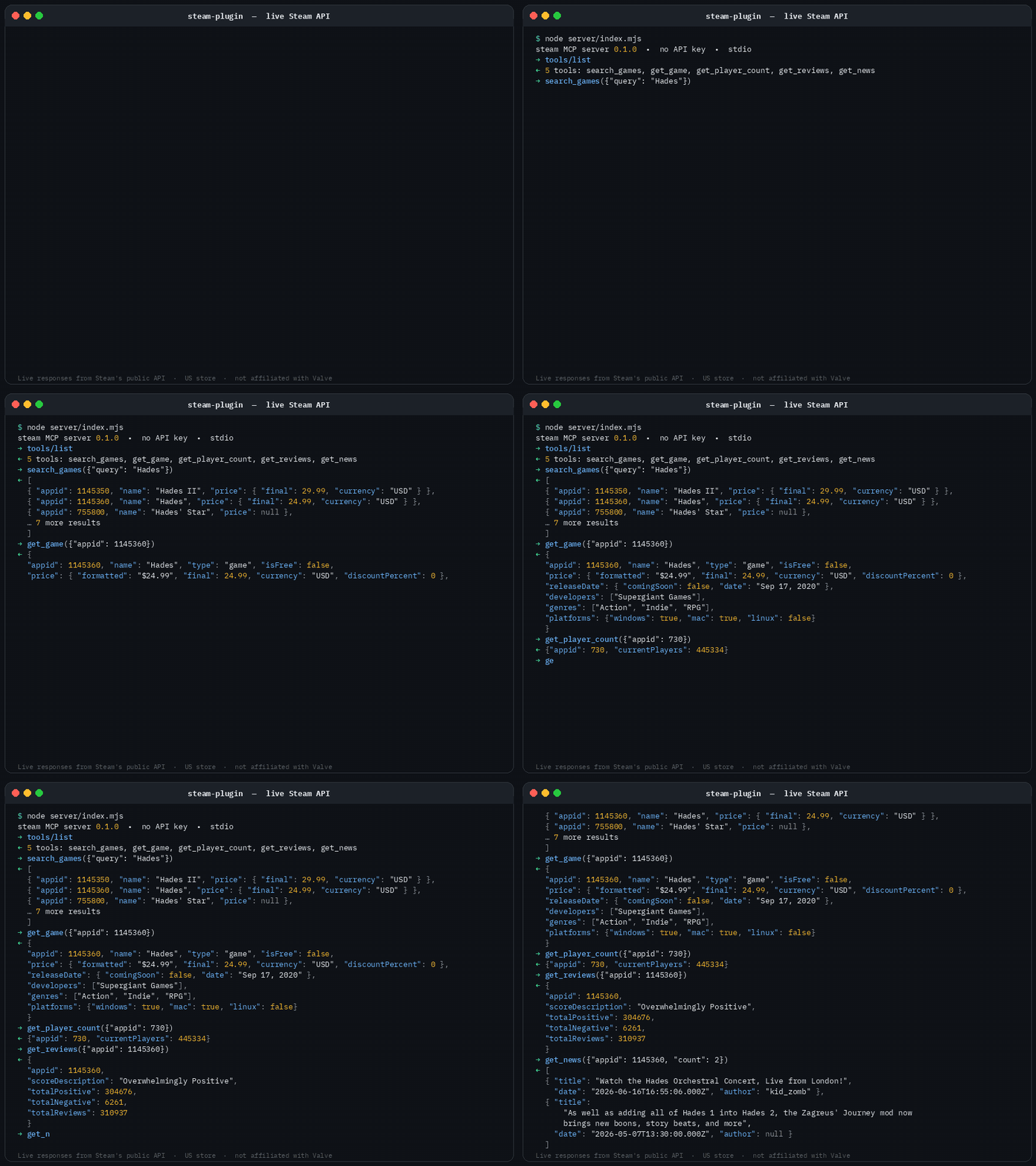
What it does
| Tool | Arguments | Returns |
|---|---|---|
search_games | query | [{ appid, name, price }] — resolve a game name to its appid |
get_game | appid | { appid, name, type, isFree, price{final, initial, discountPercent, currency, formatted}, releaseDate{comingSoon, date}, developers, publishers, genres, platforms, shortDescription, storeUrl } |
get_player_count | appid | { appid, currentPlayers } |
get_reviews | appid | { appid, scoreDescription, totalPositive, totalNegative, totalReviews } |
get_news | appid, count (1–10, default 5) | [{ title, url, author, date (ISO 8601), excerpt }] |
Example prompts
- How many people are playing Counter-Strike 2 right now?
- What's Hades' review score and price?
- Show the latest news for appid 1145360.
Install in Cursor
The easiest path is the listing on cursor.directory.
To add the server by hand, clone this repo and put the following in Cursor's MCP config (~/.cursor/mcp.json), using your real path:
{
  "mcpServers": {
    "steam": {
      "command": "node",
      "args": ["/absolute/path/to/steam-plugin/server/index.mjs"]
    }
  }
}
Requires Node.js 18 or newer. There is nothing to npm install.
Or install it as a local Cursor plugin (MCP server plus the bundled skill):
git clone https://github.com/tonygskrum-ux/steam-plugin.git
mkdir -p ~/.cursor/plugins/local
ln -s "$(pwd)/steam-plugin" ~/.cursor/plugins/local/steam
Reload Cursor afterward.
Other MCP clients
The server speaks MCP over stdio. Point any client at node /absolute/path/to/steam-plugin/server/index.mjs. For Claude Desktop, add this to claude_desktop_config.json (macOS: ~/Library/Application Support/Claude/; Windows: %APPDATA%\Claude\):
{
  "mcpServers": {
    "steam": {
      "command": "node",
      "args": ["/absolute/path/to/steam-plugin/server/index.mjs"]
    }
  }
}
The same stdio snippet works in other MCP clients, including Claude Code, with their own config paths.
Notes and limits
- Prices are from the US store (
cc=us), in USD. Prices and availability differ by region. priceisnullfor free-to-play games and for games with no price set.- Player counts are a live snapshot, not a peak or an average.
- Review totals count all languages and all purchase types.
- If
get_reviewscannot fetch a summary, the appid may not exist or may have no reviews. Confirm the appid withget_game. - Steam rate-limits its public endpoints. If you get HTTP 429, wait a minute.
Data source and disclaimer
All data comes live from Steam's public web endpoints (store.steampowered.com and api.steampowered.com). This project is not affiliated with, endorsed by, or sponsored by Valve Corporation. Steam and the Steam logo are trademarks of Valve Corporation.
License
MIT © 2026 Anthony Krum