Statable
officialQuery cookieless, EU-hosted web analytics: visitors, sources, countries, goals, funnels and live traffic.
What can you do with Statable MCP?
-
Real-time traffic monitoring — Ask your assistant to pull up current visitors, sessions, pageviews, bounce rate, and session duration from your dashboard.
-
Channel and source analysis — Have your assistant break down traffic by search, social, ads, AI assistants, and UTM campaigns to see which channels perform best.
-
Audience tech stack insights — Get a breakdown of your visitors' browsers, operating systems, and devices down to the version to guide testing priorities.
-
Conversion and funnel tracking — Ask your assistant to report on goal completions and identify the step in your funnels where visitors drop off.
-
GA4 history migration — Instruct your assistant to import your full Google Analytics 4 history into Statable via OAuth without overwriting existing data.
Hosted MCP Server
npx add-mcp 'https://mcp.statable.com/mcp'Installs into Claude Code, Codex, Cursor and more
Documentation
The Simple Google Analytics Alternative
Statable is a privacy-friendly web analytics platform and a simpler GA4 alternative. Import your Google Analytics history and get real-time insights — no cookies, and no consent banner for your analytics.
No card required • 30 days trial • Based in Europe
Voted by maker communities
3 Product Hunt#3 Product of the Day 1 StartupBaseWeekly Winner 2 BuiltByIndies#2 Product of the Week
Everything You Need From Website Analytics Software
Simple web analytics: understand how people find, browse, and leave your website with clear real-time reports.
Built For The AI Era
Connect Statable to Claude, ChatGPT, Cursor or Codex over MCP. Your agent can then set up your analytics, goals and funnels, so the dull work is off your plate.
Read Your Traffic In Seconds
See your core traffic metrics in one web analytics dashboard: visitors, sessions, pageviews, views per session, bounce rate, and session duration. A clear visual chart helps you understand trends immediately and spot changes as they happen.
See Where Visitors Come From
Every visit is sorted into a channel on its own: search, social, ads, AI assistants like ChatGPT and Claude, and your UTM campaigns. One look tells you which channels deserve more of your time.
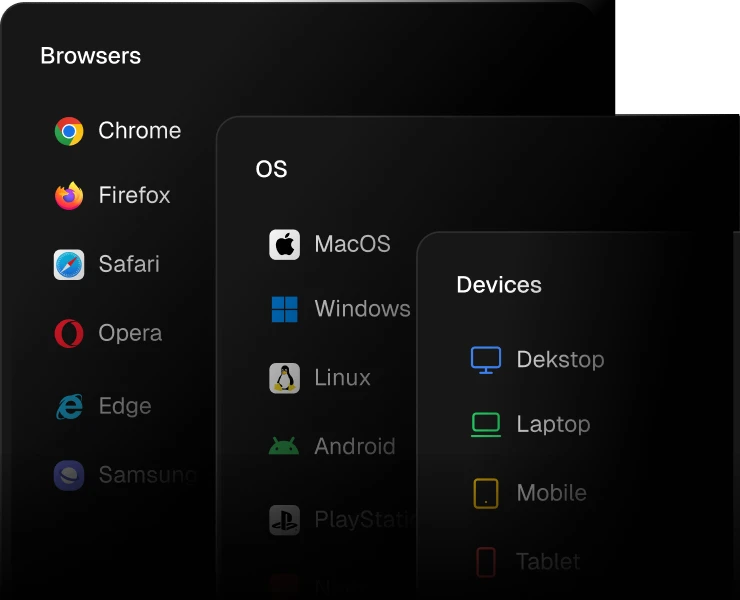
Know Your Audience's Tech Stack
Find out which browsers, operating systems and devices your visitors use, down to the version. Test on what matters and drop support for what nobody uses.
BrowsersOperating systemsDevice types
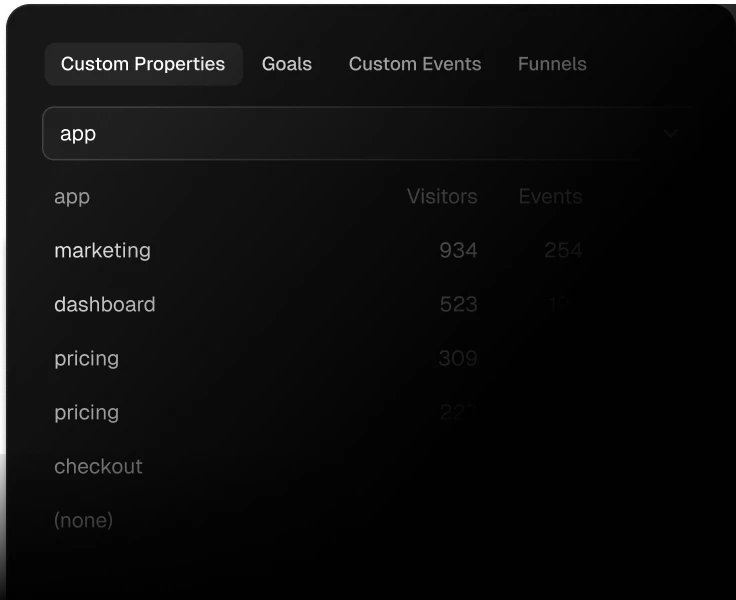
Track Signups, Downloads And Sales
Goals count each conversion, and funnels show the step where people give up. Fix that step, and more of your visitors turn into customers.
GoalsFunnelsCustom eventsCustom properties
Your Data Belongs To You
The data Statable collects on your website is yours.
We use it to show you your statistics.
We don't sell it, we don't use it for advertising or profiling.
The details are in our privacy policy.
EU-Hosted
Web analytics from a Dutch company under EU law. Analytics data is stored in the Netherlands. IP addresses are used on arrival to find the country and tell visitors apart, then dropped. They are never stored. Nothing follows your visitors anywhere. See our security practices and the data processing agreement that is part of our Terms.

Advanced Filters
Global Filtering
Apply precise filters to any view and focus on the sessions that matter, without changing your tracking setup.
Session behaviorUser actionsCustom context
From our users
How People Use Statable
On their own projects and on sites they build for clients.

Andrii Digital marketer, Ukraine

Paul Builds websites for clients, Germany

Mykola Developer, Ukraine
Every Feature On Every Plan
Statable pricing starts at $9/month for 10,000 monthly pageviews.
Every plan includes every feature and unlimited websites.
Only the monthly allowance changes, and it counts pageviews plus custom events.
Start with a free 30-day trial. See all plans and annual billing.
Start In Three Steps
1. Sign up. Use your email, or Google or GitHub. Your 30-day trial starts automatically, every feature unlocked.
2. Add one line. Paste a single script tag before the closing head tag, or install the official WordPress plugin and it puts the script in place for you.
3. See live data. Live visitors are counted right away, and top sources, pages and countries fill in within the first minute of traffic. Read the install guide.
Your Questions
Everything you need to know about privacy, setup, migration, and how Statable works.
Is Statable a GDPR-compliant Google Analytics alternative?
Yes. That is what Statable is built for. It sets no cookies, writes nothing to a visitor's device, and uses an identifier that changes every day, so Statable does not add a cookie banner to your site. Your analytics data is processed and stored in the EU, and a data processing agreement is included in our Terms. You stay the controller: the rest of your stack, and the notice you give visitors, remain your call.
How does Statable handle IP addresses?
The IP address is used on our servers in the Netherlands to compute a per-day visitor identifier, and is discarded once that is done. It is never written to your analytics data. Along the way it is matched against a local database to derive country, region and city; the address itself is not kept. There is no fingerprinting and no cross-site tracking: identifiers are scoped to a single site and change every day.
What happens if a visitor turns on Do Not Track?
Nothing is collected. Our script checks for Do Not Track and Global Privacy Control before it sends anything, and when either is present the visit is not measured at all. No request about it ever reaches us. This works for every visitor worldwide, by default, with no setup on your side.
Can I migrate from GA4 and keep my historical data?
Yes. Connect your Google account through OAuth and grant the read-only analytics scope, and Statable imports all available history from your GA4 property — as far back as it goes — into your dashboard. Nothing changes on your site, and the import does not overwrite data Statable has already collected.
Will Statable work with Next.js, WordPress, Webflow?
Yes. Statable is a web analytics tool with a single script of about 2 KB that works with any website or framework, including Next.js, WordPress and Webflow. Add one line before the closing head tag and you are done: no tag manager, no SDK, no build step. WordPress has an official plugin instead: install it from the plugin directory and it puts the script in place for you, with your stats inside wp-admin.