Remembite
Food log your AI writes to. Claude works out calories and macros; Remembite keeps your record and, when a number looks off, saves nothing and Claude asks you first.
Hosted MCP Server
npx add-mcp 'https://remembite.com/mcp'Installs into Claude Code, Codex, Cursor and more
Documentation
Using ChatGPT? Connect Remembite to ChatGPT (beta)
Get started in three steps
-
Create your free account
Enter your email and open the one-time link we send you. No password, no card. Get started free -
Add Remembite to Claude
In Claude, open Customize > Connectors, choose + Add, then Add custom connector, and paste this URL:https://remembite.com/mcpSign in with the same email, then choose Agree and continue on the health data screen. -
Log your first meal
In a normal Claude chat, say what you ate: "I had 2 eggs and 150 g of rice for breakfast." Your AI works out the numbers. Remembite saves the meal, or sends a question back to your AI if a number looks far off. Then open your dashboard.
ChatGPT (beta, via developer mode) has its own steps, linked under the page title. Already have an account? Sign in.
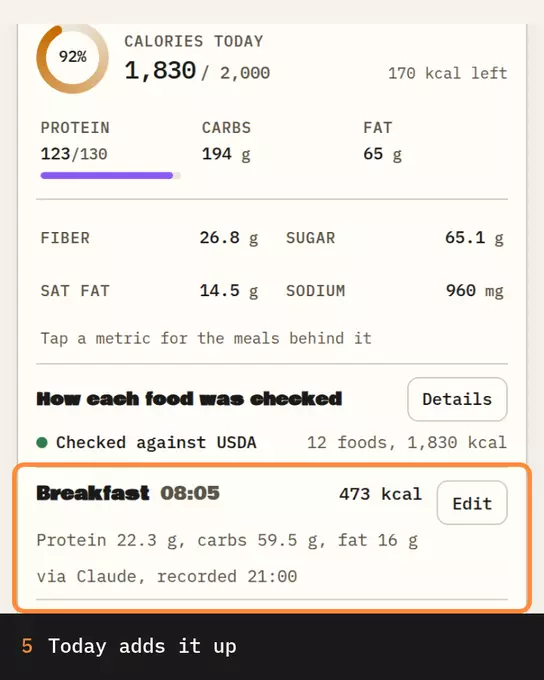
Illustration, sample data Breakfast saved at 473 kcal; Today goes from 1,357 to 1,830 kcal. The card is a real Remembite result.
Your AI does the math, and Remembite keeps the record. You add Remembite once, as a custom connector in Claude or as a custom MCP server in ChatGPT (beta, via developer mode). The sample dashboard with sample data needs no account.
Claude, step by step
First create your free account. Then:
- In Claude, open Customize > Connectors, choose + Add, then Add custom connector. On Team plans an Owner or Primary Owner adds it first; on Enterprise an Owner or a user with a custom role that allows it adds it first under Organization settings > Connectors, and you then press Connect. Steps may change; check Claude's help.
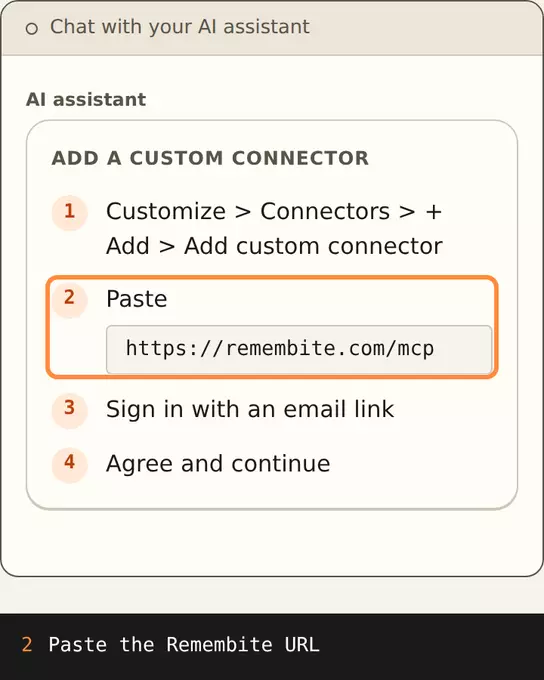 Illustration, sample data Steps 1 and 2: open Connectors, add a custom connector and paste https://remembite.com/mcp.
 - Enter the connector URL:
https://remembite.com/mcp - Sign in with your email. Remembite sends a one-time link. There is no password, the link works once and it expires in 10 minutes.
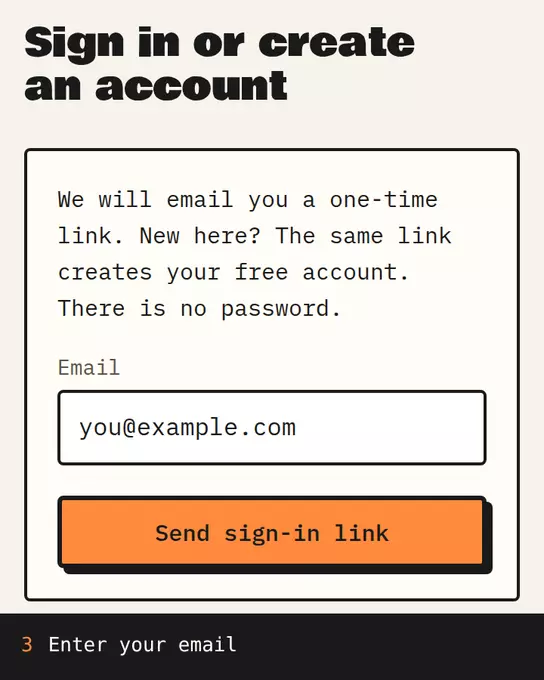 Sample data The Remembite sign-in page: enter your email, then open the one-time link we send.
 - On the next screen, read the health data consent and choose Agree and continue. Decline cancels, and without consent Remembite cannot store your meals. Remembite stores your meals, water, saved foods and goals, which can reveal health information, so it asks first.
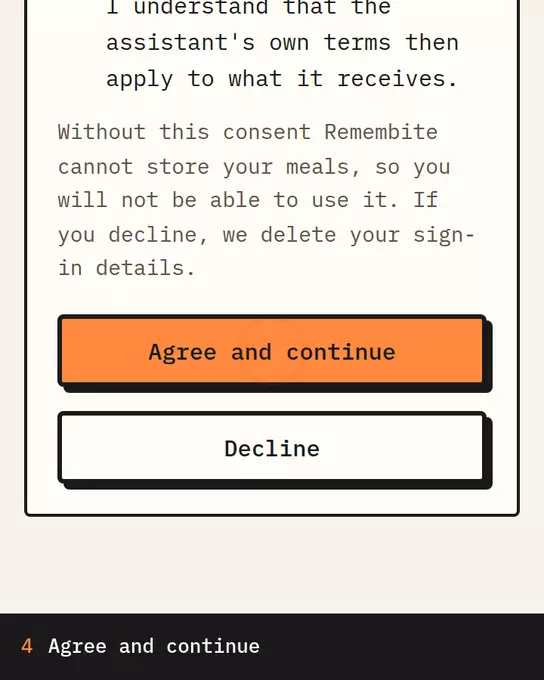 Sample data The Remembite consent screen: read it, tick both boxes, then choose Agree and continue.
 - Then ask Claude about a meal in a normal chat. On later connections you only see Allow or Deny.
Illustration, sample data Breakfast saved at 473 kcal; Today goes from 1,357 to 1,830 kcal. The card is a real Remembite result.
Add Remembite to ChatGPT (beta)
Remembite works in ChatGPT (beta, via developer mode). You add it as a custom MCP server and agree to the same consent. The steps, limits and fixes are on their own page, linked under the page title.
Five things to say
You do not need commands. Talk the way you would to a friend, and your AI app decides which Remembite tool to call.
- Log a meal. "I had 2 eggs and 150g rice for breakfast." Your AI estimates the amounts and numbers, and Remembite saves the meal. If a number looks far off, Remembite does not save it. It sends a question back to your AI, which asks you to confirm or fix it.
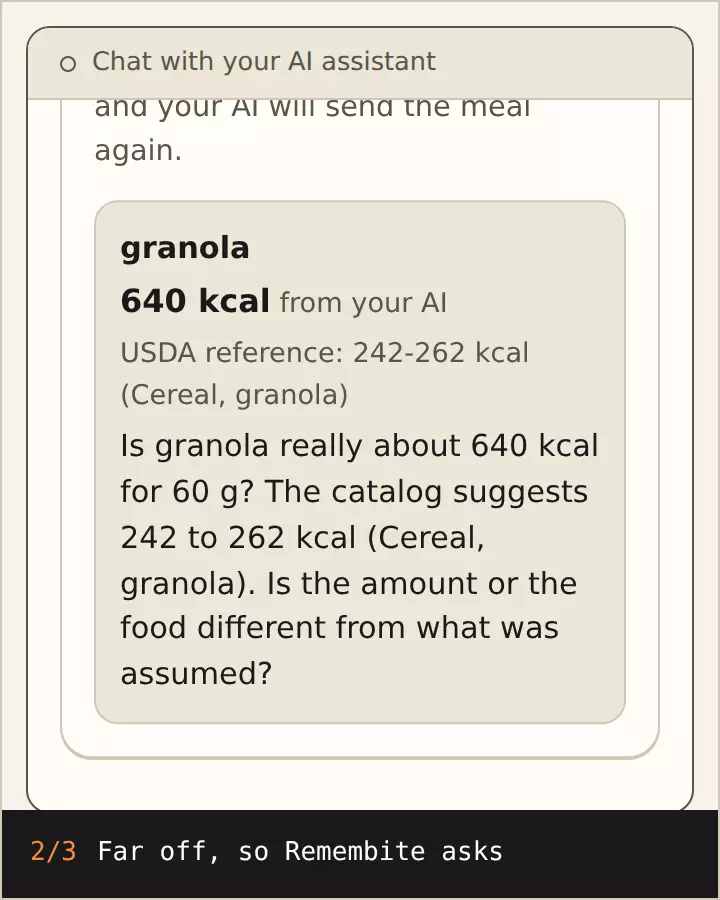 Illustration, sample data 640 kcal for 60 g of granola is held back and your AI asks you. After your answer it is saved at 252 kcal. Numbers from real Remembite results.
 - Repeat yesterday's breakfast. "Log yesterday's breakfast again, but with half the rice." Remembite copies the earlier meal and can scale it, remove items or add new ones.
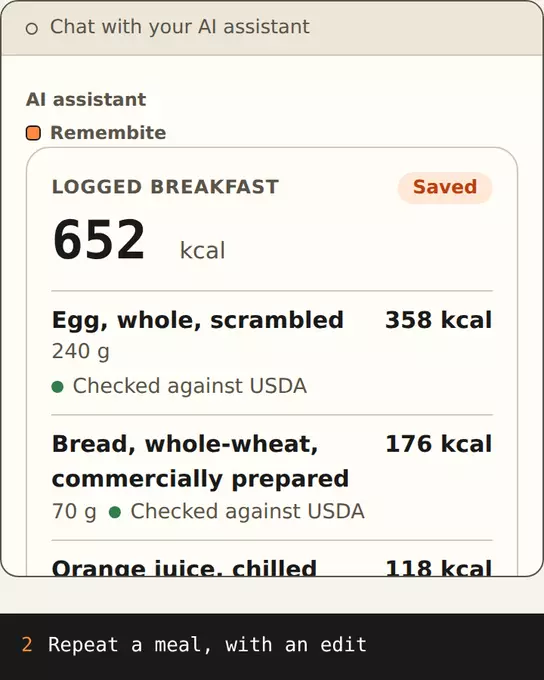 Illustration, sample data Eggs and toast repeated with double the eggs: 652 kcal. A real Remembite result.
 - Remember a food. "Remember that my oats are 40 g of rolled oats." Next time you say "my oats", Remembite uses that food and weight. You can also save a meal as a named template, such as "my usual breakfast".
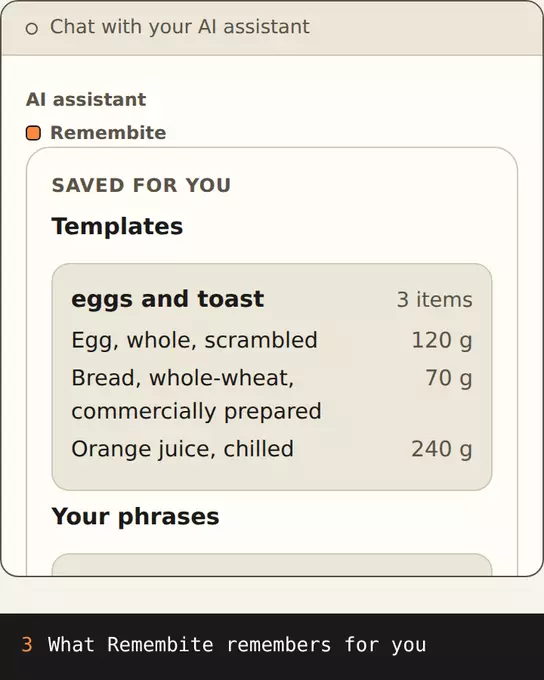 Illustration, sample data Saved for you: the template "eggs and toast" and the phrase "my oats" (350 g of cooked oatmeal). A real Remembite result.
 - Set goals. "Set my goals to 2,000 kcal and 120 g protein." You can set calories, protein, carbs and fat, effective from a date you choose.
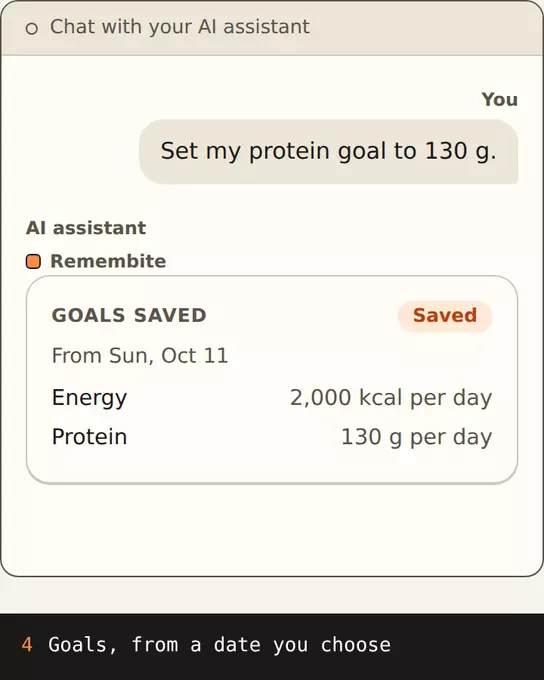 Illustration, sample data Goals saved: 2,000 kcal and 130 g protein per day, from Sun, Oct 11. A real Remembite result.
 - See the week. "How did my week look?" You get the days logged, the average per logged day, the five foods you logged most and how many days landed within 10 percent of your calorie goal. Day-by-day history covers up to 31 days, and a summary covers up to 92.
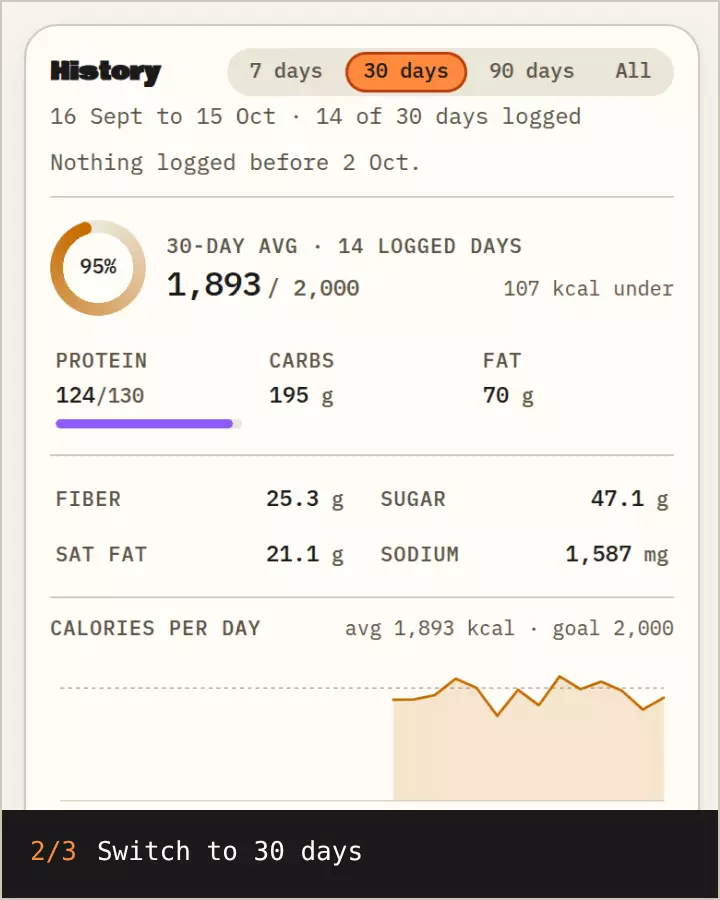 Sample data History for 7 and 30 days, protein at 126 of 130 g on the 7-day average, then Goals of 2,000 kcal and 130 g protein.
You can also ask to change a logged item or delete a meal. Deleting a meal is permanent.
What the numbers mean
Your AI app works out the calories, protein, carbs and fat of each meal, and Remembite saves them. Before it saves a meal, Remembite compares each food it can confidently match to a USDA-based reference, and checks the protein, carbs and fat against the calories. If a number looks far off, Remembite does not save it. It sends a question back to your AI, which asks you to confirm or fix it.
These are estimates. Weighing food in grams gives the best estimate, because the portion is the biggest source of error. The methodology page explains the check.
Where your AI app supports it, a small Today card shows the day's total, your goal progress and your meals.
Disconnect, export or delete
The Remembite app has an Account page where you can disconnect an AI app, download your data as JSON or CSV, withdraw your consent and delete your account. After you disconnect an app, it can keep access for up to 15 minutes. Details are on the support page.
Next steps
Create your free account, or see the sample dashboard first. More reading: features, privacy. Remembite is a tracking tool and gives no medical advice. It is not affiliated with Anthropic or OpenAI.
Start your own record
Create a free account with your email, then add Remembite to Claude. Want to look first? Watch Claude log a sample day, no account needed.