Remnus
MCP-native open-source Notion alternative: read and write pages, customizable databases, and kanban/calendar boards over a remote MCP server (OAuth 2.1 + PKCE, scoped tokens, audit log).
Documentation
Remnus
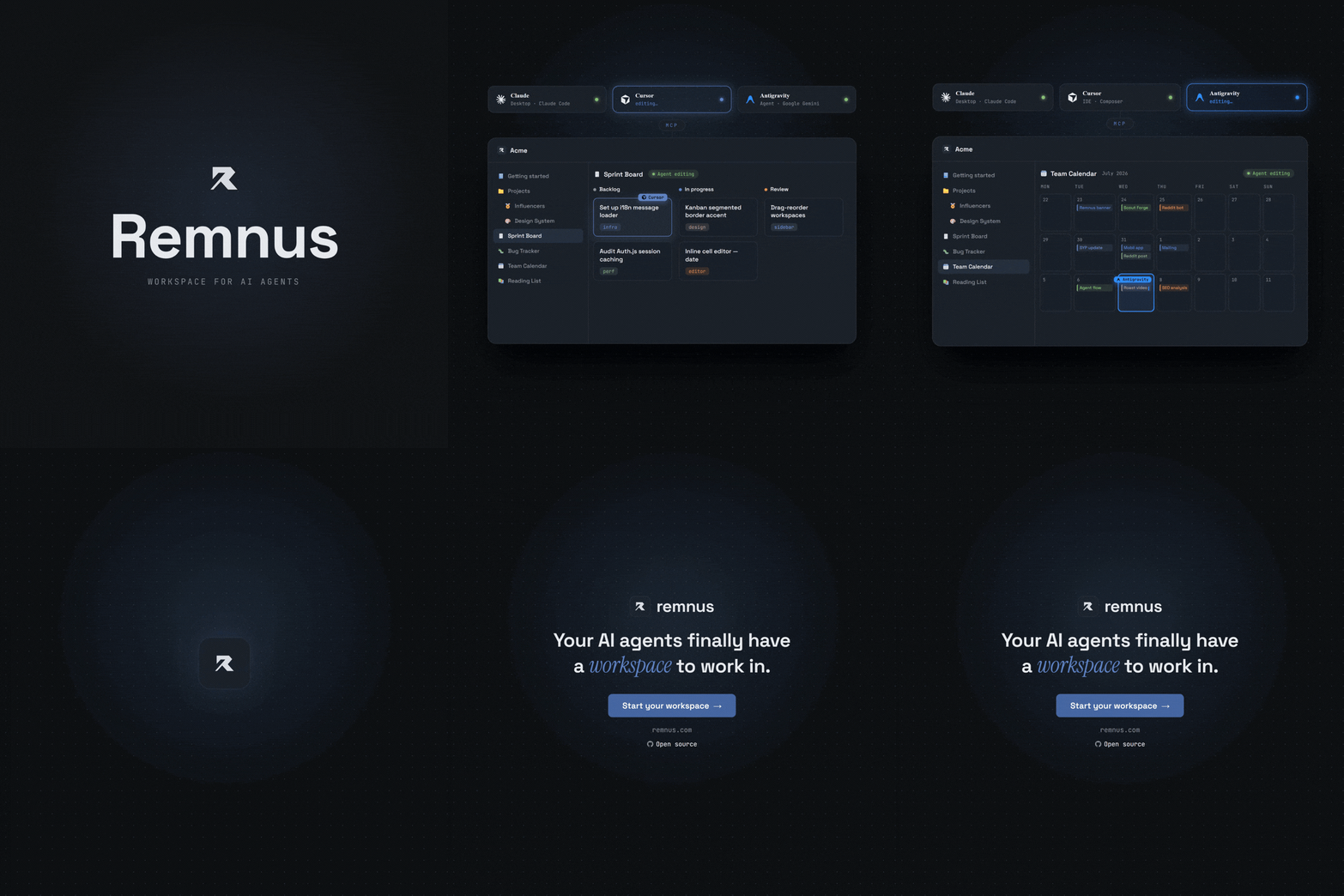
Open-source MCP-native workspace for humans and AI agents.
Kanban boards, databases, and pages that Claude, Cursor, and any AI agent can read and write via MCP — alongside you.




What is Remnus?
Remnus is the Human-Agent Collaborative Workspace, built around the Model Context Protocol (MCP). Every page, database, and kanban board in your workspace is accessible to AI agents via a first-class MCP server — connect editors with one-click OAuth 2.1 (PKCE), or use a scoped bearer token for headless / CI agents.
Unlike Notion's MCP integration, Remnus is designed for headless, CI/CD, and coding agent workflows from day one.
OKF-native context, not a workspace dump
Remnus uses Open Knowledge Format (OKF) ideas as a portable knowledge contract. Pages can carry descriptions, types, tags, sources, lifecycle state, freshness dates, and revision-bound review signals. OKF v0.2 import/export is the interchange layer; the editable Remnus workspace remains canonical.
The prepare_context MCP tool turns a concrete task into Context Pack v2: a token-budgeted set of concepts ranked by BM25 relevance, native metadata, page links, freshness, and trust. Smart mode advertises this context-first flow automatically for meaningful work. Strict mode additionally requires the same agent's short-lived contextRunId before Remnus MCP mutations.
This does not let an MCP server control local files, shell commands, or Git. Repository-level enforcement uses the supplied AGENTS.md and CLAUDE.md snippets. Read the public Context-First MCP guide and the implementation story, How Remnus Uses OKF to Give AI Agents Better Context.
Features
- Pages — Markdown editor with slash commands, nested sub-pages, and icons
- Databases — Customizable columns, Table / Kanban / Calendar views, filters, sorts
- Dashboards — Live status screens (metrics, charts, lists, embedded views) that an agent builds from a few hundred tokens of JSON and a human can edit block by block
- MCP Server — 27 tools + 7 resources + 7 prompts over stateless Streamable HTTP
- OKF-native context — Portable knowledge metadata, exact-revision reviews, Context Pack v2, and Smart/Strict MCP policies
- Agent auth — One-click OAuth 2.1 + PKCE (RFC 7591 dynamic registration) for editors, or scoped read/write personal access tokens for headless agents
- Multi-workspace — Invite members, role-based access (owner / member / viewer)
- Desktop app — Tauri v2 shell for Windows, macOS, Linux
- Mobile — Capacitor v8 for iOS and Android (loads remnus.com)
- i18n — English, Türkçe, हिन्दी, Español, Français, Deutsch, 中文, Русский
Quick Start — Self-host
Local Development
git clone https://github.com/Ranork/remnus-app.git
cd remnus-app
cp .env.example .env          # fill in AUTH_SECRET + OAuth credentials
npm install
npm run db:migrate
npm run dev
Open http://localhost:3000. The first user to sign up is auto-promoted to admin.
Docker Compose (5-minute setup)
If you prefer to run Remnus using Docker:
- Clone the repository and navigate into it:
git clone https://github.com/Ranork/remnus-app.git cd remnus-app - Copy the environment template and fill in the required variables (especially
AUTH_SECRETand OAuth credentials):cp .env.example .env - Start the application:
docker compose up -d - Access Remnus at
http://localhost:3000. The SQLite database will be persisted automatically using a Docker volume.
Deploy

Add MCP to your editor
After signing in, open the AI Agents panel from the sidebar and click Connect editor. It walks you through every supported editor (Cursor, VS Code, Claude Code, Codex, Windsurf, and more).


Install from a registry
Remnus is published on the official MCP Registry (io.github.Ranork/remnus) and on Smithery, so MCP-aware clients and directories can discover it automatically. Smithery offers one-click install across many clients (Claude, Cursor, VS Code, Codex, Windsurf, and more) — open the Smithery page and click Add to toolbox, or use the Smithery CLI to install straight into a client's config:
npx -y smithery@latest mcp add ranorkk/remnus --client claude
Swap --client for cursor, vscode, codex, windsurf, etc. Either way, the first connection runs the same OAuth 2.1 sign-in — no token to paste.
Recommended — OAuth (token-less): point your editor at the MCP URL and approve the consent screen on first connect. Your editor runs the OAuth 2.1 flow automatically — nothing to copy.
{
  "mcpServers": {
    "remnus": {
      "type": "http",
      "url": "https://your-instance.com/api/mcp"
    }
  }
}
Headless / CI — personal access token: create a scoped token from the AI Agents panel and send it as a bearer header.
{
  "mcpServers": {
    "remnus": {
      "type": "http",
      "url": "https://your-instance.com/api/mcp",
      "headers": {
        "Authorization": "Bearer <your-token>"
      }
    }
  }
}
MCP Tools
| Tool | Scope | Description |
|---|---|---|
prepare_context | read | Build Context Pack v2 (BM25 + OKF metadata + graph) and return a short-lived contextRunId |
search_workspace | read | Full-text search across pages and databases |
list_workspace | read | List sidebar items with pagination |
get_page | read | Get a page, database row or dashboard (as its block spec) by ID |
get_pages | read | Get multiple pages/rows by ID in one call (batch get_page) |
get_database_schema | read | Get column schema of a database |
query_database | read | Query rows with filters and pagination |
list_members | read | List workspace members with roles |
query_audit_log | read | Filtered agent activity log |
get_changes_since | read | Compact, chronological feed of what changed since a timestamp or cursor |
get_related_pages | read | A page's parent, children, outgoing links, backlinks, database siblings and source files — or, given a file path, the pages that rest on it |
create_page | write | Create a standalone page or database row, with an icon |
bulk_create_pages | write | Create up to 50 pages or rows in one call, nesting pages via ref/parentRef |
update_page | write | Update title, content, or properties |
bulk_update_pages | write | Update multiple rows in one call |
delete_page | write | Delete a page, database, dashboard or row (requires confirm: true) |
bulk_delete_pages | write | Delete up to 100 pages/rows/databases in one call (requires confirm: true) |
move_item | write | Move item to a new parent |
bulk_move_items | write | Move up to 100 items in one call, reparenting or moving rows to a different database |
create_database | write | Create a database with custom schema, icon, and views |
update_database_schema | write | Add or remove columns |
create_database_view | write | Add a table/kanban/calendar view |
update_database_view | write | Rename a view or patch its config |
delete_database_view | write | Delete a saved view (requires confirm: true) |
create_dashboard | write | Create a live dashboard from JSON blocks; returns its URL and warnings for blocks that would render empty |
update_dashboard | write | Patch a dashboard by block id — add, update, remove, reorder |
add_comment | write | Add a comment to a page or row (agent comments are append-only) |
Tech Stack
- Framework: Next.js 16.2.6 (App Router)
- Database: SQLite via Drizzle ORM +
@libsql/client(Turso-compatible) - Auth: Auth.js v5 — Google & GitHub OAuth
- Styling: Tailwind CSS + Lucide icons
- Desktop: Tauri v2 (Rust)
- Mobile: Capacitor v8
Contributing
See CONTRIBUTING.md. All contributions are welcome — bug fixes, new MCP tools, translations, and docs.
License
AGPL-3.0 — free to self-host and modify. SaaS forks must open-source their changes.