QRSalt
Make, re-point and track QR codes and short links, and read QR images, from your AI assistant. Remote server at https://app.qrsalt.com/api/mcp with OAuth sign-in; nothing to install.
Hosted MCP Server
npx add-mcp 'https://app.qrsalt.com/api/mcp'Installs into Claude Code, Codex, Cursor and more
Documentation
A QR code MCP server for your assistant
You paste one block into Claude Code, Cursor or VS Code, once. After that there is nothing to write: your codes are in the chat window, and you ask for them the way you would ask a colleague. The key you hand over, or the boxes you tick when you sign in, set the limit of what the assistant can reach.
Connect it → See all 13 tools →
Worked example — not a live session
Ask it
Make me a QR code for tomorrow’s open day and show me the picture.
On this page
What you can ask it for
The conversation above is a pre-written demo, and clicking it sends nothing anywhere. Here are more requests people type, and what the assistant does for each one.
- “Which of my codes still point at the old domain?” It searches the destinations of your codes and answers with the names you gave those codes.
- “Shorten this and call it Spring flyer.” It makes a short link called Spring flyer. The link counts its clicks and can be re-pointed later, because it is a dynamic code without the picture.
- “Somebody sent me this QR. What is in it?” Add the image to the chat and it reads out the text in the code. You send the image file itself; the assistant can’t fetch an image from a web address.
- “Pause the trade-show banner code until March.” It pauses the code. Anyone who scans it sees a page saying the code is unavailable, until you ask for it to be turned back on.
- “Where does the table tent code point now?” It shows what your workspace records about that code: its destination, its short link, its scans and when it was last scanned.
Connecting it
Choose Claude Code, Cursor or VS Code and you get the one thing to paste for it. We copied each block out of that vendor’s MCP docs and put the date we read them underneath. The Claude app, and any client that signs in, needs only the server URL. Any other client needs two values: the server URL and the header.
One command in the terminal, in whichever project you want it available in.
claude mcp add --transport http qrsalt https://app.qrsalt.com/api/mcp --header "Authorization: Bearer qr_live_YOUR_KEY"
Checked against the Claude Code docs on MCP, read 18 September 2026.
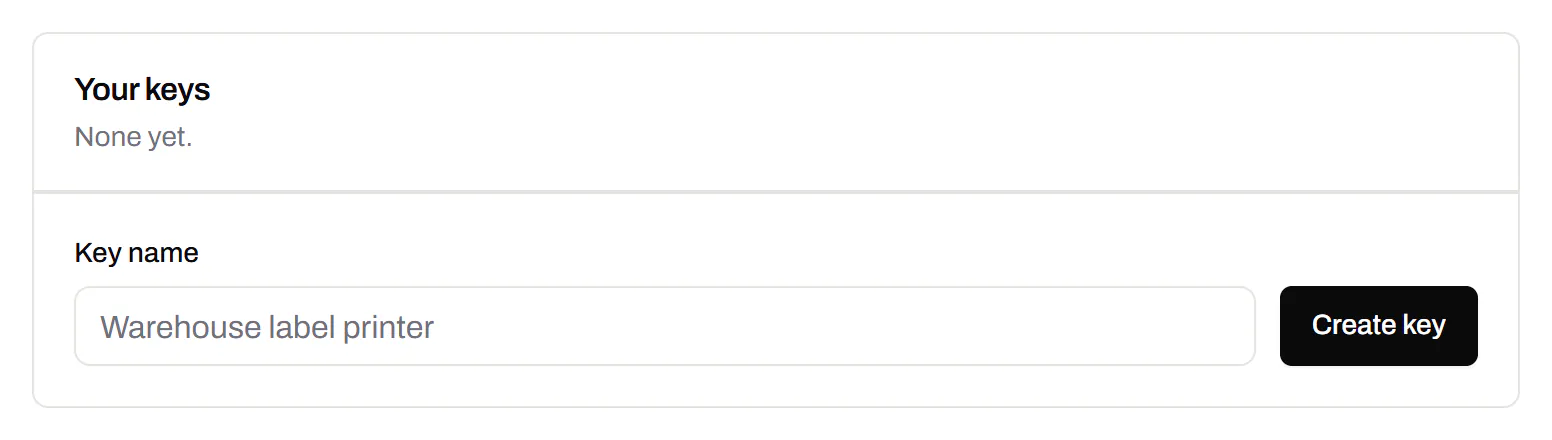
Swap qr_live_YOUR_KEY for a key you make in Dashboard → API, one the assistant doesn’t share with a script or anything else. Copy it before you close the dialog, because we only ever show it once. VS Code works differently: the editor asks you for the key and stores it, so.vscode/mcp.json never contains it and you can commit the file.
With a key there is no sign-in screen. Whoever holds the key has the access, so to cut off an assistant, you revoke its key.
Signing in works without a key. The client opens a QRSalt page where you choose the workspace and tick what the assistant may do; deleting is never ticked for you. Only an owner or an admin can connect an assistant this way, and it acts as the person who connected it. It stops working when you revoke it under Dashboard → API → Connected apps, or when that person leaves the workspace or stops being an admin. The Claude app’s connector dialog connects this way: leave its OAuth client ID and secret empty. Checked against the Claude help centre on custom connectors, read 18 September 2026.
The tools, and what each one needs
Here are all 13, in the order tools/list returns them. Each description below is the exact text the server sends your assistant, written for a model to read. The list is cut down to what your key is allowed to call, so the assistant won’t offer to do something and then get refused halfway through.
Pictures — needs Render images
On every plan, the free one included. Neither tool saves anything or reads your account.
- render_qr_code Turn text or a link into a QR image. Nothing is saved and nothing is read: this is the renderer, not the account. The code cannot be edited or tracked afterwards — create_code makes one that can.
- read_qr_image Read the text out of a QR image. Send the PNG, JPEG or WebP file itself, Base64-encoded, in "image". There is no way to give this tool a URL to fetch. Nothing is stored.
Reading the account — needs Read
Your codes and folders and how often each code was scanned. Starter or higher.
- list_codes List the QR codes and short links in this workspace, newest first. Returns each code’s id, name, destination, short link and scan count. Use the id with the other tools.
- get_code Everything this workspace records about one QR code or short link.
- list_folders The folders in this workspace, with how many live codes are in each. The id is what create_code takes as its folderId.
- get_scan_analytics Scan totals and a daily series, for one code or for the whole workspace. Reads the rolled-up daily figures, which are what this account keeps; individual scan events are not retained. The range is shortened to what the plan retains, and the answer says when that happened. To find out which codes are scanned most, ask for topCodes here rather than calling this once per code; "series": false leaves the daily figures out when only the totals are wanted.
- get_code_image The picture of a saved code, with the colours, shapes and logo it was saved with. PNG comes back as an image, SVG as markup. Other formats and larger exports are on the REST API.
Changing things — needs Create and change
A new key has this box ticked already. Untick it if you want an assistant that can look but not touch. Starter or higher.
- create_code Make a new QR code. It holds a link by default; "type" also makes a code that carries plain text, opens an email, dials a number or starts a text message. A dynamic code can be repointed afterwards and counts its scans — that is the default for a link; the other types are carried inside the pattern and default to static, which can never be changed. Wi-Fi networks, contact cards, events and payments have several fields each and are made in the dashboard or over the REST API, not here. The destination is screened and the code counts against the plan’s allowance.
- update_code Change the link a dynamic code opens, rename it, file it, tag it, or pause and resume it. The printed code and its short link stay exactly as they are; only the destination behind them moves. The previous destination is kept in the code’s history and can be restored from the dashboard. A static code cannot be repointed. Tags replace the code’s tags rather than adding to them, and a paused code sends scans to a page saying it is unavailable.
- create_short_link Shorten a link. The result is a dynamic code, so it can be repointed later and counts its clicks; it has a QR image too, which get_code_image will return.
- set_gs1_link Give an existing dynamic code a GS1 Digital Link address, so a pack printed with `/01/09506000134352` resolves through us and can be re-pointed afterwards. `ai` is the GS1 primary key — 01 for a GTIN, 00 for an SSCC, 414 for a GLN, and the others GS1 defines — and `value` is the number itself; a GTIN is checked against its check digit and the refusal says which digit was expected. `batch` and `serial` are optional and only apply to a GTIN or an ITIP. Calling this again moves the code to a different address, which stops the old one resolving. Paid plans only: a static GS1 code, which carries the address inside the pattern and resolves nowhere near us, needs none of this and is free on every plan.
Deleting — needs Delete
A new key comes with this box unticked, and we’d leave it that way. Delete a code and it stops redirecting, and its short-link ending never goes to anybody else.
- remove_gs1_link Remove the GS1 Digital Link address from a code. The code, its short link, its scans and its history all stay; what stops working is the address printed on the pack, at once and for every copy already out there, and nothing here can reach those packs to tell them. Send the code’s name, or its short link ending, as "confirm"; get_code returns both. When nobody has said which pack this is about, ask first.
- delete_code Delete one saved QR code or short link, permanently. What that costs depends on the kind, and the answer says which it was. Deleting a DYNAMIC code stops the printed code working the moment this returns: the scan comes through us, so it reaches a not-found page, and its short link is never given to anyone else. Deleting a STATIC code removes our record of it — the name, the design and the history — and nothing else: the destination is inside the printed pattern, so every copy already out there keeps working and this cannot revoke it. Either way the record is gone for good. Short links are dynamic codes, so this deletes those too. Requires "confirm" to be the code’s exact name, or its "slug" — both are in what get_code and list_codes return. If the person asking has not named which code they mean, ask them before calling this. One code per call.
What your client is talking to
Read this if your client connects but lists no tools.
Each message your client sends is a complete request, and our answer ends it. The server keeps no session and holds no connection open in the background, so there is nothing to restart when your laptop sleeps. If you quit the editor in the middle of a request, the next thing you type works normally.
Which tools you see depends on the key or sign-in on the request. The list is not fixed: a key that can only draw pictures gets the 2 picture tools and no others. If you tick another box on the key or move up a plan, the other tools appear within about a minute, because clients are told to keep the list for one minute at most. A client on an older revision shows them the next time it connects.
Older clients are answered in their own revision. Revision 2026-07-28 has no opening handshake, but earlier ones begin with a call named initialize. The server answers that call in the revision the client asks for, from 2024-11-05 to 2025-06-18, so a client that has not caught up with 2026-07-28 still connects.
Without a valid key or sign-in the server answers nothing, not even the list of tools. Its refusal names the address where a client finds out how to sign in. If your client shows an empty list where there should be tools, check the key it is sending. The one exception is a suspended workspace: it gets no tools and a sentence saying the workspace is suspended, so an account problem doesn’t look like a connector that won’t start.
What it will not do
An assistant can do only what its key allows, and the tools can do less than the API behind them.
Deleting sits behind the Delete box on the key, which is not ticked for you. Leave it alone and no assistant holding that key can delete anything. Even when it is ticked, the call has to include the code’s own name or its short-link ending, so a vague “delete it” deletes nothing.
No tool opens a web address you give it. Reading a QR image takes the file itself, Base64-encoded, at any permission level.
No design, no domains, no billing. Colours, shapes and logos, routing rules, custom domains, short-link endings, webhook endpoints, your team and your subscription are all outside this server.
Nothing names a workspace. Every call runs against the workspace the key belongs to, or the one chosen when signing in. No tool has an argument that could point it at somebody else’s workspace.
- Render imagesticked by defaultStatic QR codes and barcodes as images. Nothing is stored or read.
- Readticked by defaultList codes, links, folders, tags, QR Menus, QR Forms and their answers, and read scans.
- Create and changeticked by defaultCreate and change codes, links, folders, domains and webhook endpoints.
- Deleteoff unless you tick itDelete codes, links, domains and webhook endpoints. A deleted code cannot be restored.
Last reviewed September 18, 2026, against the product as it works today.
How many of them you get
Connecting costs nothing, and there is no bill for the connector itself. Your plan decides how many tools your client shows. On Free it is 2 of 13: render_qr_code and read_qr_image. With these you can ask for a code in a chat window and get an image back, or have a code somebody sent you read out. Nothing about the account is in reach, because a key on that plan carries render images and nothing more.
The other 11 work with your workspace: what you have made, where each one points, how often it was scanned, and the tools that change any of that. They come with Starter, $5 a month, the same plan you would pay for to use a key in a script. If you already have that plan, give the assistant its own key on the same workspace; you don’t need to pay twice. Scan figures go back as far as your plan keeps them. If you ask about a longer period, you get the shorter range and a note saying it was cut short. For jobs that should run with nobody asking, such as a code for every new order, the n8n, Zapier and Make connectors call the same API.
MCP questions, answered
What is an MCP server, in one paragraph?
The Model Context Protocol (MCP) is a standard way for an AI assistant to use a service it was not trained on. The server publishes a list of tools, the assistant reads that list, and when your request needs one of them, the assistant calls it and shows you the answer. This server offers QR code tools, so you can make, re-point and check codes from a chat window.
Which assistants can I connect?
Anything that speaks the protocol over HTTP. The setup for Claude Code, Cursor and VS Code is shown above, each taken from the vendor’s own documentation and dated. The Claude app’s connector dialog has no field for a key, so it takes the address alone and signs in with QRSalt, as does any other client that supports MCP sign-in.
Does the assistant see my API key?
The client holds it and sends it with each call; the model is not shown the key as part of a conversation. It still lives in a file or a settings pane on your machine, so treat it like any other password: make one key for the assistant alone. When you stop using the assistant, revoke that key, and your other keys keep working.
A web page told my assistant to change a code. Can it?
Only if the key you gave it allows that change. A web page can contain text written to give an assistant orders. That is why the tools here fetch no web addresses, none of them touches design, domains, team or billing, and each tool accepts fewer arguments than the same request over HTTP. A key that can only read can’t be used to change anything.
Do I need a paid plan for this?
Not to connect. A Free workspace gets 2 of the 13 tools, which is enough to ask for a picture and to have one read out to you. The other 11, the ones that work with your workspace, come with Starter, $5 a month.
Does it work with a client built for an older revision of the protocol?
Yes, if the client connects over HTTP. Clients built before 2026-07-28 open with a call named initialize, and the server answers it in the revision the client asks for: 2025-06-18, 2025-03-26 or 2024-11-05. A client that asks for any other revision is offered 2025-06-18. The address, the key and the tools are the same in every revision.
I already have a key in a script. Can the assistant use that one?
It would work, but it is worth making a second key. You revoke a whole key at once, so if a nightly job and a chat window share one key, you can’t cut off the chat window alone. Make a key for the assistant and tick only what it needs. Then you can revoke it in one click and nothing else stops working.
Plans behind the connector
The connector works on every paid plan, from $5 a month on Starter, and each tool call counts as one request: 500 API requests a month on Starter, 5,000 on Pro and 100,000 on Business, a fair-use ceiling. On Free, the connector lists no tools and says which plan it needs.
Free
Free
Unlimited static codes. Three editable ones that never expire.
- Unlimited static QR codes, forever
- 3 editable items in total — dynamic QR codes, QR Menus and QR Forms share them
- Dynamic codes never expire, and each comes with a short link
- Short links on their own, no QR code needed
3dynamic codes
Starter
Recommended
$5/mo
For one business with codes out in the world.
- 5 QR Menus
- QR Forms
- GS1 Digital Links we host, so a printed pack can be re-pointed
- Advanced tracking and analytics
100dynamic codes
Pro
$15/mo
For agencies and teams running codes at scale.
- 50 QR Menus
- Unlimited analytics history
- 10 custom domains
- 5,000 API requests a month
600dynamic codes
Business
$39/mo
For organisations running codes across many brands.
- 400 QR Menus
- 50 custom domains
- Up to 25 team members and team management
- Up to 10 workspaces
2,000dynamic codes
Unlimited scans on every plan. Cancel online in two clicks. Compare every plan and feature
The rest of the toolbox
Open a row to see the screen and which plan has it.
Custom domains
Short links on your own domain, chosen code by code.
Starter and up
Codes open go.yourbrand.com/menu rather than a link with our name in it, so the address under the code is yours. You add two DNS records and we check them. Then pick the domain for each code as you make it, or move a whole list of codes onto it at once.
Starter and up
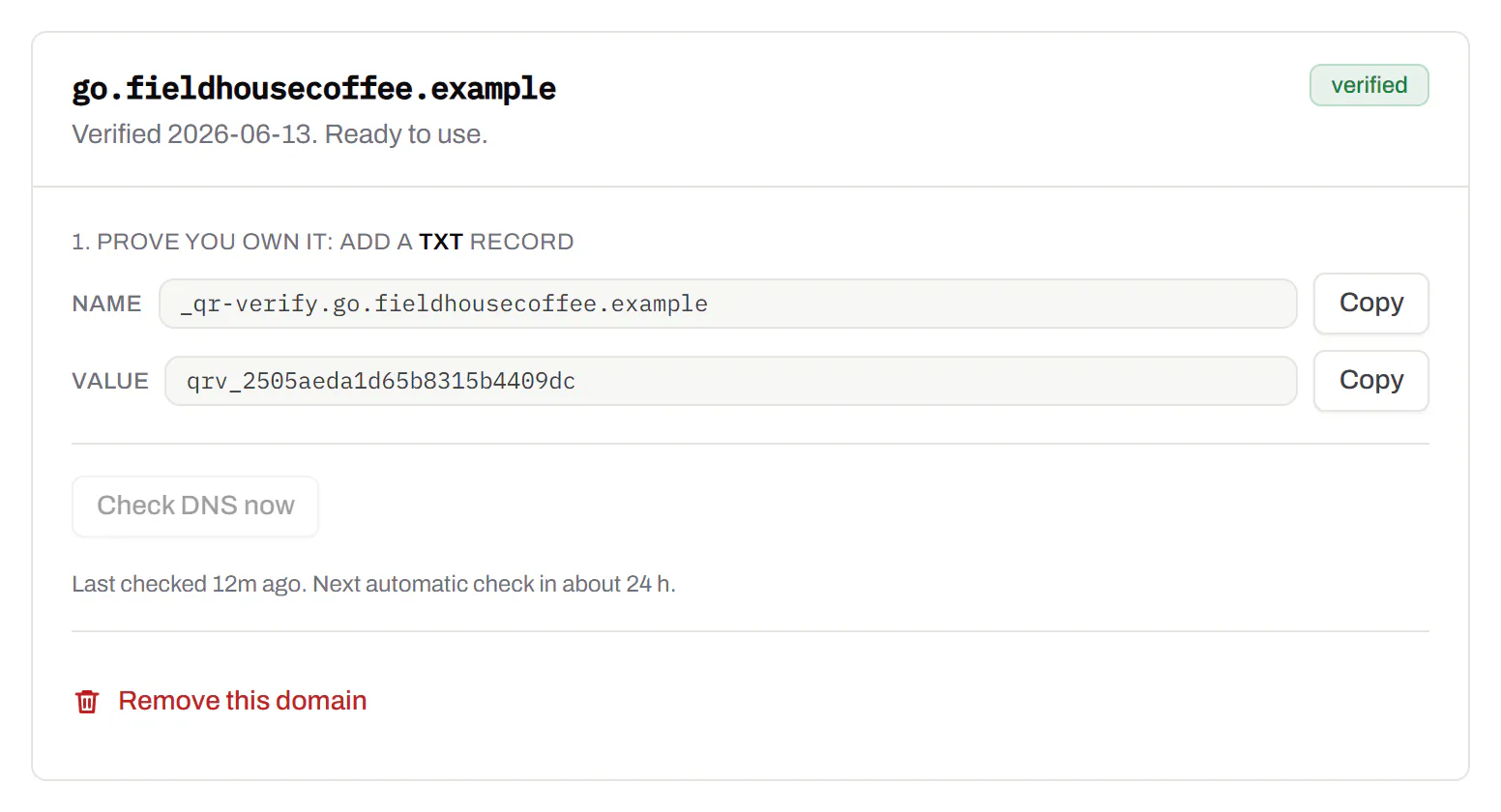
Custom domains · verified sample data
Change many codes at once
Tick the codes, then pause, tag, file or move them together.
Pause and resume on every plan · folders and tags on Starter and up
Tick codes in the list, or pick every code with a tag, then pause or resume them, add or remove tags, move them to a folder or onto your own domain, or add campaign tags, all in one go. For example, when a pop-up shop closes, you can pause all of its codes together instead of one at a time. The API does the same in one request.
Pause and resume on every plan · folders and tags on Starter and up
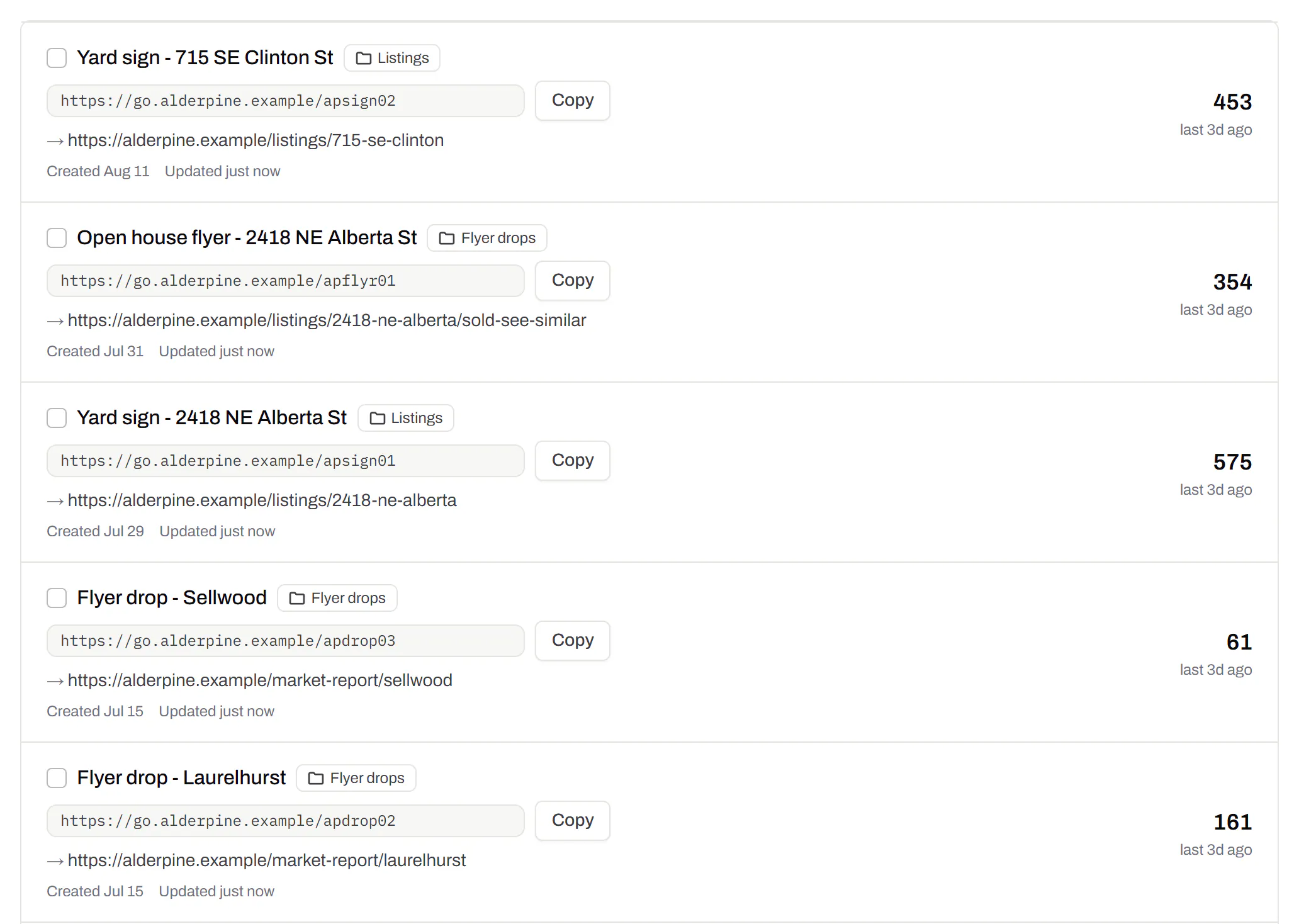
Your QR codes · an estate agent’s list sample data
Webhooks
Your server hears about every scan and every change.
Business
Pick the events you care about (a scan, a code made or changed, a form answered, a QR Menu edited) and give us a URL. Each one arrives as a signed POST. If your server is down we try again, and every delivery is listed with the response it got.
Business
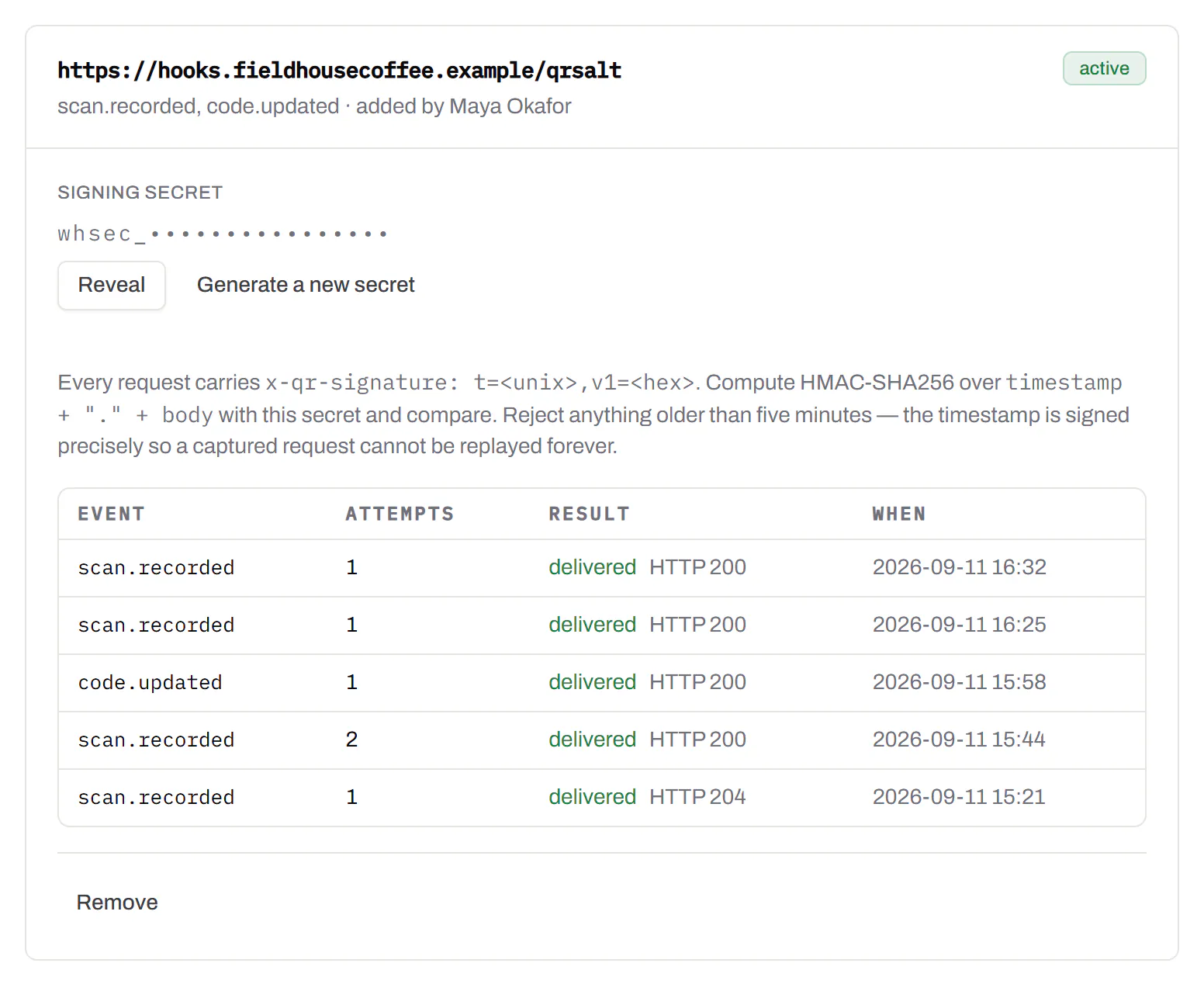
Webhooks · recent deliveries sample data
Separate workspaces
One subscription, a workspace per brand or client.
Business
Each workspace has its own codes, team and analytics, so one client, such as a dentist you design for, never sees another client’s codes. Up to 10 under one subscription.
Business
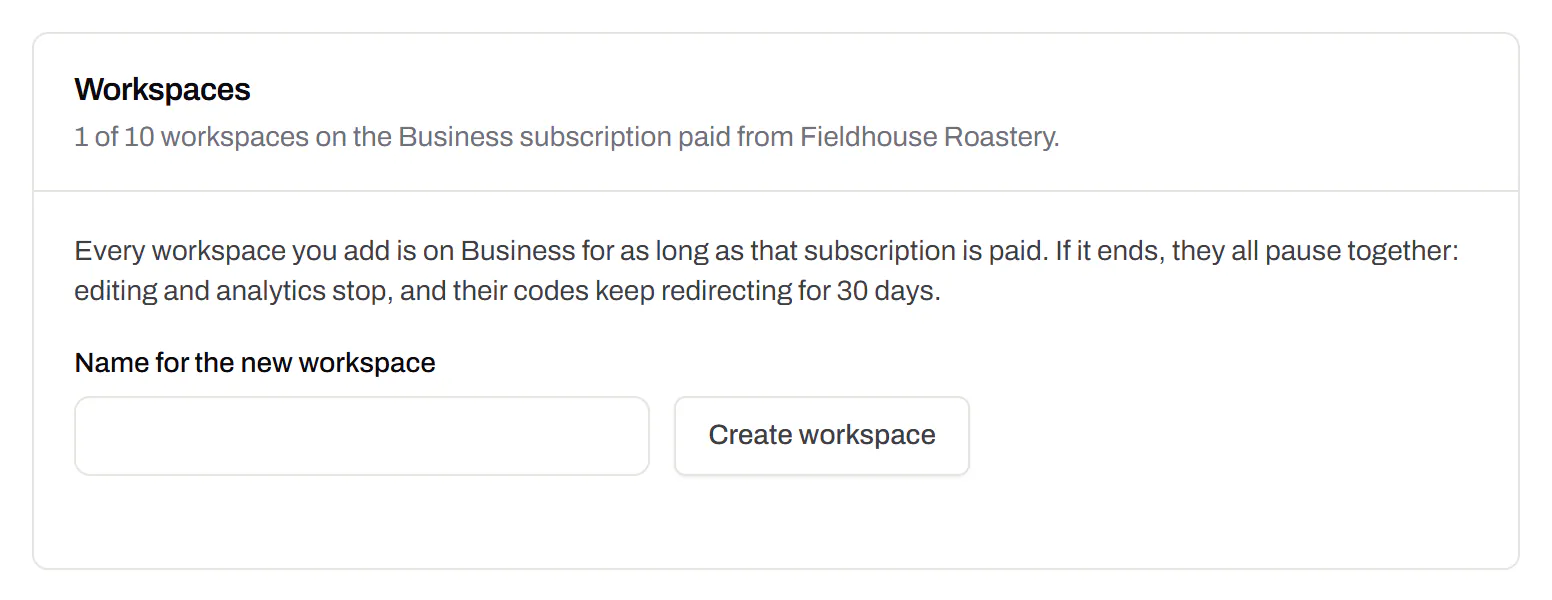
Settings · workspaces sample data
An API for the codes you print
Use the API to make dynamic codes and short links from your own software. You can change where a code leads, for example when a product page moves, and download codes as SVG, PNG or PDF for the print shop. You can also add a domain, or change up to 500 codes in one request. If you don’t write code, Zapier, Make and n8n can call the API with a plain HTTP step. The API comes with Starter and up, and every request must include your key.
Render a code · Starter and up
curl -o code.svg \
  -H "Authorization: Bearer $QRSALT_KEY" \
  "https://app.qrsalt.com/api/qr?data=https://example.com"
You get an SVG file back, ready for a label, a template or a web page.
Re-point a printed code · Starter and up
curl -X PATCH https://app.qrsalt.com/api/v1/codes/{id} \
  -H "Authorization: Bearer $QRSALT_KEY" \
  -H "content-type: application/json" \
  -d '{"destination":"https://example.com/winter"}'
The printed code now opens the new page, and the old address is kept in the code’s history. A key can only change codes in its own workspace.
Change many codes at once · JavaScript
// Move a campaign's codes onto your own domain
await fetch('https://app.qrsalt.com/api/v1/codes/bulk', {
  method: 'POST',
  headers: {
    authorization: \`Bearer ${process.env.QRSALT_KEY}\`,
    'content-type': 'application/json',
  },
  body: JSON.stringify({ ids, action: 'domain', domain: 'go.example.com' }),
})
Pause, tag, move or file codes into folders in one request. The response lists what changed and what was skipped.
Every endpoint, with a playground
API keys · one per integration sample data