PrivateGoat
Local MCP server inside a Mac app: Claude Code and Codex read your recorded meetings, to-dos and Jira copy, on your Mac.
Documentation
Coding agents
The local MCP server
Your coding agent reads meetings, to-dos, tickets and notes locally, over a server where nothing leaves the Mac.
PrivateGoat ships its own Model Context Protocol server. Claude Code, Codex CLI, Claude Desktop or any other MCP client can read the meeting archive, the to-do list, the Jira copy (if you connected Jira), knowledge bases and agent sessions — all from the Mac, with nothing leaving it, no model of its own and no window.
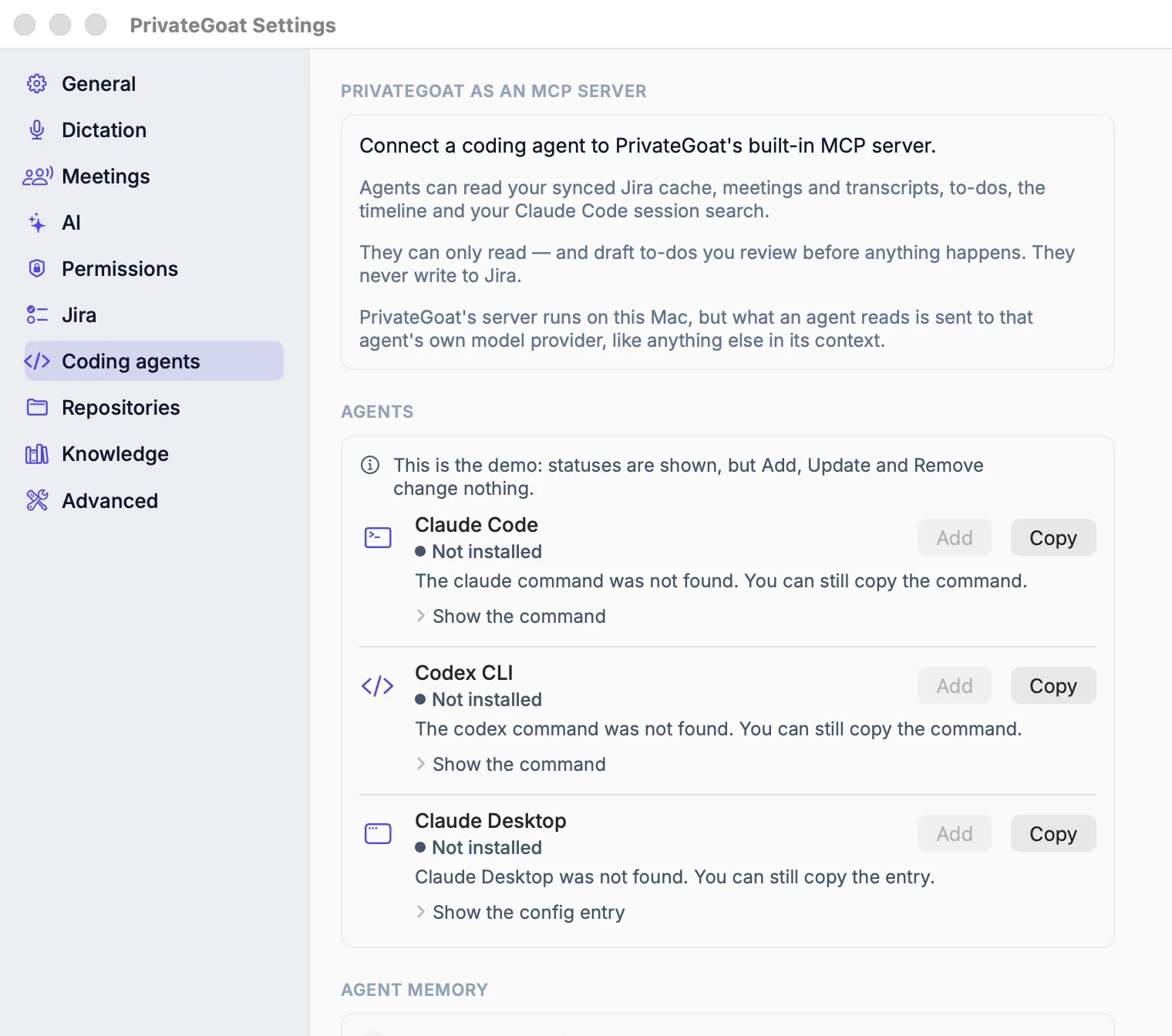
The Coding agents page of PrivateGoat Settings in demo mode: Claude Code, Codex CLI and Claude Desktop, each not installed here, with Add and Copy.
How to use it
- Open Settings → Coding agents. The page lists Claude Code, Codex CLI and Claude Desktop with a status for each.
- Either let PrivateGoat add the server for you, or copy the command it shows and run it.
- Start (or restart) the agent. The tools are then available to it.
The server is also what an agent gets if it starts the app binary directly with --mcp-server. It runs over stdio, with newline-delimited JSON-RPC.
Agent status
| Status | What it means |
|---|---|
| Connected | The agent points at this copy of the app and the server is configured |
| Points to another copy | The agent's config names a different PrivateGoat; it would read different caches |
| Not added | The agent is installed but the server is not configured |
| Not installed | The agent was not found on this Mac |
| Config can't be read | The agent's config exists but cannot be parsed; the command is still shown so it can be fixed by hand |
Claude Desktop's config is backed up before PrivateGoat changes it. The welcome tour offers the same setup step. The same page always offers the command to copy, whatever the status.
Settings
| Setting | Where |
|---|---|
| Per-agent status and setup, copy command | Settings → Coding agents |
| The memory base and the session-start hook (Claude Code, Codex) | Settings → Knowledge → Agent memory |
| What the Timeline tools can see | Settings → Repositories |
What is stored
The server has no store of its own. It reads workspace.sqlite3, jira.sqlite3, the meeting archive, claude-search.sqlite3, knowledge bases and memory notes. Its only writes are local to-dos in workspace.sqlite3 and memory notes in a knowledge base marked as agent memory. Agent configuration lives where each agent keeps it:
| Agent | Config |
|---|---|
| Claude Code | ~/.claude.json |
| Codex CLI | ~/.codex/config.toml |
| Claude Desktop | ~/Library/Application Support/Claude |
What leaves your Mac
Nothing leaves the Mac. The transport is the agent's own stdio pipe: the server makes no internet request and cannot call Jira. Memory search asks the local Ollama on 127.0.0.1:11434 for embeddings, so even that stays on the Mac. Its only writes are local — drafting or editing to-dos, and writing memory notes — and a drafted to-do appears in the app for you to review and send.
When it is off or fails
- The server is not configured: the agent simply has no tools; the app is unaffected.
- The agent points at another copy: its status says so rather than silently reading the wrong caches.
- A missing tool or bad arguments: the client gets a JSON-RPC error, not a crash.
- Jira is unreachable: agents still see the last local copy, because the server never calls Jira.
- No Jira account: the Jira tools are not offered at all, and the server's description to the agent leaves Jira out. It checks when it starts: after connecting Jira, restart the agent.
- A tool you expected is absent: check the MCP tools reference — the server has no Jira write tool and no delete tool.
Related
- MCP tools reference — every tool, with and without Jira.
- Agent sessions under tickets — what the session tools read.
- Agent memory — the notes agents can write.
[
Search agent conversations
Find the Claude Code or Codex conversation where you discussed it, with the matching line highlighted. The index stays on your Mac.
](https://privategoat.app/docs/search/conversation-search/)[
MCP tools reference
The 22 tools the local MCP server exposes (18 without Jira): what each one reads, and the six that write locally.