Spresh
Spy on competitor facebook ads. Decode their marketing strategy and copy thier winning ad formats
Documentation

spreshapp-mcp
MCP server that connects Claude to SpreshApp's Facebook ad intelligence platform.



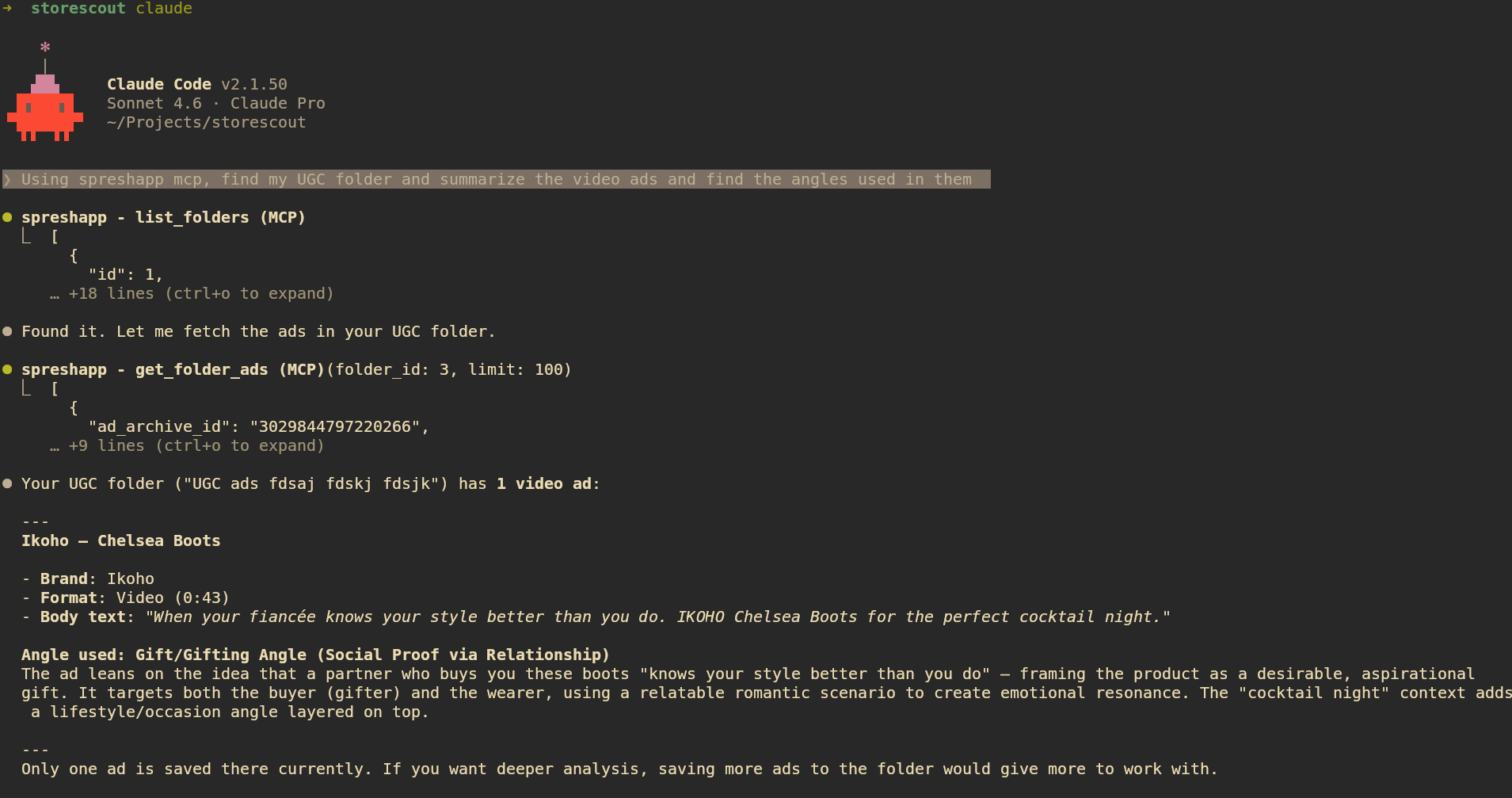
Ask Claude to research competitors, decode winning ad angles, track brand ad history, and analyze your saved ad library, all directly from your Claude Desktop or Claude Code session.
Requirements
- Node.js >= 20
- A SpreshApp account
Setup
Claude Desktop
Add this to your claude_desktop_config.json (macOS: ~/Library/Application Support/Claude/claude_desktop_config.json):
{
  "mcpServers": {
    "spreshapp": {
      "command": "npx",
      "args": ["-y", "spreshapp-mcp"]
    }
  }
}
Restart Claude Desktop after saving.
Claude Code
claude mcp add spreshapp -- npx -y spreshapp-mcp
VS Code (with MCP extension)
{
  "mcp": {
    "servers": {
      "spreshapp": {
        "command": "npx",
        "args": ["-y", "spreshapp-mcp"]
      }
    }
  }
}
Authentication
Authenticate once before starting the MCP server:
npx -y spreshapp-mcp login
This opens your browser to log in with your SpreshApp account (OAuth 2.0 with PKCE). After login, credentials are saved to ~/.spreshapp/credentials.json (file mode 600) and refreshed automatically before each session.
For headless or remote agent environments, use a SpreshApp API key from the dashboard instead of browser OAuth:
npx -y spreshapp-mcp login --no-browser
This prints setup instructions for the user and agent. The user can create or copy a key at spreshapp.com/app/api-access. Keys start with sk_sprs_.
Set the key in the MCP server environment:
SPRESHAPP_API_KEY=sk_sprs_... npx -y spreshapp-mcp
OAuth token variables are still supported for advanced setups: SPRESHAPP_ACCESS_TOKEN, SPRESHAPP_REFRESH_TOKEN, SPRESHAPP_CLIENT_ID, and SPRESHAPP_TOKEN_EXPIRES_AT.
Check auth status:
npx -y spreshapp-mcp status
To log in again:
npx -y spreshapp-mcp logout
npx -y spreshapp-mcp login
Available Tools
Ad tools
| Tool | Description |
|---|---|
ad_search | Search Facebook ads by keyword, niche, or industry |
ad_search_expand_query | Expand a search query to surface more relevant ads |
ad_get | Fetch full details for a specific ad |
ad_get_analysis | Retrieve saved AI analysis for an ad |
ad_analyze | Run AI analysis on any ad |
ad_analyze_batch | Analyze multiple ads in one call |
ad_chat | Chat with Claude about an ad's creative strategy |
Brand tools
| Tool | Description |
|---|---|
brand_search | Search for brands in SpreshApp |
brand_get_overview | Get a brand's full profile and stats |
brand_get_status | Get the current tracking status for a brand |
brand_get_ad_history | Get historical ad volume data for a brand |
brand_list_active_ads | List all ads a brand is currently running |
brand_follow | Start tracking a brand |
Library tools
| Tool | Description |
|---|---|
search_ads | Search your saved ad library |
get_folder_ads | Get ads from a specific folder |
list_folders | List all your saved folders |
get_tags | List tags used across your library |
get_pages | List saved Facebook pages |
Example prompts
Find 10 high-performing Facebook video ads in the fitness niche and summarize the angles used.
Research Nike's current Facebook ad strategy, how many ads are they running and what are the themes?
Open my "Inspiration" folder and identify the top 3 creative hooks.
Track the brand glossier.com and show me their ad history over the last 30 days.
Troubleshooting
| Symptom | Fix |
|---|---|
| Browser did not open | Copy the URL printed to the terminal and open it manually |
| "Authentication expired" error | Delete ~/.spreshapp/credentials.json and re-run |
| "Not subscribed to any plan" | Visit spreshapp.com/pricing |
| "Daily limit reached" | Quota resets at midnight UTC, or upgrade your plan |
| "Feature not available" | Your current plan does not include this tool, upgrade at spreshapp.com/pricing |
License
UNLICENSED — proprietary software. See spreshapp.com for terms.