Plures
Human in the loop API for AI agents. Send a decision your agent is unsure of to several ID verified people and get back their consensus and how strongly they agreed.
Documentation
Plures
Human judgment as an API for AI agents. Plures sends a decision your agent isn't sure about to ID verified people. Several answer independently, each confirmed with Face ID, and your agent gets their consensus back before it acts.
Use it as the human in the loop (HITL) step for the calls where a wrong answer costs trust: grading whether an AI answer is correct and on policy, reading a customer's tone, catching a listing that doesn't match its photo, moderating an edge case. Money and account decisions, like approving a refund or checking an invoice against its order, go straight to your own team with route: "team".
| Package | Install | For |
|---|---|---|
plures (npm) | npm install plures | TypeScript and JavaScript: Node 18+, Bun, Deno, edge |
plures (PyPI) | pip install plures | Python 3.8+, no dependencies |
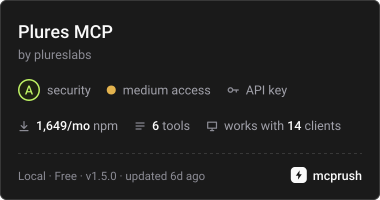
plures-mcp (npm) | npx -y plures-mcp | Claude, Cursor, VS Code and any MCP client or agent |
| Agent skill | npx skills add plureslabs/plures | Claude Code, Codex, Cursor, Gemini CLI and other coding agents |
Get a free test key at plures.si. Test keys answer instantly without reaching real people, so you can build the whole flow first.
Quickstart
import { Plures } from "plures";

const plures = new Plures(); // reads PLURES_API_KEY

const task = await plures.verify({
  question: "Is this customer upset?",
  context: "Ordered a birthday cake. It came a day late and smashed. Amazing service, really.",
  options: ["Yes", "No"],
  verifiers: 3,
});

if (task.result?.agreement === 1) {
  // Everyone agreed: act on task.result.answer
} else {
  // People were split or it expired: route to your own team
}
from plures import Plures

plures = Plures()  # reads PLURES_API_KEY
task = plures.verify("Is this customer upset?", ["Yes", "No"],
                     context="It came a day late and smashed. Amazing service, really.")
print(task["result"]["answer"], task["result"]["agreement"])
In production, pass webhook_url instead of waiting, and check each delivery with verifyWebhook (JavaScript) or verify_webhook (Python).
Give any agent a human check with MCP
{
  "mcpServers": {
    "plures": {
      "command": "npx",
      "args": ["-y", "plures-mcp"],
      "env": { "PLURES_API_KEY": "pk_test_..." }
    }
  }
}
Your agent gets an ask_humans tool. Setup for Claude Desktop, Claude Code, Cursor and VS Code is in examples/mcp-clients.
Teach your coding agent Plures
A skill tells your coding agent when to add a human check and how to wire it in. The plugins below install the skill together with the MCP server.
Claude Code (asks for your API key when you install it):
/plugin marketplace add plureslabs/plures
/plugin install plures@plures
OpenAI Codex (set PLURES_API_KEY in your environment first):
codex plugin marketplace add https://github.com/plureslabs/plures
codex plugin add plures@plures
Cursor: add plureslabs/plures as a plugin marketplace, then install Plures and enter your API key.
Gemini CLI (asks for your API key when you install it):
gemini extensions install https://github.com/plureslabs/plures
Any agent, skill only, with skills.sh:
npx skills add plureslabs/plures
Examples
- LangGraph: a refund graph that acts only when verifiers agree and escalates otherwise
- OpenAI Agents SDK: an
ask_verified_humansfunction tool - Vercel AI SDK: an
askHumanstool forgenerateTextandstreamText - MCP clients: Claude Desktop, Claude Code, Cursor, VS Code
How it works
- Your agent sends a question, the options, and the material to judge.
- Plures shows it to several ID verified people (3 by default, up to 9). Each answers alone, and every answer is confirmed with Face ID, a fingerprint or a passkey.
- If they split, Plures asks more people until there's a majority or your limit.
- You get the answer, how strongly people agreed (
agreement, 0 to 1) and the votes, by webhook or by polling. - If they don't all agree and you've added your team in the dashboard, Plures emails your team a link to decide, and your agent gets their decision as the final answer (
decided_by: "team").
Every verifier passes a one time government ID and selfie check and is scored continuously on hidden tasks with known answers. Verifiers never see your metadata.
Keys and your team
API keys belong to your Plures account, not to a person. Invite the people who work on your agents from Members in the dashboard as owners, developers or viewers; each signs in with their own email. Code keeps the same PLURES_API_KEY whoever created it, and it keeps working when someone leaves. The dashboard shows who made each key.
Links
MIT licensed.