Spotify
Control Spotify playback and manage your liked songs using LLMs.
GitHubTry this MCPSponsored
Documentation
Spotify MCP Server
A simple MCP server to control Spotify playback and manage your liked songs via LLM's.
Features
- Play and pause Spotify playback
- Get info about the current track
- Add the current track to your Liked Songs
Setup
-
Clone the repository:
git clone https://github.com/yourusername/spotify-mcp-server.git cd spotify-mcp-server -
Create and activate a virtual environment:
python3 -m venv .venv source .venv/bin/activate -
Install dependencies:
pip install uv pip install -r requirements.txt -
Create a
.envfile:SPOTIPY_CLIENT_ID=your_spotify_client_id SPOTIPY_CLIENT_SECRET=your_spotify_client_secret SPOTIPY_REDIRECT_URI=http://localhost:8888/callback -
Run the server:
python main.py
Integration with Claude Desktop (MCP Server)
To use this server as an MCP server with Claude, add the following entry to your Claude config file (usually located at ~/Library/Application Support/Claude/claude_desktop_config.json on macOS):
{
  "mcpServers": {
    "spotify-mcp-server": {
      "command": "uv",
      "args": [
        "--directory",
        "/ABSOLUTE/PATH/TO/PROJECT/spotify-mcp-server",
        "run",
        "main.py"
      ]
    }
  }
}
- Replace
/ABSOLUTE/PATH/TO/PROJECT/spotify-mcp-serverwith the actual path to your project - If command
uvis not recognized, give the absolute path foruvexecutable (can be found withwhich uvon MacOS) - Make sure your environment variables are set either in the config or via a
.envfile. - Restart Claude after editing the config file.
Notes
- You need to register your app at the Spotify Developer Dashboard to get your client ID and secret.
Example Session
Below is an example session using Claude with the Spotify MCP server:
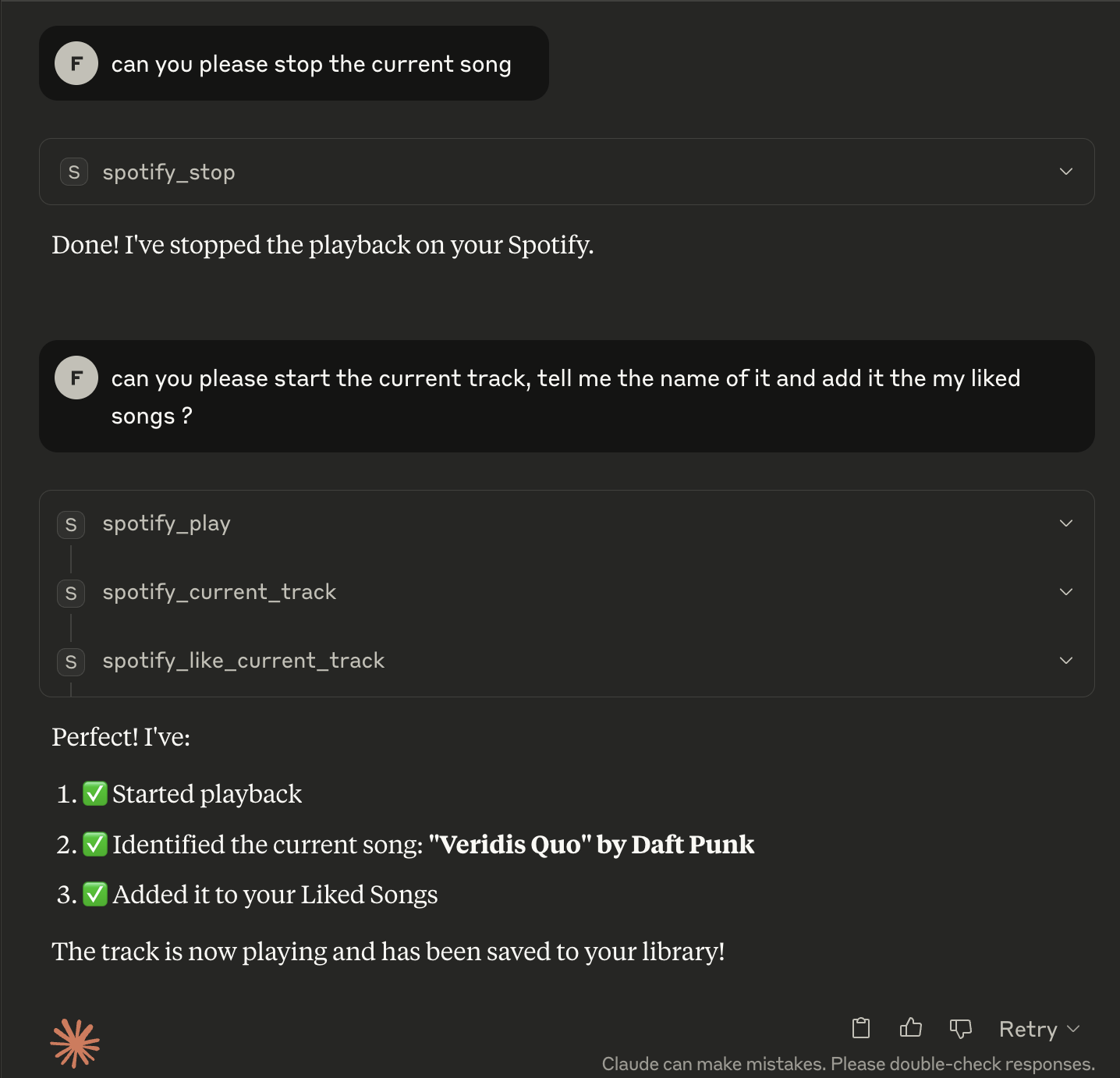
Sample interaction:
User: Play the current track using Spotify MCP server
Claude: Playback started successfully

User: What song is playing?
Claude: Currently playing: Shape of You by Ed Sheeran

User: Like this song
Claude: Added 'Shape of You' to your Liked Songs.