Pomera AI Commander
Turn messy text into clean output fast—GUI for humans, MCP tools for AI IDEs (Cursor/Claude). 33 deterministic text utilities.
Documentation
Pomera AI Commander (PAC)


A desktop text "workbench" + MCP server: clean, transform, extract, and analyze text fast—manually in a GUI or programmatically from AI assistants (Cursor / Claude Desktop / MCP clients).
Stop pasting text into 10 random websites. Pomera (GUI + MCP) - do web searches with MCP and save your work as Pomera Notes in case of text corruption in IDE! Your search API keys are stored encrypted in local database instead of JSON config file.
📊 Why AI needs Pomera! - Pomera's MCP tools reduce token usage upto 70-80% for deterministic operations.
Download latest release · Docs: Tools · MCP Guide · CrewAI Integration · Troubleshooting
60-second demo (what to expect)
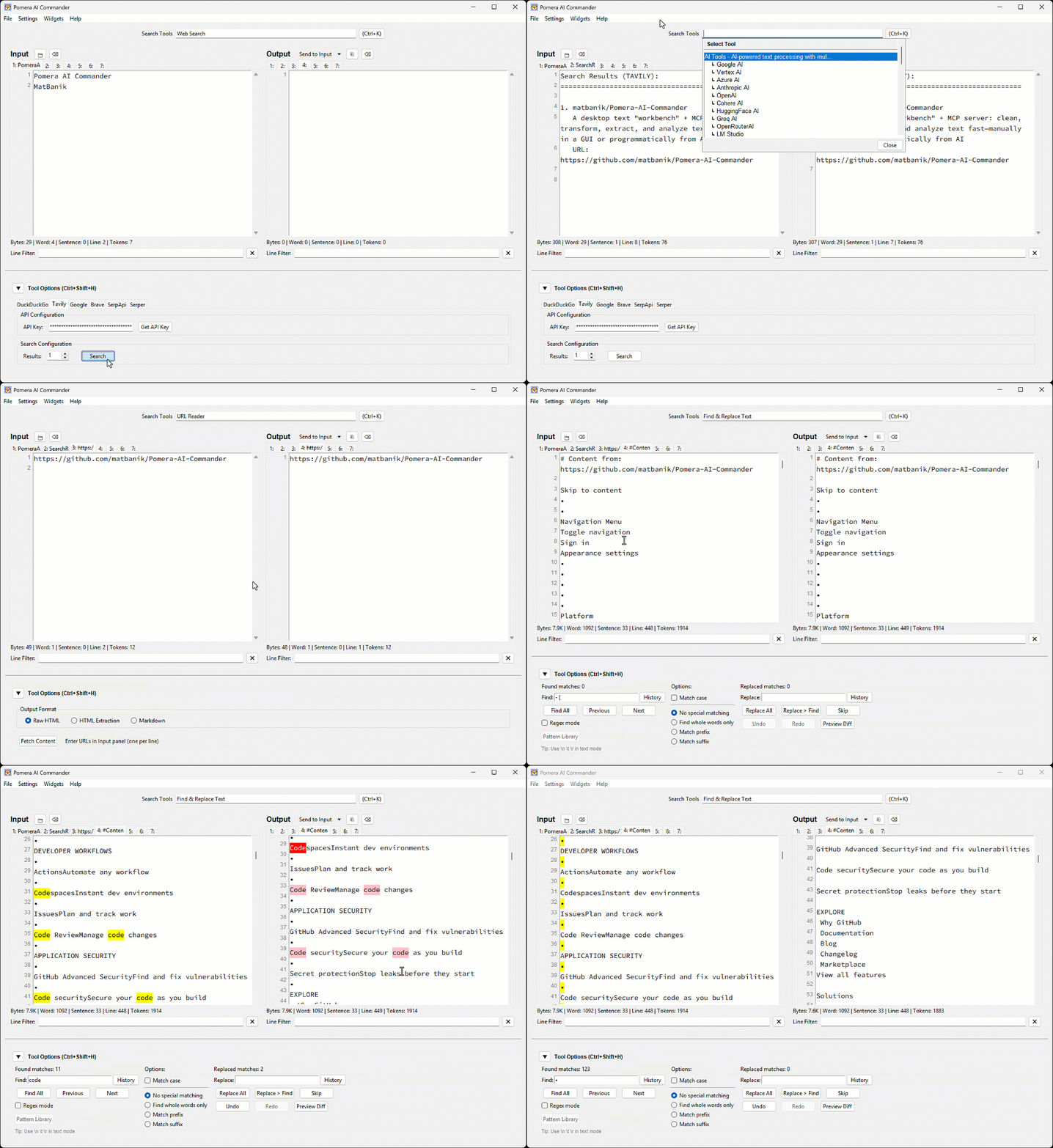
Best-for workflows
- Cleaning pasted logs / PDFs (whitespace, wrapping, stats)
- Extracting emails/URLs/IDs via regex
- Normalizing case, sorting, columns
- Hashing/encoding utilities
- Letting Cursor/Claude call these as MCP tools in a repeatable pipeline
Prerequisites
Python 3.8+ is required for all installation methods.
macOS (Homebrew)
# Tkinter support (replace @3.14 with your Python version)
brew install python-tk@3.14
pip3 install requests reportlab python-docx
Ubuntu/Debian
sudo apt-get install python3-tk
pip3 install requests reportlab python-docx
Windows
Tkinter is included with Python from python.org.
pip install requests reportlab python-docx
Note: For PEP 668 protected environments, use
pip3 install --useror a virtual environment.
Install / Run
Option A — Prebuilt executable (recommended)
Download from Releases and run.
Option B — Python (PyPI)
pip install pomera-ai-commander
# then run:
pomera-ai-commander --help
Option C — Node.js (npm)
npm install -g pomera-ai-commander
# then run:
pomera-mcp --help
Create Desktop Shortcut
After installing via pip or npm, create a desktop shortcut for quick access:
# For pip install:
pomera-create-shortcut

# For npm install (from package directory):
python create_shortcut.py
MCP Server for AI Assistants
Pomera exposes 22 text processing tools via MCP. Configure your AI assistant:
Cursor (.cursor/mcp.json):
{
  "mcpServers": {
    "pomera": {
      "command": "pomera-ai-commander",
      "timeout": 3600
    }
  }
}
Claude Desktop (claude_desktop_config.json):
{
  "mcpServers": {
    "pomera": {
      "command": "pomera-ai-commander",
      "timeout": 3600
    }
  }
}
💡 Tip: If the simple command doesn't work, use the full path. Find it with:
# For npm install:
npm root -g
# Then use: <result>/pomera-ai-commander/pomera_mcp_server.py

# For pip install:
pip show pomera-ai-commander | grep Location
⏱️ Timeout: The
"timeout": 3600setting (in seconds) prevents MCP request timeouts during long-running AI operations likeresearchanddeepreasoning. Cline, Cursor, and Claude Desktop all default to a 60-second timeout, which is too short for AI calls involving web search + deep reasoning (60-300s). See Cline #1306.
See the full MCP Server Guide for Antigravity, executable configs, and troubleshooting.
License
MIT License - see LICENSE for details.