Magic Hour
Hosted MCP server for AI video, image and audio generation, including face swap, lip sync and talking photo, via one API key.
Documentation
01What it can do
Make or edit media from the chat.
The MCP server exposes Magic Hour's current API tools. It also tells the agent how to upload files, wait for renders, and return download links.
01
Image
Generate, edit, colorize, remove backgrounds, and swap faces or heads.
02
Video
Create from text or stills, lip sync, animate portraits, and swap faces.
03
Audio
Use audio files with talking-photo and other tools that accept audio.
02Example requests
Start with a request like one of these.
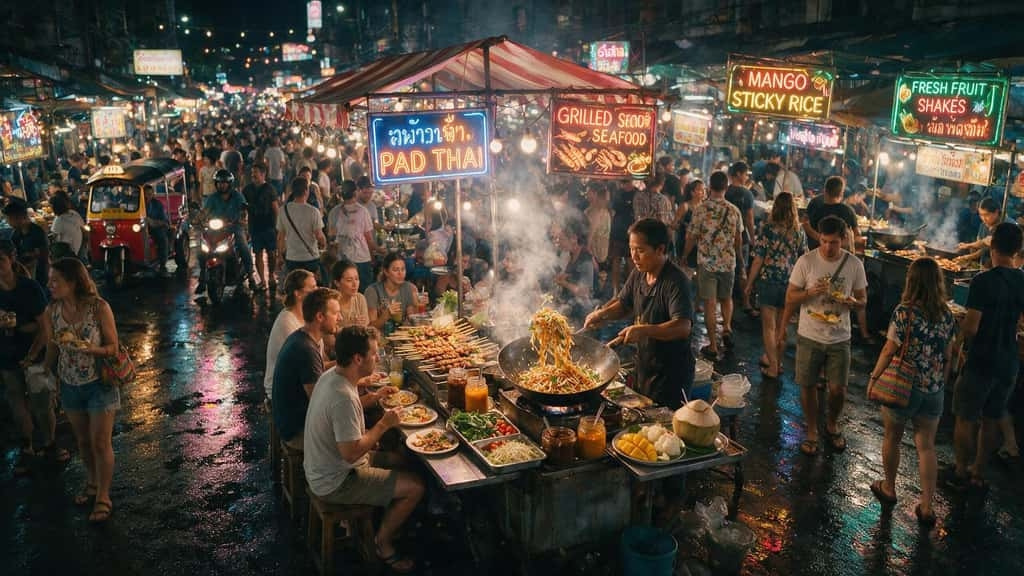 Generate an image
01
"Create a cinematic image of a crowded Thai night market with a neon Pad Thai sign."
Animate a still
02
"Animate this illustrated hooded character with slow camera movement."
 Edit a portrait
03
"Add stylish sunglasses to this photo and keep the result realistic."
03Render jobs
Renders take time.Your agent can wait.
The creation call returns a project ID. A Magic Hour wait tool checks the job and returns the exact signed download URL when the file is ready.
01
Upload
Agent uploads source files before the render.
02
Create
Agent calls the matching Magic Hour tool.
03
Wait
Project polls until a terminal state.
04
Return
Exact download URLs come back.
04Operational details
Details worth knowing.
Answers to common questions about setup, credits, and file handling.
Use the hosted server
Connect Magic Hour MCP.
https://mcp.magichour.ai/
Magic Hour MCP. Hosted Streamable HTTP.