LifeFrom: Wellness Log MCP (early pilot)
Early-pilot remote MCP (OAuth) to read and log meals, sleep, activity, fasting and check-ins, and show trends.
Hosted MCP Server
npx add-mcp 'https://lifefrom.ai/mcp'Installs into Claude Code, Codex, Cursor and more
Documentation
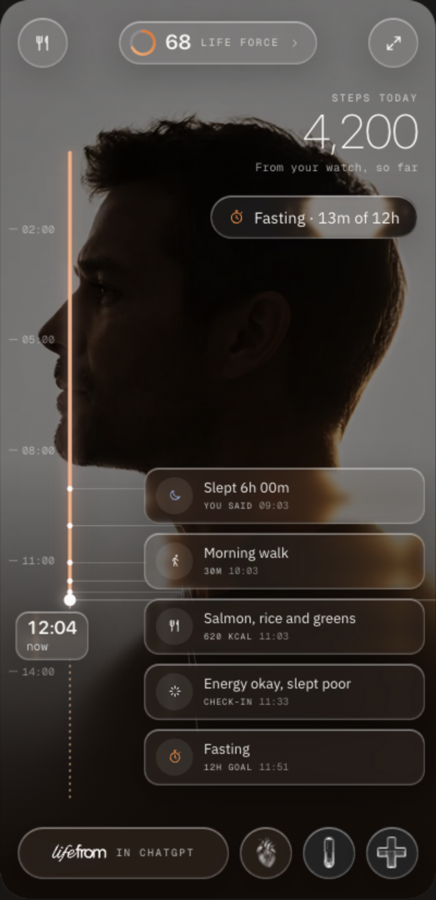
Your day, in the conversation.
Record a meal. Correct your sleep. See your week. Your assistant can work with the same wellness record you use in LifeFrom.
You choose what it can read and change. Disconnect whenever you want.
Choose your assistant
Claude
Pilot connection enabled
Custom remote connectors support tools and interactive views. Free accounts can add one custom connector; usage limits still apply.
Meals, sleep, activity, fasting, daily check-ins and preferences can be shared with permission. Uploaded-file extraction, chat history, assistant memory and medical workflows are excluded from this connector.
ChatGPT
Pilot connection enabled
Tools and interactive views are supported. Custom connector setup and write actions depend on your plan, surface and workspace settings; free write access is not promised.
HIPAA protected health information is excluded. This connection does not inherit ChatGPT Health protections. Check your ChatGPT data controls before sharing wellness data.
ChatGPT connector instructions
Grok
Pilot connection enabled
Custom connectors work on grok.com and in the Grok apps. Add LifeFrom at grok.com/connectors with New Connector, then Custom, and sign in when Grok asks.
Meals, sleep, activity, fasting, daily check-ins and preferences can be shared with your permission. Interactive views are not confirmed in Grok yet, so answers arrive as text.
Connect after signing in
- Open custom connector settings in your supported assistant.
- Add the LifeFrom endpoint and use OAuth authentication.
- Sign in to LifeFrom and select the categories it may read or change.
- Ask for your timeline and verify a small entry before relying on the connection.
https://lifefrom.ai/mcp
What you can do
- Read and log meals, sleep, workouts, fasting windows and daily check-ins.
- Review estimated nutrition and activity trends.
- Edit or remove member-entered entries, with version checks.
- Review connector changes and undo them for 24 hours.
- With ChatGPT import permission, save selected photos and files up to 50 MiB, plus extracted text and lab values.
- Choose permissions and revoke access from LifeFrom.
What stays out
- Reading existing medical files, labs, imaging, DNA and clinical notes.
- Medication records, prescriptions and treatment advice.
- Family records and background access to your attachments.
- Assistant memory, chat history, purchases and care orders.
Consent does not override an assistant provider’s restrictions. Support for another assistant requires separate qualification.
A view, not an extra AI bill
The interactive view and database actions run as ordinary software. LifeFrom does not call a model to render this view or perform these connector operations. Your assistant still handles interpretation under its own plan and limits. Existing LifeFrom background services retain their own behavior.
Only the tool arguments and permitted results cross this connection. A photo attached to your assistant is not automatically sent to LifeFrom. Nutrition estimates can be wrong; review them before saving.