chemdraw-mcp
Turns molecule names or SMILES into 2D structures, rotatable 3D models, reaction schemes, mechanisms and lab graphics (structures drawn locally with RDKit; PNG/SVG export), plus protein cartoons from the PDB or AlphaFold, with interactive panels in Claude Desktop. Unofficial, not affiliated with Revvity.
Documentation

chemdraw-mcp


Ask Claude for a molecule. Get a drawing you can turn, click and export.
chemdraw-mcp gives Claude Desktop a chemistry panel. Type "Draw caffeine" and the structure appears in the chat: a clean skeletal formula, a 3D model you rotate with the mouse, the PubChem data sheet one tab away, PNG and SVG on disk. The same works for reaction mechanisms with electron-flow arrows, proteins and antibodies from the PDB or AlphaFold, spectra, TLC plates and titration curves.


Prompt: "Draw thalidomide". Left: skeletal formula, all hydrogens, the (S) isomer, the data sheet. Right: the same molecule in 3D, turned by dragging.
- Interactive, not a picture. 13 of the 18 tools open a panel in the chat: switch views, pin a functional group, step through a mechanism, rotate a protein.
- Drawn on your machine. RDKit draws every molecule locally. By default a SMILES you type stays there; only its InChIKey, a hash, is looked up.
- Made for studying. A Study tab that covers name and groups, follow-up buttons that ask Claude about what you see, and Anki cards with the structure on the front.
- Checked before it ships. About 10,000 tests, 67 inputs pinned to their InChIKey, and a scripted run in the real Claude Desktop before every release.
- Free. No additional API key, no ChemDraw licence. Apache-2.0; unofficial, not affiliated with Revvity.
Install in Claude Desktop (macOS, Linux): download
chemdraw-mcp-<version>.mcpb from the
latest release,
double-click it, confirm, and restart Claude Desktop once.
Or with uv (uv must be installed):
uv tool install chemdraw-mcp && chemdraw-install
Names, data sheets and proteins are looked up online; drawing from a SMILES works offline. If chemdraw-mcp saves you an afternoon of drawing, a star on GitHub helps other students find it.
Quick start
- Install as above and restart Claude Desktop once.
- Open a new chat and ask "Draw caffeine".
- In the panel, click a functional group to pin it, switch to 3D for a
rotatable model, Data for the PubChem data sheet or Study to quiz
yourself, use Continue in chat for a follow-up, or Export PNG to
copy the drawing as an image (where the clipboard is not available, it is
saved to
~/ChemDraw-Output/png/).
Proteins and antibodies come as a cartoon from the PDB or AlphaFold, rotatable in the panel:

Prompt: "Draw lysozyme". Drag to rotate; colouring, Cartoon/Trace and Reset sit above the picture.
Gallery
Each picture is real output of the tool the prompt goes to (a panel screenshot or the written file), not a drawing made for this page. More examples are on the linked pages.
|
Structure · Drawing structures
|
Mechanism · Reactions and mechanisms
|
|
Antibody · Peptides and proteins
|
Reaction · Reactions and mechanisms
|
|
Lab graphic · Lab graphics 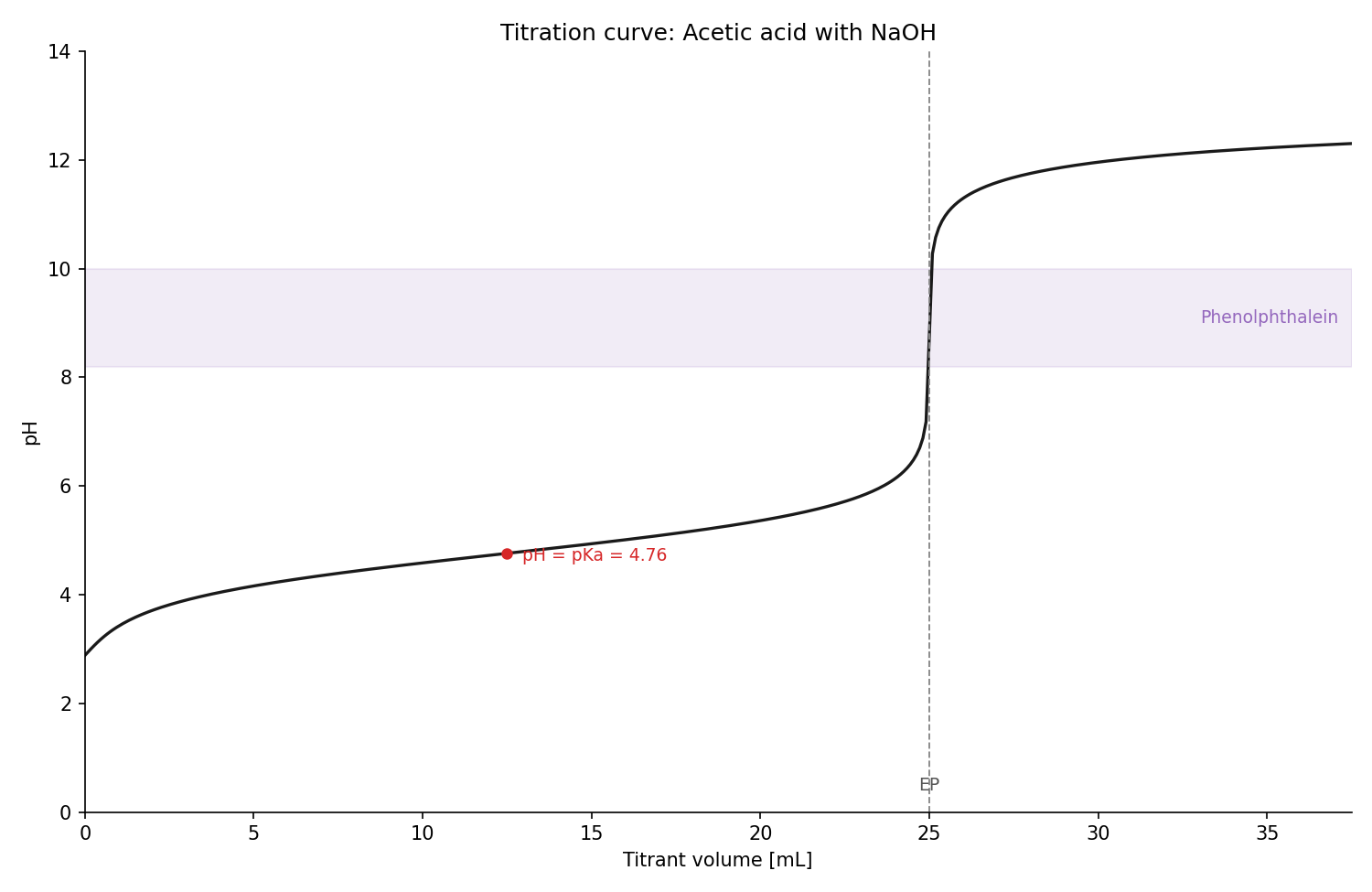
|
Anki · Anki decks 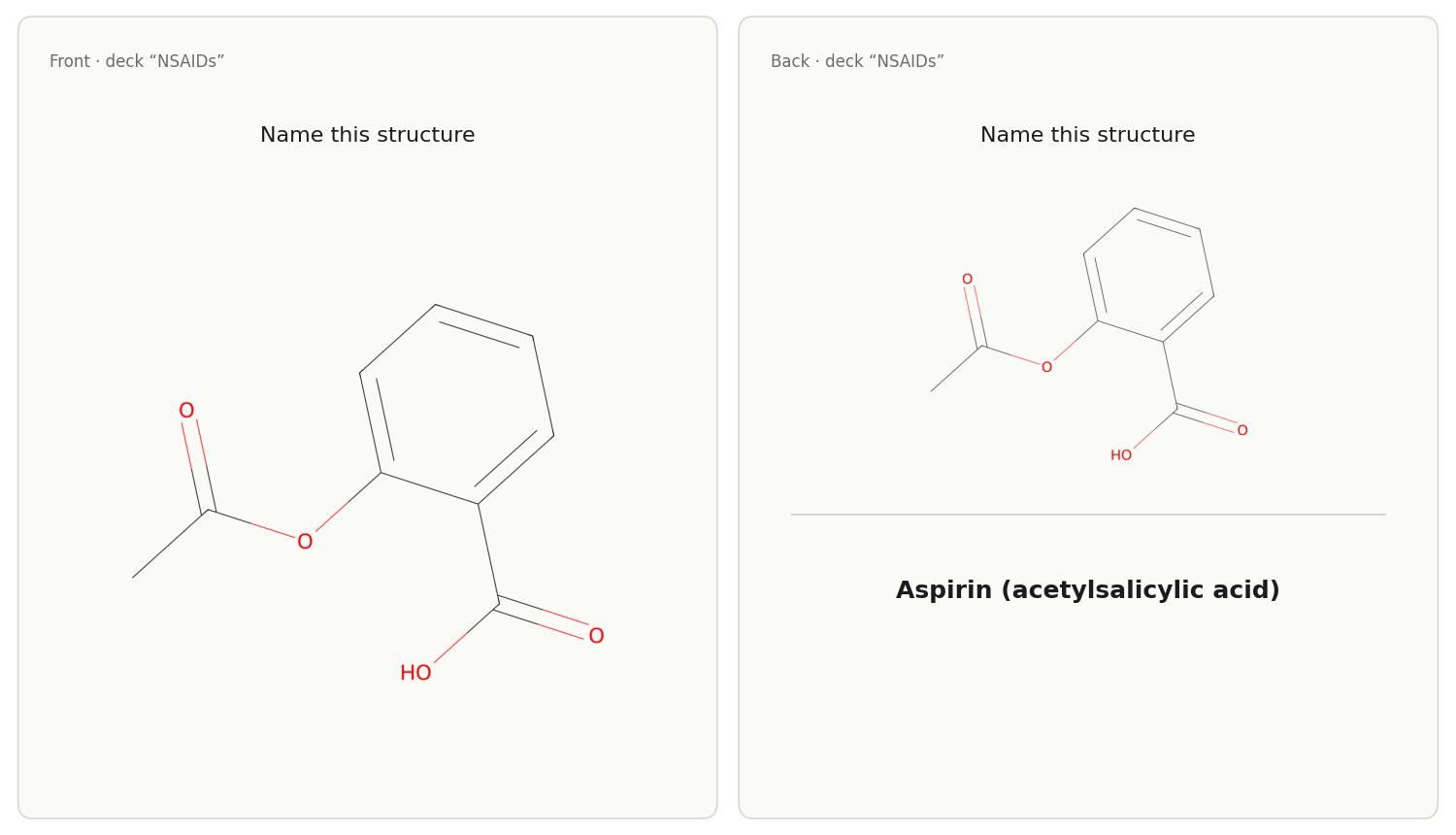
|


Installation
Pick one route for Claude Desktop. The extension and chemdraw-install
register the same connectors, and installing both registers them twice. After installing, restart Claude Desktop once and ask
"draw caffeine" in a new chat.
-
Claude Desktop extension (macOS, Linux): download
chemdraw-mcp-<version>.mcpbfrom the latest release, double-click it and confirm in Claude Desktop. The first start downloads the dependencies from PyPI, each file checked against hashes pinned at release time; later starts are offline. -
From PyPI (needs uv):
uv tool install chemdraw-mcp && chemdraw-install -
From the repository (to read or change the code):
git clone https://github.com/jurimaxam-dotcom/chemdraw-mcp.git && cd chemdraw-mcp && ./install.sh
Something not working? uvx --from chemdraw-mcp chemdraw-doctor checks the
installation and prints the fix for each problem. Step-by-step instructions
and the config by hand:
docs/getting-started.md
and docs/installation.md.
Other clients (need uv):
- Claude Code:
claude plugin marketplace add jurimaxam-dotcom/chemdraw-mcp, thenclaude plugin install chemdraw-mcp@chemdraw-mcp. - VS Code:
- Cursor: add
{"command":"uvx","args":["chemdraw-mcp"]}as serverchemdraw-mcpinmcp.json, or opencursor://anysphere.cursor-deeplink/mcp/install?name=chemdraw-mcp&config=eyJjb21tYW5kIjoidXZ4IiwiYXJncyI6WyJjaGVtZHJhdy1tY3AiXX0=in the browser. - Codex:
codex mcp add chemdraw -- uvx chemdraw-mcp

The interactive panel appears in clients that render MCP Apps, such as Claude Desktop.
Profiles
Either Claude Desktop route registers two connectors from one installation. They complement each other: both can be on at once, and together they offer every tool, none of them twice.
| Connector | Profile | Tools | Contents |
|---|---|---|---|
chemdraw | mvp (default) | 18, 13 with a panel | the five areas in the tool table |
chemdraw-pharma | pharma | 9, 4 with a panel | substrate-scope figure, calibration curve, pharmacology curves, and calculators for solutions, content determination and pharmacokinetics (seven tools), plus the panel's two internal helpers |
The extension route ships them as two bundles (chemdraw-mcp-<version>.mcpb,
chemdraw-mcp-pharma-<version>.mcpb); chemdraw-install writes both entries
into claude_desktop_config.json. Turning a connector on or off in the
connector menu needs no restart. Up to 0.10.0, chemdraw-pharma started with
the full profile (every tool); if you used only that connector, enable
chemdraw as well, or keep one connector with everything by setting
CHEMDRAW_PROFILE=full in a config entry of your own. Re-run the installer to
update an existing entry. Details:
docs/configuration.md.
Tools
The default profile registers 18 tools, 13 of them with an interactive panel.
Files go to ~/ChemDraw-Output/.
| Area | Tool | Example prompt |
|---|---|---|
| Draw | generate_molecule | "Draw caffeine" |
batch_generate | "Draw adrenaline, noradrenaline and dopamine, each as its own file" | |
compare_molecules | "What is the difference between morphine and codeine?" | |
generate_reaction | "Draw the esterification of acetic acid with ethanol" | |
generate_mechanism | "Show me the SN2 mechanism step by step" | |
generate_3d | "Show methane as a rotatable 3D model" | |
generate_protein_or_antibody | "Draw lysozyme", "Draw trastuzumab" | |
| Lab graphics | generate_spectrum | "Draw the IR spectrum of aspirin" |
generate_tlc | "TLC: educt Rf 0.3, product Rf 0.65, co-spot shows both" | |
generate_titration_curve | "Titrate phosphoric acid with NaOH and show the curve" | |
generate_species_distribution | "Species distribution of phosphoric acid over pH" | |
| Look up | lookup | "What is the CAS number of paracetamol?" |
lookup_molecule_data | "Give me a data sheet for capsaicin" | |
predict_spectrum | "Which IR bands should capsaicin show?" | |
| Calculate | calculate_ph | "What is the pH of 0.1 M acetic acid, pKa 4.76?" |
| Anki | export_anki_deck | "Make Anki cards with the structures of aspirin, ibuprofen and paracetamol" |
The other two tools belong to the panel and are never called by the model on
its own: save_png is the server half of the export button, and
load_panel_part fetches the images of a large result (a big molecule, a long
batch) piece by piece, so that the result stays small enough for Claude Desktop
to display.
Every tool in detail, with its options and limits:
docs/tools.md.
What leaves your machine
Structures are drawn locally. A SMILES or InChI you type is not sent to any
database by default; to fetch its name, CAS number and properties, the server
sends PubChem only the structure's InChIKey, a hash computed on your machine.
The key does not contain the structure; it only matches a record PubChem
already holds. If PubChem has no record for it, those fields stay empty.
Common group abbreviations (Ph, Boc, OMe …) are expanded locally; a
SMILES that still cannot be read is refused, not searched as a name.
Compound names you type are sent to PubChem, NCI and, for enzyme and protein
names, UniProt to resolve them; protein names and gene symbols go to UniProt,
the UniProt accession to PDBe and the AlphaFold DB, the PDB ID to RCSB. A
systematic IUPAC name reveals the structure as much as a SMILES does. To also
search by the SMILES itself, turn on Look up typed structures by SMILES in
the extension settings of Claude Desktop, or set CHEMDRAW_SMILES_LOOKUP=1.
This holds from version 0.10.0. Version 0.9.1 and earlier posted a typed
SMILES to PubChem when PubChem did not know its InChIKey, and lookup passed a
typed SMILES or InChI to PubChem, ChEBI, UniProt or KEGG. Details:
docs/privacy.md.
Limits
- Lab graphics draw the numbers they are given. For a named compound Claude supplies literature values from memory; check them.
- Curved-arrow mechanisms exist for SN1, SN2 and Fischer esterification only; other reactions get the net scheme.
- Proteins: cartoon without side chains, up to 3000 residues; bound groups such as heme or an inhibitor are shown, water and buffer are not. Peptides from a sequence take up to 20 residues.
- Names, data sheets and proteins need the internet; without Java, systematic IUPAC names do too.
- Claude Desktop often answers knowledge questions from memory; add "use ChemDraw" to the prompt. The extension targets macOS and Linux; Windows is untested.
Documentation
- Getting started: install, first prompt, the panel, where files land, troubleshooting
- Drawing structures · Peptides and proteins · Reactions and mechanisms · Metal complexes
- Lab graphics · Data and lookup · Anki decks
- Privacy · Configuration · FAQ
- Reference: every tool in detail · installation · for developers · development
License and third-party data
Apache-2.0, see LICENSE. Copyright 2026 jurimaxam-dotcom.
The server builds on and asks:
- RDKit (BSD-3-Clause) for parsing, layout, rendering and 3D conformers.
- Mol* (MIT; Sehnal et al. 2021) for the protein cartoon in the panel; notices in THIRD_PARTY_LICENSES.
- OPSIN, shipped inside py2opsin, for offline IUPAC names when Java is installed.
- PubChem and NCI CIR for names, properties and GHS data; ChEBI and KEGG for
lookup. - UniProt (CC BY 4.0) for protein entries.
- PDB structures (CC0), fetched through PDBe and the RCSB ModelServer, cited with their PDB ID.
- AlphaFold DB models (CC BY 4.0; Jumper et al. 2021, Varadi et al. 2024).
Each protein image carries the source line of its structure.
Disclaimer: This is an unofficial, independent project, not affiliated with or endorsed by Revvity. ChemDraw is a trademark of Revvity Signals Software, Inc. This tool does not include or require ChemDraw; it can optionally export files in the open CDXML format.
Contributing
- Something broke? Open a bug report.
The form asks for the output of
chemdraw-doctor. - Wrong chemistry? Use the bug form and name the compound and the figure.
- Missing something in your course? Tell us what you would draw or calculate.
- Questions and things you made with it: Discussions.
- Code: CONTRIBUTING.md and docs/for-developers.md.