SafariPilot
MCP server that lets AI agents work in your Safari in the background
Documentation



SafariPilot
SafariPilot is a local MCP server for Safari on macOS. It lets agents work in your existing Safari session while you continue using your Mac.
Features
- Your signed-in Safari. Your agent works in the Safari you already use, with your logins and cookies.
- No cursor takeover. Your cursor doesn't move, keystrokes go only to Safari, and Safari can stay behind the app you're working in. Synthetic vs Trusted Input explains the trade-off.
- Real clicks. Plain clicks and text input goes through macOS Accessibility, so pages get trusted input. Caveats apply for other events like keypresses and double-click, see below.
- Blazing fast. Each action returns what it changed on the page, so the agent doesn't read the page again.
Requirements
- macOS 26 or later
- Safari 27 (earlier versions are untested)
- A user logged in to the Mac's desktop. The app and Safari need a GUI session.
[!NOTE] Local macOS software required: SafariPilot controls Safari on the same Mac as the MCP client. It is not a standalone remote or cloud browser.
Install
brew install --cask johnsusek/tap/safaripilot
Or download the DMG from Releases and drag SafariPilot to Applications. Releases are built, signed and notarized in GitHub Actions; to check that a DMG came from this repo's workflow:
gh attestation verify SafariPilot-*.dmg --repo johnsusek/SafariPilotMCP
Open SafariPilot. It lives in the menu bar; choose Settings… there to see its window. Then:
- In Safari, open Settings > Extensions and turn on SafariPilot.
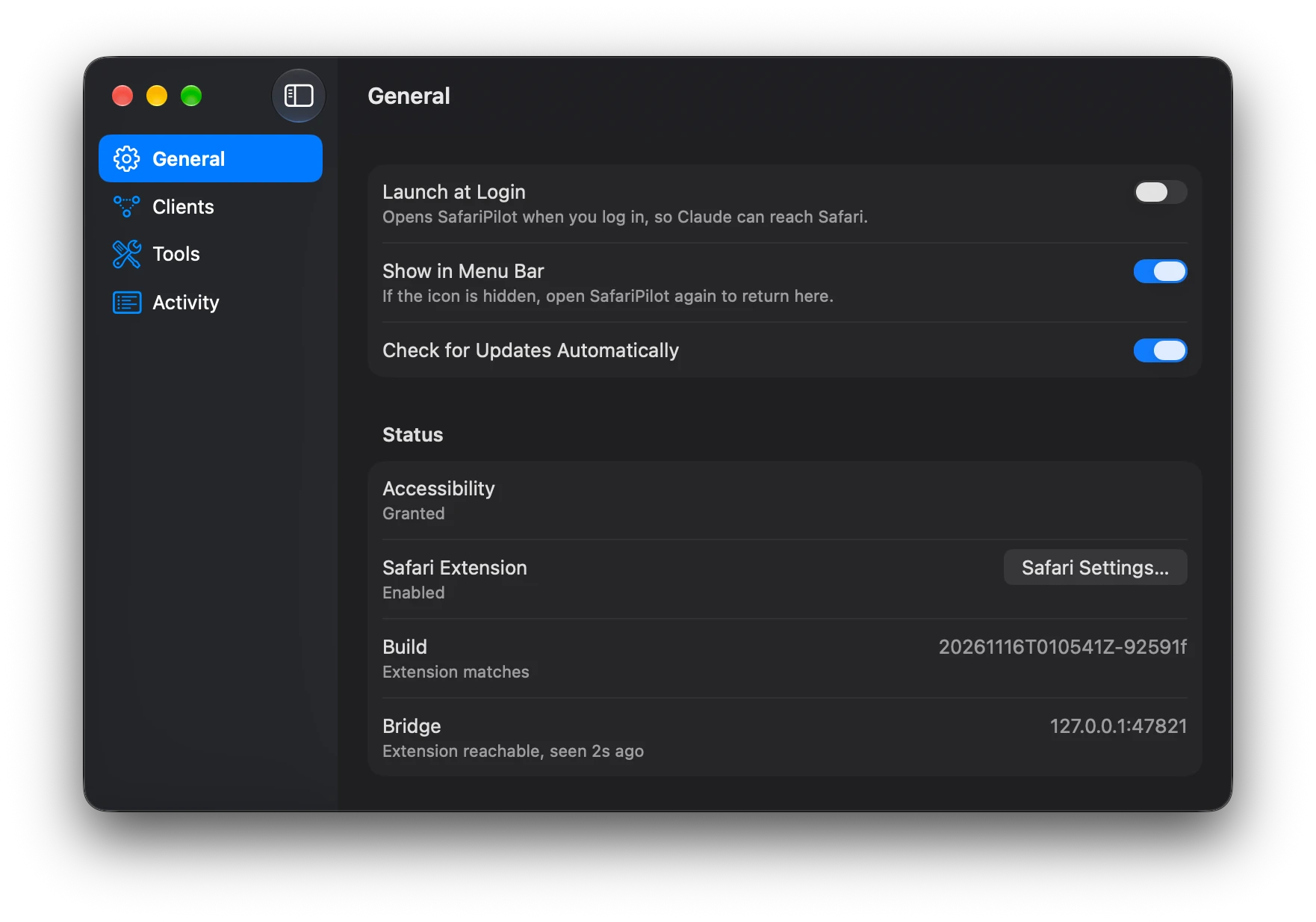
- In SafariPilot's General pane, grant Accessibility.
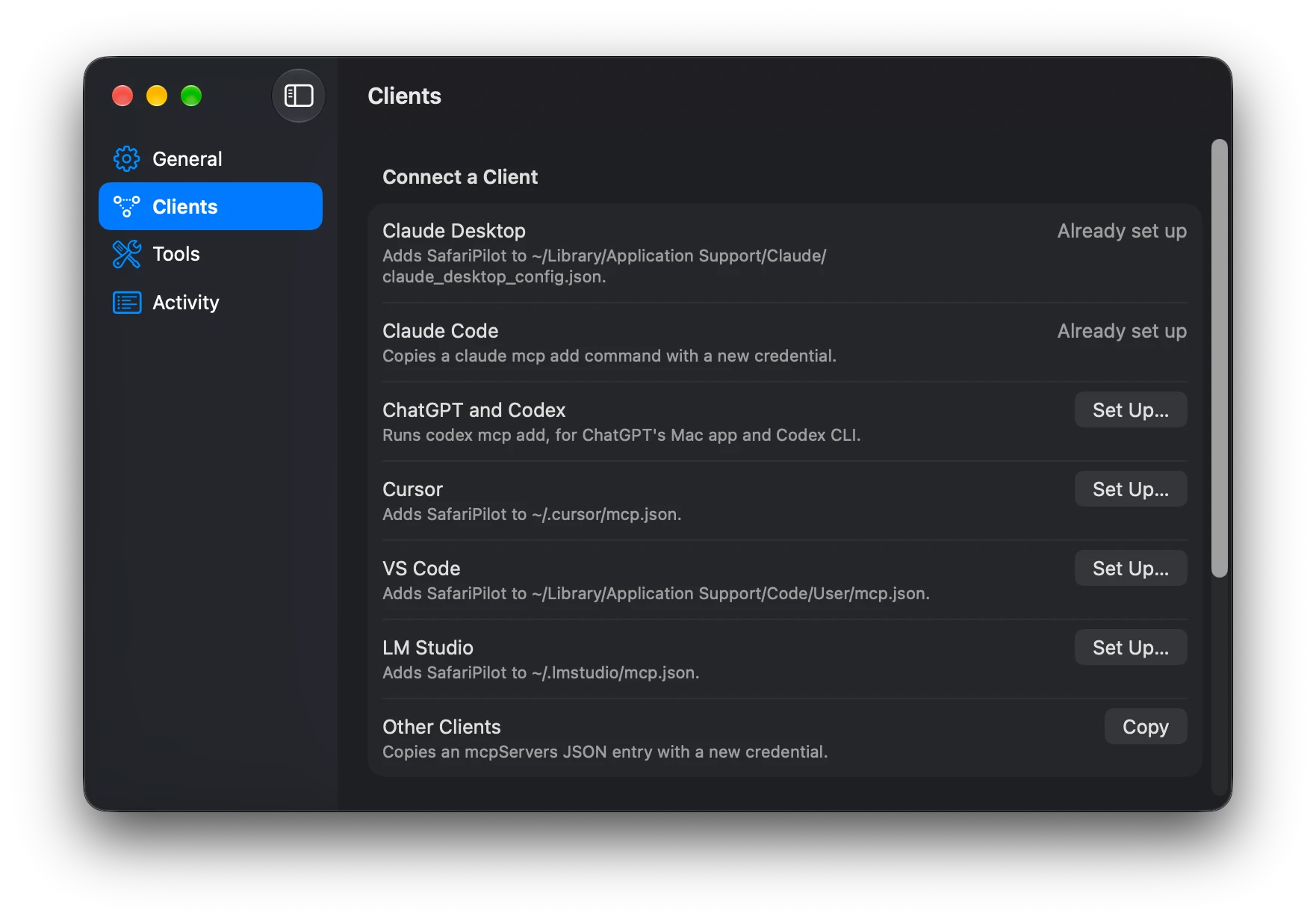
- In the Clients pane, set up your client: Claude Desktop, Claude Code, ChatGPT and Codex, Cursor, VS Code or LM Studio. For any other client, use Other Clients.
- Ask your agent to open a page in Safari and click a link. Approve the client when SafariPilot asks.
Updates
SafariPilot checks for updates itself and offers to install them. Check for Updates… in its menu checks now, and the General pane turns automatic checks off. Homebrew installs can also update with:
brew upgrade --cask safaripilot
Build from source
Needs Xcode, Node.js and XcodeGen.
scripts/install.sh
This builds SafariPilot, installs it in /Applications, opens it and links the safaripilot CLI into /opt/homebrew/bin.
Tools
The tools mirror those of Claude in Chrome.
- Tabs:
tabs_list,tab_create,tab_select,tab_close,navigate - Read:
read_page,find,get_page_text,screenshot,wait - Act:
click,form_input,key,drag,scroll,scroll_to,file_upload,handle_dialog,resize_window - Inspect:
javascript,read_console_messages,read_network_requests,page_fetch - Batch:
browser_batchruns several calls in one round trip.
The Tools pane in the app shows each tool's full description.
[!WARNING] Agent permissions: These tools can read page content, interact with authenticated websites, submit forms, upload files, execute JavaScript, inspect network requests, and navigate tabs. Review client approvals and use care with sensitive accounts.
Security and trust
- Approve every client. Each new client needs approval first. Uses a token to bypass approvals, so other software on your system can't impersonate your AI agent.
- Tab isolation. An agent sees only the tabs it opened and the popups they open.
- Secure local connection. The Safari extension, the app and the agent talk only over loopback, and every connection needs a secret token that changes each launch.
- Secrets stay hidden. Passwords, card numbers, tokens and cookies stay hidden from agents' page reads, URLs and network logs. Screenshots and
javascriptresults are not filtered.
[!CAUTION] Normal page reads, URLs, and network logs redact or omit supported password fields, card numbers, tokens, and cookies. This is not a complete data-loss-prevention guarantee: screenshots, JavaScript results, page fetches, and other tool responses may contain sensitive information.
Synthetic vs Trusted Input
Pages can tell real user input ("trusted") from events created in JavaScript ("synthetic"), and some sites reject synthetic events. Nearly all of SafariPilot's input is trusted. The deliberate exceptions:
- Always synthetic: color inputs,
drag, and double, triple, right and modifier clicks. No trusted path exists for these without taking your cursor or making Safari the active app. - Synthetic by default:
keypresses (notform_inputtext entry) andform_inputon dates, times, selects and sliders.compat: truemakes them trusted but brings the pilot window in front of your other Safari windows, because Safari delivers real key presses and native menus only to its frontmost window. Safari itself can stay behind other apps.
Limits
- No hover: the CSS
:hoverpseudo-class is never applied. keyrefuses Cmd shortcuts, to prevent system interaction.
Troubleshooting
In SafariPilot's window, General > Status shows Accessibility, the Safari extension and its connection, and Activity lists each call with the error code of any that failed.
| Error code | Fix |
|---|---|
approval_required | Approve the client in SafariPilot's dialog. |
accessibility_denied | Grant Accessibility in SafariPilot's General pane. |
site_access_prompt, site_access_denied | Allow the site from the SafariPilot button in Safari's toolbar. |
no_content_script | Turn on the extension in Safari Settings > Extensions, then open a new tab. |
safari_unavailable | Open Safari. |
build_mismatch | Safari is running the extension from another copy of SafariPilot. Remove the other copy, or run scripts/install.sh when building from source. |
app_unavailable | Open SafariPilot from /Applications. |
Benchmark
SafariPilot against Claude in Chrome, both driven by Claude Code (Sonnet) with the same prompts. Over 11 tasks run 5 times each, all 110 runs passed, and SafariPilot took 601 s in total against 1,304 s with 36% fewer input tokens. scripts/compare runs it.


Why SafariPilot
- Instead of safari-mcp: real clicks and keys without bringing Safari forward, approval per client, and secrets hidden from the agent.
- Instead of MCPSafari: real clicks and keys without bringing Safari forward, approval per client, and network request bodies.
- Instead of Apple's Safari MCP: it works in your signed-in Safari, where Apple's opens a separate window without your logins.
How it runs
The MCP client starts safaripilot mcp, a stdio MCP server inside the app. That server passes each tool call to the SafariPilot menu bar app, which controls Safari through the SafariPilot extension and macOS Accessibility APIs. The server opens the app if it isn't running.
More
- Architecture: how it works inside, building and testing.
- Security policy: reporting a vulnerability.
- License: MIT.
Thanks
To iMCP, whose app UI and client approval flow inspired SafariPilot's.