FLORA
Create images, videos, 3D, and more with every top model all in a single place.
Hosted MCP Server
npx add-mcp 'https://agents.flora.ai/mcp'Installs into Claude Code, Codex, Cursor and more
Documentation
FLORA MCP
Generate images and video from Claude, ChatGPT, Codex and Cursor with FLORA MCP
Connect FLORA MCP once and your agent can generate images, video, audio, text and 3D with Seedance, Kling, Veo, Nano Banana and 50+ models, run your team's Techniques, and land every result on a FLORA canvas. Works in Claude, ChatGPT, Codex and Cursor. Sign in with FLORA, no API keys.
Install the FLORA MCP and get your first generation for free
- ChatCowork
Fable 5 High
Claude
Copy the FLORA connector URL
You'll paste this URL into Claude in the next step.
https://
agents.flora.ai/mcp
Add FLORA as a custom connector
In the Claude desktop app or claude.ai, open Customize → Connectors, then + Add → Add custom connector. Name it FLORA, paste the URL and click Add. It also works in Claude Code sessions in the desktop app.
Sign in and start creating
Click Connect on FLORA and sign in, then open Claude with the prompt ready — say what you want mocked up.
Requires steps 1-2 completed first.
Full setup guide in the FLORA docs
ChatGPT
Install FLORA in ChatGPT
FLORA is listed in the ChatGPT apps directory. Open the FLORA plugin in ChatGPT to install it.
Connect your FLORA account
Follow the prompts in ChatGPT to sign in to FLORA and connect.
Start creating in ChatGPT
Once connected, ask ChatGPT to create with FLORA. Try this prompt with a product image.
Full setup guide in the FLORA docs
Claude Code
Install FLORA
Adds the marketplace, then the plugin — the MCP server and every FLORA skill.
claude plugin marketplace add florafauna-ai/flora-mcp-skills
claude plugin install flora-mcp-skills@flora
Connect and start creating
Sign in, then ask Claude Code to generate a campaign deck.
Full setup guide in the FLORA docs
Cursor
Add FLORA to your MCP config
Drop this into ~/.cursor/mcp.json, or the project's .cursor/mcp.json.
{ "mcpServers": { "flora": { "type": "http", "url": "https://agents.flora.ai/mcp" } } }
Start creating in Cursor
Cursor signs in through the browser the first time it calls a FLORA tool.
Paste into Cursor’s chat.
Full setup guide in the FLORA docs
Codex
Add the FLORA server
Two commands: add the server, then sign in through the browser.
codex mcp add flora --url https://agents.flora.ai/mcp
codex mcp login flora
Start creating in Codex
The prompt points Codex at the skill, then at the job.
Paste into Codex’s chat.
Full setup guide in the FLORA docs
Our powerful library of skills
A skill reads your context and runs the end-to-end job, then hands back the finished output.
PDP Creator
Hand it a product photo. Get back a shoppable product detail page set and a PDF.
Using the FLORA MCP, create a shoppable PDP asset set and an annotated PDF from this image: https://try.flora.ai/lp/mcp/source-product-bottle.jpg — a finished product shot, landscape orientation (3:2, 1200×800px).
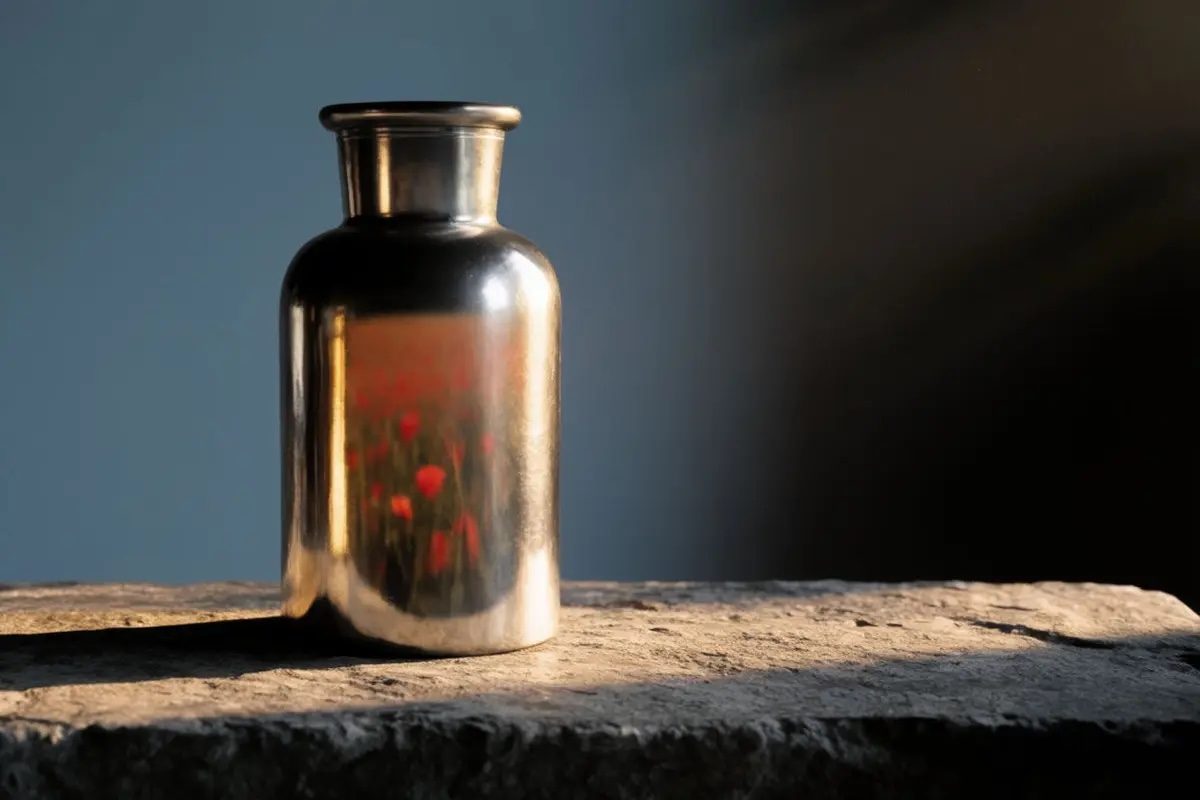
.)
Campaign Mockup Maker
Hand it a visual asset. Get back a campaign deck.
Using the FLORA MCP, create a campaign deck from this image: https://try.flora.ai/lp/campaign-mockup-maker/bloom.jpg — a finished out-of-home poster design, portrait orientation (2:3, ~2352×3520px).
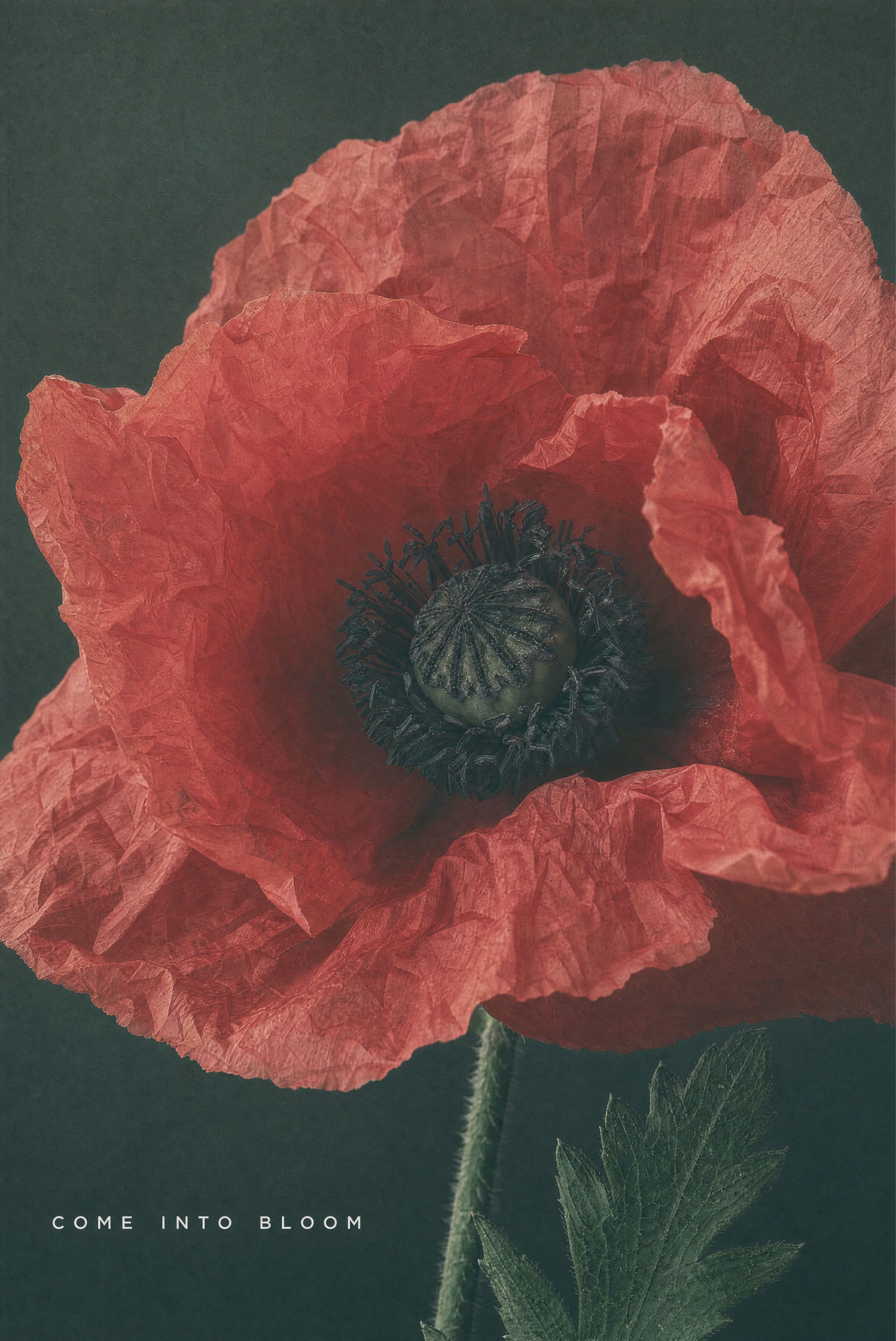
.)
Storyboarding
Hand it a script. Get back an ordered set of animated clips.
Using the FLORA MCP, turn [script or storyline] into a storyboard — build the shot list, then the keyframes, then animate the clips.
Image Resizer
Hand it one image. Get back every placement's aspect ratio.
Using the FLORA MCP, reframe this image https://try.flora.ai/lp/campaign-mockup-maker/bloom.jpg to 9:16, 16:9 and 1:1 — hold the subject, props, palette and grade, and extend the scene into the revealed edges.

Video Resizer
Hand it one cut. Get back every placement's aspect ratio.
Using the FLORA MCP, reframe the video in my [project link] to 9:16, 16:9 and 4:5 — keep the subject, camera move, grade and timing exactly, and generate only the revealed margins.
Batch Generator
Hand it a list. Get back one asset per row, in one style.
Using the FLORA MCP, generate one image per row of this [product list csv] — one consistent studio style across all of them, fired as a single batch.
Brand Audit
Hand it a batch. Get back findings with severity, evidence and a fix.
Using the FLORA MCP, judge [10 to 40 images] against [brand guidelines PDF or 3 to 5 approved references] on palette, lighting, crop, lockups and output specs. Return one finding per problem with severity, evidence and a paste-ready fix.
Trend Board
Hand it a source list. Get back mood boards of what is actually moving.
Using the FLORA MCP, scan 3 to 10 trend sources — links, screenshots or a folder — for recurring visual signals, rank them by how fast they're spreading, and render the top four as mood boards with a one-line read on each.
Motion Graphics
Hand it a screenshot or a logo. Get back real motion-graphics shots.
Using the FLORA MCP, animate [screenshot or logo] into a 5-second motion-graphics shot: 3D-tilted screen settling to face the camera while [headline text] staggers in. Return 16:9 and 9:16 with a clean end frame.
Create powerful workflows for your deliverable
Product to Ad Visuals
One product shot becomes a full ad set
Using the FLORA MCP, take this product shot https://try.flora.ai/lp/mcp-preview/source-product-bottle.jpg and run Product to Ad Visuals — give me the full ad set in our brand's look, sized for paid social.


Outfit to Campaign
One look becomes a campaign
Using the FLORA MCP, run Outfit to Campaign on this [model shot]. Hold the garment exactly, build out the campaign frames, and give me a contact sheet.
Logo to Brand Identity
One mark becomes a whole system
Using the FLORA MCP, run Logo to Brand Identity on [logo] and build out the full system — palette, type pairing, and applied mockups.
Relighting
Approved shots, relit to match
Using the FLORA MCP, pull the approved heroes from [campaign or folder] and relight them to match [reference image], then write them back to the same folder.
Product Visuals + Motion Kit
Stills plus the motion cuts
Using the FLORA MCP, run the Product Visuals + Motion Kit on [SKU or product shot] and give me the stills plus 3-second loops sized for IG.
Room Render
A rough space becomes a render
Using the FLORA MCP, turn this [room layout] into a photoreal render, then hold the same space across a day and a night version.
Bring your own tools into the loop
FLORA doesn't work alone — pull in a reference from Figma, a brand asset from Dropbox, a doc from Notion, and generate against it directly.
Figma + FLORA
Consistent storyboard frames
From your reference file.
Using the FLORA MCP, pull the reference frames from this [figma file] and generate matching storyboard stills — hold the same style across all of them.
Dropbox + FLORA
On-brand texture studies
From your brand assets.
Using the FLORA MCP, grab the brand deck from this [dropbox folder] and generate a texture study in that direction, straight into [project name]
Every tool your agent can call
Read
-
list_workspaces
Browse your workspaces and the projects inside them.
-
search_techniques
Find public, workspace, and private techniques to run.
-
list_models
See every model available for image, video, and audio.
Generate
-
upload_asset
Bring images, video, or audio in as references.
-
generate
Kick off image, video, or audio generations on any model.
-
run_technique
Execute a saved FLORA technique with your inputs.
Feedback
-
submit_feedback
Your agent can flag rough edges back to the FLORA team.
Frequently asked questions
Install steps for each client are in the tabs above.
How do I generate video in Claude?
Add FLORA as a custom connector in Claude (Settings, Connectors, Add custom connector, paste https://agents.flora.ai/mcp), sign in with your FLORA account, then ask Claude to generate a video. FLORA quotes the cost in US dollars before anything runs. Setup for every client is at docs.flora.ai/mcp/install.
Which models can my agent use through FLORA MCP?
The same 50+ models as the FLORA canvas, including Seedance, Kling, Veo, Nano Banana, Flux and Seedream for image and video, plus audio, text and 3D models. Your agent lists them with flora_list_models and picks per generation.
Is the FLORA MCP free?
Connecting is free. A Free FLORA account can generate on the usage balance every new workspace gets, and API and MCP access is included from the Starter plan up. Each generation is billed to your workspace in US dollars and quoted before it runs.
Do I need an API key?
No. FLORA MCP signs you in with OAuth using your existing FLORA account. Headless clients can use a FLORA API key instead, documented at docs.flora.ai/mcp/authentication.
Use your agents to drive FLORA
Start creating Get started