Easy Photo Layout
Plan passport and ID photo print sheets: supported sizes and copies per sheet.
Hosted MCP Server
npx add-mcp 'https://mcp.easyphotolayout.com/mcp'Installs into Claude Code, Codex, Cursor and more
Documentation
Two 2 × 2 in photos on one 4 × 6 in sheet
Choose an existing square photo. Keep the default 2 × 2 in photo size, 4 × 6 in paper and automatic direction. With a 3 mm minimum margin and a 2 mm gap, the tool places two copies side by side with trim guides.
Choose Download PNG (300 ppi) to save the 1800 × 1200 px landscape sheet.
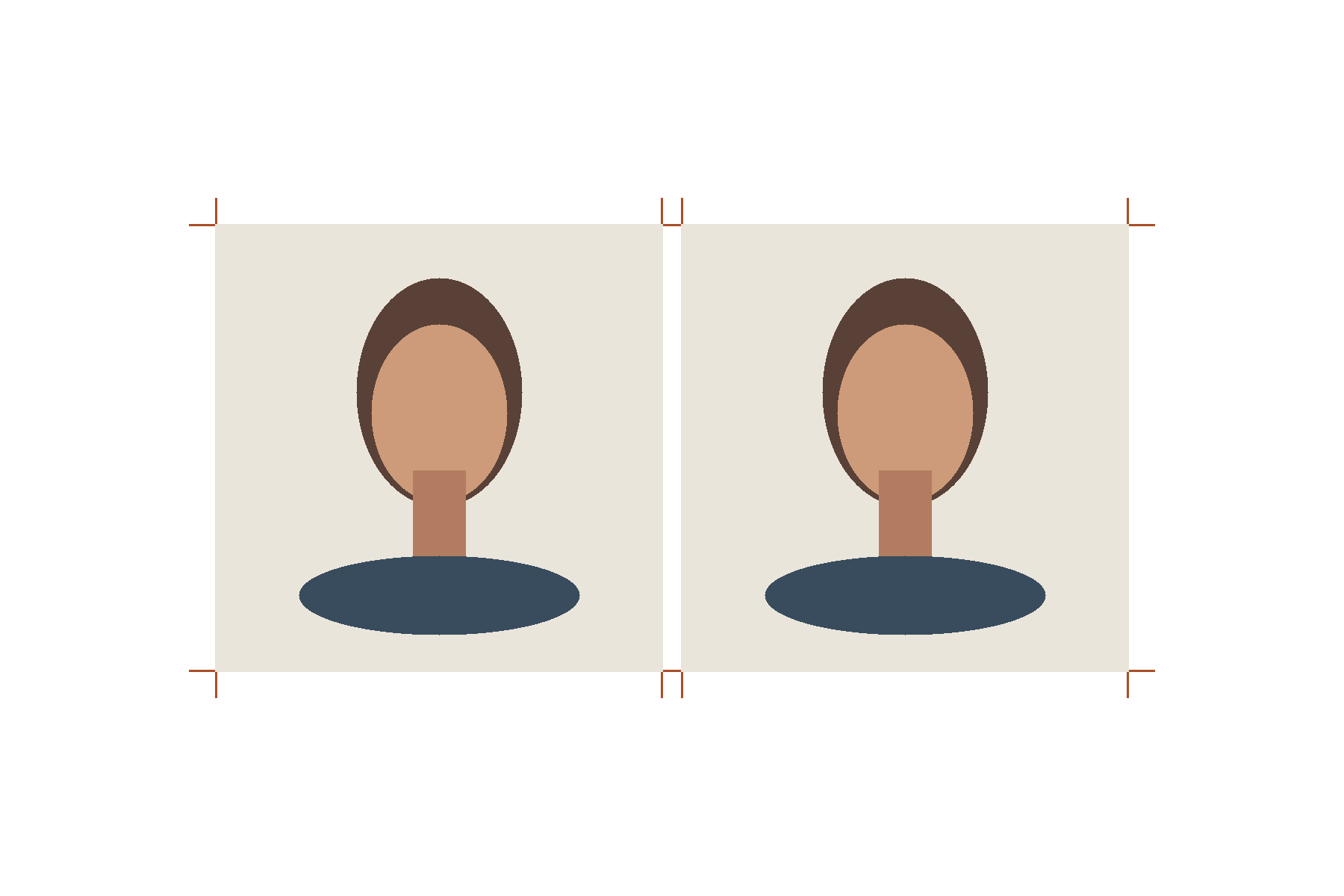
PNG exported by the tool using synthetic sample artwork.
What it does
One photo in, a print-ready sheet out
Most passport photo tools stop at cropping a face out of a picture. This one starts where people actually get stuck: you already have a photo that meets the rules, you bought a pack of 4 × 6 in paper, and you need the photo at its exact finished size, repeated, on a sheet you can put in the printer.
The tool treats photo size and paper size as separate settings. The photo size is the finished size the authority asks for — 2 × 2 in for a US passport, 35 × 45 mm for a UK or Japanese one. The sheet is the paper in your hand — a 4 × 6 in print, a 10 × 15 cm pack, an L size sheet from a Japanese kiosk, A4 from the office drawer. Choose each one; the tool works out the grid, centres it, keeps your photo's proportions with a centre crop, and counts the copies.
When you download, you get a 300 ppi PNG of the whole sheet: a 4 × 6 in sheet is 1200 × 1800 px, or 1800 × 1200 px in landscape. The file carries a print resolution tag so that viewers that respect it open the sheet at the right physical size.
How to print the sheet at actual size
This is the part that decides whether the photo measures 2 × 2 in or 1.9 × 1.9 in in your hand. Work through it once, then keep the same printer settings for the rest of the pack.
If your print measures too small or too large, follow the actual-size passport photo printing guide to check the scale in your viewer and driver.
-
Start from a photo that already meets the rules
The layout tool arranges copies, it does not fix a bad photo. Use a sharp, evenly lit photo with a plain background, the head centred and the face large in the frame. Leave a little room around the head: the centre crop trims the longer side to reach the target proportions, so a photo cropped to the chin will lose the top of the head. -
Choose the finished size, not the paper
For a US application that is 2 × 2 in — 50.8 × 50.8 mm exactly. For the UK, France, Japan and many other countries it is 35 × 45 mm. China's passport size is 33 × 48 mm, and Canada asks for 50 × 70 mm. Pick the size first; the paper choice comes next. -
Choose the sheet you actually bought
4 × 6 in is the default because it is the common US photo paper. If your pack says 10 × 15 cm, choose that instead — it is a different sheet, 1.6 mm narrower and 2.4 mm shorter. If your paper is L size, choose L. The preview and the copy count update as soon as you switch, so you see the sheet you are really going to load. -
Check the copy count and the sheet direction
The tool tries both directions and starts with the one that fits more copies; you can force portrait or landscape. A 3 mm margin and a 2 mm gap keep a cutting channel between photos, which matters more than it sounds: photos printed edge to edge are almost impossible to cut to size accurately. -
Download the PNG and print at 100%
In the print dialog choose your paper size, set the scale to 100% or Actual size, and switch off “fit to page”, “scale to fit” and any automatic cropping the driver offers. Print on photo paper with the correct side up. Plain office paper works for a test sheet but the print will be dull and the ink may smudge when you cut. -
Measure the first sheet with a ruler
Measure the width and height of one photo before cutting. For a 2 × 2 in photo, both should be 50.8 mm. If the dimensions differ, check the paper size, scaling and borderless settings, then print another test sheet.
Print the PNG from macOS Preview
Physical print test pending. The Preview controls below follow Apple's documentation. Your printer may offer different paper and borderless options.
- Open the landscape sample PNG in Preview and choose File → Print.
- Select 4 × 6 in paper and Landscape. In Preview's print options, choose Scale and enter 100%.
- Leave Scale to Fit off. Turn off borderless enlargement or automatic cropping in the printer settings if those options are available.
- Print one test sheet. Check that one photo measures 50.8 × 50.8 mm before printing more.
Apple's Preview printing instructions.
Photo sizes the tool lays out
Every size below is a finished size in millimetres first; inches are a rounded label, not the source of truth. That is why 2 × 2 in is treated as 50.8 mm per side and not as “about 51 mm”.
| Finished size | Millimetres | Inches | Typical use |
|---|---|---|---|
| 2 × 2 in | 50.8 × 50.8 | 2 × 2 | United States passport and visa photos |
| 35 × 45 mm | 35 × 45 | 1.38 × 1.77 | UK, France, Japan and many other countries |
| 25 × 35 mm | 25 × 35 | 0.98 × 1.38 | Smaller ID and visa formats |
| 35 × 49 mm | 35 × 49 | 1.38 × 1.93 | Older Chinese formats; not the same as 33 × 48 mm |
| 33 × 48 mm | 33 × 48 | 1.30 × 1.89 | Chinese passport photos |
| 50 × 70 mm | 50 × 70 | 1.97 × 2.76 | Canadian passport photos |
A size picker is a layout shortcut, not a compliance check. Check your country's own rules for background, expression, head height and how the photo must be produced.
4 × 6 in is not 10 × 15 cm
These two sheets look identical in a shop listing and behave differently in a printer. 4 × 6 in is 101.6 × 152.4 mm. A 10 × 15 cm pack is 100 × 150 mm. The metric sheet is 1.6 mm narrower and 2.4 mm shorter — about the width of a margin you were relying on. On a tight grid, or with a bigger gap, that is enough to drop a row of copies or push one off the edge.
| Paper | Millimetres | Inches | Note |
|---|---|---|---|
| 4 × 6 in | 101.6 × 152.4 | 4 × 6 | The default sheet; common US photo paper |
| 10 × 15 cm | 100 × 150 | 3.94 × 5.91 | Metric photo paper — a different sheet |
| L size | 89 × 127 | 3.5 × 5 | Japanese L print; smaller than 4 × 6 in |
| 5 × 7 in | 127 × 177.8 | 5 × 7 | Roomier grid, fewer sheets per pack |
| A4 | 210 × 297 | 8.27 × 11.69 | Office paper; test prints and big grids |
| US Letter | 215.9 × 279.4 | 8.5 × 11 | Office paper; shorter than A4 |
If your paper pack says L, select L in the tool and in the print dialog. See how to print 35 × 45 mm ID photos on Japanese L-size paper.
35 × 45 mm photos on metric paper
Both examples use automatic direction, a 3 mm minimum margin and a 2 mm gap.
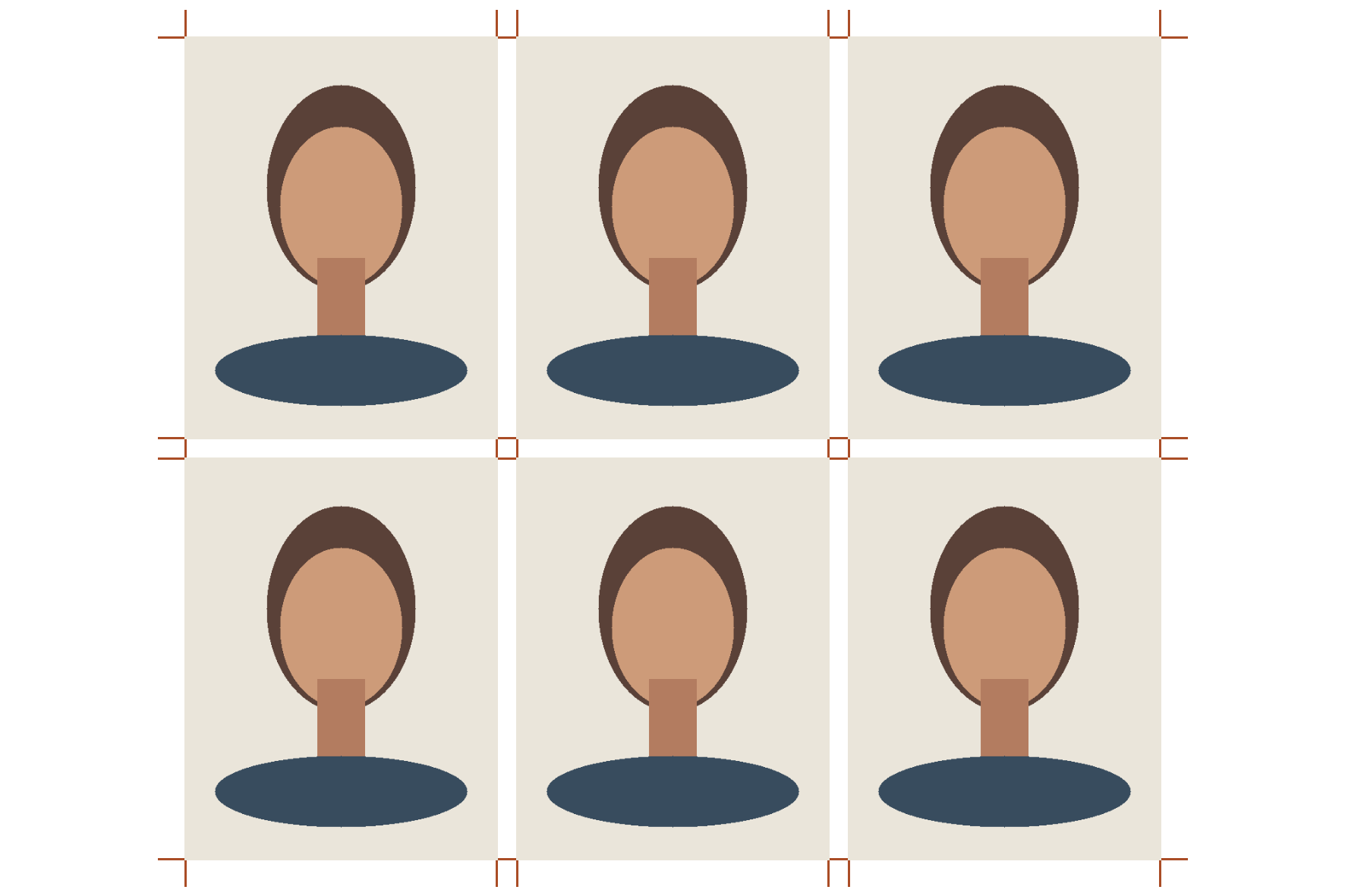
10 × 15 cm fits six copies in landscape, three columns by two rows. See how to print six 35 × 45 mm photos on 10 × 15 cm paper.
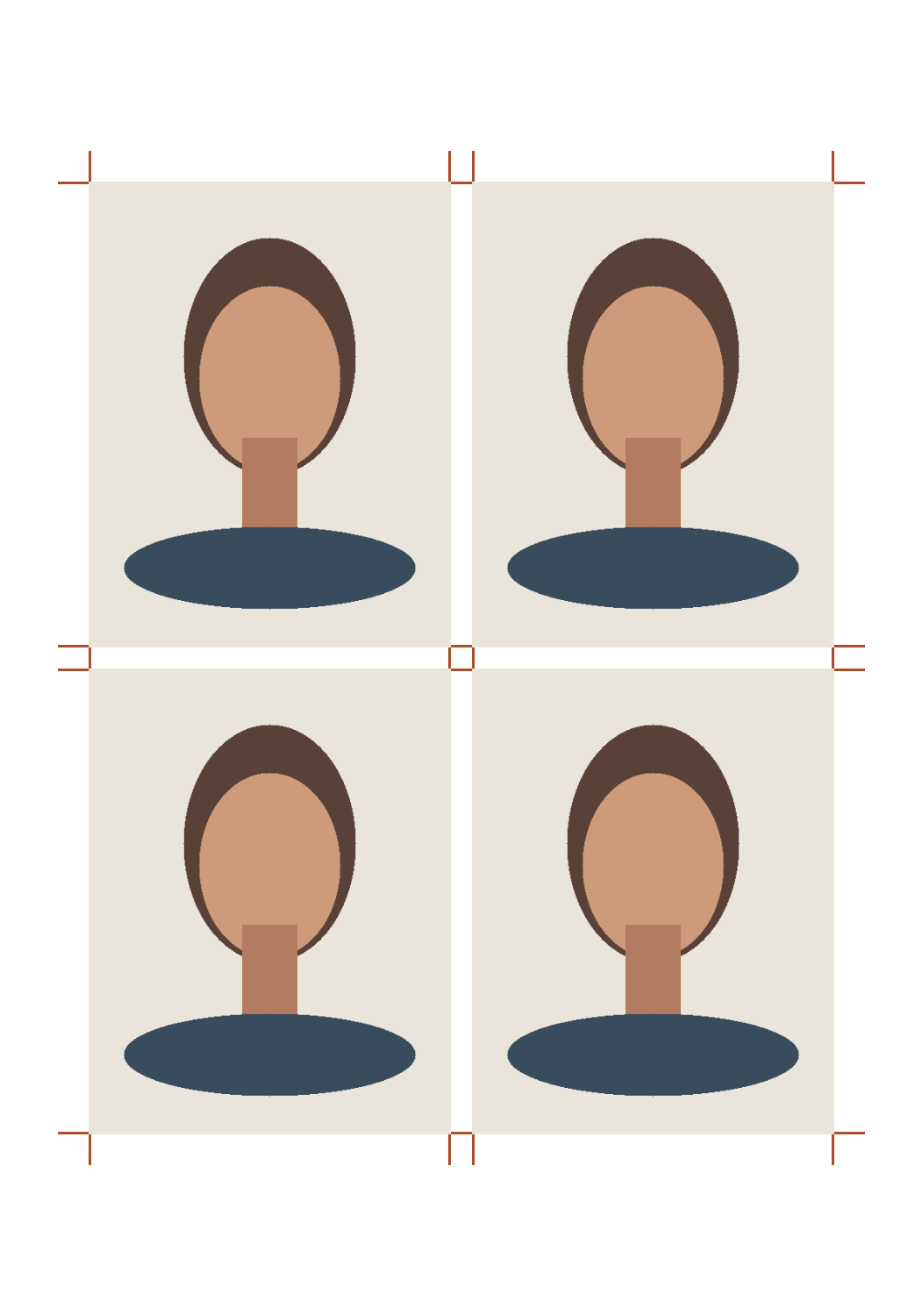
Japanese L (89 × 127 mm) fits four copies in portrait, two columns by two rows.
How many copies fit on a 4 × 6 in sheet
These counts use automatic direction, a 3 mm minimum margin and a 2 mm gap. Check the live count in the tool if you change the paper, margin or gap.
| Photo size | Copies on 4 × 6 in | Grid and direction |
|---|---|---|
| 2 × 2 in | 2 | 2 columns × 1 row, landscape |
| 35 × 45 mm | 8 | 4 columns × 2 rows, landscape |
| 25 × 35 mm | 12 | 3 columns × 4 rows, portrait |
| 35 × 49 mm | 4 | 4 columns × 1 row, landscape |
| 33 × 48 mm | 4 | 4 columns × 1 row, landscape |
| 50 × 70 mm | 2 | 2 columns × 1 row, landscape |
The second 2 × 2 in copy gives you a spare on the same sheet.
The size is international, the rules are not
The United Kingdom, France and Japan all ask for 35 × 45 mm, yet the three applications are not interchangeable. Sizes travel; rules do not. Always read the official page for the country you are applying to before you print a pack.
- United States2 × 2 in · 50.8 × 50.8 mm The State Department publishes a photo composition template and requires a plain white or off-white background. Official US passport photo requirements.
- United Kingdom35 × 45 mm Rules cover expression, background and how the print is produced. Official UK photo requirements.
- France35 × 45 mm France requires the photo to come from an approved photographer or a photo booth, so a home print can be refused even at the right size. Official French photo rules.
- Canada50 × 70 mm Canada asks for a photo taken by a commercial photographer and professionally printed; home-printed copies are not accepted. Official Canadian photo requirements.
- Japan35 × 45 mm Same 35 × 45 mm size as the UK, different application rules. Official Japanese photo rules.
- China33 × 48 mm Chinese passport photos are 33 × 48 mm, which is not the 35 × 49 mm size some older forms mention. Check your local embassy or visa centre for the current specification.
No tool can promise that a particular authority will accept a photo. What this page can do is put your photo on the sheet at the right size, with a copy count you can check before you cut.
Questions people ask before printing
Is this 4x6 passport photo template free?
Yes. The layout tool runs in your browser, there is no sign-up and no upload, and the PNG has no watermark and no copy limit.
What size photo do I need for a US passport?
2 × 2 in, which is exactly 50.8 × 50.8 mm — 600 × 600 px at 300 ppi. That is the default size in the tool, and it is the size the US State Department asks for.
How many 2 × 2 in photos fit on a 4 × 6 in sheet?
Two fit side by side in landscape with the default 3 mm minimum margin and 2 mm gap. On the same sheet, the tool fits eight 35 × 45 mm photos, four 35 × 49 mm photos, four 33 × 48 mm photos or twelve 25 × 35 mm photos. With both Margin and Gap at 0 mm, six fit in a 3 × 2 landscape grid with no space between photos or at the sheet edge. Each photo stays 50.8 × 50.8 mm in either layout. Print a test sheet at 100% and measure one photo before cutting.
Is 4 × 6 in the same as 10 × 15 cm?
No. 4 × 6 in is 101.6 × 152.4 mm and 10 × 15 cm is 100 × 150 mm. The metric sheet is 1.6 mm narrower and 2.4 mm shorter, which is enough to shift a tight grid or push a copy off the edge. Choose the sheet printed on your paper pack.
Will the downloaded PNG print at the right size?
It is exported at 300 ppi and carries a resolution tag of 11811 pixels per meter, so viewers that honor it open the sheet at the right physical size. Many print apps still rescale by default, so set the dialog to Actual size or 100%, switch off fit-to-page and auto-crop, and measure the first sheet with a ruler.
Is my photo uploaded anywhere?
No. The file is read with a local object URL and drawn on a canvas in your browser. It is not uploaded, not stored on a server, and closing the tab discards it.
Can I use it for the UK, France, Japan or Canada?
The tool lays out 35 × 45 mm (UK, France, Japan), 33 × 48 mm (China) and 50 × 70 mm (Canada) as well as the US 2 × 2 in. A size picker does not make a photo compliant: France expects an approved photographer or booth, and Canada requires a commercial photographer and professional printing, so a home print may not be accepted. Check the official page for your country first.
Do you guarantee the photo will be accepted?
No. This tool handles layout and print size only. Acceptance depends on the photo itself — background, expression, head height, lighting — and on the current rules of the authority you apply to.
Does it work on a phone?
Yes. You can choose the file, the size and the sheet on a phone, preview the grid and download the PNG, which you can then send to a printer or take to a photo kiosk.
Open the original layout tool
The first edition of this tool is still online and still works: it handles 25 × 35 mm and 35 × 49 mm photos on 6 inch and 3 inch photo paper. It is kept for people who bookmarked it, and it loads only when you open this section.
Open easyphotolayout.pages.dev in a new tab
MCP for AI assistants
To calculate a passport photo layout from an AI assistant, add this Streamable HTTP URL to your MCP (Model Context Protocol) client. The public server requires no API key.
https://mcp.easyphotolayout.com/mcp
epl_list_presets· Lists the supported photo and paper sizes along with the default layout settings.epl_plan_layout· Calculates how many copies fit, the paper orientation, the output dimensions in pixels, and the placement of each photo.
The public tools take only sizes and layout settings. To lay out a photo and download a 300 ppi PNG, use the browser tool on this page.