Etherscan MCP
Live, read-only blockchain data across 60+ EVM chains: wallets, tokens, transactions, contracts and gas. Official Etherscan MCP server.
Hosted MCP Server
npx add-mcp 'https://mcp-keyless.etherscan.io/mcp'Installs into Claude Code, Codex, Cursor and more
Documentation
Etherscan MCP
Connect AI agents to live Etherscan API data through the Model Context Protocol, with or without an API key.
The Etherscan MCP server connects AI agents to live onchain data across 50+ supported chains, over MCP. Connect it to a client like Claude Desktop, Claude Code, or Codex, then ask in plain language and get answers grounded in real Etherscan API responses.
[!TIP]
One connection covers every chain, just pass the
chainid. Ask about Arbitrum and the agent useschainid=42161. See Supported chains for the full list.
[!WARNING]
Etherscan runs two official MCP servers:
https://mcp.etherscan.io/mcpandhttps://mcp-keyless.etherscan.io/mcp. Listings on MCP marketplaces or directories that call themselves "Etherscan MCP" are unofficial and unaffiliated with Etherscan. Do not paste your API key into them.
Connection details
Etherscan runs two servers, both over the Streamable HTTP transport. The authenticated server uses your API key and has every tool. The keyless server needs no API key and has limited tools and rate limits.
| Authenticated server | Keyless server | |
|---|---|---|
| URL | https://mcp.etherscan.io/mcp | https://mcp-keyless.etherscan.io/mcp |
| Authentication | Authorization: Bearer <your API key> | None |
| Tools | All 21 | 16 of 21, no PRO tools (see Tools) |
| Usage | Counts toward your API plan | Rate limited, separate from API plans |
Get started
The steps below connect the authenticated server. First, create a free API key if you do not have one. Then pick your client below and follow it end to end.
Or use the keyless server without an API key, with limited tools and rate limits: use https://mcp-keyless.etherscan.io/mcp as the URL and leave out the API key.
[tab] Claude Desktop
Claude Desktop is Anthropic's desktop chat app.
1. Add Etherscan to your config
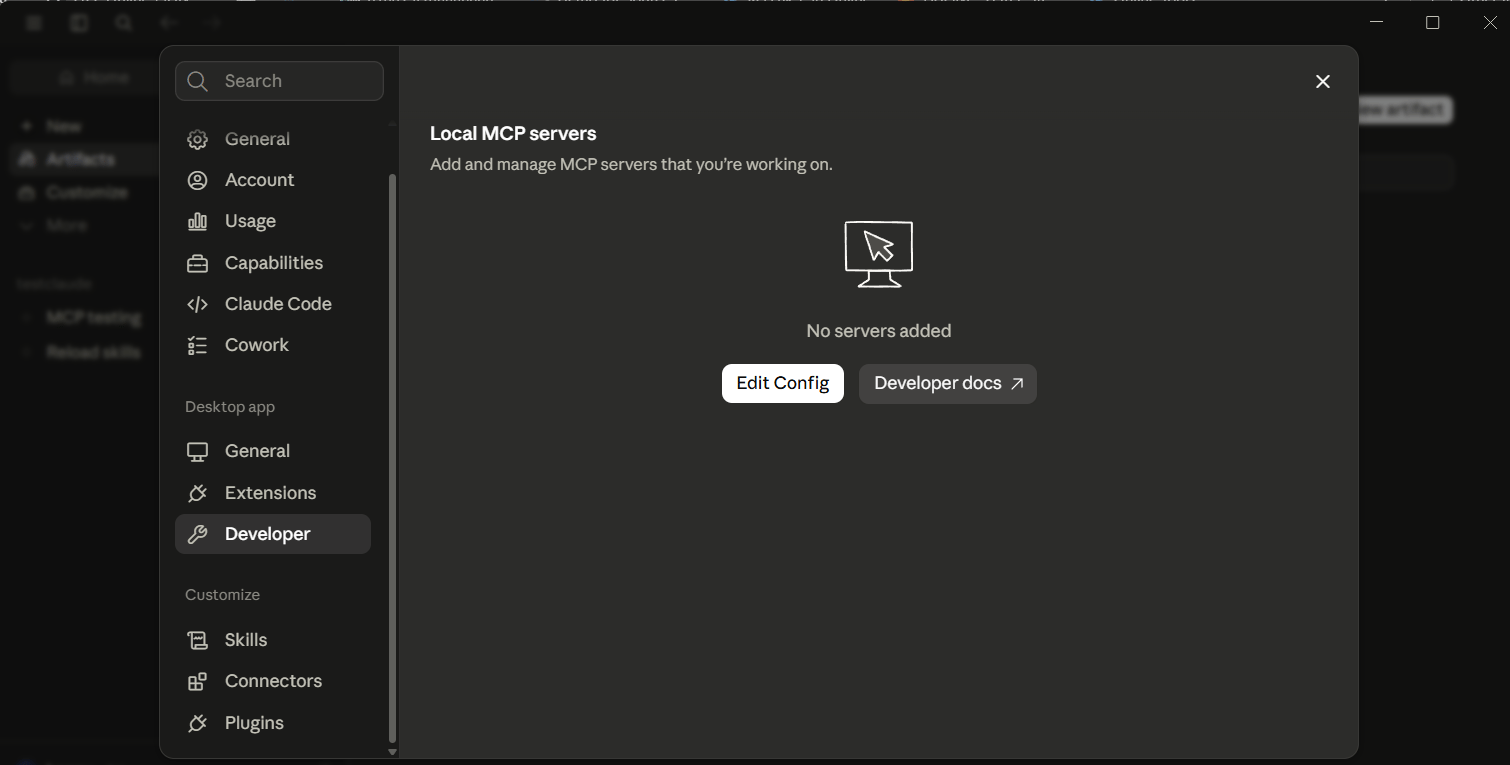
In Claude Desktop, open Settings > Developer > Edit Config to open the
claude_desktop_config.jsonfile.
In the file that opens, add the
etherscanserver (replaceYourApiKeywith your key):{ "mcpServers": { "etherscan": { "command": "npx", "args": [ "-y", "mcp-remote", "https://mcp.etherscan.io/mcp", "--header", "Authorization:${AUTH_TOKEN}" ], "env": { "AUTH_TOKEN": "Bearer YourApiKey" } } } }Requires Node.js.
2. Confirm it's connected
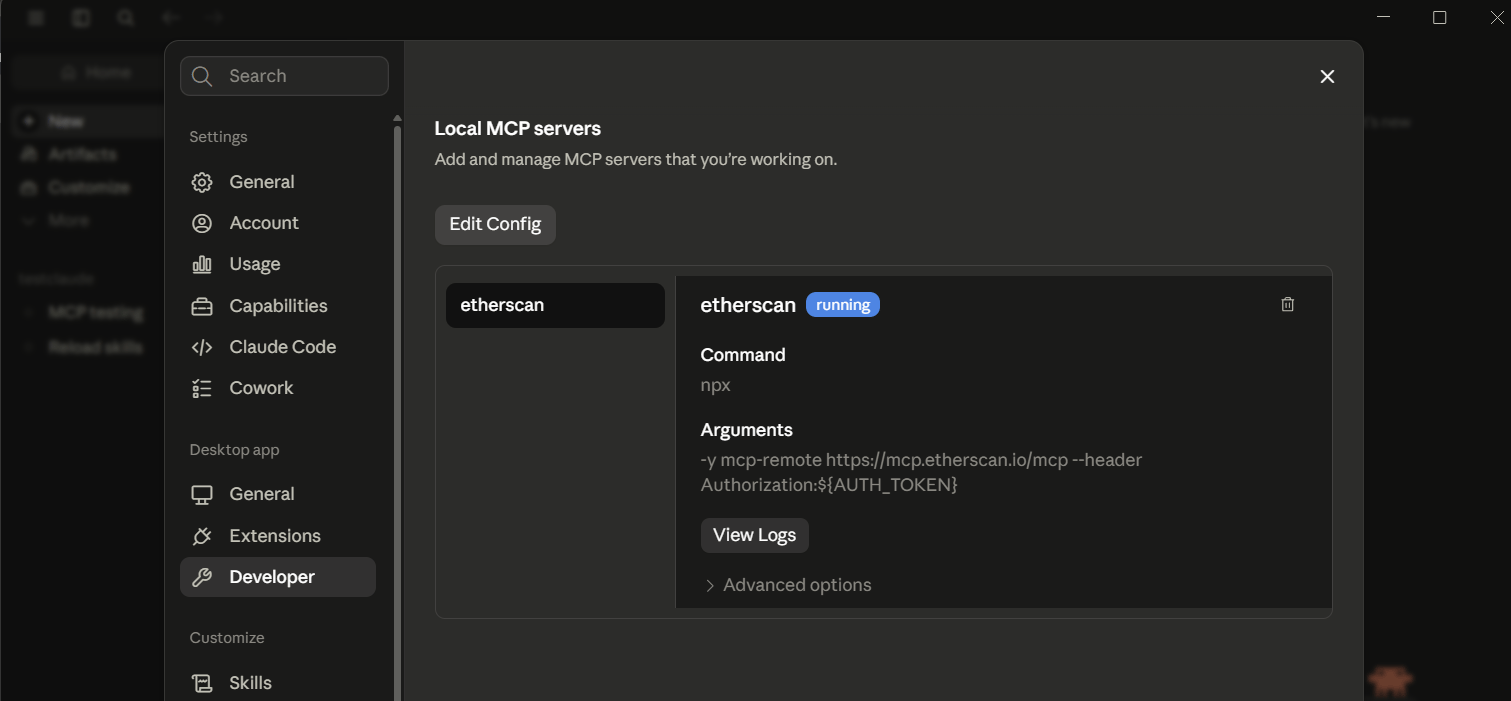
Save, then fully quit Claude Desktop and reopen it. Then open Settings > Developer and look for
etherscanunder Local MCP servers with a running badge.
3. Ask your first question
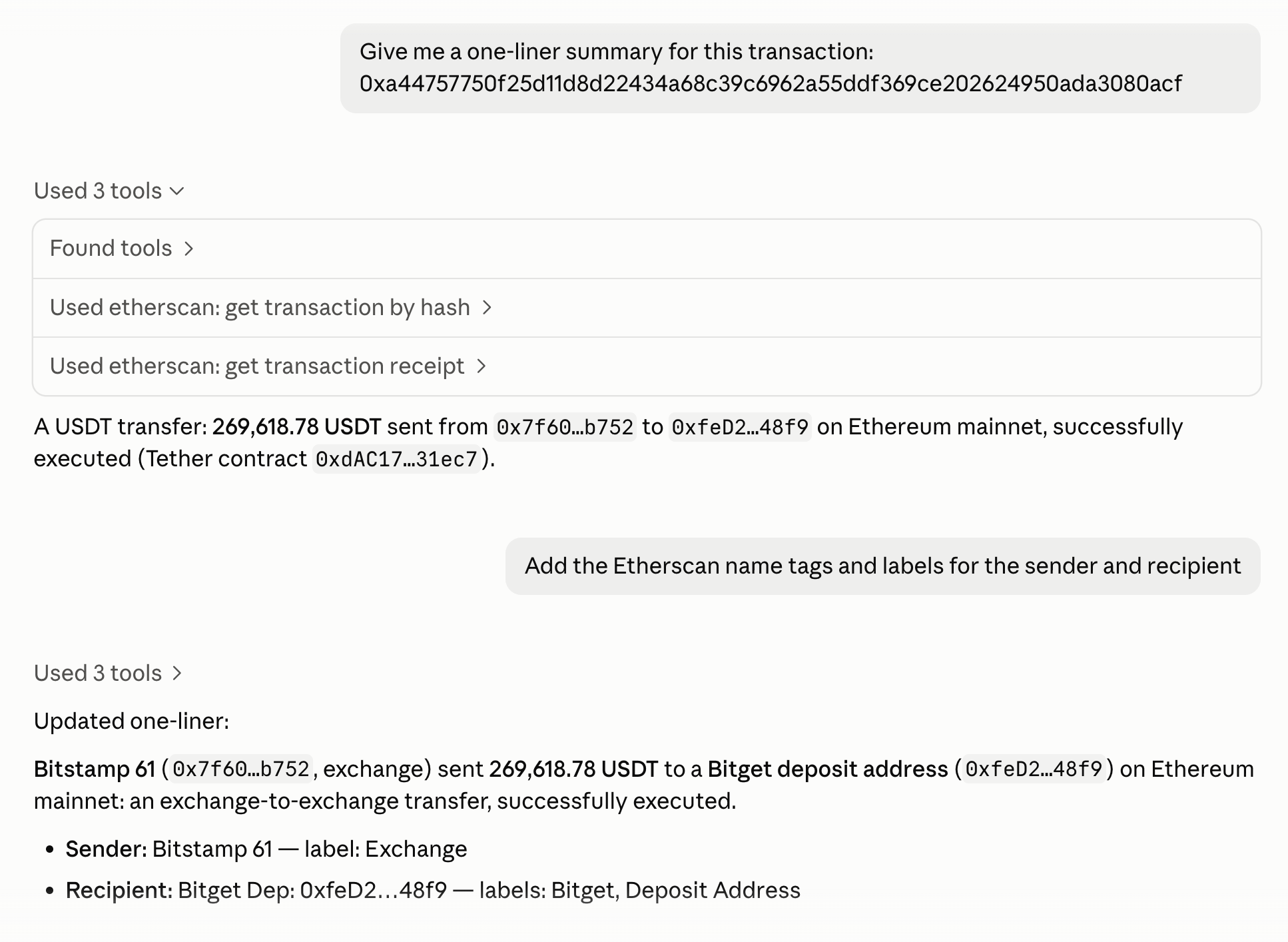
Ask in plain language and approve the tool calls when prompted:
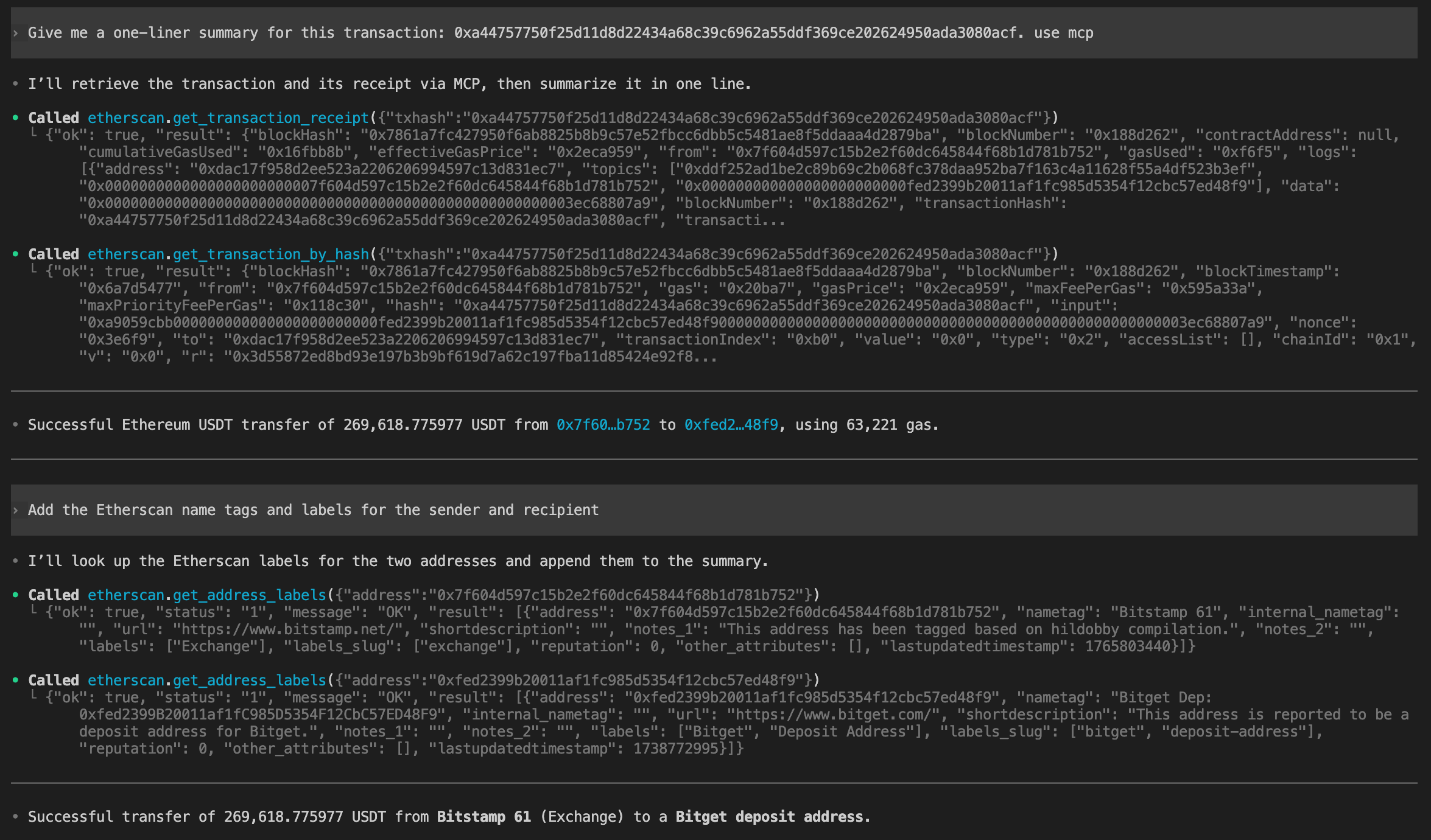
Give me a one-liner summary for this transaction: 0xa44757750f25d11d8d22434a68c39c6962a55ddf369ce202624950ada3080acfIn this example, it calls two tools:
get_transaction_by_hashfor the sender, recipient, amount, and input dataget_transaction_receiptto confirm the transaction succeededIt then answers with a one-line summary. Both tools work on the free API plan.
To label the addresses involved with their Etherscan name tags, follow up with:
Add the Etherscan name tags and labels for the sender and recipientThis uses
get_address_labels, a PRO+ tool available on the Pro Plus plan.
[tab] Claude Code CLI
Claude Code is Anthropic's coding assistant that runs in your terminal.
1. Add the server
Run this in your terminal, replacing
YourApiKeywith your key:claude mcp add --transport http etherscan \ https://mcp.etherscan.io/mcp \ --header "Authorization: Bearer YourApiKey"2. Confirm it's connected
Check the server's status and look for
Status: ✔ Connected:claude mcp get etherscan3. Ask your first question
Start a Claude Code session by running
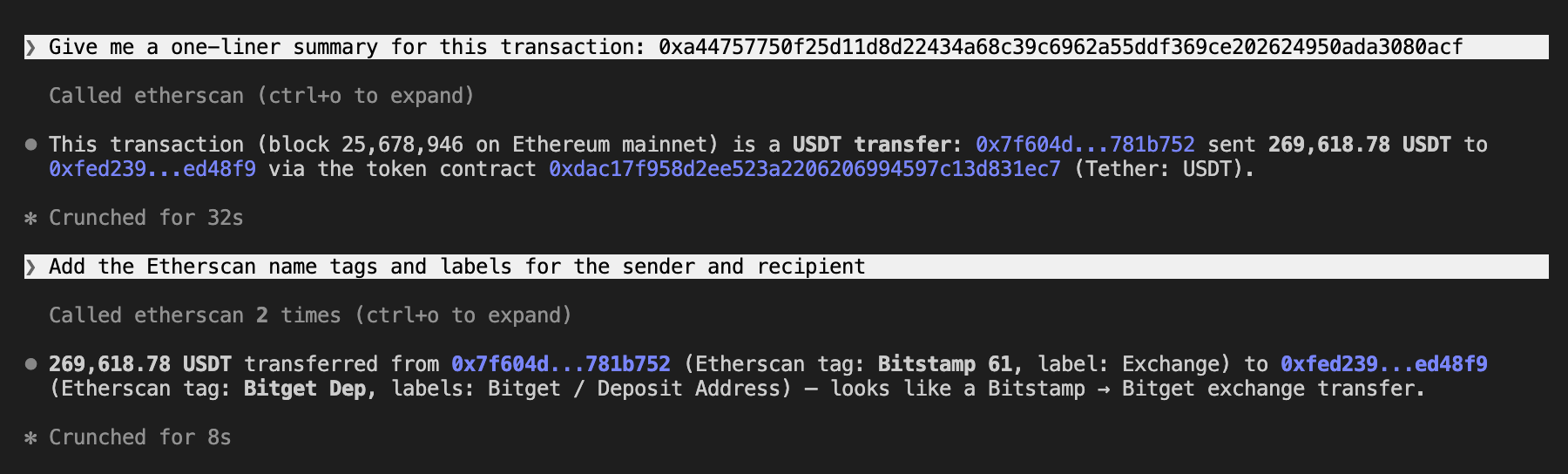
claude, then ask in plain language and let the agent pick the tools:Give me a one-liner summary for this transaction: 0xa44757750f25d11d8d22434a68c39c6962a55ddf369ce202624950ada3080acfIn this example, it calls the tool
get_transaction_by_hashfor the sender, recipient, amount, and input data. It then answers with a one-line summary. This tool works on the free API plan.
To label the addresses involved with their Etherscan name tags, follow up with:
Add the Etherscan name tags and labels for the sender and recipientThis uses
get_address_labels, a PRO+ tool available on the Pro Plus plan.
[tab] Codex Desktop
Codex Desktop is the ChatGPT desktop app running OpenAI's Codex agent, which can connect to MCP servers.
1. Add the server
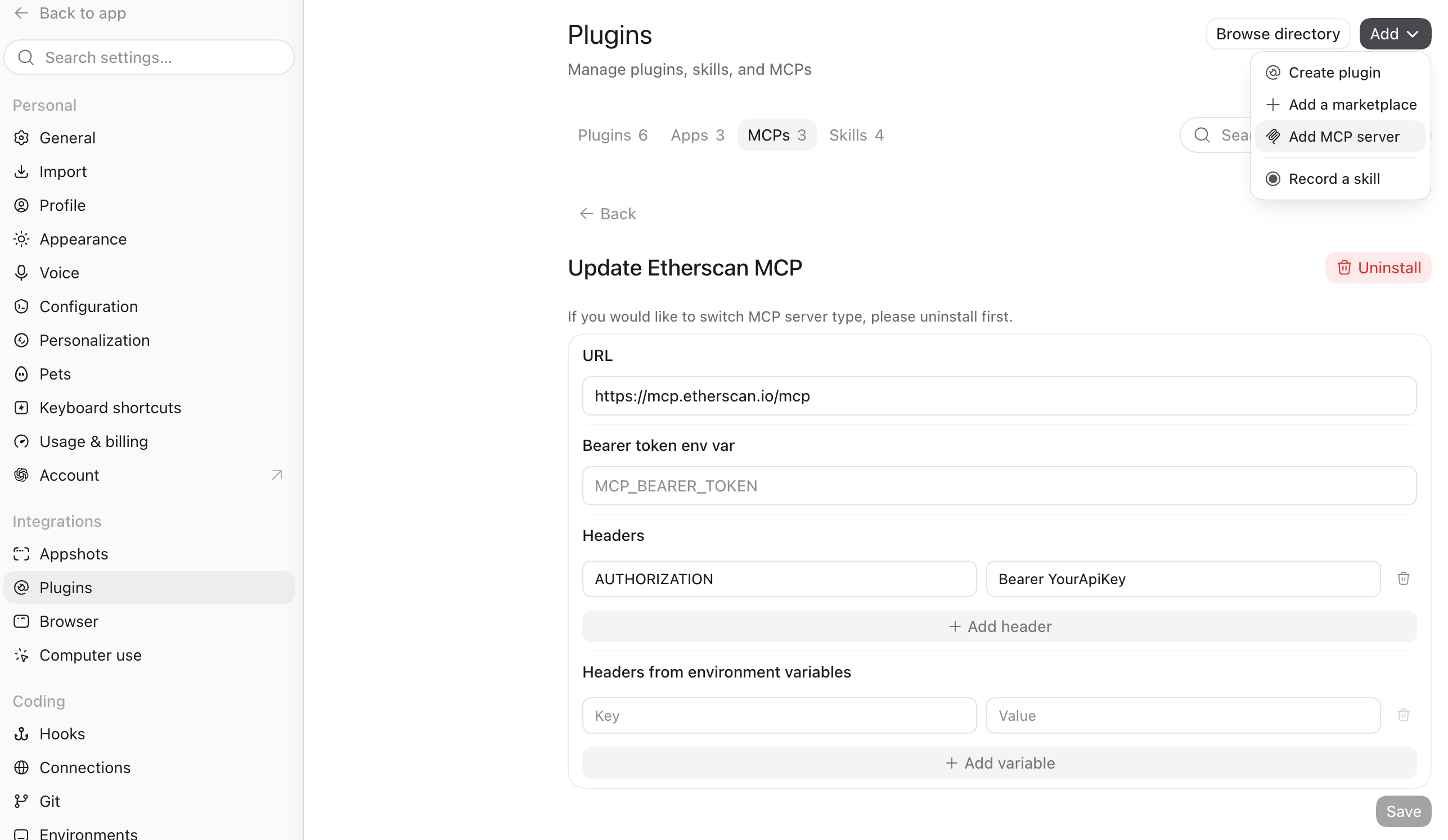
In Codex Desktop, open Settings > Plugins > Add > Add MCP Server.
Enter the following server details (replace
YourApiKeywith your key):
- Name: Etherscan MCP
- Type: Streamable HTTP
- URL:
https://mcp.etherscan.io/mcp- Headers:
Key=AUTHORIZATION,Value=Bearer YourApiKey2. Confirm it's connected
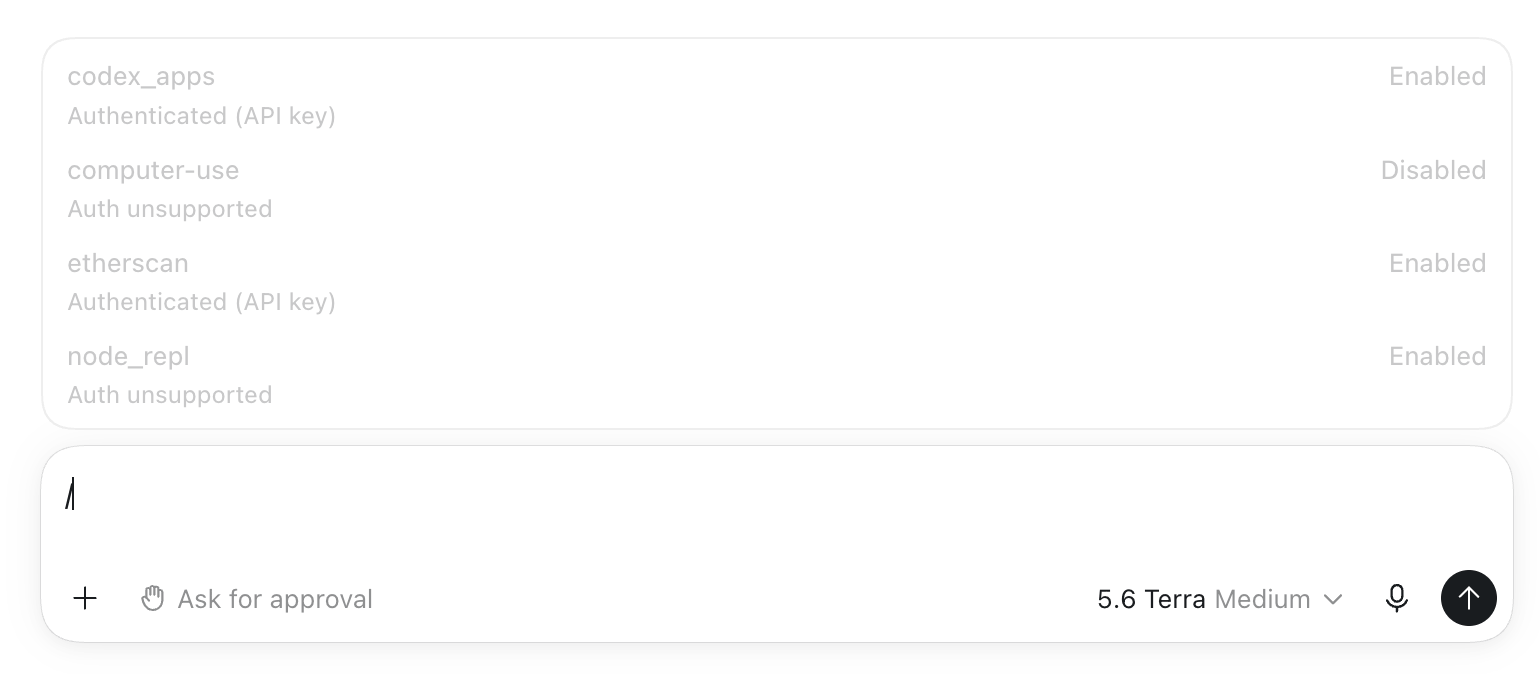
Save, then fully quit Codex Desktop and reopen it. Then run
/mcpand confirm thatetherscanis listed as an enabled server.
3. Ask your first question
Ask in plain language:
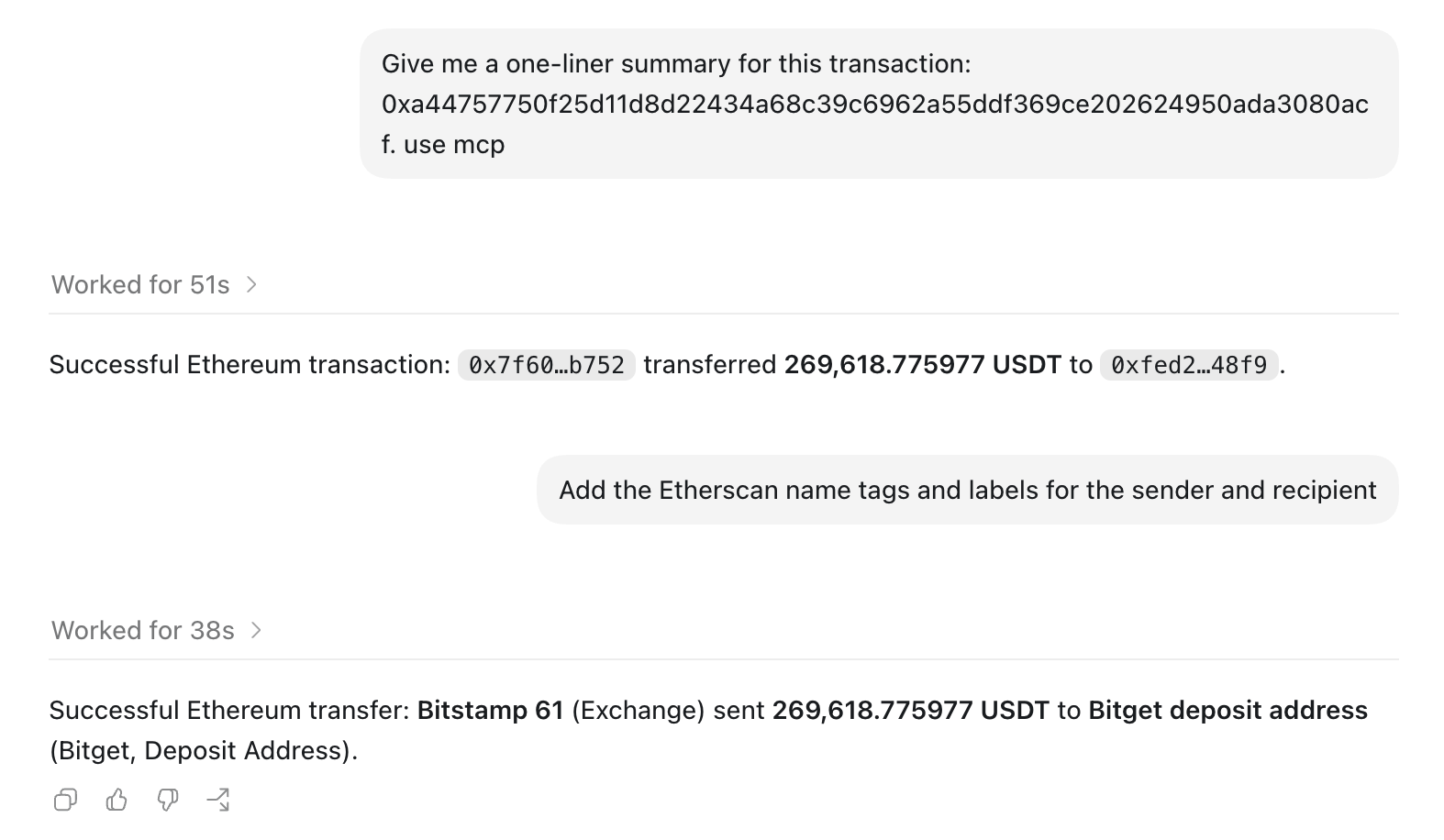
Give me a one-liner summary for this transaction: 0xa44757750f25d11d8d22434a68c39c6962a55ddf369ce202624950ada3080acf. use mcpIn this example, it calls two tools:
get_transaction_by_hashfor the sender, recipient, amount, and input dataget_transaction_receiptto confirm the transaction succeededIt then answers with a one-line summary. Both tools work on the free API plan.
To label the addresses involved with their Etherscan name tags, follow up with:
Add the Etherscan name tags and labels for the sender and recipientThis uses
get_address_labels, a PRO+ tool available on the Pro Plus plan.
[tab] Codex CLI
Codex CLI is OpenAI's coding agent in your terminal.
1. Set your API key as an environment variable
Run this in your terminal (replace
YourApiKeywith your key):export ETHERSCAN_API_KEY=YourApiKey2. Add the server
Run this in your terminal:
codex mcp add etherscan \
  --url https://mcp.etherscan.io/mcp \
  --bearer-token-env-var ETHERSCAN_API_KEY
3. Confirm it's connected
Check the server and look for
enabled: true:codex mcp get etherscan4. Ask your first question
Start a Codex session by running
codex, then ask in plain language and let the agent pick the tools:Give me a one-liner summary for this transaction: 0xa44757750f25d11d8d22434a68c39c6962a55ddf369ce202624950ada3080acf. use mcpIn this example, it calls two tools:
get_transaction_by_hashfor the sender, recipient, amount, and input dataget_transaction_receiptto confirm the transaction succeededIt then answers with a one-line summary. Both tools work on the free API plan.
To label the addresses involved with their Etherscan name tags, follow up with:
Add the Etherscan name tags and labels for the sender and recipientThis uses
get_address_labels, a PRO+ tool available on the Pro Plus plan.
Example prompts
Ask in plain language and let the agent pick the tools. Copy one to try it:
Build a wallet snapshot for 0xd8dA6BF26964aF9D7eEd9e03E53415D37aA96045 on Ethereum and Arbitrum: native balance, top token holdings, and the 10 most recent transactions.
Is 0xdAC17F958D2ee523a2206206994597C13D831ec7 verified? Summarize what the contract does and who deployed it.
Who are the top 10 holders of USDT (0xdAC17F958D2ee523a2206206994597C13D831ec7), and what share does each hold?
Trace transaction 0x<hash>: show its internal transfers and whether it succeeded.
List the 20 most recent ERC-20 token transfers for 0xd8dA6BF26964aF9D7eEd9e03E53415D37aA96045 on Arbitrum.
Tools
The authenticated server exposes 21 tools. The keyless server exposes 16 of them, leaving out the five PRO tools, which require a paid plan. The agent selects and calls them for you; you rarely name a tool yourself.
| Category | Tool | Returns | Keyless |
|---|---|---|---|
| Balances | get_native_balance | Native coin balance for an address | ✓ |
get_token_balances | ERC-20 token holdings for an address, with USD values | ✗ | |
| Transactions | get_transactions | Normal (external) transactions an address signed | ✓ |
get_internal_transactions | Contract-triggered internal transfers for an address | ✓ | |
get_transaction_by_hash | Full transaction details for a hash: sender, recipient, value, input, gas | ✓ | |
get_transaction_receipt | Receipt for a transaction: status, gas used, logs, and any created contract | ✓ | |
get_transaction_status | Contract execution status for a transaction | ✓ | |
get_transaction_receipt_status | Receipt status (success or fail) for a transaction | ✓ | |
| Transfers | get_token_transfers | Token transfers for an address or contract: ERC-20, ERC-721, or ERC-1155 | ✓ |
| Tokens | get_token_info | Project and metadata for a token contract | ✗ |
get_token_top_holders | Largest holders of a token | ✗ | |
| Contracts | get_contract_source | Verified source code for a contract | ✓ |
get_contract_abi | ABI for a verified contract | ✓ | |
get_contract_creation | Deployer address and creation transaction for a contract | ✓ | |
| Logs | get_logs | Event logs filtered by contract address and topics over a block range | ✓ |
| Address intelligence | get_address_labels | Etherscan name tag, labels, and attributes for an address | ✗ |
get_funded_by | The address and transaction that first funded an address | ✗ | |
| Network | get_supported_chains | Supported chains and their chain IDs | ✓ |
get_gas_oracle | Current gas price recommendations | ✓ | |
get_block_by_timestamp | The block number at a given timestamp | ✓ | |
| Display | render_etherscan_widget | An explorer-style card showing results from the other tools | ✓ |
Good to know
- Read-only. Every tool reads public onchain data. Nothing signs or sends a transaction.
- On the authenticated server, every tool call uses your API quota. Each MCP tool call makes one or more Etherscan API requests, and every request counts toward your API plan's rate limits, exactly like calling the API directly. See Rate limits.
- The keyless server is rate limited. Its limits are separate from API plans. For higher limits and PRO tools, use the authenticated server.
- Guard against prompt injection. Enable your client's human-confirmation prompts, and be cautious when combining Etherscan with other MCP servers in the same session.
This documentation is built and hosted on Mintlify, a developer documentation platform.