DesignIntel
A free, local MCP server that syncs your Figma files to your machine so AI coding tools read the real design instead of guessing from a screenshot. Link (GitHub or docs)
Documentation
Works with the AI tools you already use
Cursor Claude Copilot VS Code Windsurf Zed Cline
The gap
Right now, your AI is coding blind
It can write great code — it just can't actually see your design. So you keep paying for it in time, money, and rework.
visibility_off
Figma MCP today
- close A generic Figma MCP server hits Figma's API on every prompt — burn through the rate limit mid-session and your AI just stalls.
- close Figma's own Dev Mode MCP needs a paid Dev Mode seat, and only sees whatever file happens to be open in the desktop app right now.
- close Nothing set up yet? Your AI is guessing paddings and colors from a screenshot, and you're the one fixing it by hand.
visibility
With DesignIntel
- check Sync once, then every query comes from your own local cache — no rate limits, no re-fetching, no waiting mid-session.
- check No desktop app to keep open, no Dev Mode seat required — just a personal access token, working the same whether Figma's running or not.
- check Nothing is uploaded, ever. Your designs stay cached on your machine, not ours.
How it works
Three steps to design-aware AI
Set it up once. Then just build.
01
Install, then run it
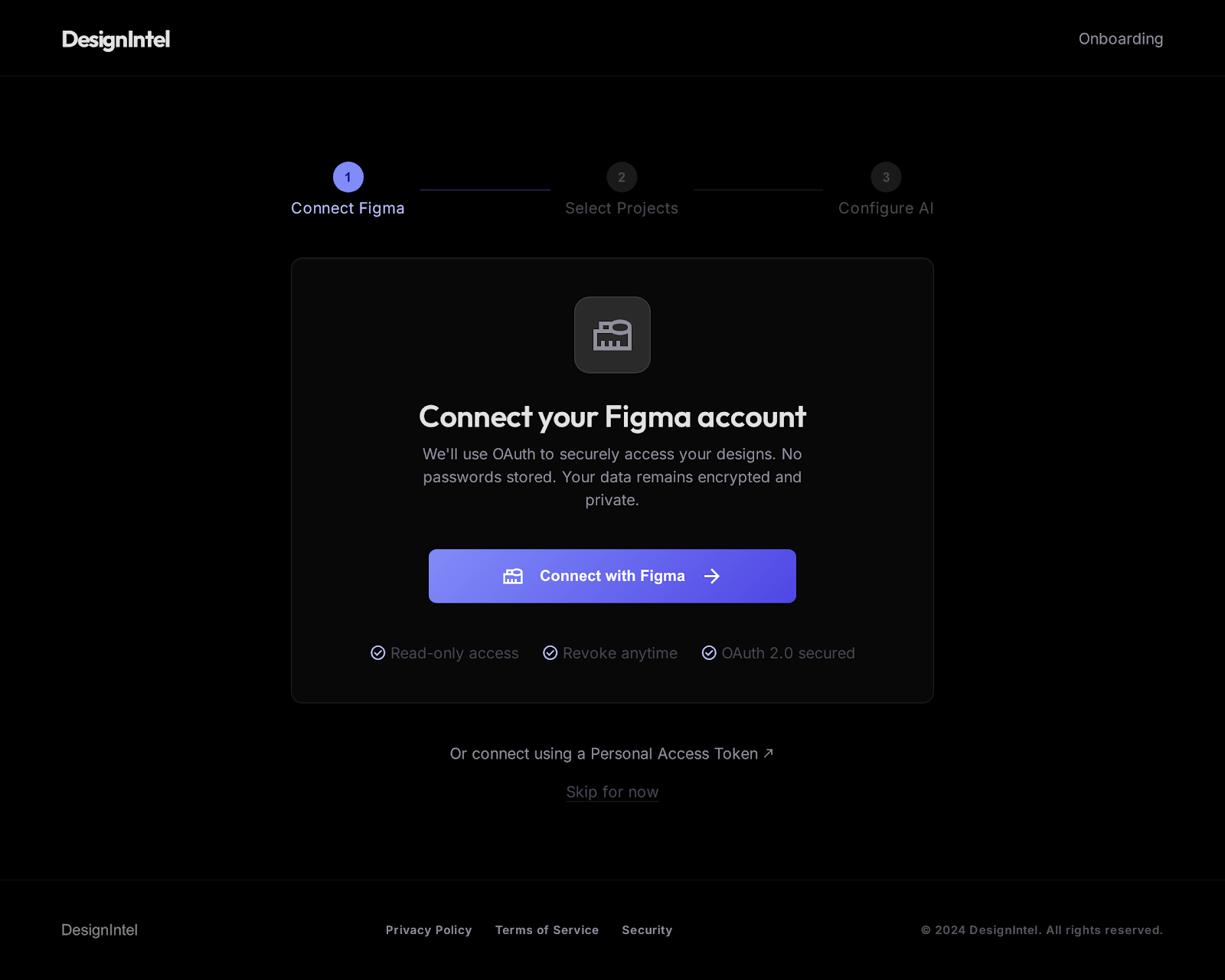
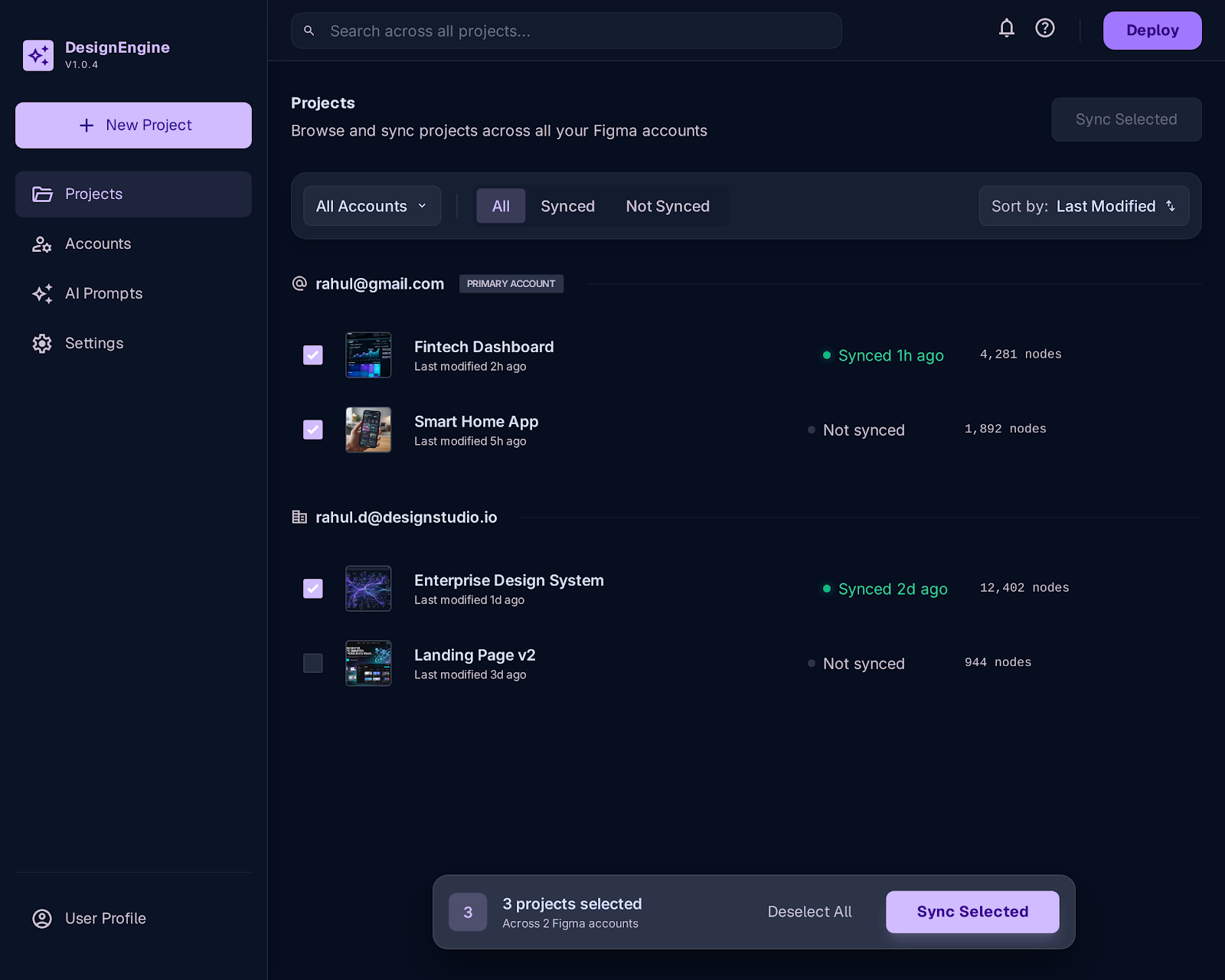
One command to install, then designintel to start it — no account, no signup, no desktop install. Paste a Figma file link and it copies to your machine: pages, components, styles and variables, indexed for instant search.
 02
02
Point your AI at it
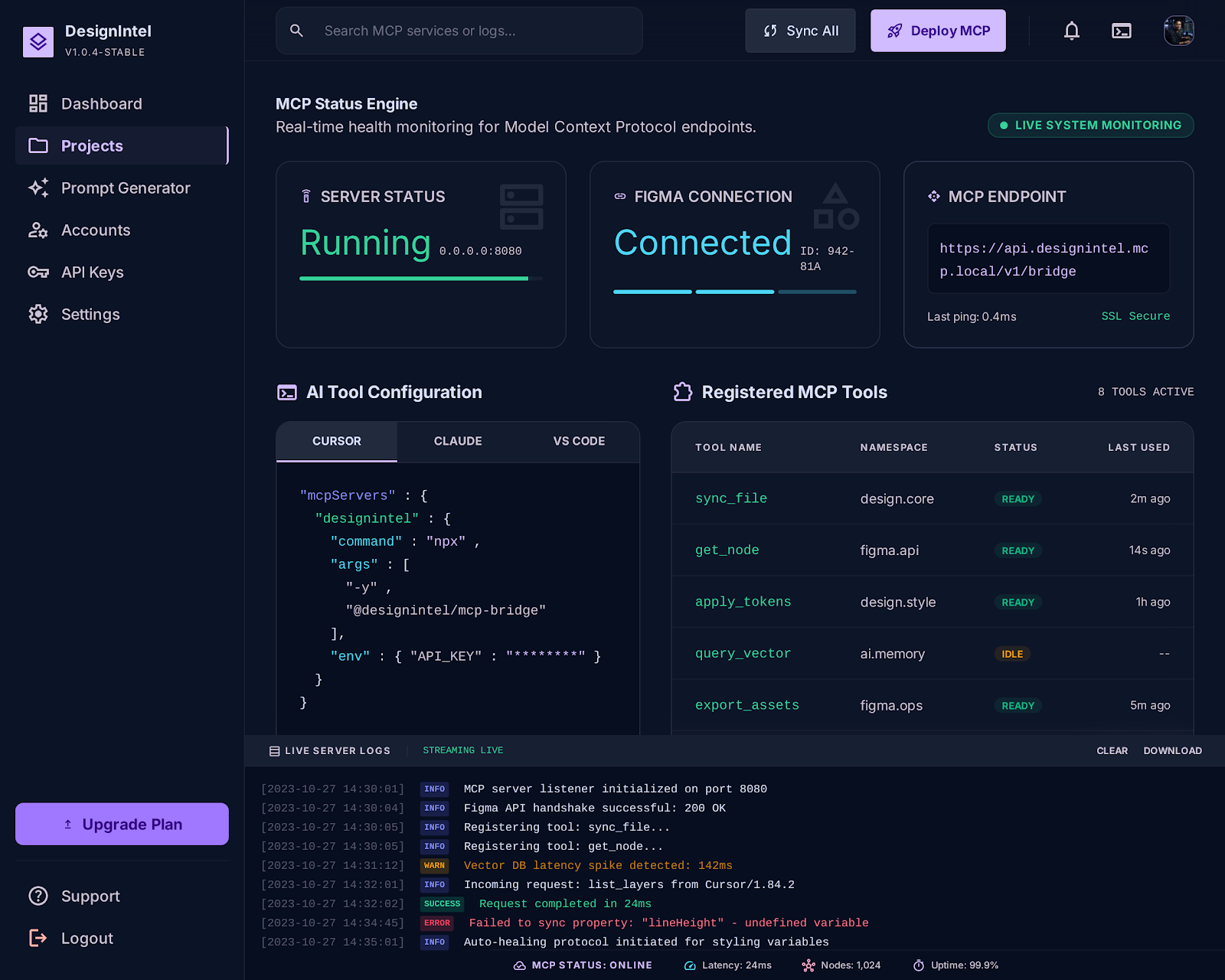
Paste one line into Cursor, Claude, or Copilot. That's the whole setup — no accounts to provision, no seats to buy for the team.
03
Build, unlimited
Your AI reads the real design as often as it needs — instant, private, and with zero request limits. What ships finally matches the mockup.
See it in action
One prompt, real design data back
This is what actually happens once you're connected — no screenshots, no guessing, no rate limits.
You, in Cursor / Claude / Copilot chat
Using the designintel MCP server, sync figma.com/design/aBcDeFg123/Marketing-Site, then build the "Pricing" section as a React + Tailwind component. Pull the exact colors, spacing, and typography from the synced file — don't guess or approximate.
→ sync_file("aBcDeFg123") ✓ already cached
→ search("Pricing section") ✓ found frame 42:108
→ get_node("42:108") ✓ 14 nodes, resolved styles
What comes back — real values, not guesses
export function Pricing() {
  return (
    <section className="bg-[#0B0B0F] px-6 py-24">
      <div className="grid gap-8 md:grid-cols-3">
        <div className="rounded-2xl border border-white/10 p-8">
          <p className="text-sm font-semibold text-[#818CF8]">Starter</p>
          <p className="mt-4 text-4xl font-bold">$0</p>
        </div>
      </div>
    </section>
  );
}
lock
No cloud middleman. No third-party storage. No seat you have to buy for everyone on the team. DesignIntel runs entirely on your machine — which is exactly why it can be unlimited.
computer Local-first all_inclusive Unlimited requests payments No per-seat cost
Under the hood
Everything an AI needs to read a design
A production-quality local cache with full-text search — for the developers who want the details.
all_inclusive
Unlimited requests
Everything is served from a local cache, so your AI can query designs as often as it wants — no rate limits, no throttling.
lock
Local-first & private
Your design data lives on your own disk. It never touches a third-party server.
group
Multiple Figma accounts
Add every Figma account you use — client work, your own, a team's — right from the dashboard. Still no cloud, still local-only.
search
Full-text search
Search across every cached node, component and style instantly — no API round-trip.
data_object
Token-efficient
Compact, simplified responses designed to minimize the tokens each AI tool call burns.
extension
Styles & variables
Pull shared styles and design variables so your AI writes code that matches your system.
The dashboard
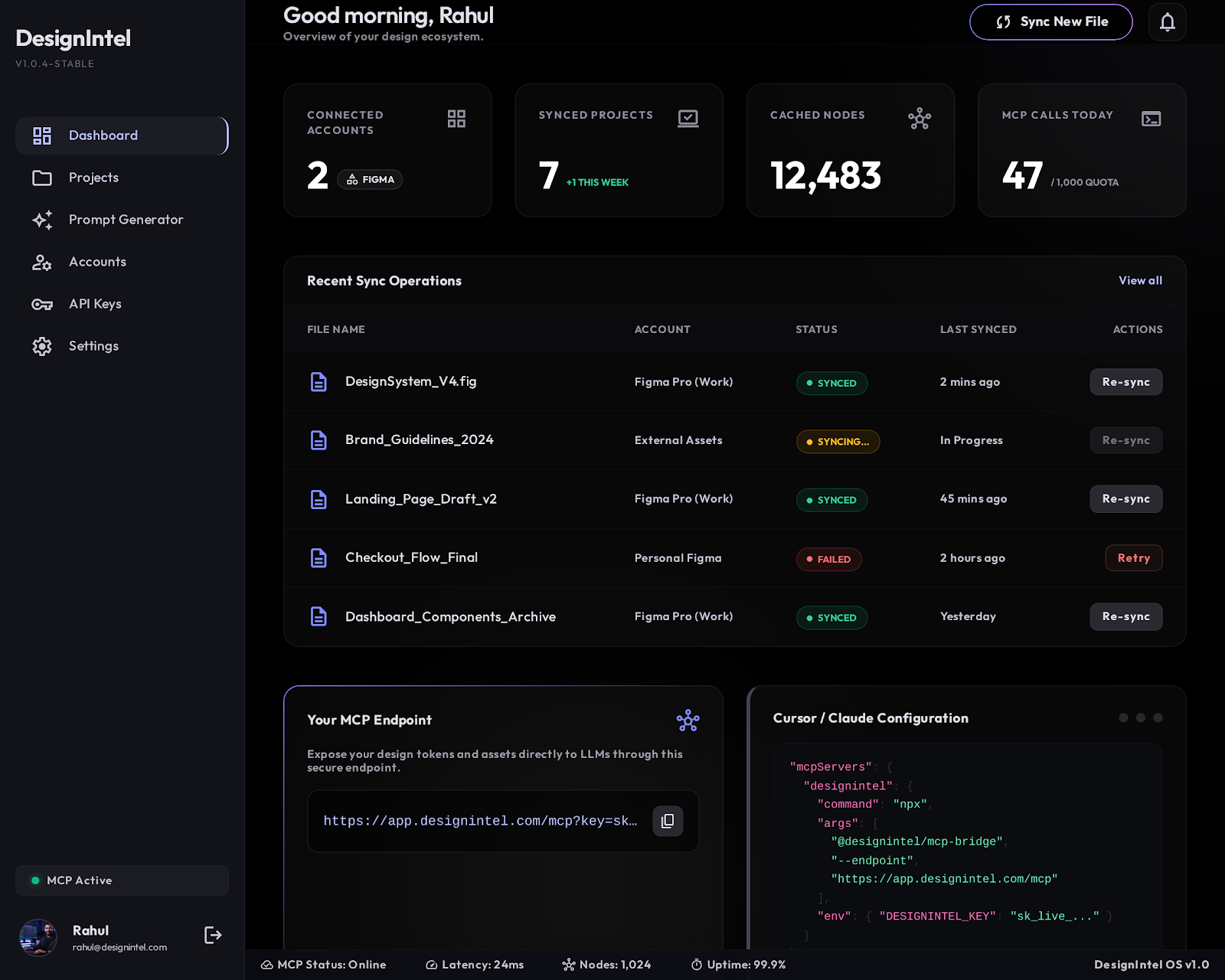
A clean control room for your cache
1. Install it
$ npm install -g designintel
Needs Node.js 20+. Just want to try it without installing anything? npx designintel works too — same thing, one-off. Works on macOS, Windows and Linux.
2. Run it
$ designintel
No token needed yet — open the dashboard, add a Figma personal access token right there, and you're set. Add more than one if you work across multiple teams or clients.
3. Add the endpoint to your AI tool's config
{
  "mcpServers": {
    "designintel": {
      "url": "http://localhost:8787/mcp"
    }
  }
}
The dashboard at http://localhost:8787 shows this same config, plus a paste-a-link sync flow and account management if you'd rather not touch a terminal again after this.
FAQ
Questions, answered
What is DesignIntel? add
DesignIntel is a local MCP server that syncs your Figma files to your own machine and serves them to AI coding tools like Cursor, Claude, and Copilot — so your AI builds from your real design (components, spacing, colors and variables) instead of guessing from a screenshot. One command to install, no account required.
Which AI tools does it work with? add
Any AI coding tool that speaks MCP — including Cursor, Claude, GitHub Copilot, VS Code, Windsurf, Zed and Cline. You add one line to your tool's config and you're done.
Is DesignIntel free? add
Yes — it's free. Install it with npx and run it with your own Figma token; there's nothing to sign up for.
Do I need to create an account? add
No. There's no login and no account. DesignIntel reads a Figma personal access token from an environment variable and runs entirely on your machine.
Is my design data private? add
Completely. DesignIntel runs entirely on your machine. Your Figma files are stored on your own disk and are never uploaded to a third-party server.
Do I need a paid seat for every developer? add
No. DesignIntel doesn't charge per seat and doesn't cap how many requests your AI can make — everything is served from a local copy, so it stays unlimited and instant for your whole team.
Does DesignIntel need to keep running? add
Yes — the dashboard and MCP endpoint only respond while it's running, so install and run it once first before opening the dashboard. Turn on auto-start from the dashboard's Settings page (or run designintel enable-autostart) and it launches automatically every time you log in, so you never have to remember to start it again.
Local-first, private by design, and free — no account required.