MCP REST Bridge
TypeScript MCP server that lets Claude work with a store REST API (inventory, orders, sales). Writes are guarded by dry-run, runs over stdio or Streamable HTTP, includes a demo API and Vitest tests.
Documentation
mcp-rest-bridge
An MCP server that lets Claude (or any MCP client) work with a store through its REST API: "what's running low?", "where is order 1007?", "how did we do in the last 30 days?", "we just got 20 drills, add them".
It comes with a small sample store API (products, customers, orders in SQLite) so the whole thing runs locally in a minute. Every name and number in that data is made up.
This is a personal portfolio project. What it shows is the pattern: a typed, tested MCP layer in front of an existing HTTP API, with safe writes and errors the model can act on.
Features
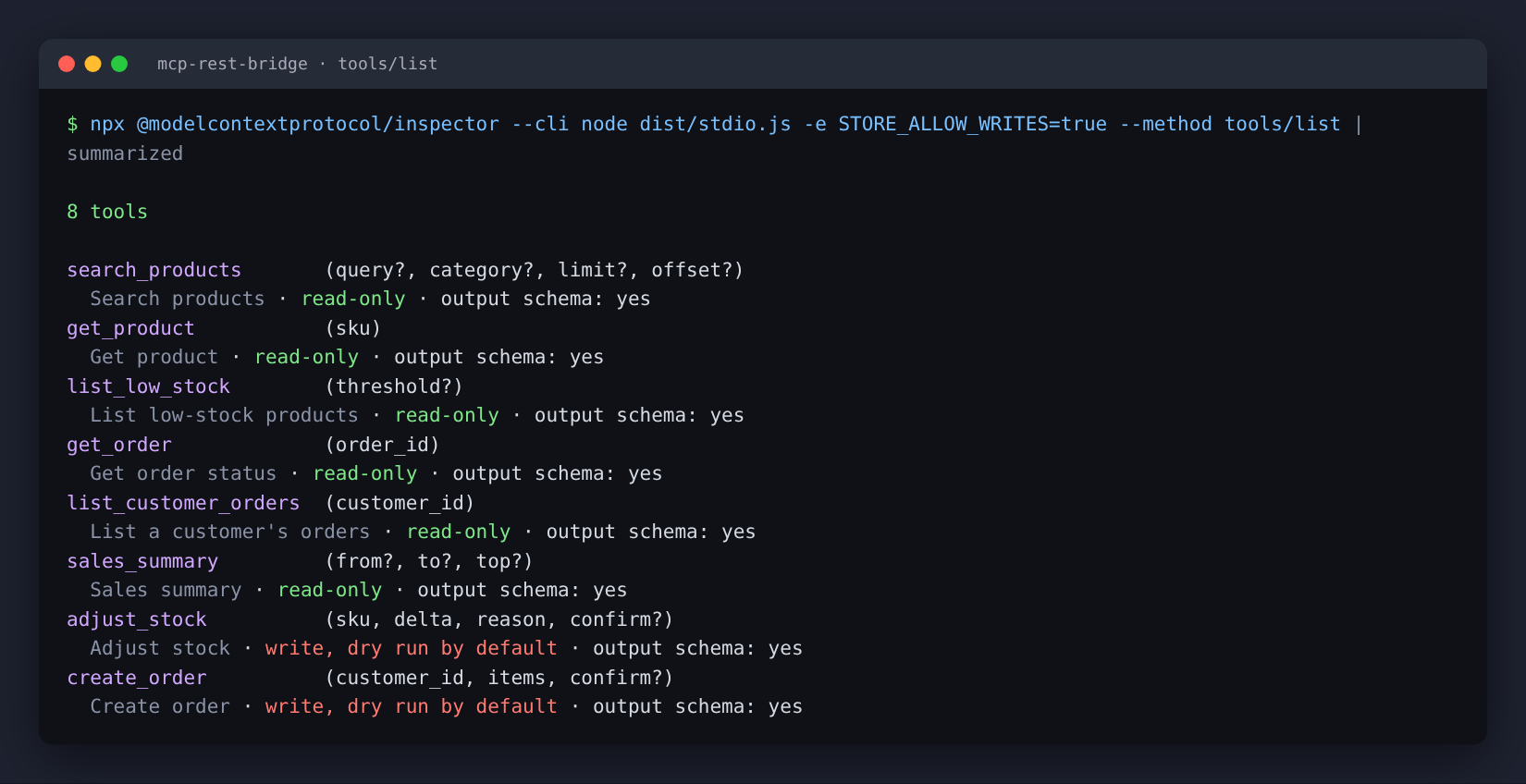
Read tools:
| Tool | What it answers |
|---|---|
search_products | Find products by name/SKU text and/or category, with paging |
get_product | One product's price, stock and reorder level |
list_low_stock | Products at or below their reorder level (or a threshold you give) |
get_order | Order status, customer, line items, total |
list_customer_orders | A customer's orders, newest first |
sales_summary | Revenue, order count, average order, status breakdown, top products for a date range |
Write tools, only registered when STORE_ALLOW_WRITES=true:
| Tool | What it does |
|---|---|
adjust_stock | Add or remove units with a reason; logged in a stock_movements table |
create_order | Pending order at list prices for an existing customer; reserves the stock |
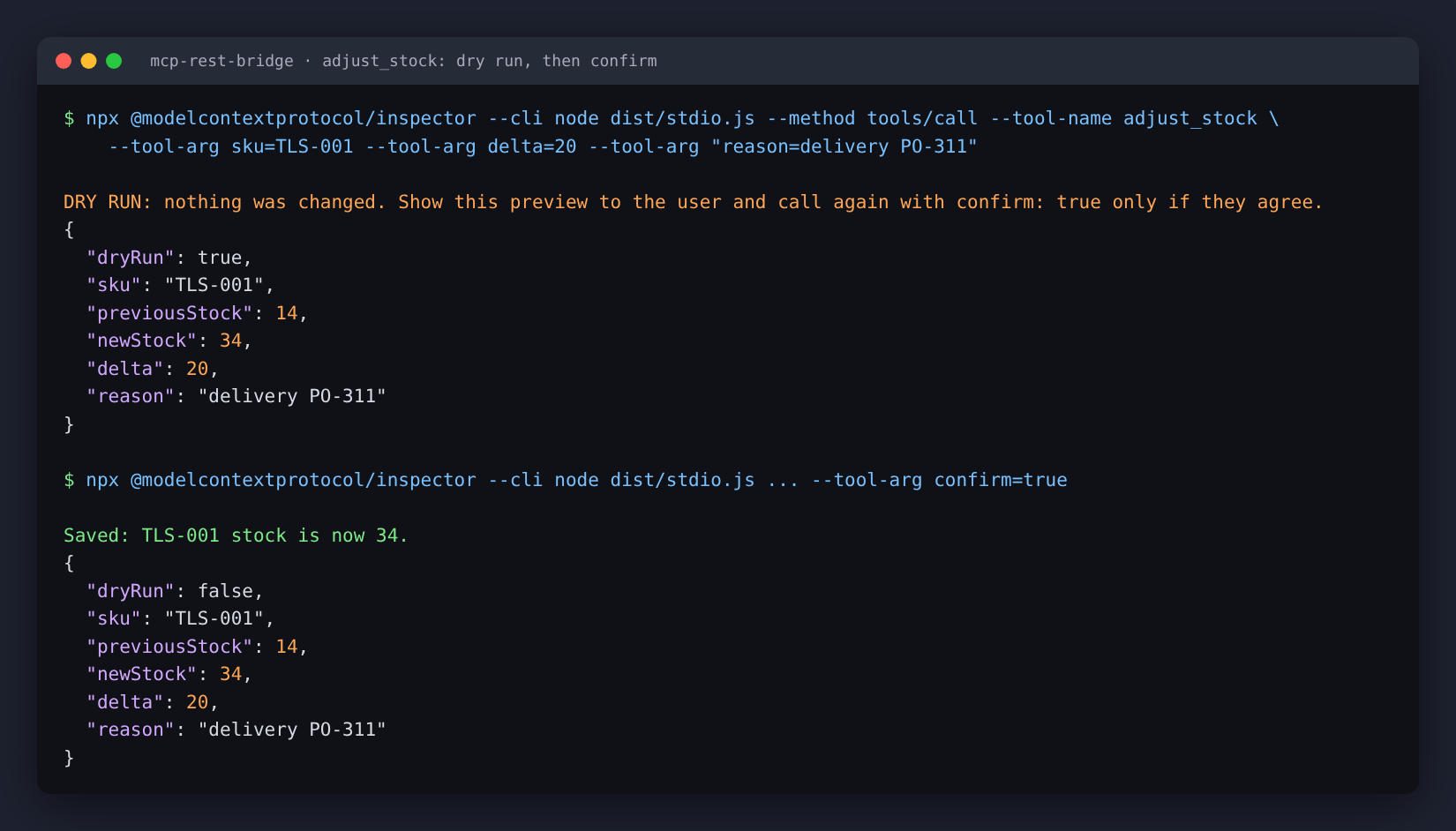
Both write tools are dry runs unless the call says confirm: true. The dry run goes through the real API
inside a transaction that is rolled back, so the preview applies the same rules as the real write (no negative
stock, enough stock for every line, customer exists). The tool tells the model to show the preview and ask the
user before confirming.
Also:
- Resource
store://categoriesand resource templatestore://products/{sku} - Prompt
restock_report: has the model build a purchase list fromlist_low_stock - Every tool has a zod input schema and an output schema and returns
structuredContentplus JSON text - Two transports: stdio (Claude Desktop, Claude Code) and Streamable HTTP (stateless, bearer token required, DNS-rebinding protection from the SDK when bound to localhost)
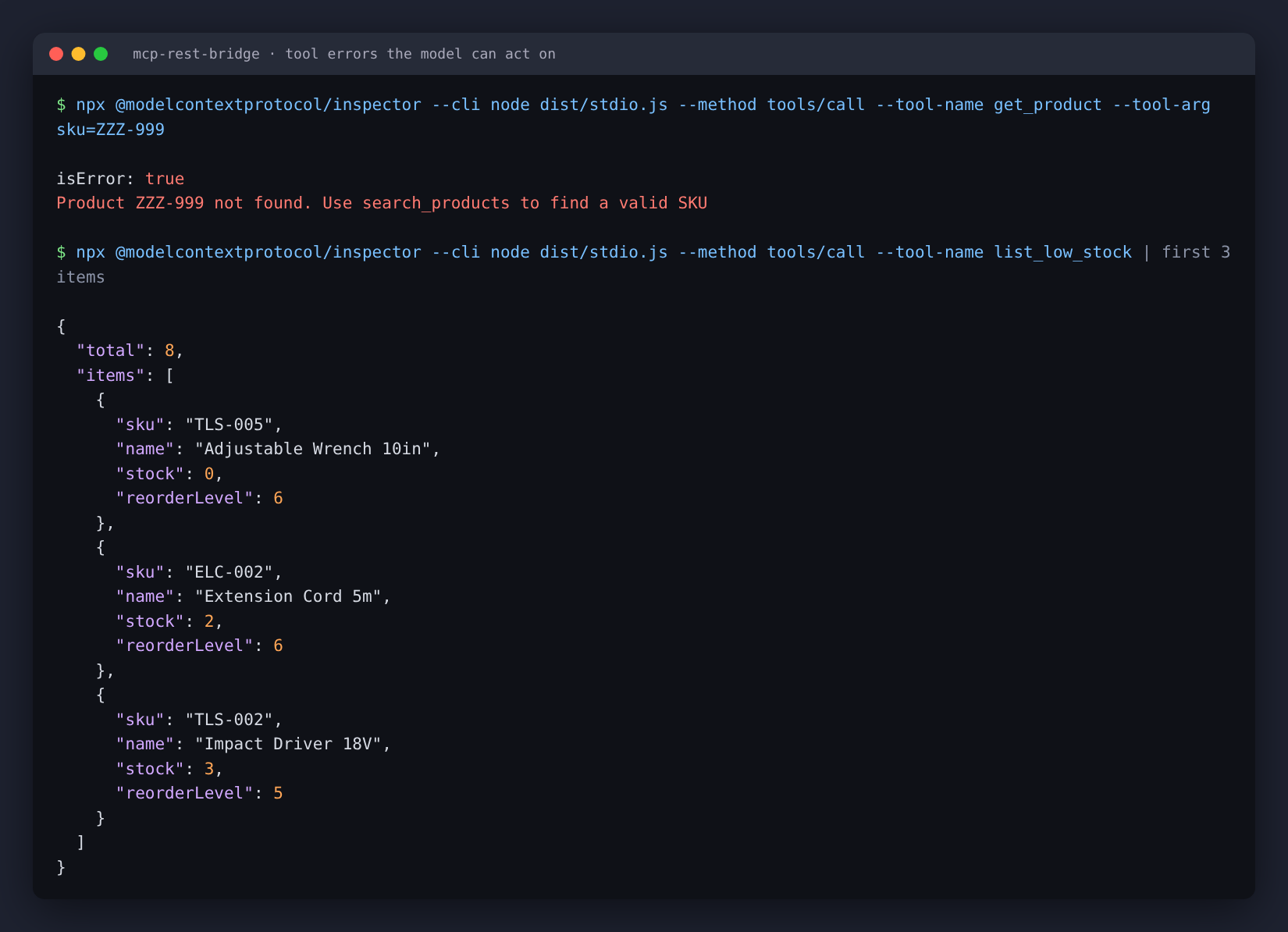
- Upstream failures become tool errors with a next step instead of stack traces:
| Upstream | What the model sees |
|---|---|
| 404 | Product ZZZ-999 not found. Use search_products to find a valid SKU |
| 409 | Not possible: Only 0 of TLS-005 in stock, 1 requested. |
| 401 | The store API rejected the credentials (401). The server operator should check STORE_API_KEY. |
| timeout | Store API did not answer within 5000 ms. Try again, or ask for a smaller result. |
| down | Could not reach the store API at http://... The API may be down. |
| 5xx / bad JSON | The store API failed (502). Try again later. (details go to stderr) |
Architecture
Claude Desktop / Claude Code / any MCP client
        │  stdio, or Streamable HTTP + bearer token (src/stdio.ts, src/http.ts)
        ▼
src/mcp/             server.ts (read tools, resources, prompt), write-tools.ts (dry run / confirm),
        │            tool-result.ts (ApiError -> tool error text), http-app.ts (HTTP endpoint)
        ▼
src/client/          StoreApiClient: fetch + timeout + bearer token, zod-validated responses,
        │            ApiError with a `kind` (not_found, conflict, timeout, ...)
        ▼  HTTP
src/api/             sample store REST API: Express 5 + node:sqlite, seeded sample data
src/domain.ts holds the zod schemas shared by the API, the client and the tools' output schemas, so a change
in the API's response shape shows up as a type error, and at runtime as a clear bad_response error.
Run it
Needs Node 22.13 or newer (uses the built-in node:sqlite).
npm install
npm run build

# terminal 1: the sample API (data resets on every start unless DATABASE_PATH is a file)
API_KEY=change-me-to-something-long npm run api

# terminal 2: try the MCP server with the MCP Inspector CLI
npx @modelcontextprotocol/inspector --cli node dist/stdio.js \
  -e STORE_API_URL=http://127.0.0.1:4000/api -e STORE_API_KEY=change-me-to-something-long \
  --method tools/call --tool-name list_low_stock
All settings are in .env.example.
Claude Desktop
Add this to claude_desktop_config.json (absolute path to your checkout), start the API, restart Claude:
{
  "mcpServers": {
    "store": {
      "command": "node",
      "args": ["/absolute/path/to/mcp-rest-bridge/dist/stdio.js"],
      "env": {
        "STORE_API_URL": "http://127.0.0.1:4000/api",
        "STORE_API_KEY": "change-me-to-something-long",
        "STORE_ALLOW_WRITES": "false"
      }
    }
  }
}
Claude Code:
claude mcp add store -e STORE_API_URL=http://127.0.0.1:4000/api -e STORE_API_KEY=change-me-to-something-long \
  -- node /absolute/path/to/mcp-rest-bridge/dist/stdio.js
Over HTTP
STORE_API_KEY=change-me-to-something-long MCP_HTTP_TOKEN=another-long-random-token npm run mcp:http
# POST http://127.0.0.1:3000/mcp with "Authorization: Bearer another-long-random-token"
npx @modelcontextprotocol/inspector --cli http://127.0.0.1:3000/mcp --transport http \
  --header "Authorization: Bearer another-long-random-token" --method tools/list
Binding to anything other than localhost turns off the SDK's DNS-rebinding check; put it behind HTTPS and a reverse proxy in that case.
Pointing it at your own API
The MCP layer only knows StoreApiClient, so connecting a real system means changing two files:
src/domain.ts: describe your API's responses with zod (or reuse your OpenAPI types).src/client/rest-client.ts: one method per endpoint.request()already handles the base URL, bearer token, timeout, JSON parsing, response validation and status-to-ApiErrormapping. If your API uses another auth scheme (API key header, OAuth client credentials), change the headers there.
Then adjust the tools in src/mcp/ to the questions your users ask. Things that matter in practice:
- Keep tool descriptions specific: what it returns, units (cents), and which tool to call first.
- Write a recovery hint for every 404 (
callApi(fn, "Use search_products to find a valid SKU")). - Keep writes behind
STORE_ALLOW_WRITESand the dry run, and give the server an API key that can only do what the tools need. - Delete
src/api/once you have a real API; tests can keep using it as a stand-in.
Tests
npm run check # typecheck + eslint + vitest + build
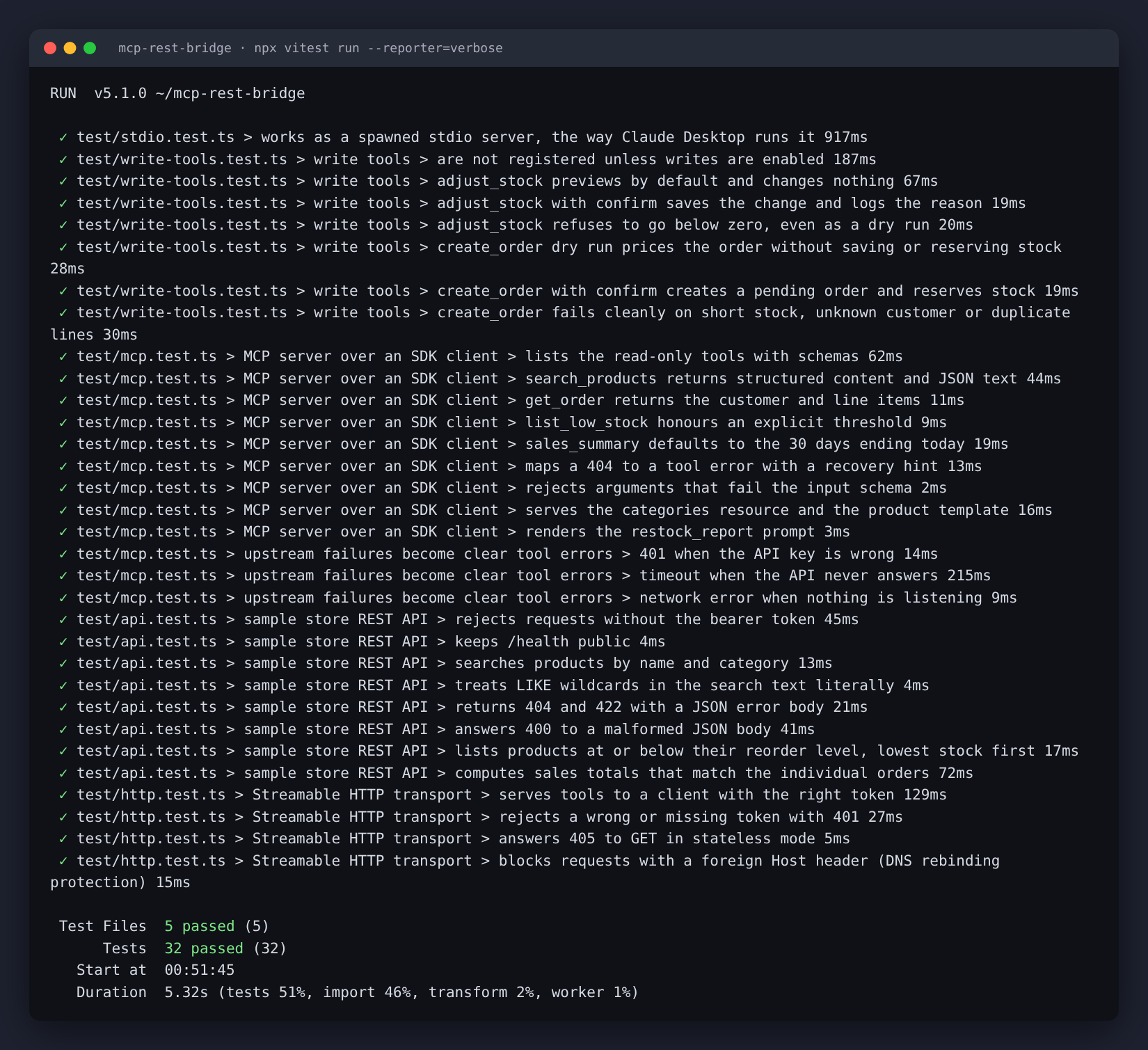
32 tests. They start the real sample API on a random port and talk to the MCP server through the SDK's own
Client: over the in-memory transport, as a spawned stdio process, and over Streamable HTTP. Covered: every
tool, the resources, the prompt, input validation, dry run vs confirm (stock and orders checked in the
database afterwards), 401 / 404 / 409 / timeout / connection refused, HTTP token check, 405 on GET and the
Host-header check.
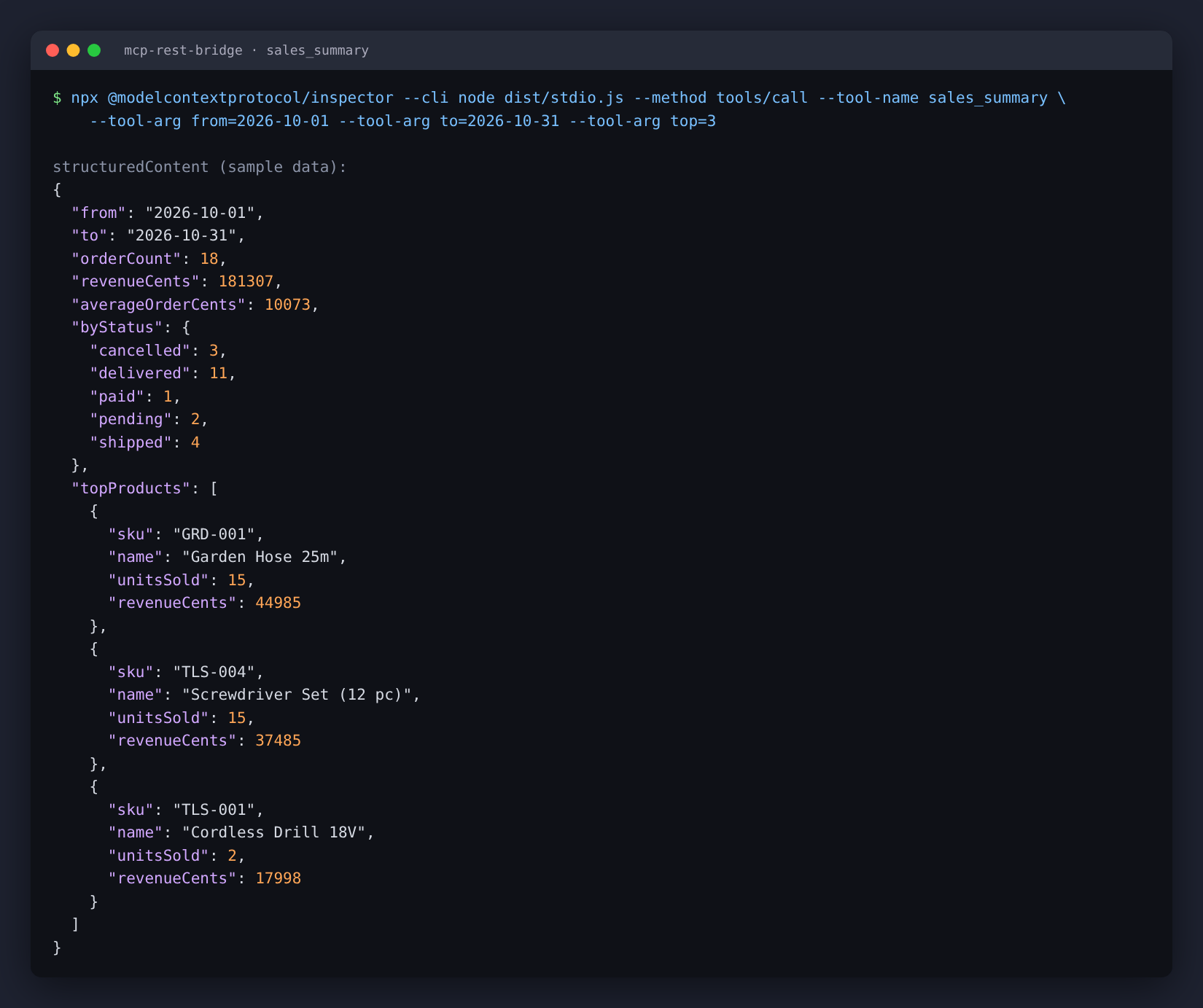
Screenshots of a sales_summary call and the test run: docs/sales.png,
docs/tests.png. They show the bundled sample data.
Stack
TypeScript (strict), Node 22, @modelcontextprotocol/sdk 1.32, zod 4, Express 5, node:sqlite, vitest 5,
ESLint with typescript-eslint.
Related
If you also use Claude Code for freelance work, I sell a paid workspace kit with skills for job triage, proposals, quotes and delivery handoff: Claude Code Freelance OS.
License
MIT