JazzHR Jobs Scraper & Monitor: Pay & Apply Links (Apify Actor)
Read open jobs from public JazzHR career boards: job titles, locations, full job descriptions, pay and apply links. Compare full snapshots to see which jobs are new, changed or removed since your last run. Export JSON or CSV. No login or API key. Price: $1.95 per 1,000 saved jobs or changes, plus $0.08 per run start. Runs as an Apify Actor, callable from MCP clients via the Apify MCP server (https://mcp.apify.com/?tools=cliqtomedia/jazzhr-jobs-monitor-scraper).
Hosted MCP Server
npx add-mcp 'https://mcp.apify.com/?tools=cliqtomedia/jazzhr-jobs-monitor-scraper'Installs into Claude Code, Codex, Cursor and more
Documentation
JazzHR Jobs Scraper & Monitor: Pay & Apply Links (cliqtomedia/jazzhr-jobs-monitor-scraper) Actor
Read public JazzHR job boards with job descriptions, pay and apply links. Compare full snapshots to find new, changed and removed jobs. Export JSON or CSV.
- URL: https://apify.com/cliqtomedia/jazzhr-jobs-monitor-scraper.md
- Developed by: Cliqto Media (community)
- Categories: Jobs, Automation
- Features: Limited permissions
- Stats: 2 total users, 1 monthly users, 100.0% runs succeeded, 0 bookmarks
- User rating: No ratings yet
Pricing
from $1.37 / 1,000 saved job or changes
This Actor is paid per event. You are not charged for the Apify platform usage, but only a fixed price for specific events. Since this Actor supports Apify Store discounts, the price gets lower the higher subscription plan you have.
Learn more: https://docs.apify.com/actors/running/actors-in-store.md#pay-per-event
What's an Apify Actor?
An Actor is a serverless cloud program that runs on the Apify platform. It has two run modes. In Batch mode, an Actor accepts a well-defined JSON input, performs an action which can take anything from a few seconds to a few hours, and optionally produces a well-defined JSON output, datasets with results, or files in key-value store. In Standby mode, an Actor provides a web server which can be used as a website, API, or an MCP server.
Apify vocabulary and the platform model are defined once, in the agent quickstart at https://apify.com/agents.md.
How to integrate an Actor?
If asked about integration, you help developers integrate Actors into their projects. You adapt to their stack and deliver integrations that are safe, well-documented, and production-ready.
Do not guess an integration path. Every one of them is in the agent quickstart at https://apify.com/agents.md: the Apify MCP server, Agent Skills with the Apify CLI, the JavaScript and Python clients, the REST API, and the account-free path for an agent with no human to sign in. It also carries the rule on stating cost before the first paid run.
For examples already wired to this Actor's own input schema, see the API section below.
Each client library has reference documentation the quickstart does not restate: JavaScript/TypeScript (npm install apify-client) and Python (pip install apify-client).
README
Read public JazzHR career pages and return current jobs with descriptions, pay details and apply links. Compare full snapshots to find new, changed and removed jobs.
Start with one company URL. The price is $0.08 per run + $0.00195 per saved job or change. Empty and unchanged runs still have the start fee. Check RUN_SUMMARY before you use a partial result.
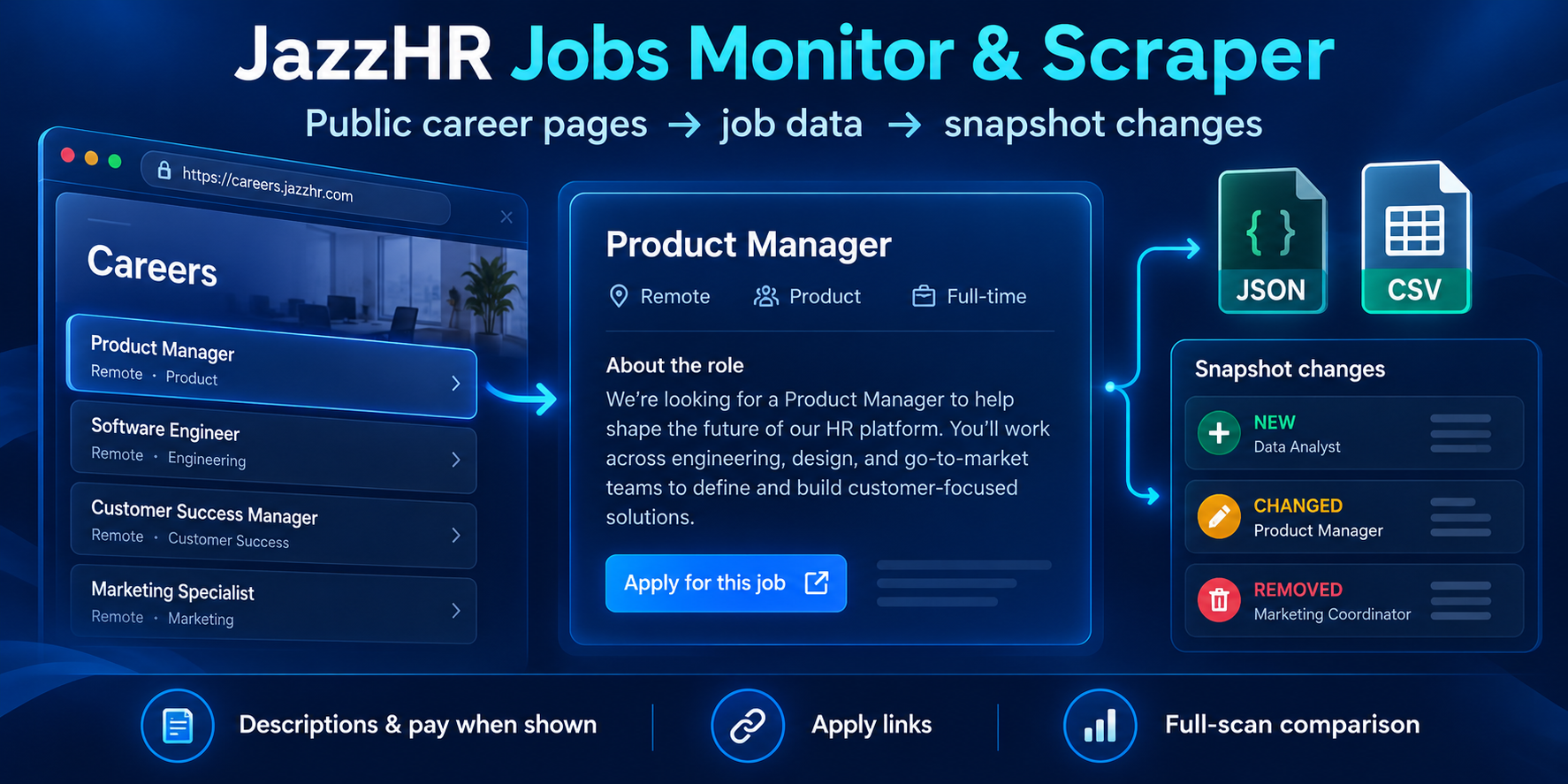
Table of contents
- What it does
- What data you get
- Quick start
- Input fields
- Input examples
- Output example
- Output fields
- Pricing and examples
- Use cases
- Scheduling and monitoring
- API, MCP and integrations
- Limits and partial results
- Troubleshooting
- FAQ
- Related Actors
- Support
What it does
Add public company pages on tenant.applytojob.com. The Actor reads the job list and each job page. It supports board URLs and single job URLs in both common JazzHR formats.
The Actor returns one row per saved job or change. It removes duplicate job IDs. It reads public pages without a JazzHR login, a paid data API or a browser. This is an independent product for public JazzHR pages.
What data you get
You get titles, company names, locations, job descriptions, employment type, pay details and apply URLs when the company provides them. Each row has a stable job_id and a source URL. A missing value is null; missing structured locations are an empty array.
There are three reports in the Key-value store:
| Record | What it contains |
|---|---|
OUTPUT | The saved rows in items, source status, counts and limits |
RUN_SUMMARY | The same report without job rows; includes request counts, bytes, run status and release IDs |
SNAPSHOT | The complete unfiltered jobs for the next monitor run; null when the scan or output is partial, missing or failed |
Quick start
- Open Input.
- Add
https://ecosystems.applytojob.com/apply/jobs/to JazzHR board or job URLs (startUrls). - Keep
maxResults: 20,includeDescription: trueandmode: "snapshot". - Use 256 MB, a 160-second timeout and a $0.30 maximum charge. Click Start.
- Open the Dataset and check
title,job_idandurl. OpenRUN_SUMMARYand checkstatus.
The checked example returned Energy Auditor and Installation Technician for ecofi. The company can change its jobs after this check.
Input fields
| Key | Type / required | Default / UI prefill | Allowed values | Effect and example | Recommendation |
|---|---|---|---|---|---|
startUrls | string array / yes | No runtime default. UI prefill: the ecofi board above | 1–5 URLs, each up to 2,048 characters. HTTPS on one *.applytojob.com tenant | Root, /apply, /apply/jobs/, /apply/jobs/details/CODE, or /apply/CODE/Title. Tracking query strings are removed. Duplicate URLs and job IDs are removed | Start with one board. Use job URLs for a narrow check |
maxResults | integer / no | 20 | 1–100 | Maximum saved jobs or changes. A smaller value can return a partial result | Use 100 when you need a full monitor snapshot |
query | string / no | "" | Up to 200 characters | All words must appear in the title, company, locations or included description text. Example: "energy remote" | Leave empty for a full job feed |
includeDescription | boolean / no | true | true, false | Return clean HTML and plain text. With false, both description fields are null and are not searched | Keep true when job text matters |
mode | string / no | "snapshot" | "snapshot", "monitor" | Snapshot returns current jobs. Monitor returns job changes | Use snapshot for exports and monitor for comparisons |
previousSnapshot | object / no | Omitted | A complete SNAPSHOT record: version: 1, matching scope, up to 100 complete jobs and 20 MB of JSON text | Compare the previous full jobs with the current full jobs. Without this field, monitor emits initial jobs | Copy the full record. Keep the same URLs and description setting |
Empty input and unknown input keys fail clearly. URLs with credentials, private addresses, other domains or custom ports are rejected.
The filter applies after the source scan. It does not reduce the work needed to check the board. The snapshot stores the full unfiltered inventory. Changing query does not change the comparison scope. Changing URLs or includeDescription needs a fresh baseline.
Input examples
Read one board
{
  "startUrls": ["https://ecosystems.applytojob.com/apply/jobs/"],
  "maxResults": 20,
  "includeDescription": true,
  "mode": "snapshot"
}
Expected: current jobs, their source links, and a full snapshot if the scan is complete.
Read one job
{
  "startUrls": ["https://bambooworks.applytojob.com/apply/PoyKNF6JP8/B2B-Lead-Generation-Specialist-Staffing-BPO"],
  "maxResults": 1
}
This checked job returned a Manila structured location, a remote signal and a monthly USD pay range. Check the source link for the current listing.
Start monitoring
{
  "startUrls": ["https://ecosystems.applytojob.com/apply/jobs/"],
  "maxResults": 100,
  "mode": "monitor"
}
The first complete run returns initial rows. For the next run, add the complete SNAPSHOT JSON as previousSnapshot. See the next sections for status and pricing.
Output example
This is a trimmed row from the first board example. Long description fields are omitted here. They are present in the real Dataset when enabled.
{
  "title": "Energy Auditor",
  "locations": ["Remote"],
  "url": "https://ecosystems.applytojob.com/apply/jobs/details/0GZ4T5FOYL",
  "date_posted": null,
  "input_url": "https://ecosystems.applytojob.com/apply/jobs/",
  "job_id": "ecosystems:0GZ4T5FOYL",
  "company": "ecofi",
  "location": "Remote",
  "employment_type": "Full Time",
  "salary": null,
  "remote": true,
  "change_type": "current",
  "status": "complete",
  "source": "jazzhr"
}
Output fields
| Field | Type / can be null | Example | Meaning |
|---|---|---|---|
title | string / no | Energy Auditor | Public job title |
description | string / yes | <p>Job text...</p> | Safe source HTML. Unsafe elements and all attributes are removed. Null when disabled or missing |
locations | string array / no; can be [] | ["Manila, Manila"] | Structured city, region and country when present; otherwise the visible location |
url | string / no | The job link above | Source application page, using the public structured URL when available |
date_posted | string / yes | 2026-09-28 | Date from the source. Null when no date is provided |
input_url | string / no | The board URL above | Canonical input that found the job |
job_id | string / no | ecosystems:0GZ4T5FOYL | Tenant plus public job code. Use this to update your database |
company | string / yes | ecofi | Source employer name |
location | string / yes | Remote | Location from the visible job summary; it may differ from structured locations |
employment_type | string / yes | FULL_TIME or Full Time | Source JSON-LD value, with visible text as a fallback |
description_text | string / yes | About Bamboo Works... | Plain text version of the description. Null when disabled or missing |
salary | object / yes | {"currency":"USD","unit":"MONTH","min":1600,"max":2000,"value":null} | Source pay values. currency and unit are string or null; min, max, value are number or null. No annual conversion or currency conversion |
remote | boolean / yes | true | True for the source remote signal. Null when unknown; location is not guessed |
change_type | string / no | current, initial, new, changed, removed | Snapshot row or monitor event. Removed rows keep the previous job data |
status | string / no | complete, partial | Job detail status. Missing optional dates or pay do not make a row partial. A missing or clipped enabled description does |
scraped_at | string / no | An ISO timestamp from the run | Time the detail was read, or the removal was detected |
source | string / no | jazzhr | Source platform |
Dataset rows and OUTPUT.items match. A row can be complete while the overall run is partial. Always check RUN_SUMMARY.status and each source status.
Pricing and examples
The applied price is $0.08 per run start + $0.00195 per saved job or change, on all plan tiers. The start fee is one event at the supported 256–512 MB memory. This Actor includes its in-run platform usage in the event price. Your own post-run exports and other storage operations follow normal Apify platform pricing.
The start fee applies to a valid empty result, a filter with no matches and a monitor run with no changes. Partial or failed runs can still have the start fee and charges for saved rows. Rows that are never saved are not charged as job events.
| Result | Runs | Event price |
|---|---|---|
| No saved rows | 1 | $0.08 |
| 1 saved row | 1 | $0.08195 |
| 10 saved rows | 1 | $0.09950 |
| 100 saved rows | 1 | $0.27500 |
| 1,000 saved rows across separate batches | At least 10 | At least $2.75000 |
The tested per-run saved result limit is 100. The 1,000-row line is a calculation for separate batches, not a tested single run. A large board may need smaller input scope. Repeating the same capped board does not paginate it and can repeat the same jobs.
The default $0.30 maximum charge covers the start and up to 100 saved rows. A lower charge cap can produce partial output. See Apify event pricing for platform billing behavior.
Use cases
| Task | Settings | Useful fields |
|---|---|---|
| Add public JazzHR jobs to a niche job board | mode: "snapshot" | job_id, title, url, description_text |
| Compare a company's hiring activity | mode: "monitor" with a previous full snapshot | job_id, change_type, company |
| Review roles by location or words | query, with descriptions enabled when needed | locations, location, title |
Scheduling and monitoring
- Run
mode: "monitor"withmaxResults: 100and your chosen URLs. - Check that
RUN_SUMMARY.statusiscompleteandSNAPSHOTis an object. - Store the entire
SNAPSHOTin your own workflow. - Pass that object as
previousSnapshotin the next run, with the same URLs and description setting. - Read
change_typeto send new, changed or removed jobs to your next step. - Replace your saved baseline only after another complete run with a usable snapshot.
An unchanged run returns no change rows and still costs $0.08. Removal means the job was absent from a complete current scan. It is not a promise that the employer closed the role.
You can create an Apify schedule or use your own automation. A fixed scheduled input does not update previousSnapshot by itself. Your workflow must pass the latest complete snapshot. Keep comparison runs in order and check partial results.
API, MCP and integrations
Call the Actor through the Apify API with the same input JSON:
curl -X POST 'https://api.apify.com/v2/acts/cliqtomedia~jazzhr-jobs-monitor-scraper/runs?build=latest&memory=256&timeout=160&maxTotalChargeUsd=0.30' \
  -H "Authorization: Bearer $APIFY_TOKEN" \
  -H 'Content-Type: application/json' \
  -d '{"startUrls":["https://ecosystems.applytojob.com/apply/jobs/"],"maxResults":20}'
Poll the returned run ID. Then read items from its defaultDatasetId and the three records from its defaultKeyValueStoreId. Export Dataset rows as JSON, CSV or Excel. Use job_id for updates and change_type for alerts.
An MCP client can call an accessible Actor through the Apify MCP service. Access to a private Actor needs your Apify account. Make, Zapier, n8n or your own code can pass the same JSON and consume the Dataset. Monitor workflows must also pass the prior snapshot. Never put an Apify token in a public page.
Limits and partial results
- Up to 5 input URLs and 100 saved jobs or changes per run.
- A complete 78-job board was checked. A 100-row multi-board run reached result and time limits and was partial. Five single-job inputs were also checked with a complete result.
- Source work is bounded by 120 scanned jobs, 150 request attempts, 100 seconds, 1 MiB per response and 20 MiB of response bodies in total. Storage and reporting can add time after the scan. The recommended timeout is 160 seconds. A 300-second Store test or larger finite positive timeout is supported without extending the 100-second source deadline.
- Use 256–512 MB. Larger memory, longer timeouts and restart-on-error are rejected before source work.
- Enabled descriptions are limited to 40,000 HTML characters and 30,000 plain-text characters. Clipping is marked partial.
- Complete snapshots can hold up to 100 jobs. A partial run returns
SNAPSHOT: null; keep your earlier good baseline. - Closed detail links can return
not_found. An unknown page layout, access block or network error is reported as an error, not a successful empty board. - Partial source scans do not infer removals. Output or charge caps may limit delivery after a full scan. Read both source and run status.
- Only supplied public JazzHR tenant pages are supported. There is no worldwide job search, automatic company discovery, custom-domain support or candidate data access.
Employers can remove or change pages. Some old themes have no posting date or pay values. This Actor does not fill missing values with guesses.
Troubleshooting
| What you see | Check | Action |
|---|---|---|
error with UNSUPPORTED_URL | Domain, HTTPS and path | Use a public tenant URL on applytojob.com |
not_found | The source job URL | Check whether the job was removed |
complete with no rows | query, mode and counts | Remove the filter, or check that there were no monitor changes |
partial | Source reasons, result and charge caps | Narrow the board scope, increase maxResults up to 100, or use a sufficient charge cap |
UNRECOGNIZED_BOARD or UNRECOGNIZED_JOB | Source page and run ID | Check the public page and report a changed layout or access block |
SNAPSHOT_SCOPE_MISMATCH | URLs and description setting | Start a new monitor baseline after changing scope |
TIME_LIMIT, BYTE_LIMIT, REQUEST_LIMIT | Work counters | Use fewer or smaller boards. Keep the earlier complete snapshot |
FAQ
Do I need a JazzHR account?
No. The Actor reads public career pages. It does not read recruiter accounts or applications.
Is every zero-row run free?
No. The $0.08 start fee applies even when no job or change is saved.
Can I get only new jobs?
Yes. Compare with the previous full snapshot and keep rows with change_type: "new". The first monitor run uses initial. The Actor also returns changed and safely detected removed jobs.
Why do the two location fields differ?
locations uses structured data when present. location uses the visible page summary. A job may show a city in structured data and Remote in visible text.
Can I replace another JazzHR scraper without changing my code?
The fields title, description, locations, url, date_posted and input_url keep the common meaning. Input keys, canonical input URLs, safe HTML formatting and extra status fields can differ. Check your mapping before switching.
Related Actors
- Greenhouse Jobs Monitor & Scraper — read companies that use Greenhouse.
- Lever Jobs Scraper — read companies that use Lever.
Support
Open an issue on this Actor's Apify page. Include the run ID, public source URL and the field or status you expected. Do not share API tokens, cookies or private account data.
Actor input Schema
startUrls (type: array):
Add 1–5 public HTTPS tenant.applytojob.com board or job URLs. Duplicate URLs and job IDs are removed.
maxResults (type: integer):
Save 1–100 jobs or change events. Default 20. A full scan can cost time even with no filter matches. A result limit can make the run partial.
query (type: string):
All words must appear in title, company, locations or included description text. Empty means all jobs. Maximum 200 characters.
includeDescription (type: boolean):
Return safe HTML and plain text descriptions. Default true. False reduces output size and removes description text from keyword matching.
mode (type: string):
Snapshot returns current jobs. Monitor compares with previousSnapshot. Without a previous snapshot, monitor returns initial jobs.
previousSnapshot (type: object):
In monitor mode, paste the complete SNAPSHOT record from the previous run. It must have the same URLs and description setting, version 1 and at most 100 complete jobs. Omit for the first run. Never use a partial run as the baseline.
Actor input object example
{
  "startUrls": [
    "https://ecosystems.applytojob.com/apply/jobs/"
  ],
  "maxResults": 20,
  "query": "",
  "includeDescription": true,
  "mode": "snapshot"
}
Actor output Schema
jobs (type: string):
No description
output (type: string):
No description
summary (type: string):
No description
snapshot (type: string):
No description
API
You can run this Actor programmatically using our API. Below are code examples in JavaScript, Python, and CLI, as well as the OpenAPI specification and MCP server setup.
JavaScript example
import { ApifyClient } from 'apify-client';

// Initialize the ApifyClient with your Apify API token
// Replace the '<YOUR_API_TOKEN>' with your token
const client = new ApifyClient({
    token: '<YOUR_API_TOKEN>',
});

// Prepare Actor input
const input = {
    "startUrls": [
        "https://ecosystems.applytojob.com/apply/jobs/"
    ],
    "maxResults": 20
};

// Run the Actor and wait for it to finish
const run = await client.actor("cliqtomedia/jazzhr-jobs-monitor-scraper").call(input);

// Fetch and print Actor results from the run's dataset (if any)
console.log('Results from dataset');
console.log(`💾 Check your data here: https://console.apify.com/storage/datasets/${run.defaultDatasetId}`);
const { items } = await client.dataset(run.defaultDatasetId).listItems();
items.forEach((item) => {
    console.dir(item);
});

// 📚 Want to learn more 📖? Go to → https://docs.apify.com/api/client/js/docs
Python example
from apify_client import ApifyClient

# Initialize the ApifyClient with your Apify API token
# Replace '<YOUR_API_TOKEN>' with your token.
client = ApifyClient("<YOUR_API_TOKEN>")

# Prepare the Actor input
run_input = {
    "startUrls": ["https://ecosystems.applytojob.com/apply/jobs/"],
    "maxResults": 20,
}

# Run the Actor and wait for it to finish
run = client.actor("cliqtomedia/jazzhr-jobs-monitor-scraper").call(run_input=run_input)

# Fetch and print Actor results from the run's dataset (if there are any)
print(f"💾 Check your data here: https://console.apify.com/storage/datasets/{run.default_dataset_id}")
for item in client.dataset(run.default_dataset_id).iterate_items():
    print(item)

# 📚 Want to learn more 📖? Go to → https://docs.apify.com/api/client/python/docs/quick-start
CLI example
echo '{
  "startUrls": [
    "https://ecosystems.applytojob.com/apply/jobs/"
  ],
  "maxResults": 20
}' |
apify call cliqtomedia/jazzhr-jobs-monitor-scraper --silent --output-dataset
MCP server setup
{
    "mcpServers": {
        "apify": {
            "type": "http",
            "url": "https://mcp.apify.com/?tools=fetch-actor-details,cliqtomedia/jazzhr-jobs-monitor-scraper"
        }
    }
}
The hosted server signs you in with OAuth on first connect, so no API token belongs in this config. Clients without OAuth support can send an Authorization: Bearer <APIFY_API_TOKEN> header instead, using a token from API & Integrations in Apify Console (https://console.apify.com/settings/integrations).
OpenAPI specification
Download the OpenAPI definition: https://api.apify.com/v2/actors/0OT7IvHpPPvFiZ3Tr/builds/upgES7OcuK8m42ZxY/openapi.json