DuckDuckGo & Bing Search Scraper - No Login, Real URLs (Apify Actor)
Get DuckDuckGo and Bing search results without login: position, title, real site URL (not a redirect), snippet and domain for each result. Set region, safe search and time range, and compare both engines for the same query. $3.90 per 1,000 results pages (about 10 results each), $0.001 per run start. Runs as an Apify Actor, callable from MCP clients via the Apify MCP server (https://mcp.apify.com/?tools=cliqtomedia/duckduckgo-bing-search).
Hosted MCP Server
npx add-mcp 'https://mcp.apify.com/?tools=cliqtomedia/duckduckgo-bing-search'Installs into Claude Code, Codex, Cursor and more
Documentation
DuckDuckGo & Bing Search Scraper - No Login, Real URLs (cliqtomedia/duckduckgo-bing-search) Actor
Scrape DuckDuckGo and Bing search results for your keywords: position, title, real website URL, snippet and domain. Pick region, safe search and time range, or compare both engines in one run. One row per result. No login.
- URL: https://apify.com/cliqtomedia/duckduckgo-bing-search.md
- Developed by: Cliqto Media (community)
- Categories: SEO tools, AI
- Features: Limited permissions
- Stats: 3 total users, 2 monthly users, 95.2% runs succeeded, 0 bookmarks
- User rating: No ratings yet
Pricing
from $3.30 / 1,000 results pages
This Actor is paid per event. You are not charged for the Apify platform usage, but only a fixed price for specific events. Since this Actor supports Apify Store discounts, the price gets lower the higher subscription plan you have.
Learn more: https://docs.apify.com/actors/running/actors-in-store.md#pay-per-event
What's an Apify Actor?
An Actor is a serverless cloud program that runs on the Apify platform. It has two run modes. In Batch mode, an Actor accepts a well-defined JSON input, performs an action which can take anything from a few seconds to a few hours, and optionally produces a well-defined JSON output, datasets with results, or files in key-value store. In Standby mode, an Actor provides a web server which can be used as a website, API, or an MCP server.
Apify vocabulary and the platform model are defined once, in the agent quickstart at https://apify.com/agents.md.
How to integrate an Actor?
If asked about integration, you help developers integrate Actors into their projects. You adapt to their stack and deliver integrations that are safe, well-documented, and production-ready.
Do not guess an integration path. Every one of them is in the agent quickstart at https://apify.com/agents.md: the Apify MCP server, Agent Skills with the Apify CLI, the JavaScript and Python clients, the REST API, and the account-free path for an agent with no human to sign in. It also carries the rule on stating cost before the first paid run.
For examples already wired to this Actor's own input schema, see the API section below.
Each client library has reference documentation the quickstart does not restate: JavaScript/TypeScript (npm install apify-client) and Python (pip install apify-client).
README
Add search queries, pick DuckDuckGo, Bing or both, and get the public search results as one row per result: position, title, real website URL, snippet and domain. No login, no API key; you pay per loaded results page (about 10 results), $0.0049 for the first page of one query with the start fee.
Use it for SEO and rank checks, research lists of websites, and as a web search tool for AI agents. The prefilled run (apify, 10 results, DuckDuckGo) finishes in a few seconds.
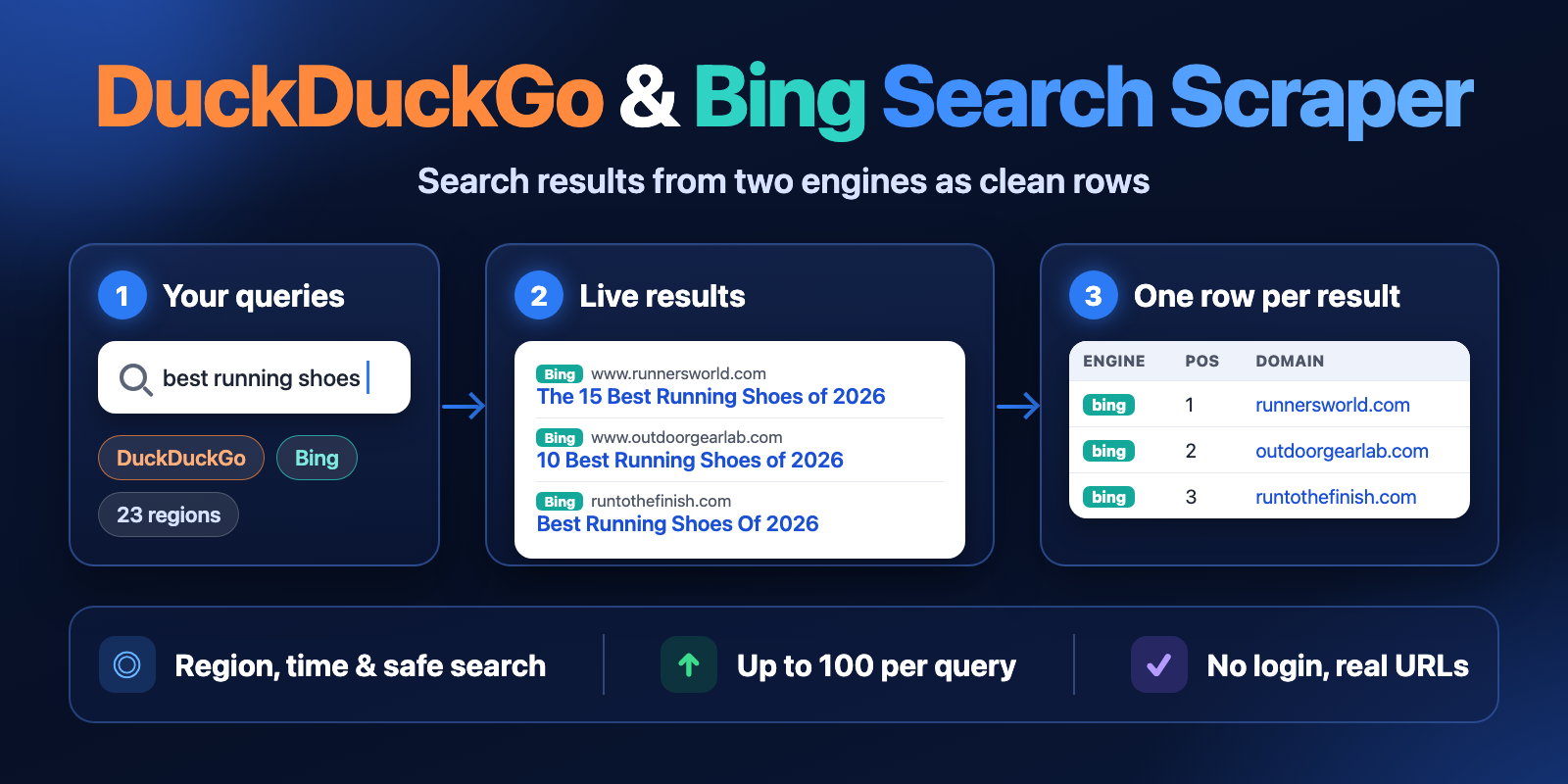
Table of contents
- What it does
- Quick start
- Use cases
- Input
- Output
- Pricing and limits
- API, export and integrations
- Troubleshooting
- FAQ
- Related Actors
- Support
What it does
The Actor opens the public results pages of DuckDuckGo (its simple "lite" page) and Bing for each query, in the region you choose, and reads more pages until it has maxResults results or the engine has no more. For each result it saves:
- position in the engine's result list (continues across pages);
- title, snippet (
description) and the real website URL (Bing's and DuckDuckGo's redirect links are decoded); - displayed URL and domain;
- the engine, query, region and page it came from.
With engine: both every query is searched on both engines, so you can compare them in one Dataset.
Good fit
- Check where a site appears on DuckDuckGo and Bing for a keyword list.
- Collect the top 10–100 URLs for a topic for SEO, content or lead research.
- Give an AI agent a cheap web search with clean rows.
- Compare DuckDuckGo and Bing results for the same queries.
Not a fit / limits
- Only organic web results. Ads, news, images, videos, maps, "People also ask" and AI answers are not returned.
- Results are not personalised and not tied to a city.
- Bing with the
site:operator returns only its first page (about 10 results). - The engines sometimes block automated traffic. The Actor changes IP addresses and retries, but it never solves CAPTCHAs (see Troubleshooting).
Quick start
- Open the Input tab.
- In Search queries (
queries), keep the prefilledapifyor add your own queries, one per line. - Keep Search engine
DuckDuckGo(default), or chooseBingorBoth. - Keep Region
United States (English)or choose another one. - Keep Results per query (
maxResults) at10(prefill), or set up to100. - Click Start.
- Open the Output tab and check
engine,position,titleandurl.
Expected result: 10 rows for apify on DuckDuckGo in about 5 seconds.
Use cases
| Buyer job | Input path | Output entity | Key fields | Next integration |
|---|---|---|---|---|
| Rank check on two engines | queries, engine: both, region | result row | engine, query, position, domain | Schedule + Google Sheets or API |
| Topic research | queries, maxResults: 50 | result row | title, url, description | Export CSV / JSON |
| Web search for AI agents | queries, maxResults: 5 | result row | title, url, description | MCP or API |
| Fresh pages only | queries, timeRange: week | result row | url, description | Webhook or Slack |
Input
Input fields
| Field | Plain name | Type | Required | Default / prefill | Allowed values | Effect | Example |
|---|---|---|---|---|---|---|---|
queries | Search queries | array of text | yes | prefill ["apify"] | 1–500 queries, up to 256 characters each | One search per query and engine. Operators like site:example.com and "exact phrase" are sent as typed. Duplicates and extra spaces are removed. | ["best running shoes", "python asyncio tutorial"] |
engine | Search engine | text | no | default duckduckgo | duckduckgo, bing, both | Which engine(s) to search. both searches every query on each engine. | "both" |
region | Region | text | no | default us-en | us-en, uk-en, ca-en, au-en, in-en, ie-en, de-de, at-de, ch-de, fr-fr, be-fr, es-es, mx-es, ar-es, it-it, nl-nl, br-pt, pt-pt, pl-pl, se-sv, jp-jp, kr-kr, tr-tr, wt-wt (no region) | Country and language of the results. wt-wt is DuckDuckGo-only; Bing then searches as the United States. | "de-de" |
maxResults | Results per query | integer | no | default 10, prefill 10 | 1–100 | Maximum results per query and engine. The Actor opens more pages until it has this many or the engine has no more. | 50 |
safeSearch | Safe search | text | no | default moderate | moderate, strict, off | Adult content filter of the engine | "strict" |
timeRange | Time range | text | no | default any | any, day, week, month, year | Only pages the engine dates within this period | "month" |
proxyConfiguration | Proxy | object | no | empty (built-in route) | Apify proxy groups or your own proxy URLs | Leave empty: the Actor connects directly and switches to Apify residential proxy in the chosen country by itself when an engine blocks it. Set your own proxy to turn this off and use only yours. | {"useApifyProxy": true, "apifyProxyGroups": ["RESIDENTIAL"]} |
An empty queries list stops the run with a clear input error and no page charge.
Interacting settings
| When | Input A | Input B | Effective behavior | Cost effect |
|---|---|---|---|---|
| Two engines | engine: both | maxResults: 10 | Up to 10 results from each engine, so up to 20 rows per query | Pages of both engines are charged |
| Bing outside the US | engine: bing or both | region not us-en | Bing is searched through a residential IP in that country; slower | Same price per page |
| Engine has fewer results | maxResults: 100 | a rare query | The Actor stops at the last page the engine has | Only loaded pages with results are charged |
| No region | region: wt-wt | engine: bing | Bing searches as the United States | No change |
| Own proxy | proxyConfiguration | any | No automatic switch to residential proxy | Same price per page; your own proxy is paid by you |
Input examples
Compare both engines in Germany, top 20
{
  "queries": ["fahrrad kaufen", "laufschuhe herren"],
  "engine": "both",
  "region": "de-de",
  "maxResults": 20
}
Expected behavior: 2 queries × 2 engines, up to 20 results each.
Expected output: about 80 rows with engine, position, title, url.
Cost note: about 8 pages + 1 start ≈ $0.032 on the Free plan.
Fresh results from the last week
{
  "queries": ["apify actor release"],
  "engine": "duckduckgo",
  "timeRange": "week",
  "maxResults": 10
}
Output
One Dataset row per result. A query without results on an engine gets one not_found row; a search that could not be loaded gets one free error row. The Results view shows the main columns.
Output fields
| Field | Meaning | Type | Can be empty? | Example / enum |
|---|---|---|---|---|
status | Row status | text | no | complete, not_found, error |
engine | Search engine of this row | text | no | duckduckgo, bing |
query | Your search query | text | no | "apify" |
position | Place in the engine's results for this query, from 1, across pages | number | null on not_found/error rows | 1 |
title | Result title | text | null on status rows | "Apify: Marketplace of ready-to-run tools for AI" |
url | Real website URL | text | null on status rows | "https://apify.com/" |
displayedUrl | Address as the engine shows it under the title | text | yes | "apify.com" |
domain | Host of the URL without www. | text | null on status rows | "apify.com" |
description | Snippet text | text | yes | |
page | Engine result page the row came from (1 = first) | number | null on error rows | 1 |
region | Region code of the search | text | no | "us-en" |
searchUrl | Search page address. For DuckDuckGo pages after the first, the first page address | text | no | |
errorCode | Machine-readable reason on error rows | text | null except error rows | SOURCE_BLOCKED |
statusReason | Plain-language reason on not_found and error rows | text | null on result rows | "Bing returned no results for this query." |
fetchedAt | When the page was loaded (ISO 8601, UTC) | text | no | "2026-10-15T05:44:38.881Z" |
null means the engine did not show this value. It is not zero and not an error.
Output entities and surfaces
| Situation | Where | Shape | What to do |
|---|---|---|---|
| Normal result | Dataset | one row per result, status: complete | Use engine, position, url |
| No results for a query | Dataset | one not_found row per engine | Check the spelling or operators |
| Only unrelated results | Dataset | one free error row, errorCode: UNRELATED_RESULTS | Check the spelling or try the other engine |
| Some searches failed | Dataset + RUN_SUMMARY | free error rows, run status PARTIAL | Run the failed queries again later |
| Run stopped by time or charge limit | RUN_SUMMARY | status CAPPED, rows so far are kept | Raise the limit or split the queries |
RUN_SUMMARY in the Key-value store has the run status (COMPLETE, PARTIAL, NO_RESULTS, CAPPED, ERROR), the stop reason, totals (queries, pages, rows, not found, errors, charged pages), the same totals per engine and, for each query and engine, its status (results, not_found, error, not_processed), pages and results.
The Apify run shows SUCCEEDED for COMPLETE, NO_RESULTS and CAPPED, and for PARTIAL when only single searches failed. It shows FAILED when the input is invalid or an engine kept refusing all requests; rows already saved stay in the Dataset.
Output example
First row of the prefill run (apify, DuckDuckGo, us-en):
{
  "status": "complete",
  "engine": "duckduckgo",
  "query": "apify",
  "position": 1,
  "title": "Apify: Marketplace of ready-to-run tools for AI",
  "url": "https://apify.com/",
  "displayedUrl": "apify.com",
  "domain": "apify.com",
  "description": "Apify is a marketplace of ready-to-run tools for AI. Get real-time web data, track competitors, generate leads, monitor social media, and integrate your apps and agents.",
  "page": 1,
  "region": "us-en",
  "searchUrl": "https://lite.duckduckgo.com/lite/?q=apify&kl=us-en",
  "errorCode": null,
  "statusReason": null,
  "fetchedAt": "2026-10-15T05:44:38.881Z"
}
A Bing row looks the same, with "engine": "bing" and the displayed URL as Bing prints it, for example "https://realpython.com › async-io-python".
Moving from a one-row-per-page format
Some search tools save one row per page with a nested list of results. Here each result is its own row:
| One-row-per-page field | This Actor |
|---|---|
searchQuery.term | query |
searchQuery.page | page |
organicResults[].title / url / description | one row each: title, url, description |
organicResults[].position | position |
organicResults[].displayedUrl | displayedUrl |
Pricing and limits
Pricing unit
You pay per loaded results page that gave results (serp-page) plus a small start fee per run. A DuckDuckGo or Bing page has about 10 results (DuckDuckGo: 10 on the first page, then up to about 15). Platform usage (proxy, compute) is included in the price.
| Event | Free | Bronze | Silver | Gold+ |
|---|---|---|---|---|
Run start (apify-actor-start) | $0.001 | $0.001 | $0.001 | $0.001 |
Results page (serp-page) | $0.0039 | $0.0037 | $0.0035 | $0.0033 |
- A search with no results costs one page: the engine was asked and answered.
errorrows and retried or blocked pages are free. This includes queries answered only with results unrelated to the query (UNRELATED_RESULTS).- If an engine answers nothing usable for 90 seconds (timeouts, errors or blocks), the Actor stops that engine, so a broken engine never makes a run expensive.
- If you set a maximum charge for the run, the Actor stops before it, keeps the rows and ends with status
CAPPED.
Cost examples (Free plan)
| Scenario | Input scope | Pages | Charge |
|---|---|---|---|
| Prefill | 1 query, DuckDuckGo, 10 results | 1 | $0.0049 |
| Small keyword list | 10 queries, one engine, 10 results | 10 | $0.040 |
| Both engines | 10 queries, both, 10 results | 20 | $0.079 |
| Top 100 | 1 query, one engine, 100 results | about 8–9 | about $0.032–0.036 |
| Query without results | 1 query, one engine | 1 | $0.0049 |
Limits
- Up to 500 queries and 100 results per query and engine in one run.
- 40 queries × 100 results on both engines (8,000 rows) took about 23 minutes in tests. After 3,600 seconds the run stops with status
CAPPEDand keeps all rows; split bigger lists across runs. - The engine decides how many results a query has; some queries end before
maxResults. - Bing outside the United States is slower, because it goes through a residential IP in that country.
API, export and integrations
- API: start the Actor with the same JSON input and read the Dataset items. See the API tab for ready code.
- Export: download the Dataset as JSON, CSV, Excel or HTML from the Output tab.
- Scheduling: create a Schedule with your keyword list to check rankings every day or week.
- Integrations: send results to Google Sheets, Slack, Zapier or Make with Apify integrations.
Use with AI agents (MCP)
- MCP server with only this Actor:
https://mcp.apify.com?tools=cliqtomedia/duckduckgo-bing-search - Smallest input:
{ "queries": ["apify"], "maxResults": 5 }
- Key output fields:
engine,position,title,url,description. - One page takes a few seconds and costs $0.0049 with the start fee. Keep
maxResultsat 10 or less for quick answers.
Troubleshooting
Some searches have error rows with SOURCE_BLOCKED
Symptom: the run is PARTIAL, some queries have one error row.
Likely reason: the engine showed a block or CAPTCHA page to all tried IP addresses.
Check: statusReason and RUN_SUMMARY.
Action: run only the failed queries again later. Error rows are not charged.
Fewer results than maxResults
Symptom: a query has 23 results, you asked for 50.
Likely reason: the engine has no more pages for this query, or Bing with site: returns only page 1. A warning in RUN_SUMMARY says when Bing repeated earlier results and the Actor stopped.
Action: nothing to fix; only loaded pages with results are charged.
A not_found row for a normal query
Likely reason: the engine returned no results. Check the spelling, remove operators, or try the other engine.
error rows with UNRELATED_RESULTS
Symptom: a free error row says the engine answered only with results unrelated to the query.
Likely reason: a nonsense or very rare query, or Bing showed an unrelated page to every tried IP address. When most queries of an engine end like this, the Actor stops that engine to keep the run cheap.
Action: check the spelling, or run the query again later or on the other engine. These rows are not charged.
Results look different from my browser
Likely reason: your browser shows personalised results for your location and account. The Actor gets anonymous results for the chosen region.
FAQ
Do I need a DuckDuckGo or Bing account or API key?
No. The Actor reads public results pages without login or cookies of any account.
Why are the URLs real website addresses?
Both engines wrap results in redirect links. The Actor decodes them, so url is the page itself and domain is ready for grouping.
Is the order the same as on duckduckgo.com or bing.com?
position follows the order on the results pages for the chosen region. DuckDuckGo uses its simple "lite" page, which can differ a little from the full page.
How do I search only one site?
Add the operator to the query, for example site:apify.com scraper. On Bing you get the first page only.
Related Actors
- Google Autocomplete Scraper — get keyword ideas to use as
queries. - Website Metadata & Open Graph Scraper — read titles and descriptions of the result URLs.
- Domain WHOIS & DNS Lookup — check the domains you found.
- Website Screenshot & PDF — save result pages as images or PDF.
Support
For bugs, questions or feature requests, open the Issues tab of this Actor. Add the run ID, your input (queries can be shortened) and the statusReason text. Never send tokens, cookies or passwords.
Changelog
This Actor's version history is a separate document: https://apify.com/cliqtomedia/duckduckgo-bing-search/changelog.md
Actor input Schema
queries (type: array):
What to search, one query per line, e.g. "best running shoes". Operators such as site:example.com or "exact phrase" are passed as typed. Up to 500 queries, each up to 256 characters; duplicates are removed.
engine (type: string):
DuckDuckGo, Bing, or both (every query is searched on each engine; rows carry the engine name). Default: DuckDuckGo.
region (type: string):
Country and language of the results. Bing outside the United States is searched through an Apify residential IP in that country (slower). "No region" is DuckDuckGo-only; Bing then searches as United States.
maxResults (type: integer):
Maximum results per query and engine (1–100). The Actor opens further result pages until it has this many or the engine has no more. You pay per loaded results page that gave rows (usually about 10 results); a search with no results is one charged page.
safeSearch (type: string):
Adult content filter of the engine. Default: moderate.
timeRange (type: string):
Only pages the engine dates within this period. Default: any time.
proxyConfiguration (type: object):
Leave empty: the Actor connects directly and switches to Apify residential proxy in the chosen country by itself when an engine blocks it. Set your own proxy group or URLs to turn this off and use only yours. The Actor never solves CAPTCHAs.
Actor input object example
{
  "queries": [
    "apify"
  ],
  "engine": "duckduckgo",
  "region": "us-en",
  "maxResults": 10,
  "safeSearch": "moderate",
  "timeRange": "any"
}
Actor output Schema
results (type: string):
Search results as a table.
runSummary (type: string):
Status, per-engine counts, charged pages and request statistics.
API
You can run this Actor programmatically using our API. Below are code examples in JavaScript, Python, and CLI, as well as the OpenAPI specification and MCP server setup.
JavaScript example
import { ApifyClient } from 'apify-client';

// Initialize the ApifyClient with your Apify API token
// Replace the '<YOUR_API_TOKEN>' with your token
const client = new ApifyClient({
    token: '<YOUR_API_TOKEN>',
});

// Prepare Actor input
const input = {
    "queries": [
        "apify"
    ],
    "maxResults": 10
};

// Run the Actor and wait for it to finish
const run = await client.actor("cliqtomedia/duckduckgo-bing-search").call(input);

// Fetch and print Actor results from the run's dataset (if any)
console.log('Results from dataset');
console.log(`💾 Check your data here: https://console.apify.com/storage/datasets/${run.defaultDatasetId}`);
const { items } = await client.dataset(run.defaultDatasetId).listItems();
items.forEach((item) => {
    console.dir(item);
});

// 📚 Want to learn more 📖? Go to → https://docs.apify.com/api/client/js/docs
Python example
from apify_client import ApifyClient

# Initialize the ApifyClient with your Apify API token
# Replace '<YOUR_API_TOKEN>' with your token.
client = ApifyClient("<YOUR_API_TOKEN>")

# Prepare the Actor input
run_input = {
    "queries": ["apify"],
    "maxResults": 10,
}

# Run the Actor and wait for it to finish
run = client.actor("cliqtomedia/duckduckgo-bing-search").call(run_input=run_input)

# Fetch and print Actor results from the run's dataset (if there are any)
print(f"💾 Check your data here: https://console.apify.com/storage/datasets/{run.default_dataset_id}")
for item in client.dataset(run.default_dataset_id).iterate_items():
    print(item)

# 📚 Want to learn more 📖? Go to → https://docs.apify.com/api/client/python/docs/quick-start
CLI example
echo '{
  "queries": [
    "apify"
  ],
  "maxResults": 10
}' |
apify call cliqtomedia/duckduckgo-bing-search --silent --output-dataset
MCP server setup
{
    "mcpServers": {
        "apify": {
            "type": "http",
            "url": "https://mcp.apify.com/?tools=fetch-actor-details,cliqtomedia/duckduckgo-bing-search"
        }
    }
}
The hosted server signs you in with OAuth on first connect, so no API token belongs in this config. Clients without OAuth support can send an Authorization: Bearer <APIFY_API_TOKEN> header instead, using a token from API & Integrations in Apify Console (https://console.apify.com/settings/integrations).
OpenAPI specification
Download the OpenAPI definition: https://api.apify.com/v2/actors/91Eb5fbCf6iPvEI0u/builds/fwndCK1RbIoQvUUux/openapi.json