Pronounce
Pronunciation dictionary for developer jargon - IPA, respelling and audio for 1,650+ sourced entries (kubectl, nginx, JSON).
Documentation
🔊 say-it · Pronounce
Stop saying "kub-cuttle". One Bash command pronounces 1,903 developer jargon names — most with a cited source.







🌐 pronounce.renlab.ai · 🇨🇳 中文 · 📖 Browse · 🎯 Quiz · 🎤 Voice search · 🔌 MCP server · ⚙️ GitHub Action
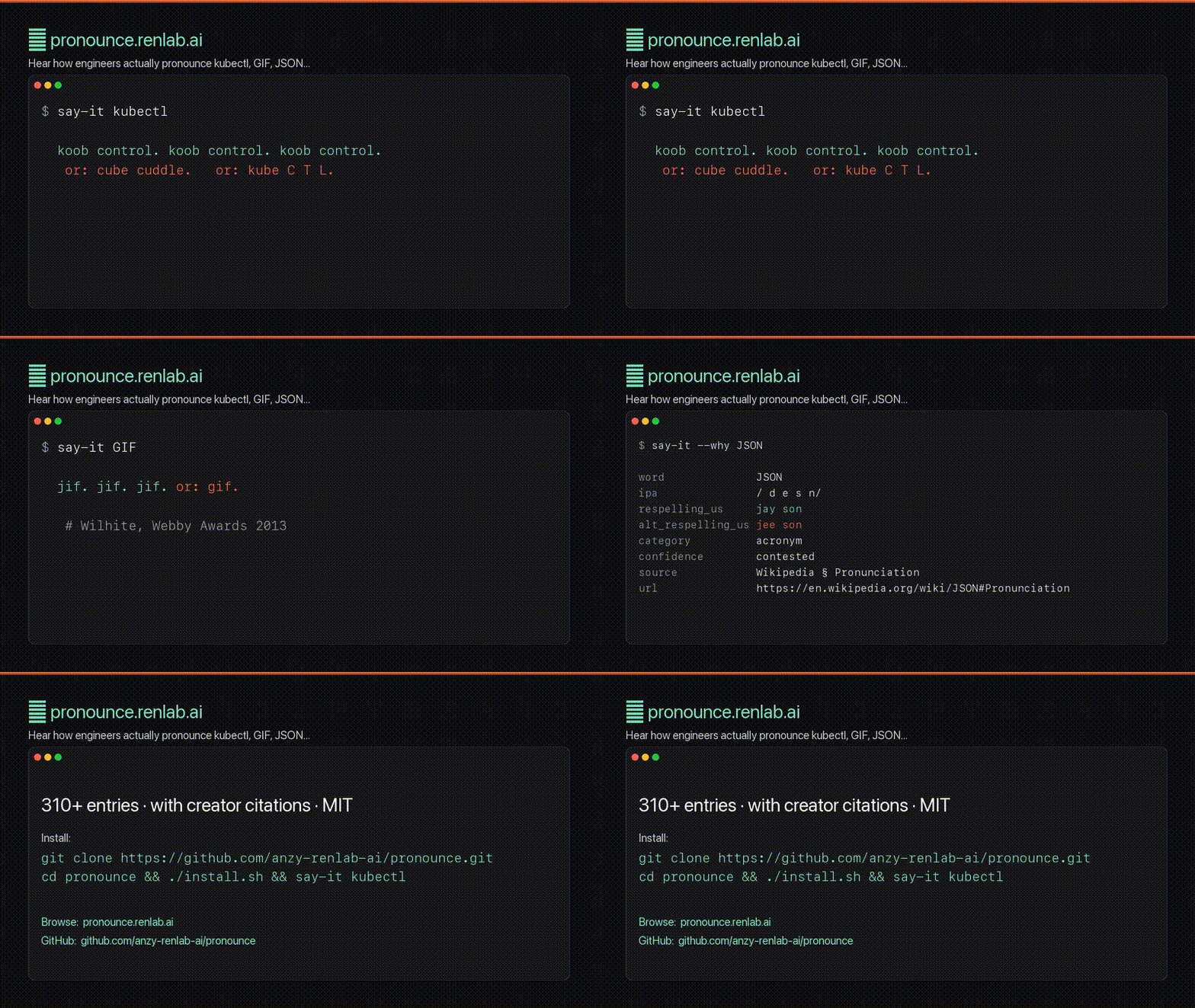
▶ Watch the 47-second promo (with voice) · 🎯 Try the quiz · 🎤 Voice search
🚀 Try it in 30 seconds
git clone https://github.com/anzy-renlab-ai/pronounce.git
cd pronounce && ./install.sh
say-it kubectl
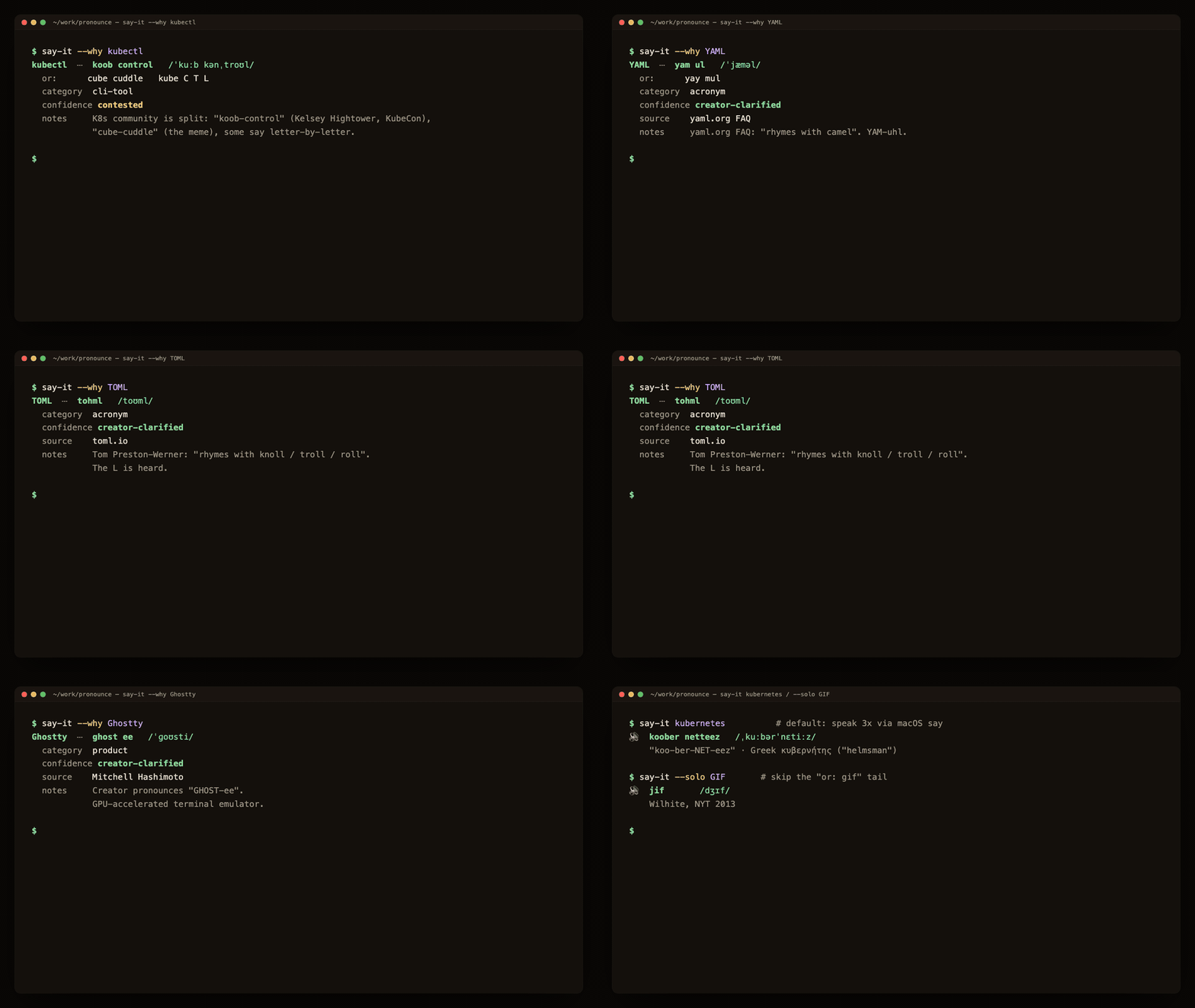
That's it. Now try say-it GIF, say-it nginx, say-it Pydantic, say-it --why JSON, or say-it quiz for a 10-question challenge. Linux users: install espeak-ng (sudo apt install espeak-ng) and the CLI just works. Windows: same CLI under WSL or git-bash + PowerShell. Or skip install and use the browser at pronounce.renlab.ai.
⭐ If
say-it kubectlsaves you one cringey standup moment — star the repo. It nudges more devs to contribute their favorite mispronounced project name.
🏆 The developer pronunciation scoreboard
1,903 entries — 1,283 carry a citable source — 108 settled by the creator themselves, 175 the community still argues about. The famous ones:
✅ Settled — the creator said so
| Word | It's… | …not | Settled by |
|---|---|---|---|
| GIF | "jif" | "ghif" (hard-G speech cue) | Steve Wilhite (creator), NYT 2013 |
| nginx | "engine X" | "n-jinx" | NGINX official |
| YAML | "yam-ul" | "yammel" | yaml.org |
| GNU | "guh-NEW" (hard g) | "noo" | GNU Project |
| LaTeX | "lay-tek" | "lay-teks" | Lamport / LaTeX project |
| TOML | rhymes with "knoll" | "tom-el" | Tom Preston-Werner (creator) |
| Tcl | "tickle" | "T-C-L" | John Ousterhout (creator) |
| awk | "auk" (like the bird) | "A-W-K" | Aho / Weinberger / Kernighan |
⚔️ Still contested — both readings are in active use
| Word | Camp A | Camp B |
|---|---|---|
| kubectl | "koob-control" | "cube-cuddle" |
| SQL | "sequel" | "S-Q-L" |
| JSON | "JAY-son" | "JEE-son" |
| GUI | "gooey" | "G-U-I" |
| JWT | "jot" (per RFC 7519) | "J-W-T" |
Every cell has IPA and audio; 1,283 also carry a citable source. Browse all 1,903 entries →
Disagree with one? That's the whole point — open a PR with your reading and a source. The argument is the dataset.
What you're actually getting
- 1,903 entries — 1,283 carry a citable source. Confidence-tagged (
creator-clarified/community-consensus/contested), each with a citable URL where one exists (we'd rather leave it blank than fabricate one). Wilhite said GIF is "jif" at the 2013 Webby Awards. Crockford says JSON is "JAY-son" (RailsConf 2009). RFC 7519 says JWT is "jot". The dictionary cites them. - Multi-reading audio. For words where the debate is real — GIF, SQL, GUI, char, regex — the CLI chains the alternates after the primary with a spoken "or:" so you hear the debate without staring at the terminal.
--soloskips the tail once you've internalized it. - One Bash CLI, no npm runtime. No sudo, no framework bootstrap, no surprises. It detects macOS
say, Linuxespeak-ng/espeak, or Windows PowerShellSystem.Speech. The repo also ships a Claude Code skill and an MCP server so your AI answers "how do you pronounce X?" with audio, not a phonetic guess. - A docs-native GitHub Action. Scan Markdown changed by a pull request and emit a sourced pronunciation glossary in the job summary — no API key, dependency install, or network request.
- Canonical website audio. The site plays each committed canonical MP3 first and uses Web Speech only as a fallback if playback fails.
$ say-it --why JSON
word              JSON
ipa               /ˈdʒeɪsən/
respelling_us     jay son
confidence        contested
source            Wikipedia § Pronunciation
url               https://en.wikipedia.org/wiki/JSON#Pronunciation
Why not just Google?
Because Google gives you 47 Reddit arguments and a YouTube clip you have to unmute. IPA gives you /ˈkuːb kənˌtroʊl/ — a reference, not a teacher.
You don't need a phonetic transcription. You need to hear the word. Twice. Maybe three times. Done.
say-it ships a community-maintained dictionary of how engineers actually say the names that trip everyone up — and feeds the intended respelling to your OS's text-to-speech engine, so kubectl comes out as koob-control, not whatever your computer guessed from the letters.
Famous moments
Some pronunciations aren't opinions — the creators settled them. The dictionary cites every one:
| Word | Reading | Source |
|---|---|---|
GIF | "jif" (creator says so) | Steve Wilhite, Webby Awards 2013 |
JSON | "jay-son" | Douglas Crockford, RailsConf 2009 |
GNU | "g-noo" (hard G, one syllable) | GNU Project official |
Linux | "LIN-ux" (short i, schwa) | Linus Torvalds himself |
LaTeX | "lay-tek" (or "lah-tek") | Leslie Lamport, official |
Django | "JANG-go" (silent D) | Django FAQ |
Vue | "view" (one syllable) | Evan You, Vue docs |
Vite | "veet" (French for quick) | Vite docs |
Knative | "KAY-native" (the K is voiced) | Knative docs |
etcd | "et-cee-dee" (et-cetera-distributed) | etcd FAQ |
Run say-it --why <word> to see the citation when an entry has a source_url; unsourced entries are left blank rather than given a fabricated URL.
Install
brew install anzy-renlab-ai/tap/say-it # Homebrew on macOS
Or the "Try it in 30 seconds" block above. ./install.sh drops:
- the CLI at
~/.local/bin/say-it, - the pronunciation dictionary at
~/.local/share/say-it/pronunciations.tsv, - if you use Claude Code, a
pronounce-wordskill at~/.claude/skills/pronounce-word/so any "how do you say X?" prompt to your AI gets answered with audio instead of IPA, - the same skill into
~/.agents/skills/(Codex CLI) and~/.kiro/skills/(Kiro) when those dirs exist — it's the cross-tool Agent Skills standard.
Make sure ~/.local/bin is on your $PATH. Linux also works — install espeak-ng (sudo apt install espeak-ng / brew install espeak-ng). Windows: WSL or git-bash + PowerShell. Or skip install entirely with the browser version at pronounce.renlab.ai.
Usage
say-it kubectl                    # primary × 3, then "or: <alt>" for each alternate
say-it --solo kubectl             # primary only — silence the "or:" tail
say-it --alt GIF                  # focus on the first alternate
say-it --alt 2 GUI                # focus on the Nth alternate (1-indexed)
say-it --all SQL                  # primary AND every alternate, each repeated
say-it --no-dict kubectl          # bypass the dictionary entirely
say-it --why JSON                 # show IPA, source URL, category, confidence
say-it list                       # every word in the dictionary
say-it search redis               # grep the dictionary (case-insensitive)

say-it -n 5 Pydantic              # 5 repetitions instead of 3
say-it -r 110 Knative             # slower (110 wpm; default is 130)
say-it -o /tmp/word.aiff Postgres # save to file instead of playing
say-it --list                     # all macOS voices
The default macOS voice is Samantha (General American); -v <voice> selects another macOS voice. Linux and Windows use their detected backend's English voice. The dictionary is GenAm-only, by design.
Claude Code integration
Install the cross-tool Agent Skill directly with GitHub CLI:
gh skill install anzy-renlab-ai/pronounce pronounce-word
You:    kubectl 怎么读?
Claude: 🔊 (plays "koob-control" three times)
        /ˈkuːb kənˌtroʊl/ — "KOOB-control". Kelsey Hightower says it
        this way (KubeCon talk). "Cube-cuddle" is an alternate —
        try `say-it --alt kubectl` to hear it.
Once installed, the pronounce-word skill auto-triggers on:
X 怎么读/X 怎么发音/读一下 Xhow do you pronounce X/pronounce X/how do you say X
Your AI replies with sound, not just a phonetic guess. Skill file: skills/pronounce-word/SKILL.md.
Not on Claude? Same skill drops into Codex CLI (codex plugin marketplace add anzy-renlab-ai/pronounce) and Kiro (~/.kiro/skills/), and the MCP server covers Claude Desktop, Cursor, Continue, Zed, Cline & friends — full matrix in integrations/.

GitHub Action — pronunciation guides for docs
Add a pronunciation glossary to every documentation pull request:
- uses: actions/checkout@v7.0.1
  with:
    fetch-depth: 0
- id: pronounce
  uses: anzy-renlab-ai/pronounce@v2.28.1
Pronounce Docs scans changed Markdown/MDX and writes a table containing each
matched term, its IPA, plain-English respelling, audio page, and creator or
official source where available. It runs locally from the repository snapshot:
no token, API key, telemetry, package install, or network request. See the
complete setup, inputs, and outputs.
VS Code extension
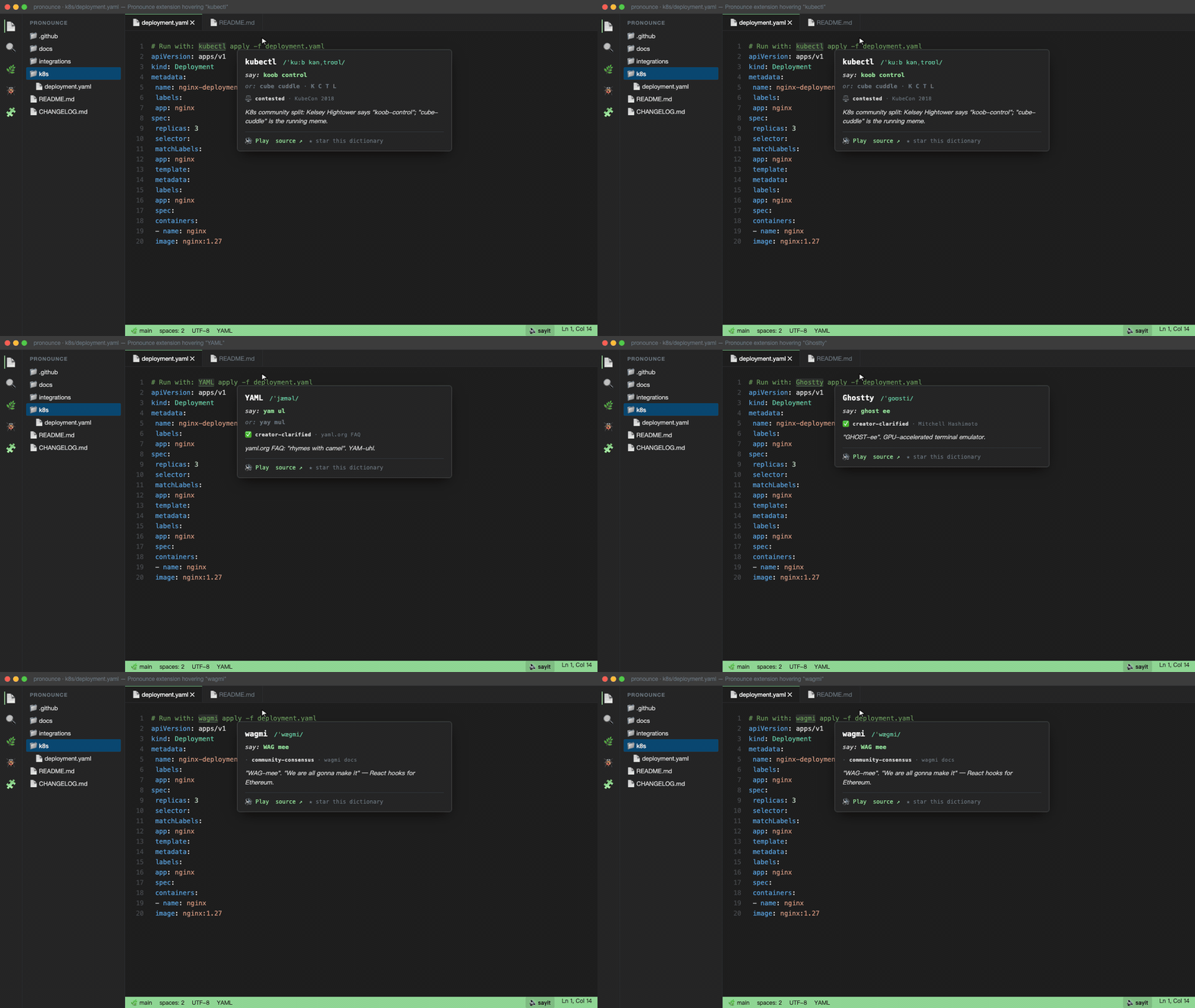
Hover over any tech word in any file — see the IPA, hear the pronunciation. Same 1,903-entry dictionary as the CLI, JSON-bundled at build (zero runtime parse cost).
# Cursor / VSCodium / Zed / Gitpod / Theia / code-server (Open VSX)
code --install-extension sayit.pronounce
# or the listing: https://open-vsx.org/extension/sayit/pronounce
Now live on Microsoft Marketplace too: ext install sayit.pronounce in VS Code. See marketplace listing.
- Hover over
kubectl,YAML,Ghostty,wagmi… → tooltip with IPA + 🔊 Play + ★ Star link. - ⌘⇧' — speak selection.
- Status bar
🔊 sayit— click to speak the current selection. - Welcome walkthrough — 4-step onboarding on first install.
Pronounce: Search dictionary…— fuzzy-find all 1,903 entries.
Source: integrations/vscode/. Cross-platform as of v0.3 — macOS say, Linux espeak-ng, Windows PowerShell.
Chrome / Edge / Brave extension
Click any tech word on any webpage → popup with IPA + audio. Same 1,903-entry dictionary. The extension speaks through Web Speech; pronounce.renlab.ai plays the committed MP3 corpus first and reserves Web Speech for fallback. Sideload only for now (not yet on Chrome Web Store).
Download pronounce-chrome-0.3.1.zip → unzip → chrome://extensions/ → Developer mode → Load unpacked.
Source: integrations/chrome/.
How the dictionary works
data/pronunciations.tsv is the single source of truth — tab-separated, 1,903 entries, covering:
- Cloud / DevOps:
kubectl,nginx,Kubernetes,helm,Istio,Envoy,Prometheus,Grafana,Terraform,Argo,Knative,etcd,containerd,runc,Podman, ... - Languages / Frameworks:
Django,Vue,Vite,Pydantic,Bun,Deno,Hugo,Hono,Caddy,Svelte,Astro,Pinia, ... - Databases:
PostgreSQL,Postgres,SQLite,MySQL,MongoDB,Cassandra,Redis,Ceph,ScyllaDB,ClickHouse,DuckDB, ... - CS jargon / acronyms:
GIF,JSON,SQL,GUI,GNU,char,regex,sudo,tmux,chmod,WYSIWYG,ASCII,enum,NaN,SaaS,PaaS, ... - Distros / tools:
Linux,Debian,Ubuntu,Arch,Nix,LaTeX,TeX,emacs,zsh, ...
Each entry has 10 columns: word | ipa | respelling_us | alt_ipa | alt_respelling_us | source_url | source_label | category | confidence | notes. respelling_us is plain English-like input passed to the detected OS TTS backend, so the intended reading is spoken instead of asking the engine to guess from the project name.
Local override: drop a ~/.config/say-it/pronunciations.local.tsv and it takes precedence.
What works today
- ✅ macOS — built-in
say. - ✅ Linux —
espeak-ng(preferred) orespeak. - ✅ Windows — PowerShell
System.Speechfrom the same Bash CLI under Git Bash/MSYS2/Cygwin. - ✅ 1,903 entries; 1,283 carry a citable source — the rest are confidence-tagged, no fabricated citations.
- ✅ Audible multi-reading awareness — contested words audibly chain alternates with "or:".
- ✅
--alt [N],--all,--solo,--why,--json,--md,--no-dict,list,search,quiz,repl,stream,doctor,export,benchmark,badge,cheatsheet. - ✅ Claude Code skill + MCP server for AI-side pronunciation questions.
- ✅ GitHub Action — sourced pronunciation glossaries for Markdown pull requests.
- ✅ Browser PWA — installable, offline-capable, instant search, voice-mic search, interactive quiz.
- ✅ Editor integrations — Raycast, Alfred, VS Code, Cursor, Codex, Kiro, Continue.
- ✅ 🌐 Live site — pronounce.renlab.ai (1,903 entries browsable with audio; 1,283 sourced entries) + /zh (Chinese landing).
What's coming
See DESIGN.md for the architecture.
- ☁️ Cloud TTS (opt-in ElevenLabs / OpenAI) for the names native TTS still mangles.
- 📚 Anki export for vocabulary drills.
- 🌗 Light theme on the v2 homepage (already shipped on word/SEO pages).
Contributing
Two things we want most:
- Pronunciation entries. Open a PR adding a row to
data/pronunciations.tsv. Required columns:word,ipa,respelling_us. Highly preferred:source_url(creator interview, conf talk, official FAQ — anything verifiable). Contested readings are welcome; put the rival inalt_*columns and we'll wire--altthrough. - Backend quality. macOS (
say) is the gold standard; the Linux (espeak-ng) and Windows (PowerShell) backends ship but are best-effort — help us close the gap. SeeDESIGN.md§Backends.
Keep it tiny. Keep it dep-free where possible. Keep the defaults opinionated (3 reps, GenAm, Samantha voice).
⭐ Support — start with a star
The dictionary is free and MIT. The single highest-leverage thing you can do is star the repo — it's the signal that pulls in more contributors, more PRs, more creator-clarified entries.
- ⭐ Star on GitHub → — one click, no signup, biggest effect.
Optional, if it's saved you real standup pain:
- ☕ Coffee on Ko-fi — pays for one new entry per cup.
- 💚 Sponsor on GitHub — recurring tier (pending Sponsors approval).
Dollars cover hosting (Vercel/Cloudflare/Open VSX), domain renewals, MiniMax narration credits for promo videos, and time to track down creator citations for new entries.
Contributors
Every entry, source upgrade, and skill fix counts. Open a PR — your face shows up here.
License
MIT — see LICENSE.
IPA is a reference. Audio is a teacher.