QontoCtl
CLI and MCP server for the Qonto business banking API — manage transactions, invoices, clients, transfers, and more
Documentation
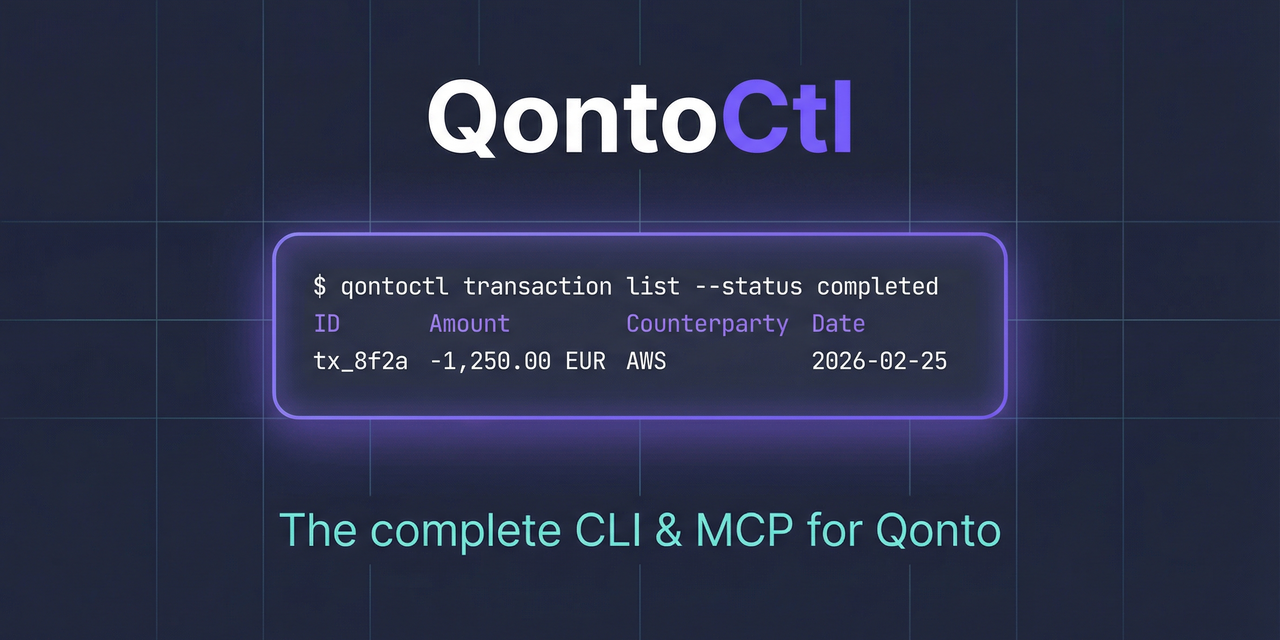






CLI and MCP server for the Qonto banking API.
This project is brought to you by Alexey Pelykh.
Unofficial project. QontoCtl is independent and not affiliated with, endorsed by, or supported by Qonto. See the Disclaimer.
What It Does
QontoCtl lets AI assistants (Claude, etc.) interact with Qonto through the Model Context Protocol. It can:
- Organizations — retrieve organization details and settings
- Accounts — list, create, update, close bank accounts; download IBAN certificates
- Transactions — list, search, filter bank transactions; manage transaction attachments
- Bank Statements — list, view, and download bank statements
- Labels — manage transaction labels and categories
- Memberships — view team members, show current membership, invite new members
- SEPA Beneficiaries — list, add, update, trust/untrust SEPA beneficiaries
- SEPA Transfers — list, create, cancel transfers; download proofs; verify payees
- Internal Transfers — create transfers between accounts in the same organization
- Bulk Transfers — list, view, and create bulk SEPA transfer batches
- Recurring Transfers — list, view, create, cancel recurring transfers
- International Transfers (SWIFT) — create SWIFT transfers and manage international beneficiaries
- Cards — list, create, update, lock/unlock, report lost/stolen, discard cards
- Teams — list and create teams
- Webhooks — create and manage webhook subscriptions
- Payment Links — create, deactivate, and manage Stripe-backed payment links
- Insurance — show, create, update insurance contracts and manage documents
- Terminals (POS) — list Qonto Terminals and initiate terminal payments
- Products — list catalogue products
- Clients — list, create, update, delete clients
- Client Invoices — full lifecycle: create, update, finalize, send, mark paid, cancel, upload files
- Quotes — create, update, delete, send quotes
- Credit Notes — list and view credit notes
- Supplier Invoices — list, view, and bulk-create supplier invoices
- Requests — list organization requests
- Attachments — upload and view attachments
- E-Invoicing — retrieve e-invoicing settings
QontoCtl and Qonto's official MCP
QontoCtl is an independent, unofficial project — not affiliated with or endorsed by Qonto.
Qonto ships its own official MCP server — hosted, free on every plan, and installable in a tap from Claude, ChatGPT, Cursor, and more. If you want to talk to your finances — "show my balances", "chart last month's spending", "draft an invoice" — it's an excellent, well-made option.
QontoCtl is built for a different job: automating Qonto, not just chatting with it.
The official MCP is a hosted assistant you log into as a user. QontoCtl is a local, open-source toolkit — a CLI, an MCP server, and a library — that runs on your own machine with your own credentials, including as a headless service account.
| Official MCP | QontoCtl | |
|---|---|---|
| Runs headless — CI, cron, scripts, no chat | Interactive only | ✅ CLI + MCP + library |
| Authentication | OAuth, per-user | ✅ API key (service account) or OAuth |
| Executes SEPA / internal / recurring transfers | Prepares approval requests | ✅ Yes, with SCA handled* |
| API coverage | Curated subset | ✅ Comprehensive |
| Self-hosted · your credentials · open source | Qonto-hosted | ✅ AGPL-3.0, local-first |
Comparison based on Qonto's public MCP documentation as of July 2026.
* Transfers to untrusted payees still require your Strong Customer Authentication approval, as they must. QontoCtl handles the SCA continuation so scripted flows — to trusted beneficiaries and between your own accounts — complete without a human at the terminal.
QontoCtl also supports multiple Qonto organizations from one setup via named profiles — handy for accountants, holding companies, and anyone running the books for several entities.
The official MCP talks to Qonto. QontoCtl automates it. Many people will use both — the official MCP in a chat window, QontoCtl in a pipeline.
Prerequisites
- Node.js >= 24
- A Qonto business account with API access
Installation
npm install -g qontoctl
Or run directly with npx:
npx qontoctl --help
Or install via Homebrew:
brew install qontoctl/tap/qontoctl
Quick Start
# 1. Install
npm install -g qontoctl

# 2. Create a profile with your Qonto API credentials
qontoctl profile add mycompany

# 3. Test the connection
qontoctl profile test --profile mycompany

# 4. List your accounts
qontoctl account list --profile mycompany
MCP Integration
QontoCtl implements the Model Context Protocol (MCP), letting AI assistants interact with your Qonto account through natural language.
MCP Client Configuration
Claude Desktop
Add to your Claude Desktop configuration (claude_desktop_config.json):
{
    "mcpServers": {
        "qontoctl": {
            "command": "npx",
            "args": ["qontoctl", "mcp"]
        }
    }
}
Claude Code
claude mcp add qontoctl -- npx qontoctl mcp
Cursor
Add to .cursor/mcp.json in your project root:
{
    "mcpServers": {
        "qontoctl": {
            "command": "npx",
            "args": ["qontoctl", "mcp"]
        }
    }
}
Windsurf
Add to ~/.codeium/windsurf/mcp_config.json:
{
    "mcpServers": {
        "qontoctl": {
            "command": "npx",
            "args": ["qontoctl", "mcp"]
        }
    }
}
Pointing MCP at a non-default config file
The MCP server has no CLI flags. To load credentials from a config file other than ~/.qontoctl.yaml, set QONTOCTL_CONFIG_FILE in the host's env block:
{
    "mcpServers": {
        "qontoctl": {
            "command": "npx",
            "args": ["qontoctl", "mcp"],
            "env": {
                "QONTOCTL_CONFIG_FILE": "/abs/path/to/qontoctl.yaml",
            },
        },
    },
}
The path is captured at server startup. See docs/configuration.md for the full resolution chain.
Available MCP Tools
| Tool | Description |
|---|---|
| Organization | |
org_show | Show organization details including name, slug, and bank accounts |
| Accounts | |
account_list | List all bank accounts for the organization |
account_show | Show details of a specific bank account |
account_iban_certificate | Download IBAN certificate PDF for a bank account |
account_create | Create a new bank account |
account_update | Update an existing bank account |
account_close | Close a bank account |
| Transactions | |
transaction_list | List transactions for a bank account with optional filters |
transaction_show | Show details of a specific transaction |
transaction_attachment_list | List attachments for a transaction |
transaction_attachment_add | Attach a file to a transaction |
transaction_attachment_remove | Remove attachment(s) from a transaction |
| Statements | |
statement_list | List bank statements with optional filters |
statement_show | Show details of a specific bank statement |
| Labels | |
label_list | List all labels in the organization |
label_show | Show details of a specific label |
| Memberships | |
membership_list | List all memberships in the organization |
membership_show | Show the current authenticated user's membership |
membership_invite | Invite a new member to the organization |
| SEPA Beneficiaries | |
beneficiary_list | List SEPA beneficiaries in the organization |
beneficiary_show | Show details of a specific SEPA beneficiary |
beneficiary_add | Create a new SEPA beneficiary |
beneficiary_update | Update an existing SEPA beneficiary |
beneficiary_trust | Trust one or more SEPA beneficiaries |
beneficiary_untrust | Untrust one or more SEPA beneficiaries |
| SEPA Transfers | |
transfer_list | List SEPA transfers with optional filters |
transfer_show | Show details of a specific SEPA transfer |
transfer_create | Create a SEPA transfer |
transfer_cancel | Cancel a pending SEPA transfer |
transfer_proof | Download SEPA transfer proof PDF |
transfer_verify_payee | Verify a payee (Verification of Payee / VoP) |
transfer_bulk_verify_payee | Bulk verify payees (VoP) |
| Internal Transfers | |
internal_transfer_create | Create an internal transfer between two bank accounts |
| Bulk Transfers | |
bulk_transfer_list | List bulk transfers |
bulk_transfer_show | Show details of a specific bulk transfer |
bulk_transfer_create | Create a bulk SEPA transfer (auto-resolves VoP via bulk_verify_payee) |
| Recurring Transfers | |
recurring_transfer_list | List recurring transfers |
recurring_transfer_show | Show details of a specific recurring transfer |
| Terminals (POS) | |
terminal_list | List Qonto Terminals linked to the organization |
terminal_payment_create | Initiate a payment on a terminal (returns 202 Accepted) |
| Products | |
product_list | List catalogue products with optional pagination and sort |
| Clients | |
client_list | List clients with optional pagination |
client_show | Show details of a specific client |
client_create | Create a new client |
client_update | Update an existing client |
client_delete | Delete a client |
| Client Invoices | |
client_invoice_list | List client invoices with optional filters |
client_invoice_show | Show details of a specific client invoice |
client_invoice_create | Create a draft client invoice with client and line items |
client_invoice_update | Update a draft client invoice |
client_invoice_delete | Delete a draft client invoice |
client_invoice_finalize | Finalize a client invoice (assign number) |
client_invoice_send | Send a client invoice to the client via email |
client_invoice_mark_paid | Mark a client invoice as paid |
client_invoice_unmark_paid | Unmark a client invoice paid status |
client_invoice_cancel | Cancel a finalized client invoice |
client_invoice_upload | Upload a file to a client invoice |
client_invoice_upload_show | Show upload details for a client invoice |
| Quotes | |
quote_list | List quotes with optional filters |
quote_show | Show details of a specific quote |
quote_create | Create a new quote with client and line items |
quote_update | Update an existing quote |
quote_delete | Delete a quote |
quote_send | Send a quote to the client via email |
| Credit Notes | |
credit_note_list | List credit notes in the organization |
credit_note_show | Show details of a specific credit note |
| Supplier Invoices | |
supplier_invoice_list | List supplier invoices with optional filters |
supplier_invoice_show | Show details of a specific supplier invoice |
supplier_invoice_bulk_create | Create supplier invoices by uploading files |
| Requests | |
request_list | List all requests in the organization |
| SCA Sessions | |
sca_session_show | Show the status of an SCA session (waiting / allow / deny) |
sca_session_mock_decision | Simulate an SCA decision in the Qonto sandbox (sandbox-only) |
| Attachments | |
attachment_upload | Upload an attachment file (PDF, JPEG, PNG) |
attachment_show | Show details of a specific attachment |
| E-Invoicing | |
einvoicing_settings | Retrieve e-invoicing settings for the organization |
Example Prompts
Once configured, you can ask your AI assistant things like:
- "Show my Qonto account balances"
- "List recent transactions over 1000 EUR"
- "What were last month's card payments?"
- "Show all team members in my organization"
- "List bank statements for January 2026"
- "Create a summary of this week's debits"
SCA Continuation
Some Qonto write operations — creating a transfer, modifying a card, approving a request — require Strong Customer Authentication (SCA): the user has to approve the request in the Qonto mobile app before it executes. QontoCtl wraps every SCA-gated MCP write tool with a continuation flow so the LLM client never has to reimplement polling.
How a wrapped write tool behaves
When an SCA-gated tool (e.g. transfer_create, card_create, beneficiary_trust, request_approve) hits a 428 SCA challenge, the wrapper polls the SCA session inline. If the user approves within the polling window, the tool returns the operation's success result transparently — the LLM never sees the SCA round-trip. If polling times out (or polling is disabled), the tool returns a structured SCA-pending response carrying the session token and instructions to continue.
Every wrapped tool exposes two optional input fields for this flow:
wait— maximum seconds to poll inline before falling back to the pending response.sca_session_token— bind a previously approved SCA challenge to a retry.
The wait knob
| Value | Behavior |
|---|---|
30 (default) | Poll for up to 30 seconds, then fall back to the structured pending response. |
1–120 | Poll for the specified number of seconds (capped at 120). |
0 or false | Skip polling entirely. Return the SCA-pending response immediately on the first 428. |
The 120 upper bound is the hard ceiling enforced via Zod at the input boundary. The practical ceiling is your MCP host's request timeout — Claude Desktop hardcodes ≈ 60 s and Cursor's effective limit is ≈ 30 s, so values above those will surface as host-side timeouts before the wrapper resolves. Use a small wait (e.g. 5-10) when the LLM expects the user to be present and willing to approve immediately. Use wait: false (or wait: 0) for pure two-step flows where the LLM and the user converse out-of-band between the SCA challenge and the retry.
Two-step fallback (out-of-band continuation)
When polling does not resolve, the SCA-pending response carries:
- A user-facing message:
"SCA required. The user must approve this operation on their Qonto mobile app." - A
Session token: <token>line (token validity: 15 minutes from issuance). - Step-by-step instructions to continue.
The LLM (or the user) can then:
- Poll session status with the
sca_session_showtool, passing the captured token. It returnswaiting,allow, ordeny. - Retry the original tool once the status is
allow, passing the same parameters plussca_session_token: "<token>". The wrapper invokes the operation exactly once with the token bound — no second poll happens.
PSD2 dynamic linking. The SCA session token is bound to the original request parameters (amount, payee). Reusing a token against a different operation is rejected by Qonto. Reissue an SCA challenge by calling the original tool again whenever the parameters need to change.
Caller-supplied retry (sca_session_token)
When sca_session_token is set on a wrapped write tool, the wrapper:
- Invokes the operation exactly once.
- Skips polling entirely.
- Forwards the token via the
X-Qonto-Sca-Session-Tokenheader.
This is the path used by step (2) of the two-step fallback. It is also useful when the LLM client implements its own polling cadence and only needs the wrapper to retry with an already-captured approval.
Sandbox testing
Sandbox accounts cannot enroll a real paired device, so SCA challenges in sandbox use a mock flow. After receiving a pending response, simulate the user's decision with the sca_session_mock_decision tool (sandbox-only — refuses to run when no staging token is configured). See docs/sandbox-testing.md for the full sandbox setup.
Migration note
Earlier QontoCtl builds (pre-@qontoctl/mcp SCA continuation) returned a free-form text response on 428 with no continuation hooks. Callers parsing that response should adopt the structured flow:
| Before | After |
|---|---|
| Free-form text mentioned the SCA endpoint but offered no MCP-exposed way to continue. | The SCA-pending response is still text content but its shape is stable: Session token: <token> is the canonical line; sca_session_show is the polling API. |
| Polling required driving the Qonto HTTP API directly. | Use the sca_session_show MCP tool. |
| Re-running the operation orphaned the prior approval. | Retry the original tool with the captured sca_session_token parameter — the prior approval is bound to that retry. |
| No way to opt-in to inline polling — every 428 was a dead end. | Pass wait: <seconds> (1-120) to poll inline; tools default to 30s. Pass wait: false for the explicit two-step flow. |
The pending response's textual format is stable, so callers that need to extract the token programmatically can match against the Session token: line — but using sca_session_show directly avoids relying on the response prose.
CLI Usage
First command to try when something doesn't work:
qontoctl diagnose— a read-only healthcheck across config, credentials, scopes, organization metadata, and host routing.
Commands
| Command | Description |
|---|---|
diagnose | Read-only healthcheck (see troubleshooting) |
org show | Show organization details |
account list | List bank accounts |
account show <id> | Show bank account details |
account iban-certificate <id> | Download IBAN certificate PDF |
account create | Create a new bank account |
account update <id> | Update a bank account |
account close <id> | Close a bank account |
transaction list | List transactions with filters |
transaction show <id> | Show transaction details |
transaction attachment list <id> | List attachments for a transaction |
transaction attachment add <id> <file> | Attach a file to a transaction |
transaction attachment remove <id> [att-id] | Remove attachment(s) from a transaction |
statement list | List bank statements |
statement show <id> | Show statement details |
statement download <id> | Download statement PDF |
label list | List all labels |
label show <id> | Show label details |
membership list | List organization memberships |
membership show | Show current user's membership |
membership invite | Invite a new member |
beneficiary list | List SEPA beneficiaries |
beneficiary show <id> | Show beneficiary details |
beneficiary add | Create a new beneficiary |
beneficiary update <id> | Update a beneficiary |
beneficiary trust <id...> | Trust one or more beneficiaries |
beneficiary untrust <id...> | Untrust one or more beneficiaries |
transfer list | List SEPA transfers |
transfer show <id> | Show SEPA transfer details |
transfer create | Create a SEPA transfer |
transfer cancel <id> | Cancel a pending SEPA transfer |
transfer proof <id> | Download SEPA transfer proof PDF |
transfer verify-payee | Verify a payee (VoP) |
transfer bulk-verify-payee | Bulk verify payees from CSV |
internal-transfer create | Create an internal transfer |
bulk-transfer list | List bulk transfers |
bulk-transfer show <id> | Show bulk transfer details |
bulk-transfer create | Create a bulk SEPA transfer from JSON |
recurring-transfer list | List recurring transfers |
recurring-transfer show <id> | Show recurring transfer details |
terminal list | List Qonto Terminals (POS) |
terminal payment create <id> | Initiate a payment on a terminal |
product list | List catalogue products |
client list | List clients |
client show <id> | Show client details |
client create | Create a new client |
client update <id> | Update a client |
client delete <id> | Delete a client |
client-invoice list | List client invoices |
client-invoice show <id> | Show client invoice details |
client-invoice create | Create a draft client invoice |
client-invoice update <id> | Update a draft client invoice |
client-invoice delete <id> | Delete a draft client invoice |
client-invoice finalize <id> | Finalize client invoice and assign number |
client-invoice send <id> | Send client invoice to client via email |
client-invoice mark-paid <id> | Mark client invoice as paid |
client-invoice unmark-paid <id> | Unmark client invoice paid status |
client-invoice cancel <id> | Cancel a finalized client invoice |
client-invoice upload <id> <file> | Upload a file to a client invoice |
client-invoice upload-show <id> <upload-id> | Show upload details for a client invoice |
quote list | List quotes |
quote show <id> | Show quote details |
quote create | Create a new quote |
quote update <id> | Update a quote |
quote delete <id> | Delete a quote |
quote send <id> | Send quote to client via email |
credit-note list | List credit notes |
credit-note show <id> | Show credit note details |
supplier-invoice list | List supplier invoices |
supplier-invoice show <id> | Show supplier invoice details |
supplier-invoice bulk-create | Create supplier invoices from files |
einvoicing settings | Show e-invoicing settings |
request list | List all requests |
attachment upload <file> | Upload an attachment file |
attachment show <id> | Show attachment details |
auth setup | Configure OAuth client credentials |
auth login | Start OAuth login flow |
auth status | Display OAuth token status (focused; for whole-integration health, use diagnose) |
auth refresh | Refresh the OAuth access token |
auth revoke | Revoke OAuth consent and clear tokens |
profile add <name> | Create a named profile |
profile list | List all profiles |
profile show <name> | Show profile details (secrets redacted) |
profile remove <name> | Remove a named profile |
profile test | Test credentials |
completion bash | Generate bash completions |
completion zsh | Generate zsh completions |
completion fish | Generate fish completions |
mcp | Start MCP server on stdio |
Global Options
| Option | Description |
|---|---|
--config <path> | Explicit path to a config file (overrides --profile and QONTOCTL_CONFIG_FILE) |
-p, --profile <name> | Configuration profile to use |
-o, --output <format> | Output format: table (default), json, yaml, csv |
--page <number> | Fetch a specific page of results |
--per-page <number> | Results per page |
--no-paginate | Disable auto-pagination |
--verbose | Enable verbose output |
--debug | Enable debug output (implies --verbose) |
Configuration
QontoCtl supports two authentication methods:
- API Key — production-only access using your organization slug and secret key. Supports the endpoints listed as "API key ✔" in the Qonto auth table (most reads plus many writes — internal transfers, clients, attachments, …). Cannot be used against the Qonto sandbox.
- OAuth 2.0 — full access including OAuth-only endpoints (cards, teams, webhooks, e-invoicing, payment links, insurance, international transfers, recurring transfers, SCA flows) and the Qonto sandbox via staging-token; see the OAuth App Setup Guide.
Profile Format
All configuration files use the same YAML format:
# API Key authentication
api-key:
    organization-slug: acme-corp-4821
    secret-key: your-secret-key

# OAuth 2.0 authentication (see docs/oauth-setup.md)
oauth:
    client-id: your-client-id
    client-secret: your-client-secret
Resolution Order
The CLI resolves the config file in this order (highest priority first):
--config <path>flagQONTOCTL_CONFIG_FILEenv var~/.qontoctl/{name}.yaml(when--profile <name>is given)~/.qontoctl.yaml(home default)
When --config is supplied alongside QONTOCTL_CONFIG_FILE or --profile and the resolved paths disagree, --config wins and a warning is emitted on stderr so the override is visible.
No current-directory discovery. The CLI does not scan the working directory for
.qontoctl.yaml. For repo-local config, use adirenvshim that exportsQONTOCTL_CONFIG_FILE="$PWD/.qontoctl.yaml", or pass--config ./.qontoctl.yamlexplicitly per invocation.
Per-field overrides apply on top of the loaded file:
- Without
--profile:QONTOCTL_*env vars override file values - With
--profile acme:QONTOCTL_ACME_*env vars override file values
For the full reference (precedence rules per entry point, profile semantics, migration from CWD discovery), see docs/configuration.md.
Environment Variables
Environment variables override file values. They carry inputs (static configuration) the tool reads but never writes back; runtime-mutable state (refresh tokens, token expiry, granted scopes) lives in the file only. See the note on QONTOCTL_ACCESS_TOKEN below.
Without --profile:
| Variable | Description |
|---|---|
QONTOCTL_ORGANIZATION_SLUG | Organization slug |
QONTOCTL_SECRET_KEY | API secret key |
QONTOCTL_CLIENT_ID | OAuth client ID |
QONTOCTL_CLIENT_SECRET | OAuth client secret |
QONTOCTL_ACCESS_TOKEN | OAuth access token (read-only — see below) |
QONTOCTL_ENDPOINT | Custom API endpoint |
QONTOCTL_STAGING_TOKEN | Staging token (activates sandbox URLs) |
With --profile <name>, prefix becomes QONTOCTL_{NAME}_ (uppercased, hyphens replaced with underscores). For example, --profile acme reads QONTOCTL_ACME_ORGANIZATION_SLUG.
QONTOCTL_ACCESS_TOKENsemantics: when set, the env-supplied bearer is used for the current invocation only. Proactive token refresh is not attempted, and refreshed tokens are not persisted to disk (mirrorsAWS_SESSION_TOKEN). If the token has expired the API surfaces a401; re-issue the token externally.
QONTOCTL_REFRESH_TOKENis intentionally not supported. Refresh tokens are runtime-mutable state — every refresh produces a new value the tool must write back somewhere — and env vars carry inputs, not state. Use file-based credentials (~/.qontoctl.yamlor a profile) for OAuth flows that need refresh, or stick with API-key env vars in CI.
Debug Mode
The --verbose and --debug flags enable wire-level logging to stderr:
qontoctl --verbose transaction list   # request/response summaries
qontoctl --debug transaction list     # full headers and response bodies
Security note:
--debuglogs full API response bodies. Known sensitive fields (IBAN, BIC, balance) are automatically redacted, but responses may still contain other financial data. Do not use--debugin shared environments or pipe debug output to files accessible by others.
Disclaimer
qontoctl is an independent project not affiliated with, endorsed by, or officially connected to Qonto. It runs on your own machine with your own credentials.
"Qonto" and the Qonto logo are trademarks of Olinda SAS (the company operating Qonto); qontoctl uses the name only to describe the service it interoperates with.
License
What AGPL means for you
- Using qontoctl as a CLI tool or MCP server does not make your code AGPL-licensed. Running the tool, scripting around it, or connecting it to your applications is normal use — no license obligations arise.
- Using
@qontoctl/coreas a library (importing it into your code) means your combined work is covered by AGPL-3.0. If you distribute that combined work, you must make its source available under AGPL-compatible terms. - Modifying and distributing qontoctl itself requires you to share your changes under AGPL-3.0.
- Commercial licensing is available if AGPL does not fit your use case — contact the maintainer.