MCP IPFS Server
Interact with the storacha.network IPFS platform using the w3 CLI.
Documentation
🪐 MCP IPFS Server (storacha.network) 🛰️
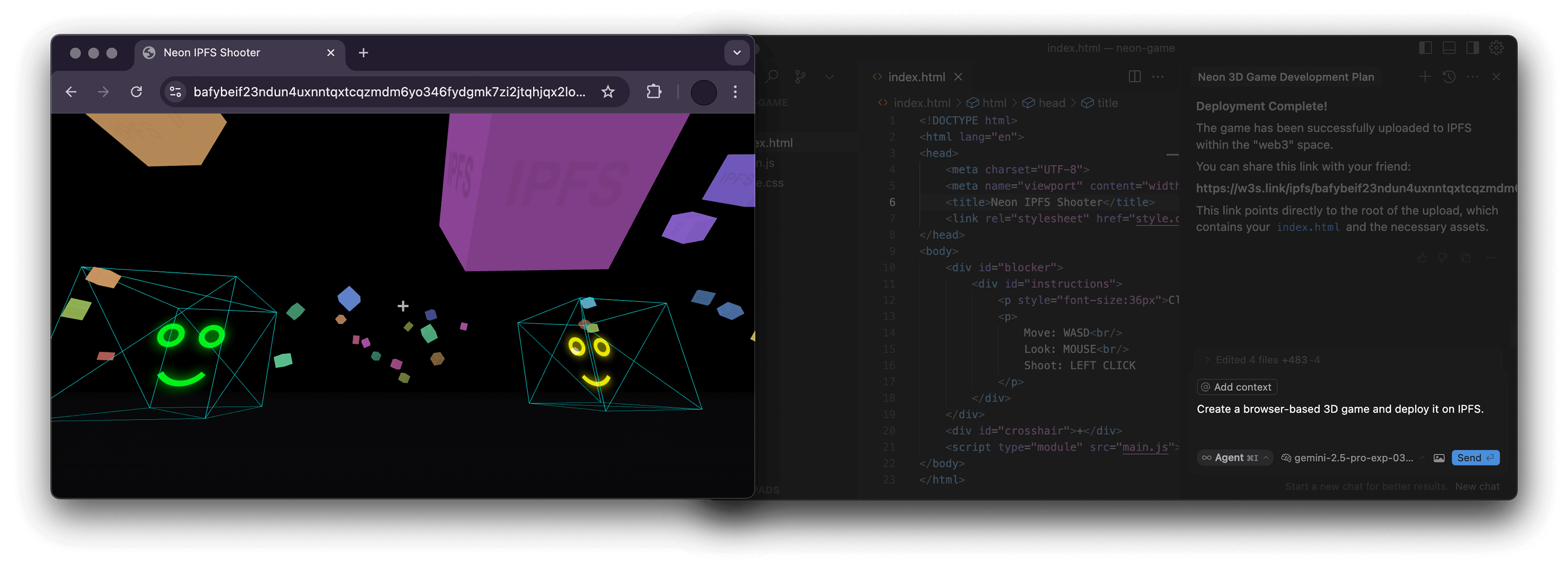



A Node.js server implementing the Model Context Protocol (MCP) for interacting with the storacha.network platform via the w3 command-line interface (@web3-storage/w3cli).
This server empowers language models 🤖 and other MCP clients to manage storacha.network spaces, upload/download data, manage delegations, and perform various other tasks by seamlessly wrapping w3 commands.
✨ Features
- Wraps the
w3CLI for native integration with storacha.network. - Provides MCP tools covering a wide range of
w3functionality:- 🔑 Authentication & Agent:
w3_login,w3_reset,w3_account_ls(for checking authorization) - 📦 Space Management:
w3_space_ls,w3_space_use,w3_space_info,w3_space_add,w3_space_provision(Note:w3_space_createmust be run manually due to interactive prompts) - 💾 Data Management:
w3_up,w3_ls,w3_rm - 🔗 Sharing:
w3_open(generates w3s.link URL) - 🤝 Delegations & Proofs:
w3_delegation_create,w3_delegation_ls,w3_delegation_revoke,w3_proof_add,w3_proof_ls - 🔐 Keys & Tokens:
w3_key_create,w3_bridge_generate_tokens - ⚙️ Advanced Storage (
w3 can ...): Blob, CAR, Upload, Index, Access Claim, Filecoin Info management - 💳 Account & Billing:
w3_plan_get,w3_coupon_create,w3_usage_report
- 🔑 Authentication & Agent:
🛠️ Prerequisites
- Node.js: Version 22.0.0 or higher (
node -v). w3CLI: The server executesw3commands directly. Ensure@web3-storage/w3cliis installed globally and configured:npm install -g @web3-storage/w3cli w3 login <your-email@example.com> # Follow email verification steps- Environment Variable: The
w3_logintool requires theW3_LOGIN_EMAILenvironment variable to be set to the same email used forw3 login.
🏗️ Project Structure
The codebase is organized as follows:
src/
├── index.ts          # Main server entry point, MCP setup, request routing
├── schemas.ts        # Zod schemas defining input arguments for each tool
├── tool_handlers.ts  # Implementation logic for each MCP tool
├── utils.ts          # Helper functions (e.g., running w3 commands, parsing JSON)
└── utils/
    └── logger.ts     # Basic logger configuration
🚀 Usage with MCP Clients
This server can be used with any MCP-compatible client. You need to configure your client to connect to this server.
Example: NPX (Recommended for simple local use)
This assumes npm and the prerequisites are met.
{
  "mcpServers": {
    "ipfs": {
      "command": "npx",
      "args": ["-y", "mcp-ipfs"],
      "env": {
        "W3_LOGIN_EMAIL": "your-email@example.com"
      }
    }
  }
}
Example: Docker
Build the image first (see Build section) or use the pre-built image alexbakers/mcp-ipfs.
{
  "mcpServers": {
    "mcp-ipfs": {
      "command": "docker",
      "args": [
        "run",
        "-i",
        "--rm",
        "-v",
        "/path/to/your/project:/path/to/your/project",
        "-e",
        "W3_LOGIN_EMAIL",
        "alexbakers/mcp-ipfs"
      ],
      "env": {
        "W3_LOGIN_EMAIL": "your-email@example.com"
      }
    }
  }
}
📝 Note on Paths:
Several w3 commands require absolute filesystem paths (e.g., w3_up, w3_delegation_create --output, w3_proof_add, w3_can_blob_add, w3_can_store_add).
- NPX: Provide absolute paths from your host machine.
- Docker: Provide absolute paths inside the container. If interacting with files from your host (e.g., uploading), you must mount the relevant host directory into the container using the
-vflag (e.g.,-v /Users/me/project:/Users/me/project) and then use the container path (e.g.,/Users/me/project/my_file.txt) in the tool arguments.
📦 Build
Clone the repository and install dependencies:
git clone https://github.com/alexbakers/mcp-ipfs.git
cd mcp-ipfs
npm install
Build the TypeScript code:
npm run build
You can then run the server directly:
# Ensure W3_LOGIN_EMAIL is set in your environment
export W3_LOGIN_EMAIL="your-email@example.com"
node dist/index.js
Or publish it (if you have the rights):
npm publish
🐳 Docker Build
Build the Docker image:
# Build locally (replace with your username/repo and desired tag)
docker build -t alexbakers/mcp-ipfs .
📜 License
This MCP server is licensed under the MIT License. See the LICENSE file for details.