Aivie MCP
Aivie helps users search CRM contacts, campaigns, reports, segments, themes, emails, and Instagram posts, then inspect details, manage segment membership and publication state, create and update private Aivie records, or prepare and publish Meta ad promotions through ChatGPT, Claude, Gemini, Copilot, etc..
Documentation
You can connect your Aivie installation directly with ChatGPT. This allows ChatGPT to securely access shared contacts, campaigns, emails, and reports in Aivie.
Since each Aivie installation has its own address, data, and permissions, each customer creates their own custom plugin in ChatGPT. The former central Aivie ChatGPT plugin is no longer used for this purpose.
Requirements
- A ChatGPT account where custom plugins are available
- Access to Aivie settings and plugins
Prepare Aivie
- In your Aivie installation, open the Plugin Management under
/s/plugins. - Open the API plugin, activate it, and save the setting.
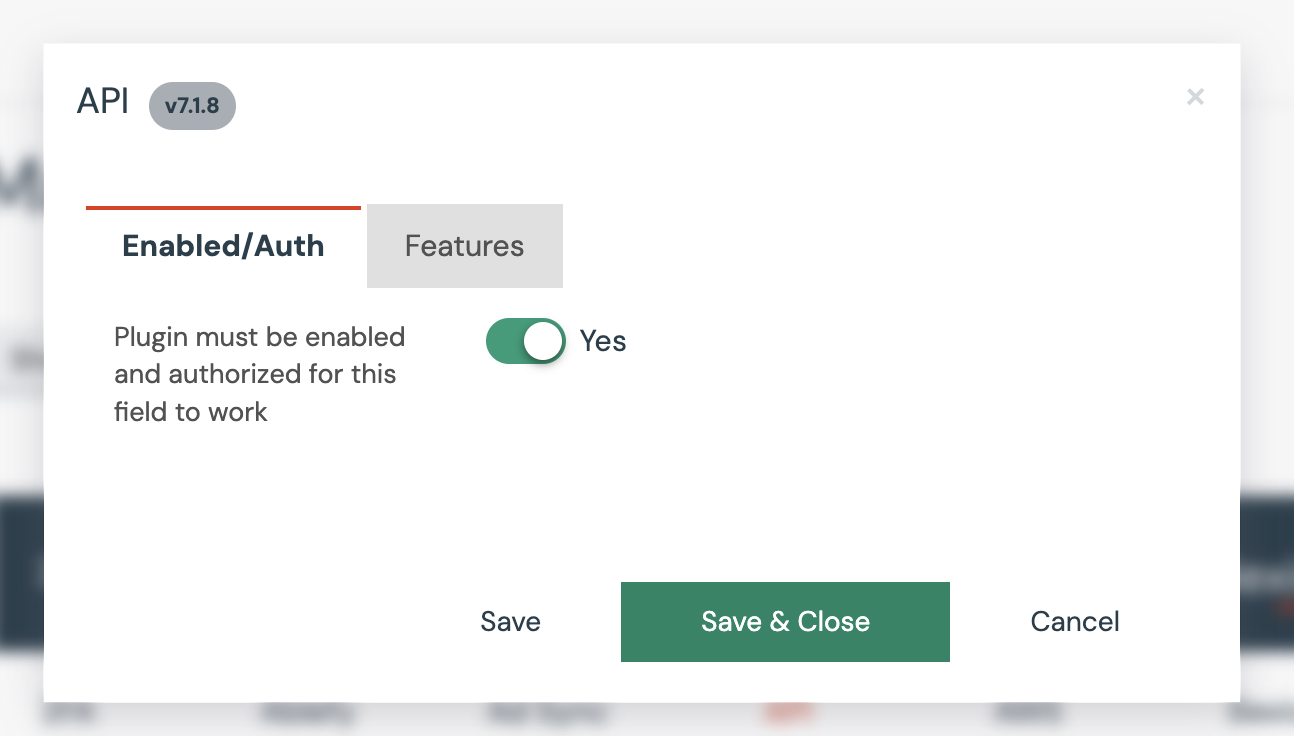
Activated API plugin in Aivie settings
- Then open the AI / MCP Server plugin, activate it, and save the setting.
- Copy the MCP Endpoint displayed there. It has this format:
https://TENANT_ID.REGION.app.aivie.ch/api/_mcp
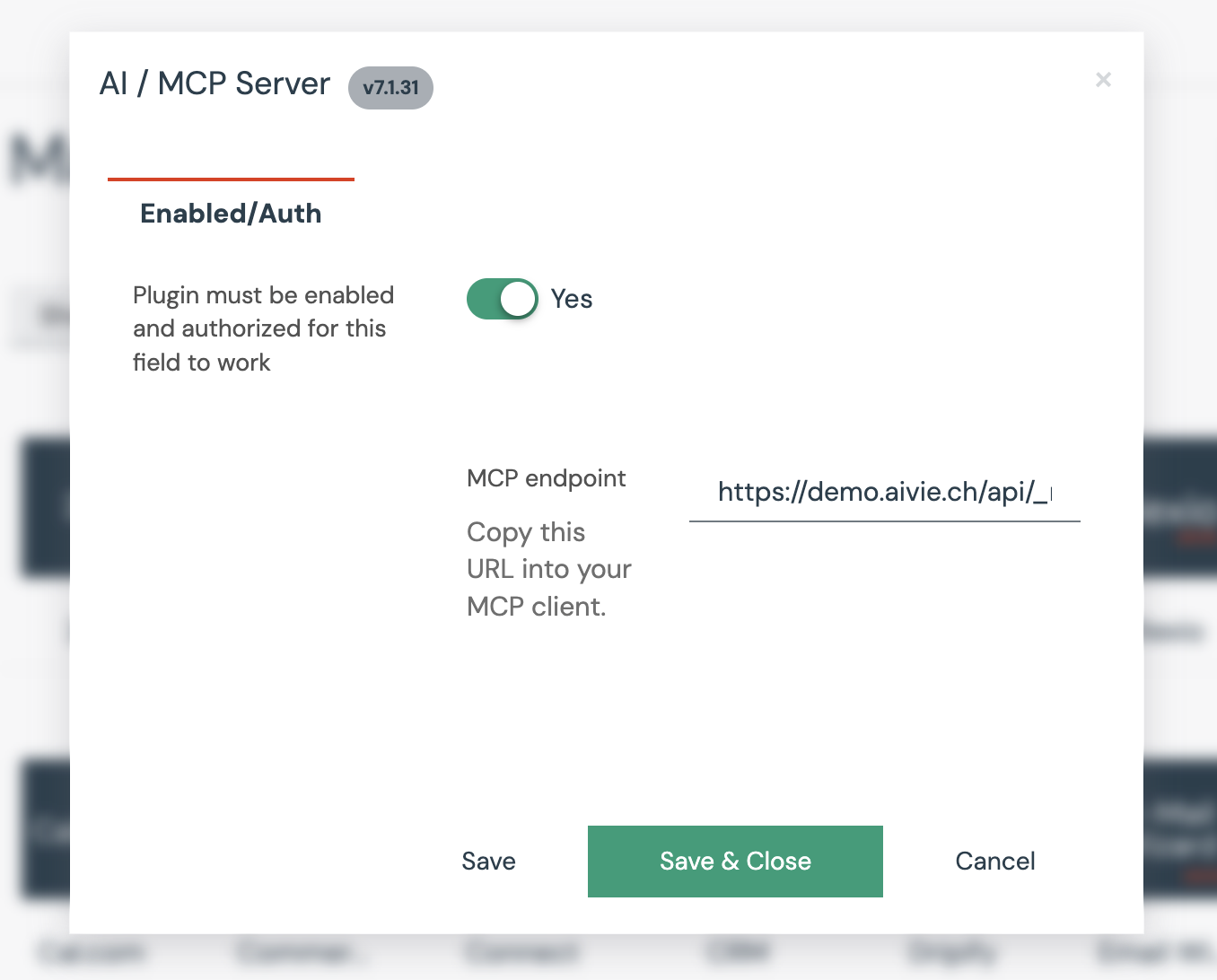
Activated AI / MCP Server plugin with MCP Endpoint displayed
Create a Custom Plugin in ChatGPT
- In ChatGPT, open Settings.
- Under Security and Login, activate Developer Mode if it is not already active.
- Open ChatGPT Plugins and click the plus sign to add your own plugin.
- Paste the MCP Endpoint from Aivie. It is important that the address ends with
/api/_mcp. - ChatGPT automatically recognizes Aivie and its available functions. You do not need to manually enter a Client ID or Client Secret.
- Establish the connection and log in with your regular Aivie user account when prompted by ChatGPT.
The current steps for adding your own MCP server can also be found in the official OpenAI documentation.
Using Aivie in a Chat
Start a new chat and activate your Aivie plugin via the Tools menu. You can then interact with Aivie directly in the chat.
For testing, you can, for example, ask: “Show me the three contacts who were most recently active on my website.”
What can ChatGPT do with Aivie?
After connecting, ChatGPT can, for example:
- Search and summarize contacts
- Prepare meetings
- Analyze campaigns
- Create or revise marketing emails
- Evaluate reports
- Search segments
- Update content directly in Aivie, depending on your permissions
Which actions are possible depends on the shared MCP tools and your user rights. Are you missing something? Contact us and we’ll be happy to take a look with you.
Restrict access
Aivie already attempts to ensure that no sensitive data is transmitted to ChatGPT. Known personally identifiable information (PII) is masked by default during transmission. However, this automatic masking cannot guarantee complete protection. This applies in particular to sensitive information in free-text or custom fields.
For maximum control, we recommend creating a dedicated Aivie user for the connection. Assign this user only the permissions that ChatGPT actually needs via the role model. For a particularly clear separation, you can create a dedicated role, for example LLM, and specifically restrict its permissions.
Then use this separate user to connect the ChatGPT plugin to Aivie. This also makes it easier to track which actions were performed via ChatGPT in the audit logs.
Further information on setting up and restricting roles can be found in the Mautic documentation on the role model.
Privacy
Aivie only transmits the information to ChatGPT that is required for the respective request.
Particularly sensitive personal data such as email addresses, last names, or company names are pseudonymized by default. You control which additional data ChatGPT may use via the permissions of the MCP server and the user rights in Aivie.
Writing actions can be enabled separately. This allows you to specify that ChatGPT asks for confirmation before making changes.
Summary
In Aivie, activate the API and AI / MCP Server plugins. Then copy the MCP Endpoint with /api/_mcp and use it to create your custom plugin in ChatGPT. Aivie will be automatically recognized; you do not need to enter additional API access data.