AI Hair Color Changer
AI Hair Color Changer is an AI-powered tool. Visit the official site for details and usage.
Documentation
Upload Your Photo
JPG, PNG or WEBP · Up to 8 MB
Click here or drag and dropYour photo is securely uploaded for processing.
Choose a quick shadeHoney Blonde
Before & After Preview
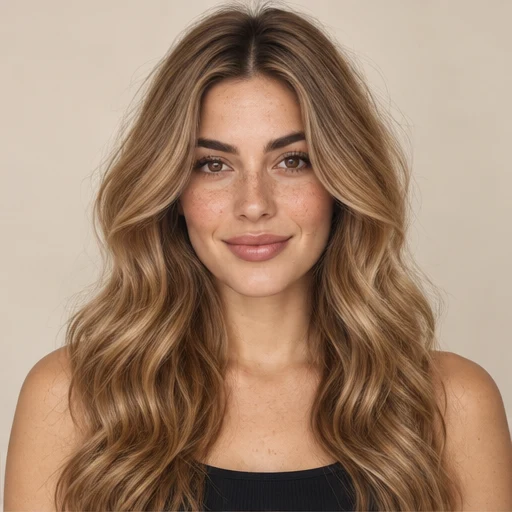
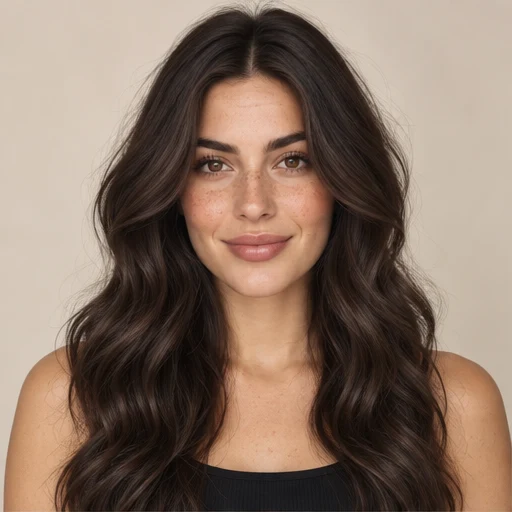
Before
After
See AI Hair Color Changes on Real Photos
A shade can look very different depending on the original hair, lighting, skin tone, and contrast in a photo. Use these examples to see how AI Hair Color Changer can support different style directions.
Hair Color Before & After Examples
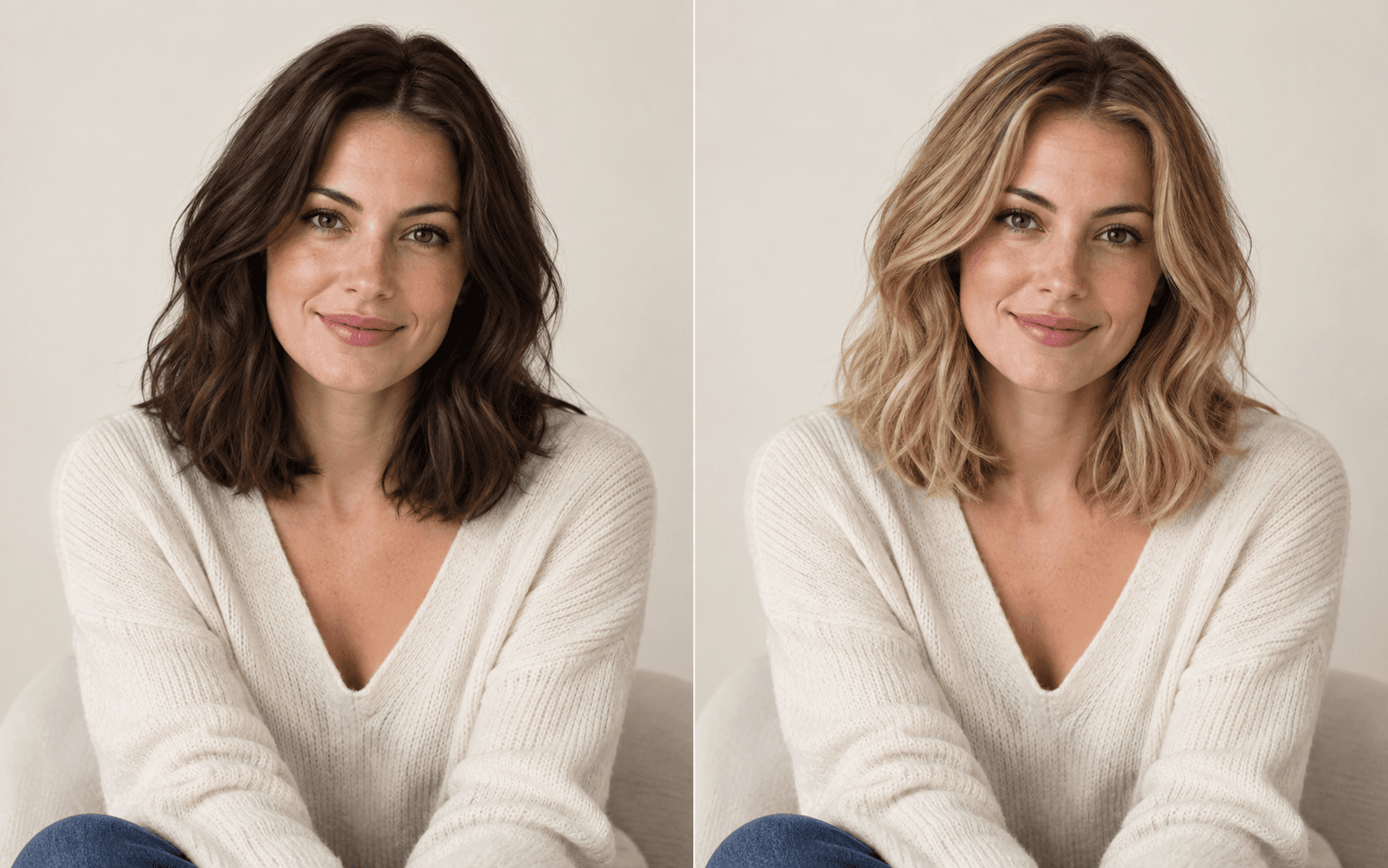
A major color shift can change the whole look of a photo.
Soft black Honey blonde
Medium brown Burgundy
Blonde Rose pink
Black Copper
Brunette to Blonde
Preview a lighter look before making a major color change. AI Hair Color Changer can help you compare warm honey tones, golden blonde, and cooler light shades on the same source photo.
Dark Hair to Copper
Copper creates a warmer and more noticeable shift. Use the preview to see whether a red-based tone works with the overall look before making a real-world change.
Blonde to Burgundy
For a deeper and more dramatic direction, AI Hair Color Changer can help you compare blonde hair with richer red, auburn, or burgundy shades.
Natural to Creative Color
Try pink, purple, silver, or other statement colors when you want a hair color try on that goes beyond traditional salon shades.
Change Your Hair Color with AI
01
Upload a Clear Photo
Choose a clear portrait with visible hair, then use your current color, skin tone, and everyday lighting as the reference for every look you compare.
Starting with what you see today makes it easier to decide whether a new direction feels like a subtle refresh or a complete change.
02
Explore and Choose a Color Direction
Compare brunette, blonde, copper, red, and creative families, then pick a palette shade or describe warmth, highlights, roots, or a bold finish in the prompt.
Looking across color families gives you a more useful comparison than judging one isolated swatch.
03
Describe and Generate Your Look
When details matter, describe how natural or bold the result should feel. Start generation and the completed preview appears in the tool as soon as it is ready.
Your description turns a general shade into a more specific color direction for your photo.
04
Compare and Download Your Favorite
Use the before-and-after view to judge several looks against the same portrait, then download the result or find it later in My Creations.
Keep the looks that best suit your features, personal style, and the change you want to make.
Use AI Hair Color Changer for Real-Life Hair Decisions
Hair color choices often start long before someone sits in a salon chair or opens a box of dye. AI Hair Color Changer gives you a visual way to explore an idea first, whether you are planning a subtle update, considering a major change, or simply curious about a look you have never tried before.
Use the same photo to compare different directions, narrow down the options you want to keep, and turn an abstract hair color idea into something you can actually see.
Major Color Change
Preview a Big Hair Color Change Before Committing
Going from dark brunette to blonde, blonde to red, or a natural shade to a bold color can completely change the way a hairstyle feels.
AI Hair Color Changer lets you preview the direction on your own photo before making a permanent decision. This is especially useful when the change is large enough that imagining the result from a salon swatch is not enough.
Use it to compare a few strong options and decide which direction deserves a closer look.
Salon Planning
Prepare Ideas Before a Salon Appointment
A salon consultation is easier when you can show the kind of color direction you have in mind.
Use AI Hair Color Changer to create visual references before your appointment. Instead of explaining “a warmer brown” or “something lighter but not too blonde,” you can bring a few images that make the direction clearer.
The preview does not replace professional color advice, but it can make the conversation more specific and help you communicate what you want to explore.
Everyday Color Comparison
Compare Everyday Shades Without Guessing
Small changes can be surprisingly difficult to judge from a palette alone.
Chocolate brown, chestnut, caramel, honey blonde, copper, and similar shades may look close on a color chart but create different impressions when placed next to your face.
AI Hair Color Changer makes it easier to compare these everyday options on the same source photo. Keeping the face, hairstyle, and composition consistent helps you focus on the color difference itself.
Creative Color
Explore Bold Colors Just for Fun
Not every hair color idea needs to become a permanent change.
Use AI Hair Color Changer to explore pink, purple, silver, burgundy, blue-black, or another statement shade when you are curious about a more expressive look.
This is useful for:
- creative inspiration
- themed looks
- profile ideas
- costume planning
- content concepts
- personal experimentation
You can try a strong visual direction without having to make a real-world commitment first.
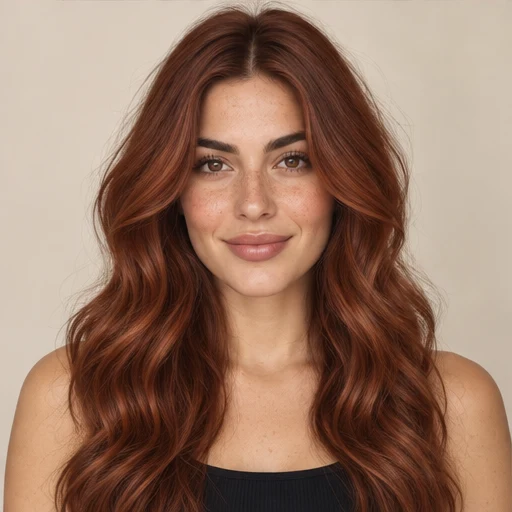
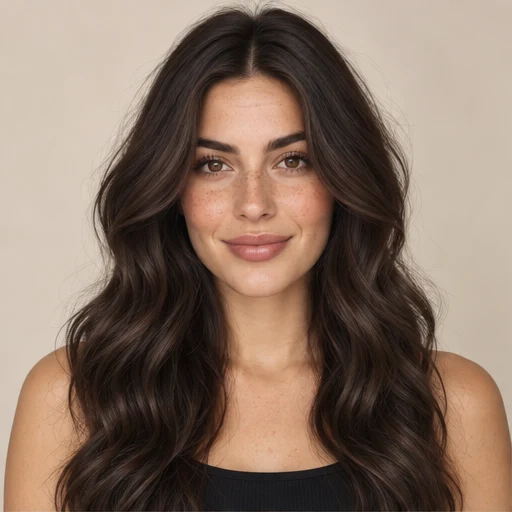
Before
After
Illustrative color study. Your results will depend on your photo.
Why Use an AI Hair Color Changer?
Focused on Hair Color
AI Hair Color Changer is designed around one clear task instead of surrounding you with dozens of unrelated image-editing tools. The workflow stays centered on changing and comparing hair color.
Made for Visual Decisions
Hair color is difficult to judge from a swatch alone. AI Hair Color Changer gives you a visual reference based on your photo, which makes comparison more practical than trying to imagine the finished look.
Easy to Compare Multiple Shades
Use AI Hair Color Changer to test more than one option before settling on a direction. Two shades can look similar in a palette but feel very different once they are applied to the same face and hairstyle.
No Complicated Editing Workflow
If your goal is simply to change hair color online, you should not need to learn professional editing software. The tool keeps the process direct and easy to understand.
For a dedicated editing experience, open Change Hair Color in Photo.
AI Hair Color Changer Pricing
AI Hair Color Changer is designed to make experimentation easy. If free usage is available under the current plan, you can begin with that allowance and review paid options when you need more generations or credits.
For current plan details, credit usage, and any limits, visit AI Hair Color Changer Pricing.
Starter
A little color curiosity.
Best for
Quick try-ons and first-time users
$9.90
200 credits 40 images at 2K resolution
- 40 images at 2K resolution
- 5 credits per image
- Approx. $0.050 per credit
- Custom hair color prompts
- 17 natural and creative shades
- Adjustable color intensity and blend
- Before-and-after comparison
- Download your generated photos
Creator
More room to explore your style.
Best for
Creators and regular color exploration
$29.90
650 credits 130 images at 2K resolution
- 130 images at 2K resolution
- 5 credits per image
- Approx. $0.046 per credit
- Custom hair color prompts
- 17 natural and creative shades
- Adjustable color intensity and blend
- Before-and-after comparison
- Download your generated photos
Studio
For your next collection of looks.
Best for
Salons and professional stylists
$99.90
2,500 credits 500 images at 2K resolution
- 500 images at 2K resolution
- 5 credits per image
- Approx. $0.040 per credit
- Custom hair color prompts
- 17 natural and creative shades
- Adjustable color intensity and blend
- Before-and-after comparison
- Download your generated photos
AI Hair Color Changer FAQ
Is AI Hair Color Changer free?
If you are looking for AI hair color changer free access, use the current free option shown by the product when available. Usage limits can vary, so check the Pricing page for the latest credit and plan details.