Core Lightning MCP Server
A Rust-based gRPC server that provides a standardized MCP interface for Core Lightning nodes.
Documentation
Core Lightning MCP Server


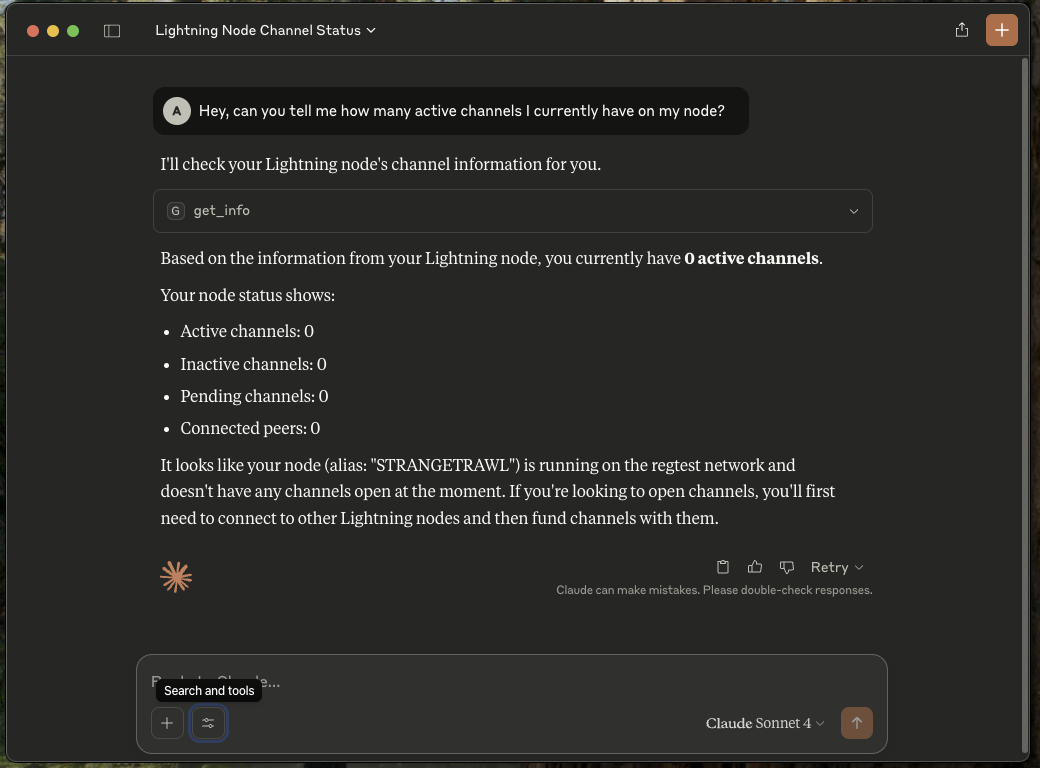
A Rust-based gRPC server that provides a standardized interface to Core Lightning nodes. This server implements the MCP (Model Context Protocol) specification to enable control of the Core Lightning node using LLM.
Installation
Option 1: From Release (Recommended)
- Download the appropriate binary for your platform from the latest release
- Extract the archive:
# For Linux/macOS tar -xzf cln-mcp-<platform>.tar.gz # For Windows # Use your preferred zip extractor - Make the binary executable (Linux/macOS only):
chmod +x cln-mcp
Option 2: From Source
Prerequisites
- Rust 1.80 or higher
- Protocol Buffers Compiler (protoc)
- Core Lightning (with gRPC enabled)
- MCP clients (Claude, Goose, etc.)
Protocol Buffers Compiler (protoc)
Ubuntu/Debian:
sudo apt-get update
sudo apt-get install -y protobuf-compiler
macOS:
brew install protobuf
Windows:
choco install protoc
Verify installation:
protoc --version # Should show version 3.0.0 or higher
- Clone the repository:
git clone https://github.com/adi2011/cln-mcp.git
cd cln-mcp
- Build the project:
cargo build --release
Configuration
The server can be configured using command-line arguments:
cln-mcp [OPTIONS]

Options:
  --certs-dir <path>    Path to certificates directory
  --node-address <url>  Node address (default: https://localhost:9736)
  --help                Shows help message
TLS Certificate Setup
Add the --grpc-port(default: 9736) option while running CLN, and it'll automatically generate the appropriate mTLS certificates.
Copy the following PEM files from the Lightning directory to a separate directory:
ca.pem: CA certificateclient.pem: Client certificateclient-key.pem: Client private key
Claude Setup
- Install Claude
- Go to settings -> Developer
- Edit Config
   {
       "mcpServers" : {
           "cln-mcp" : {
               "command": "Path/to/cln-mcp" (ex: "/Users/MyPC/cln-mcp/target/release/cln-mcp" or the executable unzipped from the release),
               "args": [
                   "--certs-dir",
                   "Path/to/certificates" (ex: "/Users/MyPC/cln-mcp/certs")
               ]
           }
       }
   }
- Restart Claude
Future Goals
[ ] Enable it to derive parameters for the RPC calls
[ ] Choose the most appropriate and useful RPCs for maximum utility
[ ] Extend support for LND
[ ] Host multiple servers to make it more efficient
This is a work in progress. We welcome code reviews, pull requests, and issues based on your usage.