ActivitySmith MCP
officialSend Push Notifications and Live Activities to your paired iOS devices.
What can you do with ActivitySmith MCP?
- Remote approvals — Ask an agent to send an approval request to your iPhone and wait for you to accept or reject it.
- Push notifications — Send, replace, and review Push Notification history on your paired devices.
- Live Activities — Start, pause, resume, or end Live Activity streams showing real-time metrics or work status.
- Lock Screen widgets — Create widget metrics and set their latest values.
- Channels and badges — Create channels to target alerts and set or clear the App Icon Badge.
Documentation
Give AI models and agents a direct line to your iPhone
SERVER URL
https://mcp.activitysmith.com/mcp
PROTOCOL
Overview
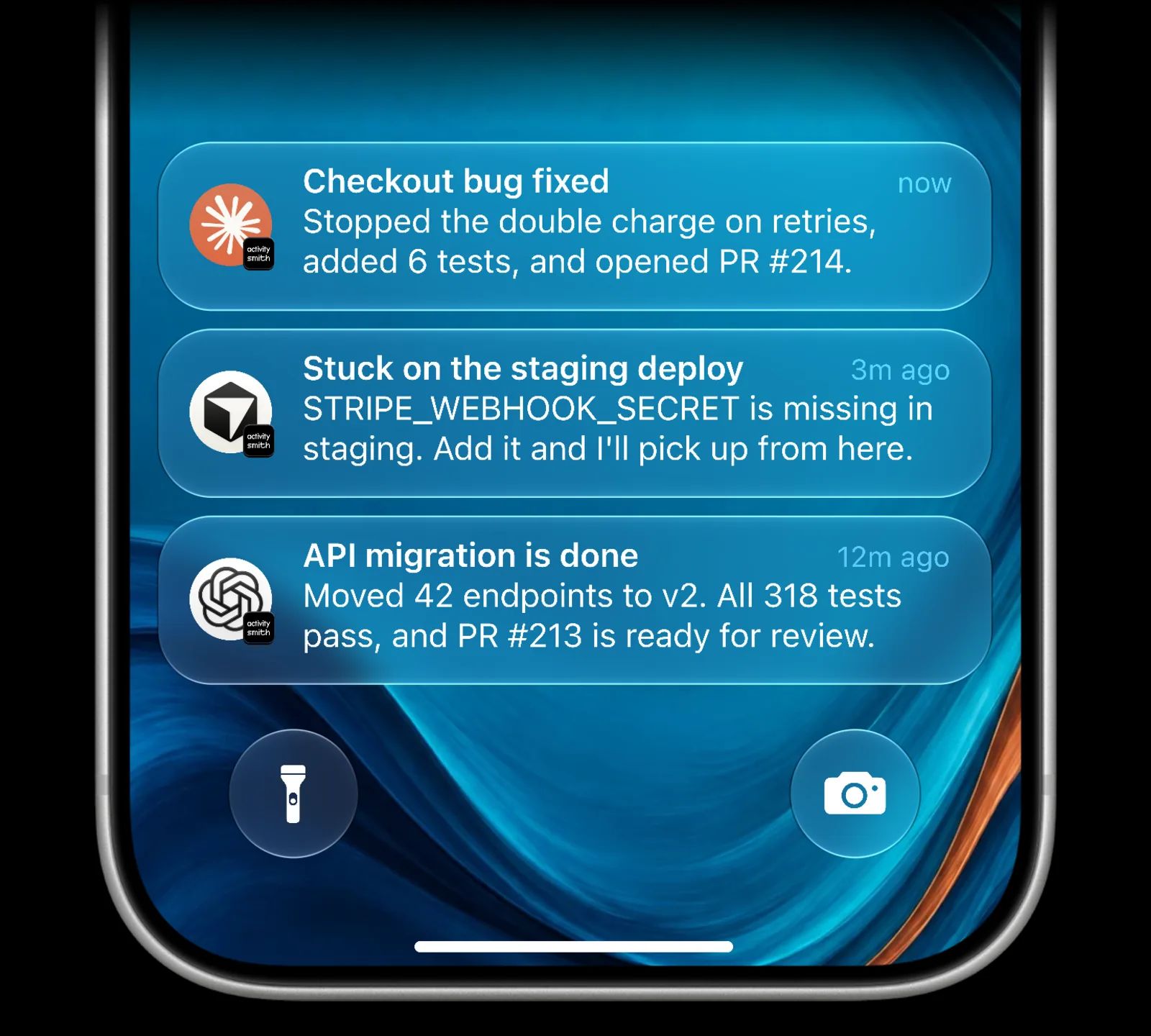
Connect the official ActivitySmith MCP server to Claude Code, Cursor, Codex, Grok, or any other client that supports remote MCP servers. After OAuth approval, your agent can send remote approvals and Push Notifications while showing real-time updates with Live Activities on your iPhone and iPad.
Remote approvals, handled end to end
Set a standing rule for actions that need your approval, such as making any purchase, deploying to production, publishing publicly, sending an external email, or deleting data. When an agent reaches that boundary, ActivitySmith stores its request and delivers two clearly labeled actions through a Live Activity or Push Notification.
When you choose an action, the waiting agent receives the decision immediately. Pending requests remain available for up to 30 minutes, giving you time to respond after stepping away.
See how remote approvals for AI agents work.
What agents can do
Push Notifications
Send Push Notifications to your paired devices.
Live Activities
Show real-time business metrics, operational state, or ongoing work on your Lock Screen.
Remote approvals
Send remote approvals that you can accept or reject from your iPhone.
Lock Screen widgets
Update values shown in your Lock Screen widgets.
App Icon Badge
Set or clear the App Icon Badge on paired devices with Push Notifications turned on.
History
Review Push Notification and Live Activity history.
Channels and Tags
Create Channels to route alerts to the right people and devices, and review Tag usage.
API keys
Create, rename, and delete API keys. Off by default; turn on Manage API keys when you approve the agent.
Setup instructions
The server URL is the same in every client. Approve the OAuth screen in your browser to make the ActivitySmith tools available in new sessions.
Claude Code
1. Register the ActivitySmith MCP server
Open a terminal and run this command. User scope makes ActivitySmith available in Claude Code across all your projects.
claude mcp add --transport http --scope user activitysmith https://mcp.activitysmith.com/mcp
2. Open the MCP menu
Start a new Claude Code session, then run this command inside the session and select activitysmith.
/mcp
3. Approve access
In Claude Code, select Authenticate to open the authorization page. Sign in if prompted, review the requested access, then click Approve.
4. You're ready
Return to Claude Code. ActivitySmith tools are now available in your sessions across all projects.
Cursor
Install in Cursor with one click. If you prefer manual setup, add the server to ~/.cursor/mcp.json:
{ "mcpServers": { "activitysmith": { "url": "https://mcp.activitysmith.com/mcp" } }}
Cursor prompts you to log in the first time the server is used.
Codex
codex mcp add activitysmith --url https://mcp.activitysmith.com/mcp
Then authenticate:
codex mcp login activitysmith
Grok
In Grok, open Connectors, select New Connector, then select Custom and enter the server URL:
https://mcp.activitysmith.com/mcp
Complete the OAuth flow in the pop-up window. If Safari blocks it, allow pop-up windows for grok.com and try again.
For Grok Build, add the server from a terminal:
grok mcp add --transport http activitysmith https://mcp.activitysmith.com/mcp
Other MCP clients
For any client that asks for a remote MCP server URL, use https://mcp.activitysmith.com/mcp. The authorization flow happens in ActivitySmith. After approval, tools run against the account you authorized.
Tools
The server exposes the following MCP tools, grouped by resource. Keep tool confirmation enabled in your client, and take care when combining it with other MCP servers to reduce the risk of prompt injection.
API key tools are off by default. To use them, tick Manage API keys when you approve the agent in ActivitySmith.
| Resource | Tool | Description |
|---|---|---|
| Approvals | request_approval | Send an actionable approval request with optional action-specific button labels, then wait for the decision. |
wait_for_approval | Resume waiting for a pending approval and wake as soon as the user decides. | |
get_approval | Get the current state of an approval request without waiting. | |
cancel_approval | Cancel a pending approval request that is no longer needed. | |
| Push Notifications | send_push_notification | Send a Push Notification, with optional icon, interruption level, actions, media, and channel targeting. |
replace_push_notification | Silently replace a sent Push Notification on the Lock Screen and in history, using its notification_id. | |
list_push_notifications | List Push Notification history for the account. | |
get_push_notification | Get one Push Notification by public ID. | |
| App Icon Badge | update_app_icon_badge_count | Set or clear the App Icon Badge, with optional channel targeting. |
| Live Activities | set_live_activity_stream | Start or update a managed Live Activity stream. |
pause_live_activity_stream | Pause a stream and end its current Live Activity. | |
resume_live_activity_stream | Resume a paused stream so updates apply again. | |
end_live_activity_stream | End the current Live Activity and remove the stream key. | |
list_live_activities | List Live Activities for the account. | |
get_live_activity | Get one Live Activity with its metadata, tags, channels, and actions. | |
| Tags | list_tags | List account-wide tags and their usage across Push Notifications and Live Activities. |
| Lock Screen Widgets | create_widget_metric | Create a widget metric definition. |
set_widget_metric_value | Set the latest value for a widget metric. | |
update_widget_metric | Update a widget metric definition. | |
list_widget_metrics | List widget metrics for the account. | |
delete_widget_metric | Delete a widget metric. | |
| Channels | create_channel | Create a channel for targeting Push Notifications and Live Activities. |
get_channel | Get one channel with its assigned users and devices. | |
list_channels | List channels for the account. | |
update_channel | Update a channel slug. | |
set_channel_users | Replace the user membership for a channel. | |
set_channel_devices | Replace explicit device assignments for a channel. | |
delete_channel | Delete a channel. | |
| Users and Devices | list_account_users | List users in the account for channel assignment. |
list_account_devices | List active devices for explicit channel assignment. | |
| API Keys | list_api_keys | List API keys without their secrets. |
create_api_key | Create an API key and return its secret once. | |
rename_api_key | Rename an API key. | |
delete_api_key | Delete an API key. |