sniff
Walks a running web app in a real browser and reports 12 classes of bugs with reproduction steps, a screenshot, and a severity. npm: sniff-qa.
Documentation




English · 简体中文 · 日本語 · Español · Français
Point it at your running app. It walks your real user flows in a real browser and tells you what is actually broken, with proof.
What it does · Install · Use it · What you get · Works in your editor · Good to know
claude plugin marketplace add Aboudjem/10x
claude plugin install sniff@10x
What it does
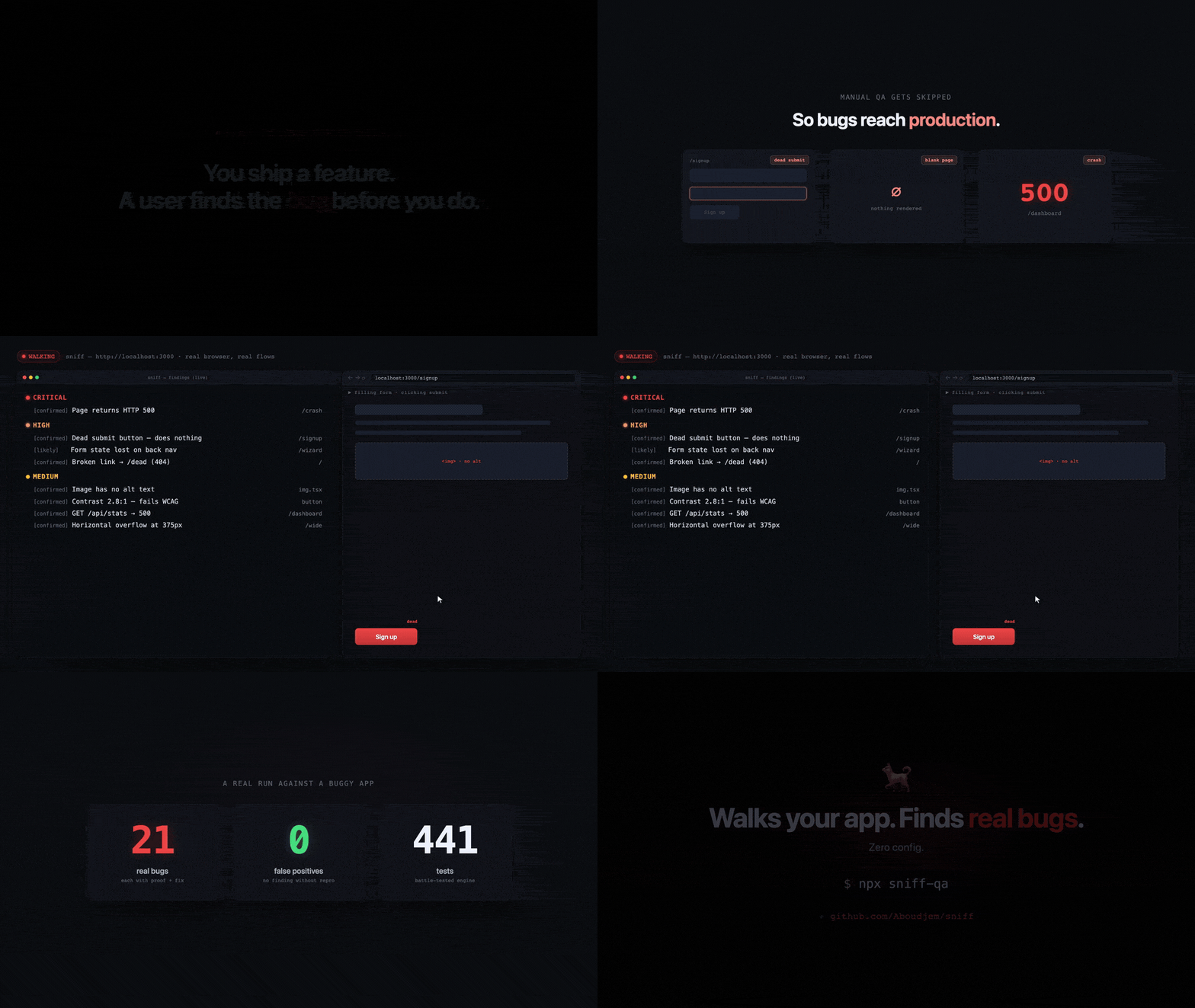
Most linters read your source without ever running your app, and end-to-end frameworks ask you to write and maintain the tests yourself. sniff opens your running app in a real browser, clicks and fills things like a user would, and judges what actually happened.
- It finds 12 classes of bugs, from HTTP 500 routes and dead links to placeholder data, dead submit buttons, forms wiped by the back button, stuck spinners, and mobile overflow.
- It proves every one. Every finding carries the route and the ordered steps that produced it, plus the screenshot and the console or network excerpt the check captured. No steps, no finding.
- It has been measured. On a fixture app planted with 21 bugs across all 12 classes, plus a clean control page, sniff finds 21 of 21 and reports nothing on the control page.
Install
The block above is the Claude Code path, through the 10x marketplace. For any other agent, the Vercel skills CLI installs the same three skills:
npx skills add Aboudjem/sniff
To use it as a plain command line tool, with no editor involved:
npx sniff-qa --url http://localhost:3000
The npm package is sniff-qa and the binary it installs is sniff. Do not run npx sniff, which
is an unrelated package.
Node version, project install, and CI
Node.js 22 or newer. npm install -D sniff-qa adds it to a project's devDependencies, and
npx sniff-qa ci writes a GitHub Actions workflow with browser caching and report artifacts.
Use it
1. Start your app, with whatever dev server your project already uses.
npm run dev
2. Walk it, from a second terminal. sniff auto-detects a dev server on the common ports, so
--url is optional, but passing it takes the guesswork out.
npx sniff-qa --url http://localhost:3000
3. Read the findings. They print grouped by severity. Below is an abridged real run against this
repo's own planted-bug fixture, from npx sniff-qa --url http://localhost:4321 --ci --max-pages 12:
sniff v0.8.0  walking http://localhost:4321

  26 findings (+1 low-confidence hidden; use --all)

  CRITICAL (1)
    • [confirmed] Page returns HTTP 500
      /crash  (route/broken-page)
        - Navigate to /crash
        - Server responded with HTTP 500
      fix: The route throws server-side. Check the server logs/handler for this path and return a valid page or a proper error page.
      shot: sniff-reports/crawl/_crash-desktop.png

✓ Scan complete: 26 issue(s) found. Exit code 1 so CI fails on bugs; pass --fail-on none to always exit 0.
Add --report for a self-contained HTML page you can send to someone. Run npx sniff-qa doctor if
the environment looks wrong.
What you get

- A terminal report grouped by severity, each finding with steps, a fix, and a screenshot path.
- A shareable file, a self-contained HTML report with
--reportor JSON with--json. - An exit code, non-zero when findings reach the
--fail-onseverity, so CI fails on real bugs. - A confidence label on each.
uncertainis hidden from the terminal unless you pass--all.
New in 0.8.0:
--caps scan,reportnarrows the MCP server to the source scan and the saved-results reader, with no browser launch and no browser download.--storage-state auth.jsonwalks a logged-in app. Cookie and token values from that file are redacted from the text of every written report, though not from screenshot pixels.- An
assertblock insniff.configcaps findings by severity (maxCritical,maxHigh,maxTotal), enforced on the command line by the walk, the source scan, and discovery.
Works in your editor
Works in Claude Code, Cursor, Codex, Copilot, Gemini CLI, and 70+ other agents through
npx skills add. The skills are Markdown, so they run on whatever model your editor points at.
| Agent | One-line install |
|---|---|
| Claude Code | claude plugin install sniff@10x |
| Any of 70+ agents | npx skills add Aboudjem/sniff |
| Codex, Gemini CLI, OpenCode, Pi | ./install.sh codex |
| VS Code (Copilot) | ./install.sh copilot |
| Everything else | see docs/editors.md |
Add it as an MCP server instead
claude mcp add sniff-qa npx -- -y sniff-qa --mcp
codex mcp add sniff-qa -- npx -y sniff-qa --mcp
Cursor, VS Code, Gemini CLI, Windsurf, Continue, OpenCode, and Zed take the same command as a JSON or TOML entry. Every per-editor snippet is in docs/editors.md.
Good to know
[!IMPORTANT] No API key, no account, no signup, and no AI provider unless you set one up yourself. Walking and scanning never edit your source.
sniff fixis the only command that rewrites code, and only when you run it.
[!NOTE] A walk clicks buttons and submits real forms, so it can create real data. Point it at a dev or staging app, not at production. The first walk also downloads a Chromium build and caches it, so that one run needs internet access.
- It wants a running app. With no dev server up it falls back to a source-only scan and tells
you how to start the real walk.
npx sniff-qa scanruns that scan on purpose. - Dead-link checking follows external links, so a walk makes requests to the third-party URLs your own pages already link to.
- A walk that finds bugs exits 1 on purpose, so CI fails the build. That is not a crash.
--fail-on noneturns off the severity gate, though anassertbudget can still fail the run.
Learn more
- docs/editors.md, install and MCP snippets for every supported agent
- docs/authenticated-walks.md, walking a logged-in app with
--storage-state - docs/assert-budgets.md, capping findings by severity in
sniff.config - docs/comparison.md, how sniff differs from linters, link checkers, and E2E frameworks
- docs/faq.md, the questions this page does not answer
- CHANGELOG.md · CONTRIBUTING.md · LICENSE
Built by Adam Boudjemaa · Apache 2.0 · standing on Playwright and axe-core