RavensPort
A tray-resident Windows app that runs a local reverse proxy on 127.0.0.1. It owns the OAuth2 flow and token lifecycle for upstream APIs and MCP servers, then lets you compose those servers into filtered, funneled per-agent MCP endpoints. And it lets you upload a openAPI manifest and select tools and turns them to a local mcp server than can be pooled.
Documentation

RavensPort
Give each AI agent its own MCP endpoint — pooling the servers you choose, exposing only the tools you allow, with OAuth handled for you.


winget install RavensPort
Documentation · Microsoft Store · Releases
winget and the installer give you the full app. The Store build has no Proton Pass and no mTLS — why.
A tray-resident Windows app that runs a local reverse proxy on 127.0.0.1. It owns the OAuth2
flow and token lifecycle for upstream APIs and MCP servers, then lets you compose those servers
into filtered, per-agent MCP endpoints.
What it does
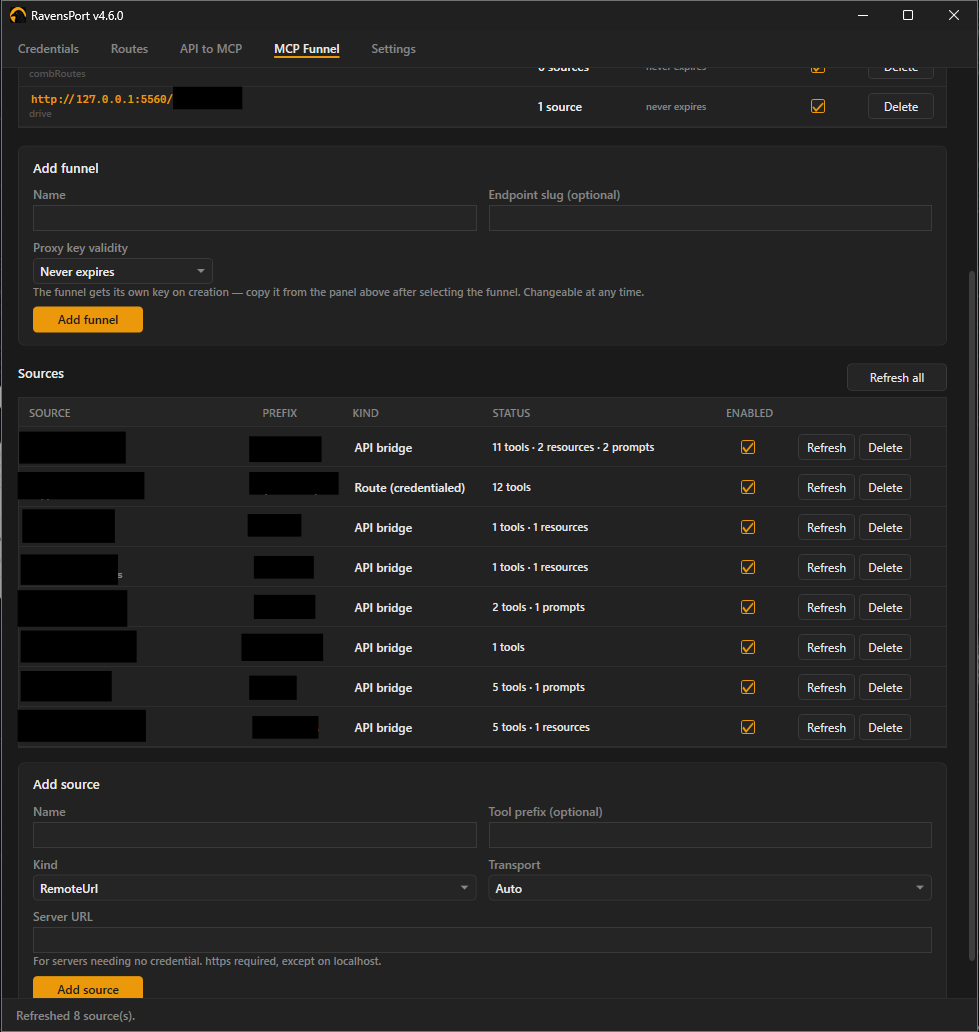
- MCP Funnel — per-agent endpoints pooling several MCP servers, with per-tool filtering
- API to MCP — turn an API you already proxy into an MCP endpoint from a JSON manifest, or import an OpenAPI document and pick which of its operations become tools
- OAuth2, handled — Google, GitHub, Nextcloud or any custom provider; device-code sign-in; client-credentials and Google service accounts for logins with nobody at the keyboard; static API keys for the services that never offered OAuth. Tokens refresh in the background
- Secrets stay in your password manager — 1Password or Proton Pass holds every credential, and nothing is written to this PC
- A proxy key per endpoint — every route, funnel and bridge has its own, so a key leaked from one client cannot reach the rest. Optionally require a client certificate as well
Install
winget install RavensPort
Or take the installer from Releases, or the Microsoft Store. Windows 10/11. Full instructions, including building from source, are in Installation.
Documentation
Everything lives in the wiki.
| Page | |
|---|---|
| Concepts | How credentials, routes, funnels and bridges fit together |
| Setting up a credential | Every sign-in method, and how to test one |
| Setting up a route | Proxying an upstream, and choosing how the credential is sent |
| API to MCP | Manifests, variants, and importing an OpenAPI document |
| MCP Funnel | Pooling sources into one endpoint and filtering what it exposes |
| Calling the proxy | Proxy keys, how long they last, and why there is one per endpoint |
| Client certificates (mTLS) | Requiring a certificate as well as a key |
| Where your configuration lives | What is in the vault, what is on disk, and what syncs |
| Logs | What is recorded, what is redacted, and where it goes |
| Troubleshooting | When something does not work |
| Building | Building, testing and packaging from source |
Manifests ready to use are in templates/api-mcp/, and the format is
documented in AUTHORING.md.
License
MIT — see LICENSE. Third-party dependencies (all MIT or Apache-2.0) are listed in THIRD-PARTY-NOTICES.md, which also covers what redistributing the published exe requires.