Biel.ai MCP Server
Connect AI tools like Cursor and VS Code to your product documentation using the Biel.ai platform.
Documentation

Biel.ai MCP Server
Connect your IDE to your product docs
Give AI tools like Cursor, VS Code, and Claude Desktop access to your company's product knowledge through the Biel.ai platform.
Biel.ai provides a hosted Retrieval-Augmented Generation (RAG) layer that makes your documentation searchable and useful to AI tools. This enables smarter completions, accurate technical answers, and context-aware suggestions—directly in your IDE or chat environment.
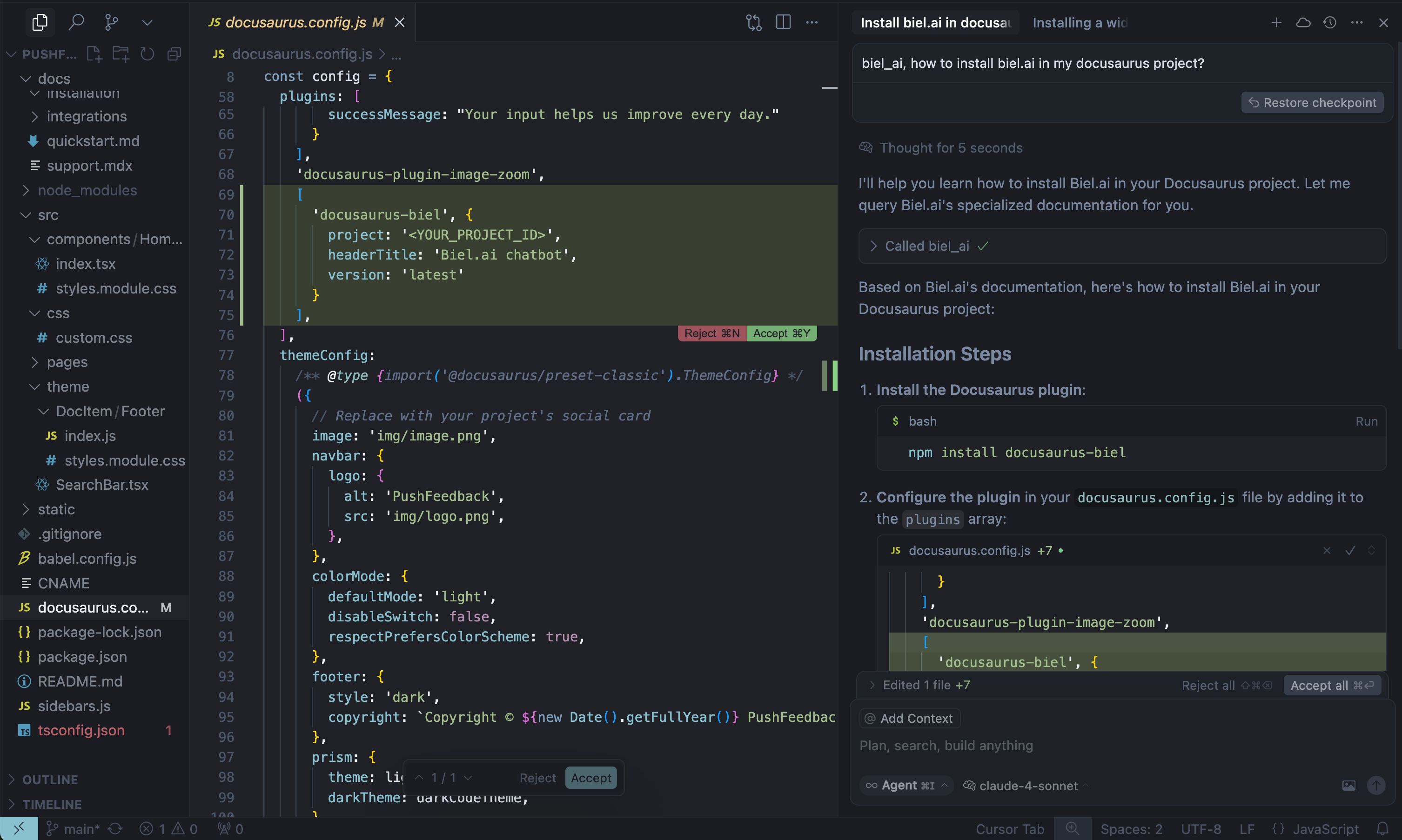
When AI tools can read your product documentation, they become significantly more helpful—generating more accurate code completions, answering technical questions with context, and guiding developers with real-time product knowledge.
Note: Requires a Biel.ai account and project setup. Start your free 15-day trial.
See quickstart instructions →
Getting started
1. Get your MCP configuration
{
  "mcpServers": {
    "biel-ai": {
      "description": "Query your product's documentation, APIs, and knowledge base.",
      "command": "npx",
      "args": [
        "mcp-remote",
        "https://mcp.biel.ai/sse?project_slug=YOUR_PROJECT_SLUG&domain=https://your-docs-domain.com"
      ]
    }
  }
}
Required: project_slug and domain
Optional: api_key (only needed for private projects)
2. Add to your AI tool
- Cursor: Settings → *Tools & Integrations → New MCP server.
- Claude Desktop: Edit
claude_desktop_config.json - VS Code: Install MCP extension.
3. Start asking questions
Can you check in biel_ai what the auth headers are for the /users endpoint?
Self-hosting (Optional)
For advanced users who prefer to run their own MCP server instance:
Local development
# Clone and run locally
git clone https://github.com/TechDocsStudio/biel-mcp
cd biel-mcp
pip install .
biel-mcp
Use as a Python package
Applications that host their own ASGI stack can install the server directly from a tagged revision and import its FastAPI application:
pip install "biel-mcp @ git+https://github.com/TechDocsStudio/biel-mcp.git@VERSION"
from biel_mcp.server import app
Docker deployment
# Docker Compose (recommended)
docker-compose up -d --build

# Or Docker directly
docker build -t biel-mcp .
docker run -d -p 7832:7832 biel-mcp
Support
- Issues: GitHub Issues
- Contact: support@biel.ai
- Custom Demo: Book a demo