DeepSeek-Claude MCP Server
Enhance Claude's reasoning capabilities by integrating DeepSeek's advanced engine.
Documentation
DeepSeek-Claude MCP Server
Enhance Claude's reasoning capabilities with the integration of DeepSeek R1's advanced reasoning engine. This server enables Claude to tackle complex reasoning tasks by leveraging the reasoning capabilites of deepseek r1 model.
🚀 Features
Advanced Reasoning Capabilities
- Seamlessly integrates DeepSeek R1's reasoning with Claude.
- Supports intricate multi-step reasoning tasks.
- Designed for precision and efficiency in generating thoughtful responses.
Complete Setup guide
Installing via Smithery
To install DeepSeek-Claude for Claude Desktop automatically via Smithery:
npx -y @smithery/cli install @HarshJ23/deepseek-claude-MCP-server --client claude
Prerequisites
- Python 3.12 or higher
uvpackage manager- DeepSeek API key (Sign up at DeepSeek Platform)
-
Clone the Repository
git clone https://github.com/harshj23/deepseek-claude-MCP-server.git cd deepseek-claude-MCP-server -
Ensure UV is Set Up
- Windows: Run the following in PowerShell:
powershell -ExecutionPolicy ByPass -c "irm https://astral.sh/uv/install.ps1 | iex" - Mac: Run the following:
curl -LsSf https://astral.sh/uv/install.sh | sh
- Windows: Run the following in PowerShell:
-
Create Virtual Environment
uv venv source .venv/bin/activate -
Install Dependencies
uv add "mcp[cli]" httpx -
Set Up API Key
Obtain your api key from here : https://platform.deepseek.com/api_keys -
Configure MCP Server Edit the
claude_desktop_config.jsonfile to include the following configuration: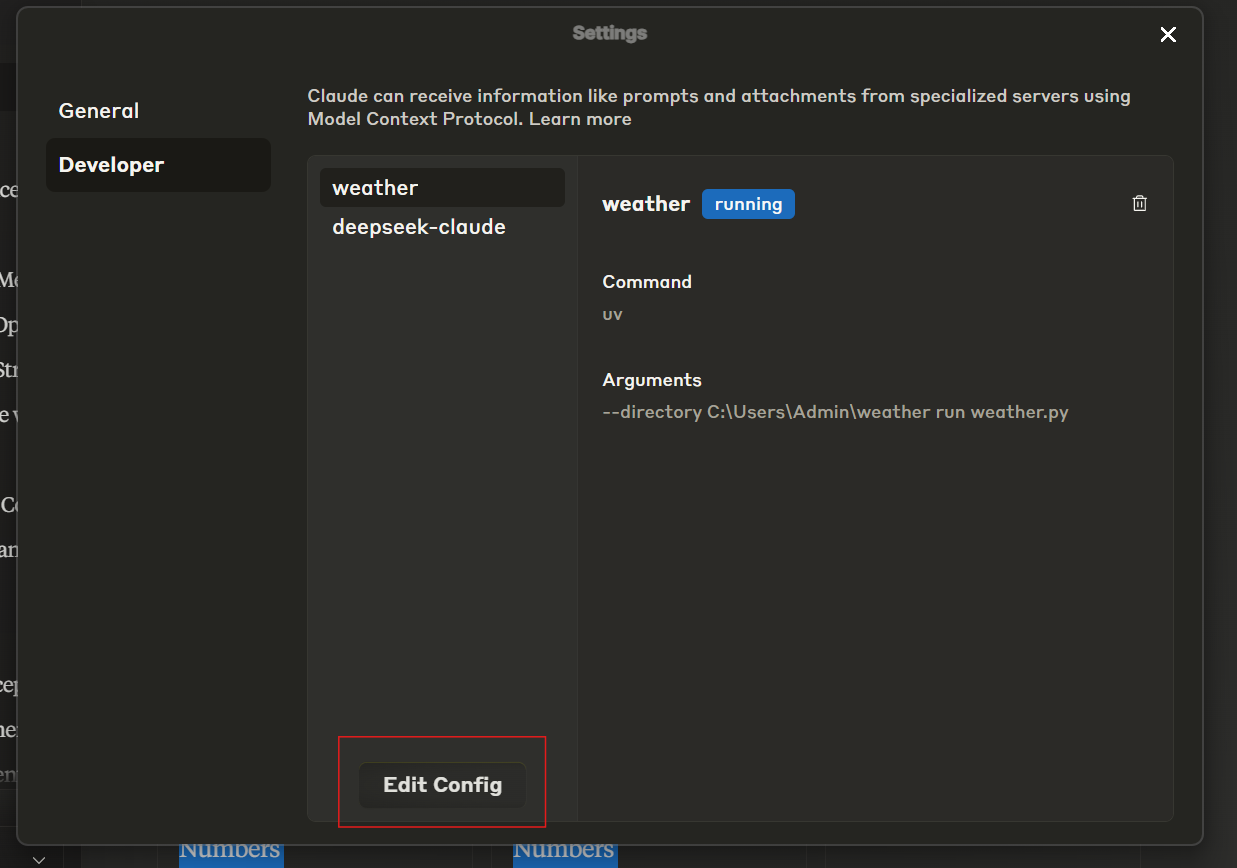
{ "mcpServers": { "deepseek-claude": { "command": "uv", "args": [ "--directory", "C:\\ABSOLUTE\\PATH\\TO\\PARENT\\FOLDER\\deepseek-claude", "run", "server.py" ] } } } -
Run the Server
uv run server.py -
Test Setup
-
Restart Claude Desktop.
-
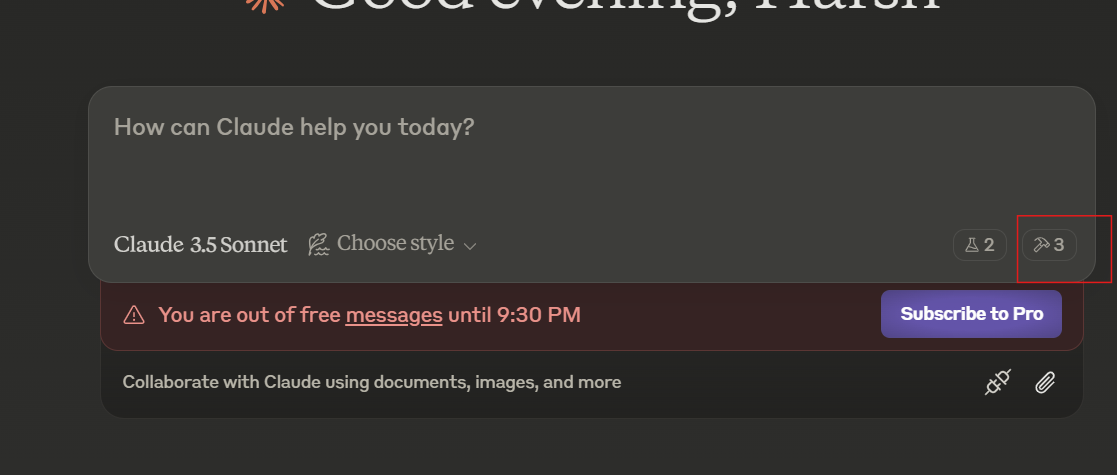
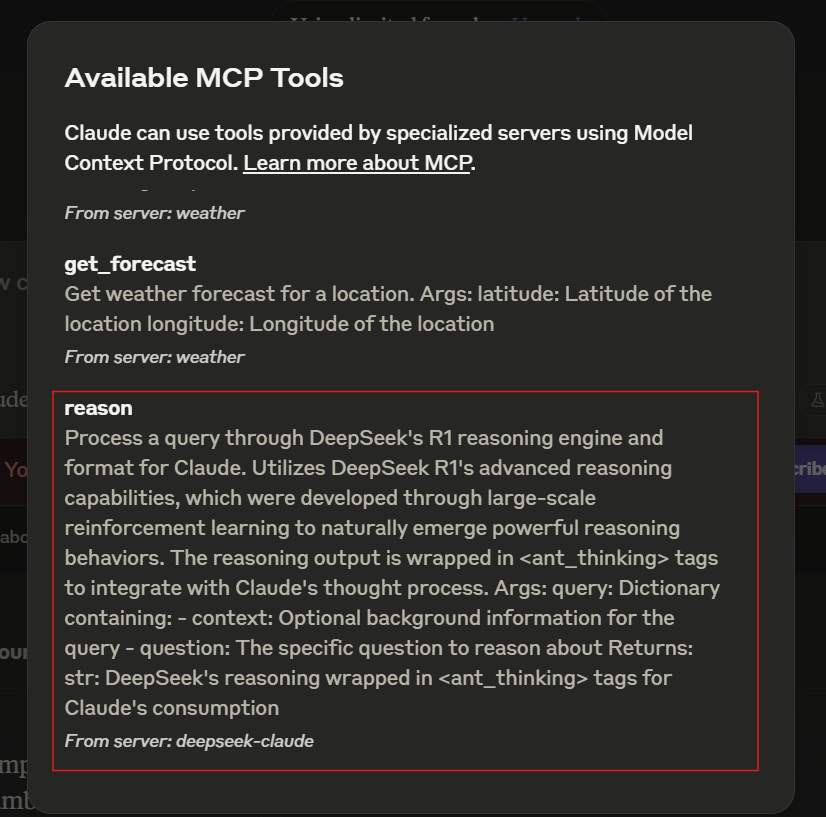
Verify the tools icon is visible in the interface.
-
If the server isn’t visible, consult the troubleshooting guide.
-
🛠 Usage
Starting the Server
The server automatically starts when used with Claude Desktop. Ensure Claude Desktop is configured to detect the MCP server.
Example Workflow
- Claude receives a query requiring advanced reasoning.
- The query is forwarded to DeepSeek R1 for processing.
- DeepSeek R1 returns structured reasoning wrapped in
<ant_thinking>tags. - Claude integrates the reasoning into its final response.
📄 License
This project is licensed under the MIT License. See the LICENSE file for details.