RenPy MCP
Servidor MCP + ferramentas de desenvolvimento visual para o motor de visual novels Ren'Py. 60 ferramentas, mapa de história, painel ao vivo, CLI independente.
Documentação
RenPy MCP + DevTools
Servidor MCP e ferramentas de desenvolvimento visual para o motor de novelas visuais Ren'Py.
60 ferramentas em 10 categorias — pré-visualize cenas, analise o fluxo da história, gerencie traduções, refatore personagens e controle o jogo em execução por meio de linguagem natural ou do seu navegador.
Capturas de Tela
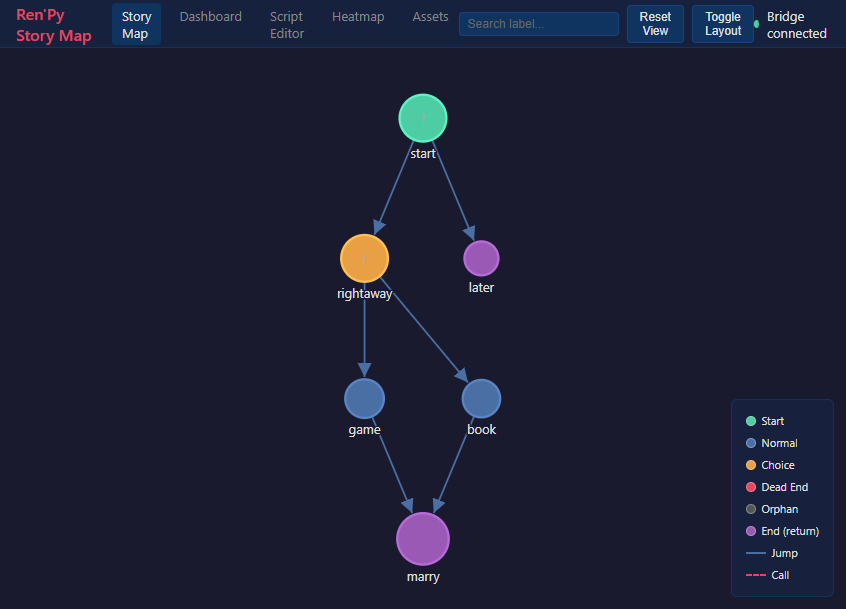
Mapa da História
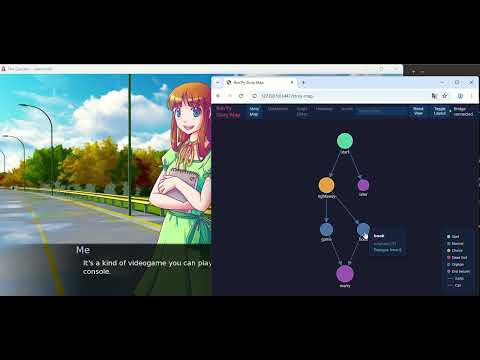
Grafo interativo de todos os labels, jumps e menus. Clique em um nó para teletransportar o jogo em execução para lá.
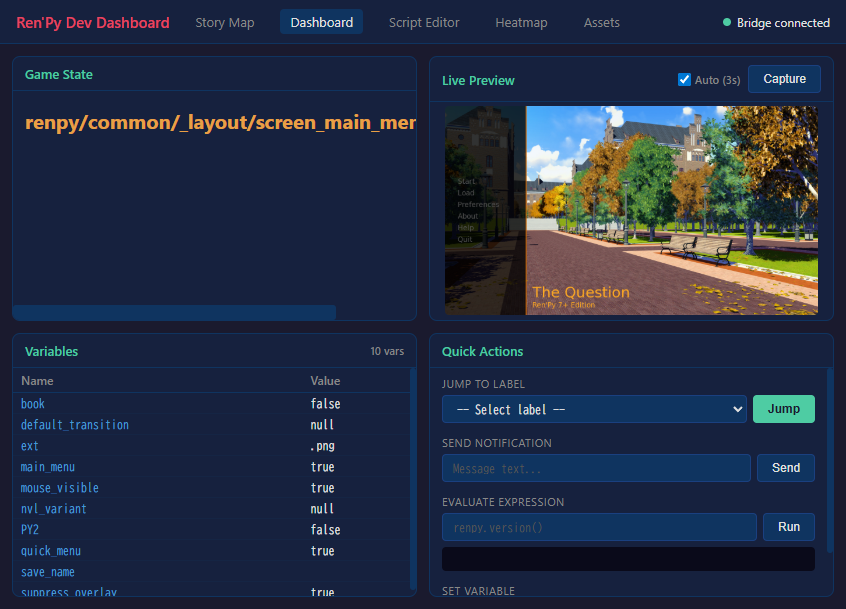
Painel de Desenvolvimento
Pré-visualização ao vivo, inspetor de variáveis com visualização em árvore, ações rápidas — tudo enquanto o jogo está em execução.
Demonstração de Teletransporte ao Clicar
https://github.com/user-attachments/assets/og6ZKTafSGk
Recursos
Com IA (MCP)
Conecte o Claude (ou qualquer cliente MCP) diretamente ao seu projeto Ren'Py:
- Gerenciamento de Projeto — lint, compilação, build, inspeção de configuração
- Pré-visualização Visual — capture a tela de qualquer cena teletransportando até ela
- Testes Automatizados — execute casos de teste, gere relatórios
- Análise de História — grafos de fluxo, becos sem saída, mapas de personagens, rastreamento de variáveis
- Gerenciamento de Ativos — liste imagens/áudios, encontre ativos não utilizados
- Refatoração — renomeie personagens/labels, extraia rotas
- Tradução — estatísticas de conclusão, encontre trechos não traduzidos, tradução automática
- Depuração ao Vivo — eval, inspecione, pule para labels, defina variáveis em um jogo em execução
- Documentação — pesquise 89 tópicos oficiais da documentação do Ren'Py
Ferramentas Visuais de Desenvolvimento (sem necessidade de IA)
Um painel de desenvolvimento independente baseado em navegador:
- Mapa da História — grafo interativo de todos os labels, jumps e menus. Clique em um nó para teletransportar o jogo em execução para lá.
- Painel de Desenvolvimento — pré-visualização ao vivo, inspetor de variáveis com visualização em árvore para dicts/lists, ações rápidas
- Editor de Script — navegue e edite arquivos .rpy com realce de sintaxe
- Mapa de Calor de Playtest — visualize quais partes do seu jogo são mais jogadas
- Gerenciador de Ativos — navegue por imagens e áudios, encontre ativos não utilizados
renpy-webui --project /path/to/my-game
Instalação
Pré-requisitos
- Ren'Py SDK 8.x — https://www.renpy.org/latest.html
- Python 3.11+ — https://www.python.org/downloads/
- uv (recomendado) — https://docs.astral.sh/uv/getting-started/installation/
Configuração
- Baixe do itch.io e extraia para um local permanente
- Instale as dependências:
cd renpy-mcp uv venv && uv pip install -e . - Configure seu cliente de IA (
.mcp.jsonno diretório do seu projeto):{ "mcpServers": { "renpy-mcp": { "command": "uv", "args": ["run", "--directory", "/path/to/renpy-mcp", "renpy-mcp"], "env": { "RENPY_SDK_PATH": "/path/to/renpy-8.x-sdk" } } } }
Ferramentas de Desenvolvimento Independentes (sem necessidade de cliente de IA)
cd renpy-mcp
uv run renpy-webui --project /path/to/my-game
Veja o Guia de Instalação completo para detalhes.
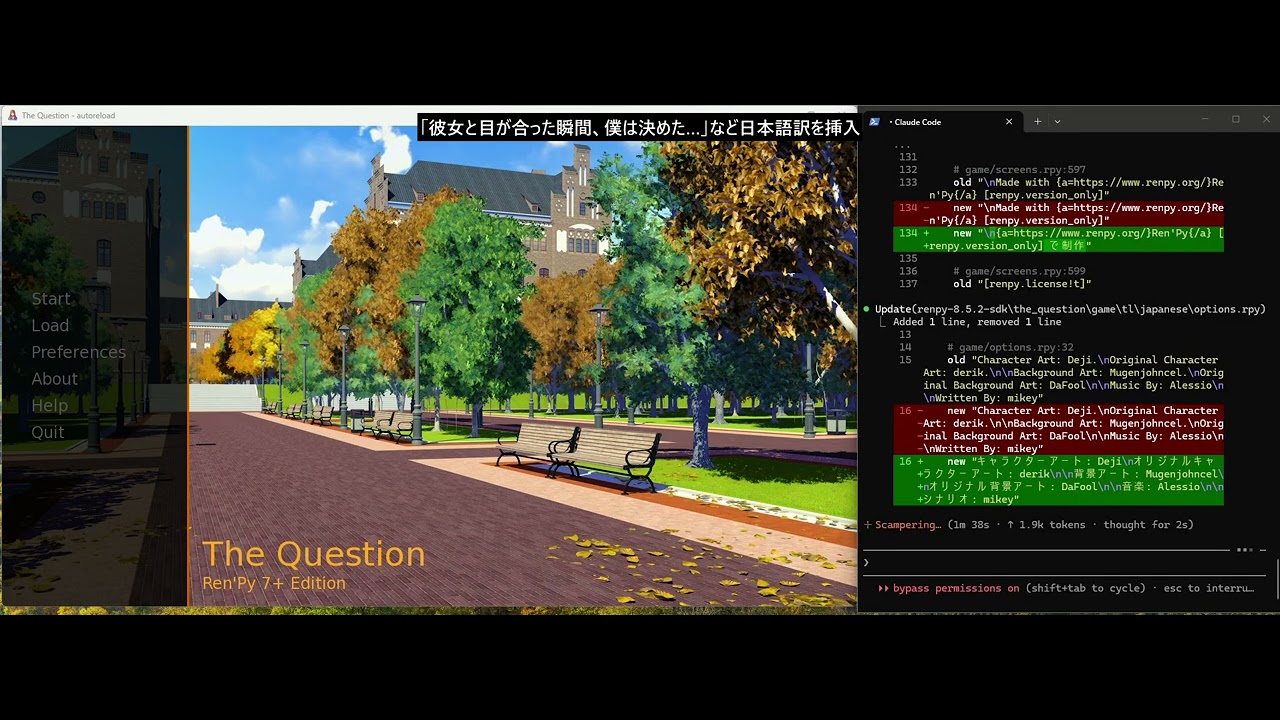
Demonstração
Links
- Site: https://renpy-mcp.abyo.net/
- itch.io: https://y1uda.itch.io/renpy-mcp ($15)
- Discord: https://discord.gg/N6sSHBGuYX
Licença
Software comercial. Veja itch.io para compra.