Cloudflare Logging
Um servidor para logging, implantável como um Cloudflare Worker.
GitHubExperimente este MCPPatrocinado
Documentação
Configuração
- Iniciar contêiner
docker compose up -d - Inicializar package.json
-
npm init -y(Primeira vez para criar package.json) -
npm install
-
Criação do Servidor MCP
- Criar a partir do template da CF
-
npm create cloudflare@latest -- mcp-logging --template=cloudflare/ai/demos/remote-mcp-authless - Se a clonagem do template falhar, faça git clone do repositório cloudflare/ai abaixo e recrie
git clone https://github.com/cloudflare/ai.git
-
- Iniciar servidor de desenvolvimento
- Atualizar para usar o IP
wrangler dev --ip 0.0.0.0em package.json - Mapeamento de porta
8787:8787em docker-compose.yml npm startOUwrangler dev --ip 0.0.0.0- Acessar via
localhost:8787/sse
- Atualizar para usar o IP
Implantar Worker da CF
- Definir o ID da conta CF em wrangler.jsonc
"account_id": "<EDIT-HERE>" - Definir a chave da API da CF no env
- Modelo de permissão da API:
Edit Cloudflare Workers - Variável de ambiente:
CLOUDFLARE_API_TOKEN=<EDIT-HERE>
- Modelo de permissão da API:
- Implantar worker na CF
npm run deployOUnpx wrangler deploy
Inspetor MCP
- Iniciar inspetor
npx @modelcontextprotocol/inspector@latest
Conectar via Host/Cliente MCP
-
mcp-remote
{ "mcpServers": { "CF Remote MCP": { "command": "npx", "args": [ "-y", "mcp-remote", "https://<MCP_SERVER_URL>/sse" ] } } } -
supergateway
{
  "mcpServers": {
    "Basic Calculator": {
      "command": "npx",
      "args": [
        "-y",
        "supergateway",
        "--sse",
        "http://localhost:8787/sse",
        "--header",
        "X-UserID:USERID_123",
        "--header",
        "X-SecretKey:SKEY_456"
      ]
    }
  }
}
LogPush
- Habilitar
logpushpara o worker da CF- Definir
"logpush": trueem wrangler.jsonc - Implantar na CF e verificar as configurações
- Definir
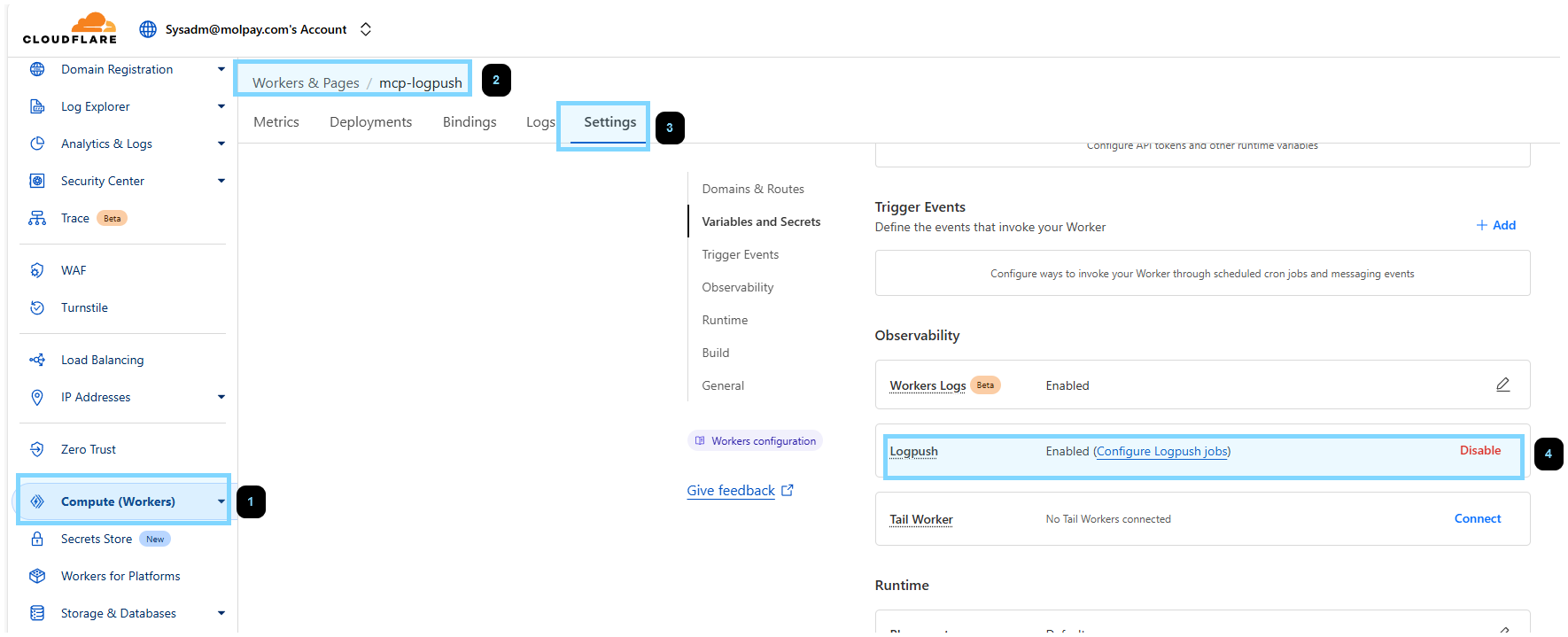
- Criar token da API R2
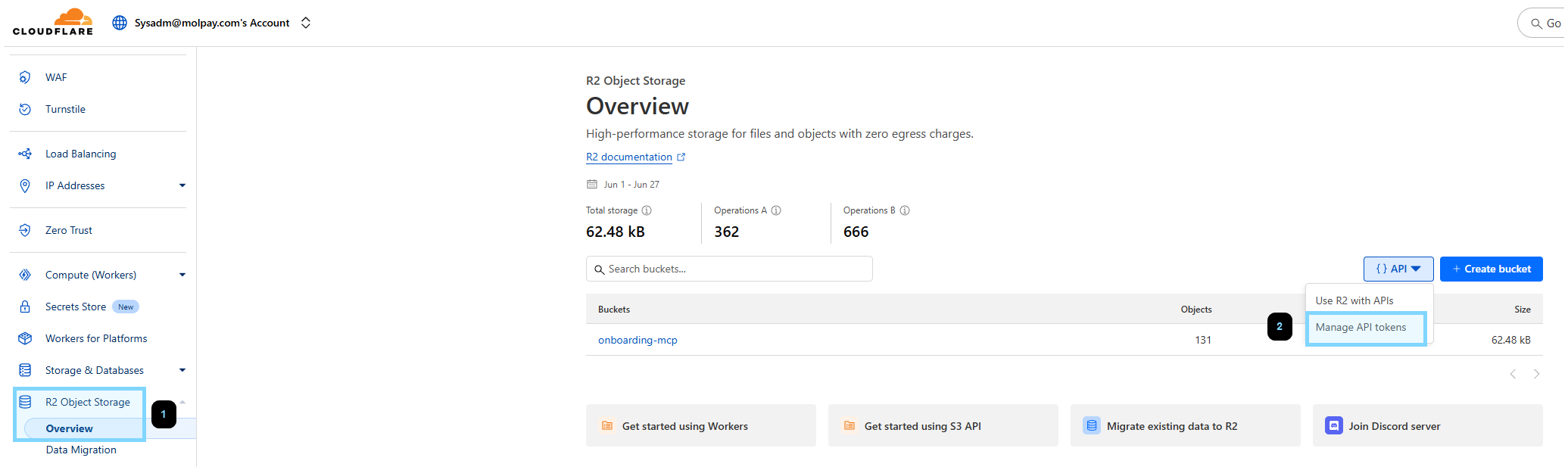
- Criar bucket R2
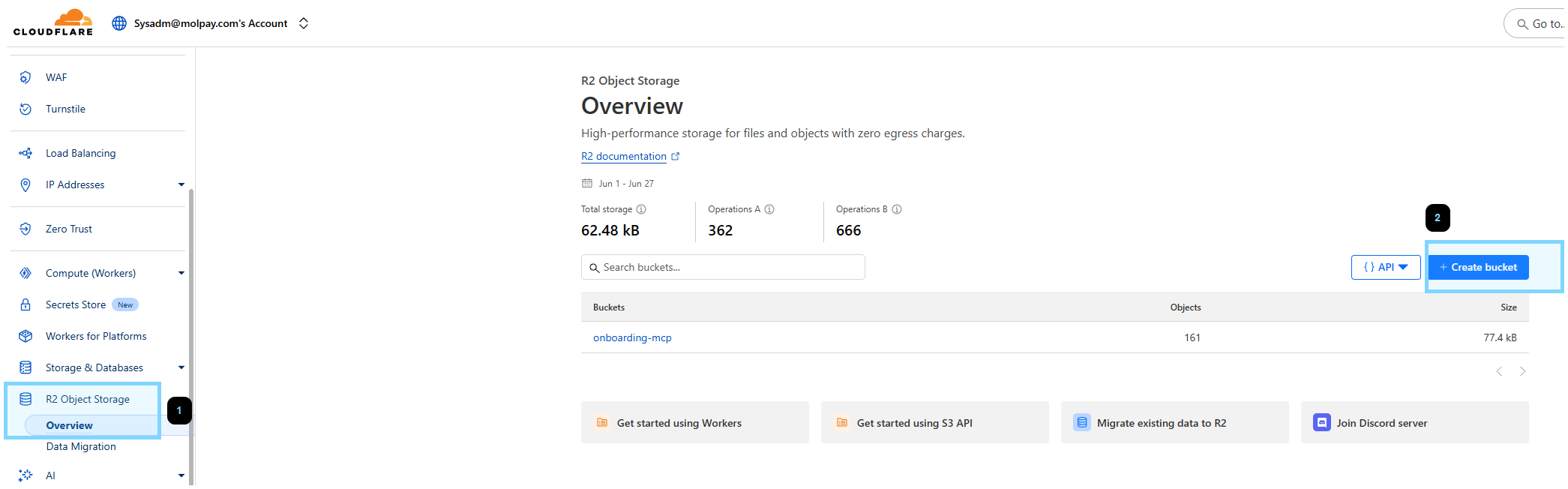
- Criar job do LogPush
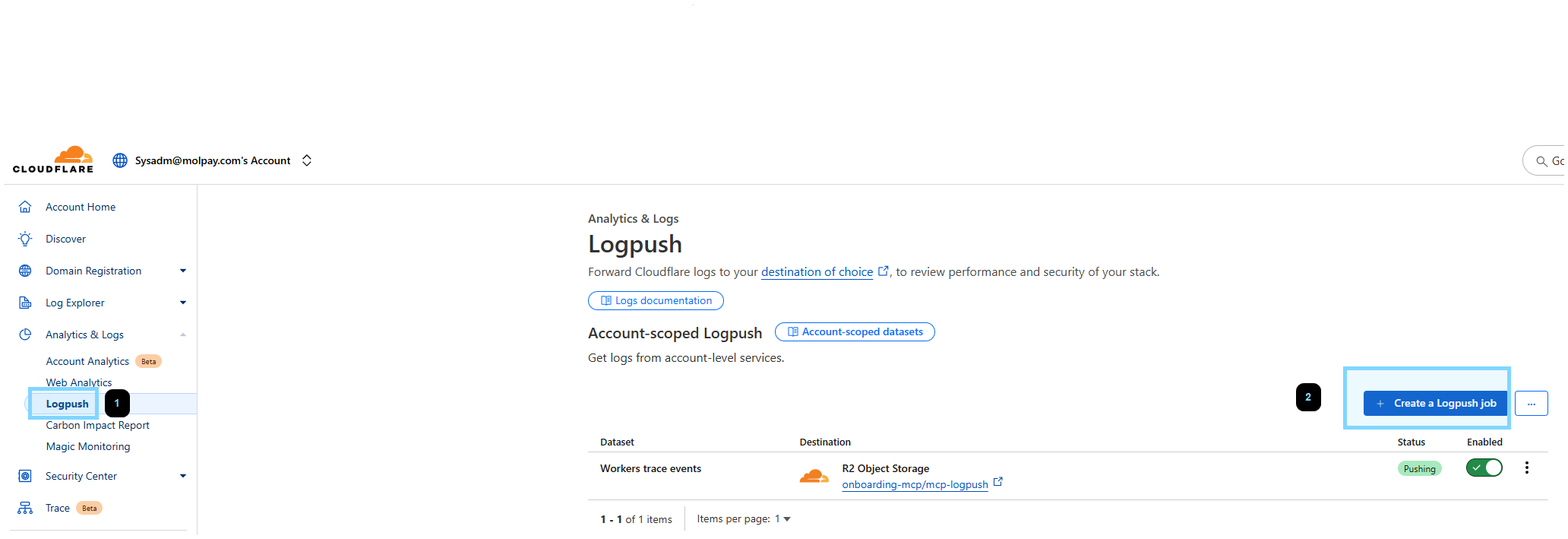
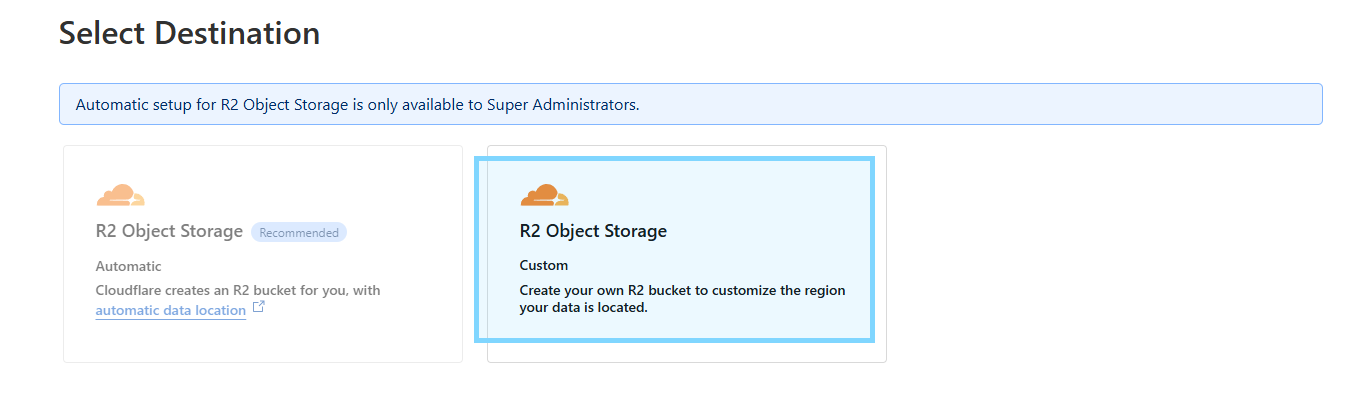
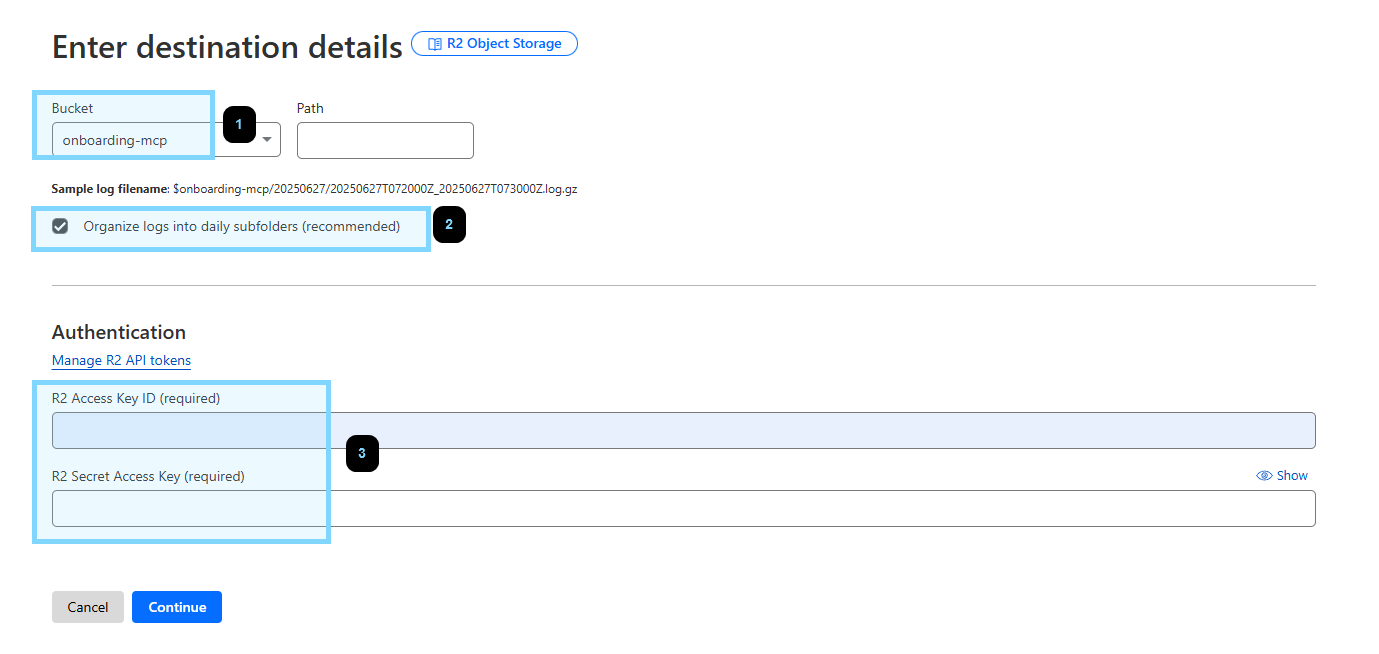
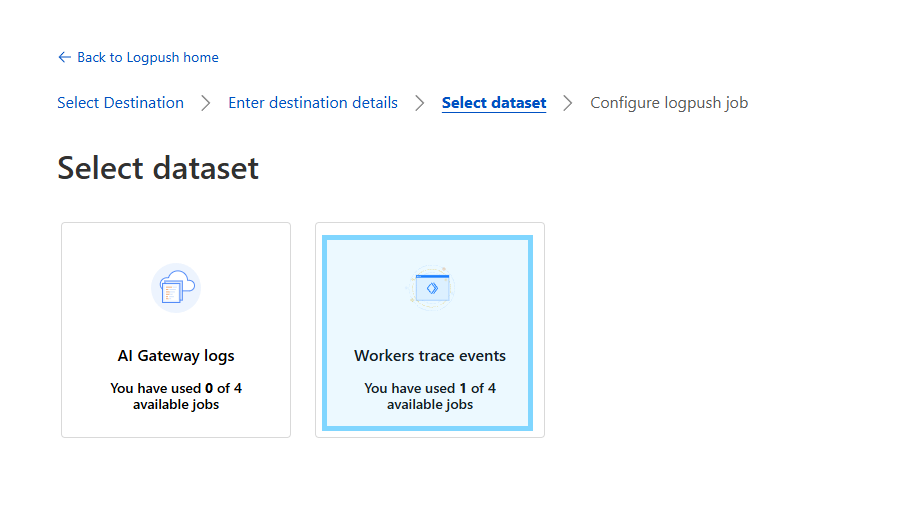
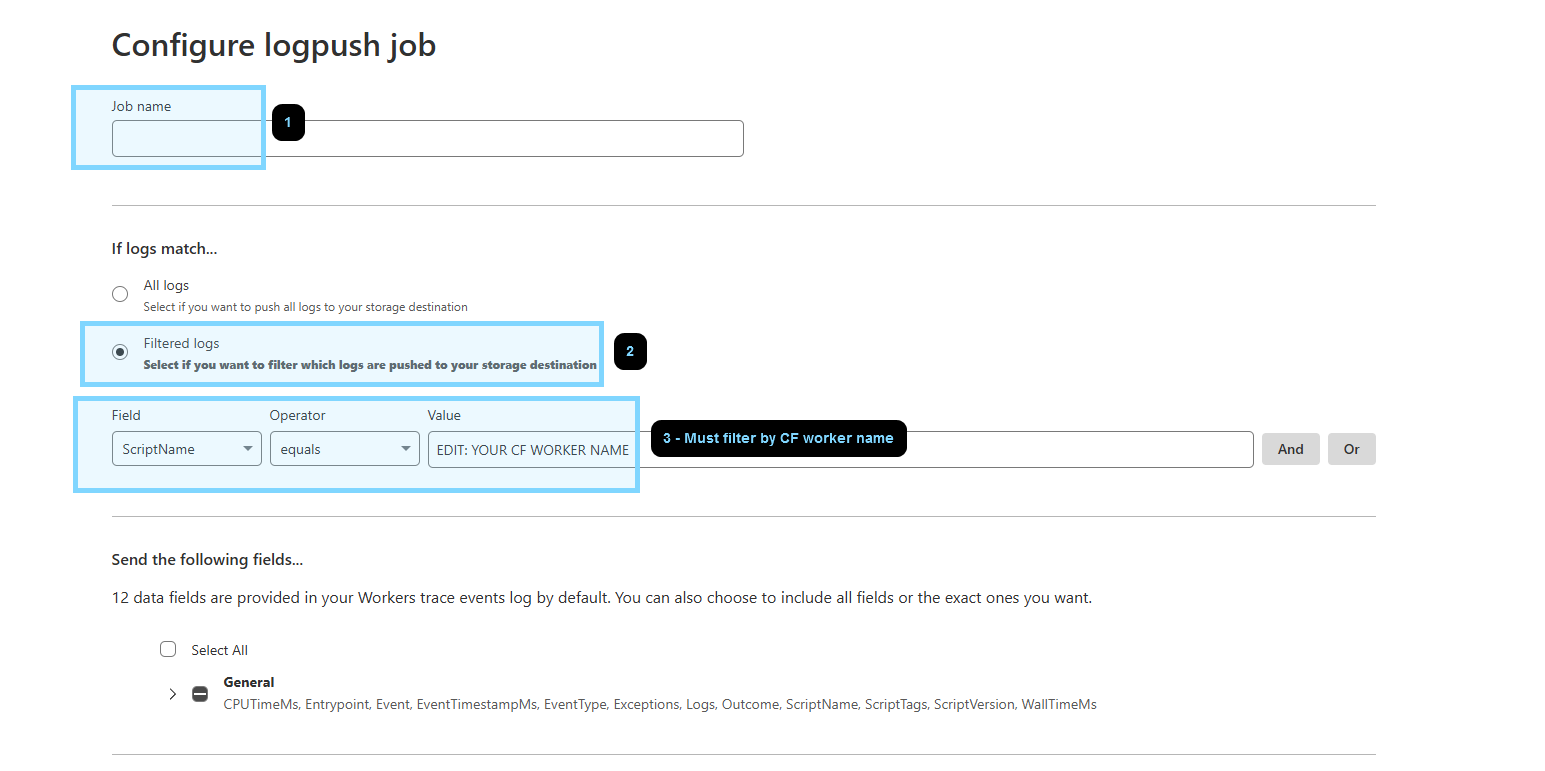
- Definir env (edite o valor)
R2_BUCKET_NAME="EDIT: R2 BUCKET NAME"
R2_LOG_BASE_PREFIX="EDIT: R2 FOLDER NAME"
CF_R2_ACCESS_KEY_ID="EDIT: R2 ACCESS KEY ID"
CF_R2_SECRET_ACCESS_KEY="EDIT: R2 ACCESS SECRET"
- Executar o script
utils/download_r2_logs.jspara obter logsnode utils/download_r2_logs.js --start-date "2025-06-27 07:00:00" --end-date "2025-06-27 08:00:00"
Passar Variável para Função de Ferramenta
-
Definir
ctx.propsno fetch entrypoint.export default { fetch(request: Request, env: Env, ctx: ExecutionContext) { const userId: string | null = request.headers.get('X-UserID'); const secretKey: string | null = request.headers.get('X-SecretKey'); ctx.props = { userId, secretKey }; // add this -
Usar
this.props.<VARIABLE_NAME>em tool.this.server.tool( "calculate", { operation: z.enum(["add", "subtract", "multiply", "divide"]), a: z.number(), b: z.number() }, async ({ operation, a, b,}) => { try { // retrieve here const userId: string | null = this.props.userId as string; const secretKey: string | null = this.props.secretKey as string;