Notion MCP Server
Um servidor MCP para a API do Notion, permitindo que modelos de linguagem interajam com espaços de trabalho do Notion.
Documentação
Servidor MCP do Notion
Servidor MCP amigável para IA da API do Notion. Ele ajuda agentes a encontrar, ler, consultar e atualizar espaços de trabalho do Notion, mantendo as respostas compactas o suficiente para fluxos de trabalho diários de IA.
Este servidor tem como alvo a API do Notion 2026-03-11 e usa o modelo atual de banco de dados/fonte de dados. Ele expõe ferramentas MCP, prompts, recursos, resultados de ferramentas estruturados e MCP Apps opcionais para fluxos de trabalho interativos do Notion.
Destaques
- Descoberta de pesquisa e alvo com
notion_find. - Leitura compacta de páginas com IDs de blocos estáveis via
notion_read_page. - Inspeção de esquema de fonte de dados com
notion_inspect_data_source. - Consulta de fonte de dados com reconhecimento de esquema e criação de itens com valores simples.
- Ferramentas simples de edição de páginas para parágrafos, títulos, listas, tarefas, citações, callouts, blocos de código, divisores e anexo seguro de Markdown.
- Ferramentas brutas da API do Notion para operações avançadas de blocos, páginas, bancos de dados, fontes de dados, comentários e usuários.
- MCP Apps opcionais: Explorador de Fonte de Dados e Bancada de Página.
Início Rápido
Adicione este servidor a um host MCP, como o Claude Desktop:
{
  "mcpServers": {
    "notion": {
      "command": "npx",
      "args": ["-y", "@suekou/mcp-notion-server"],
      "env": {
        "NOTION_API_TOKEN": "your-integration-token"
      }
    }
  }
}
Reinicie seu host MCP após salvar a configuração.
Guia de Configuração
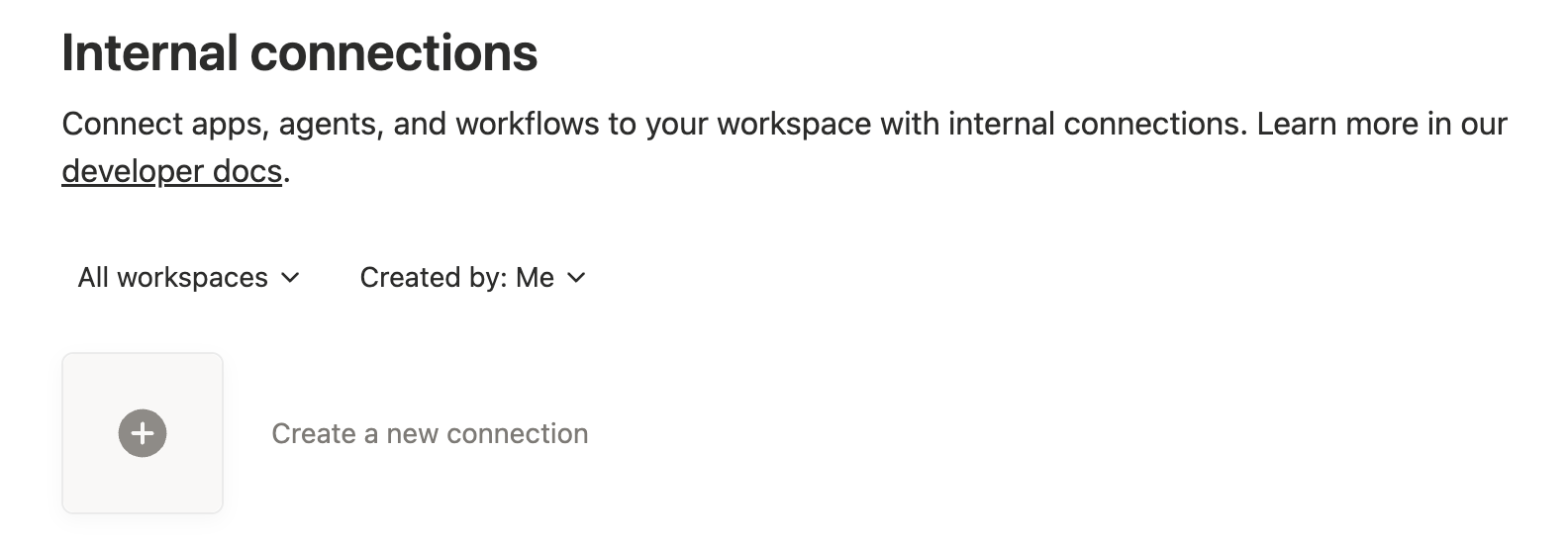
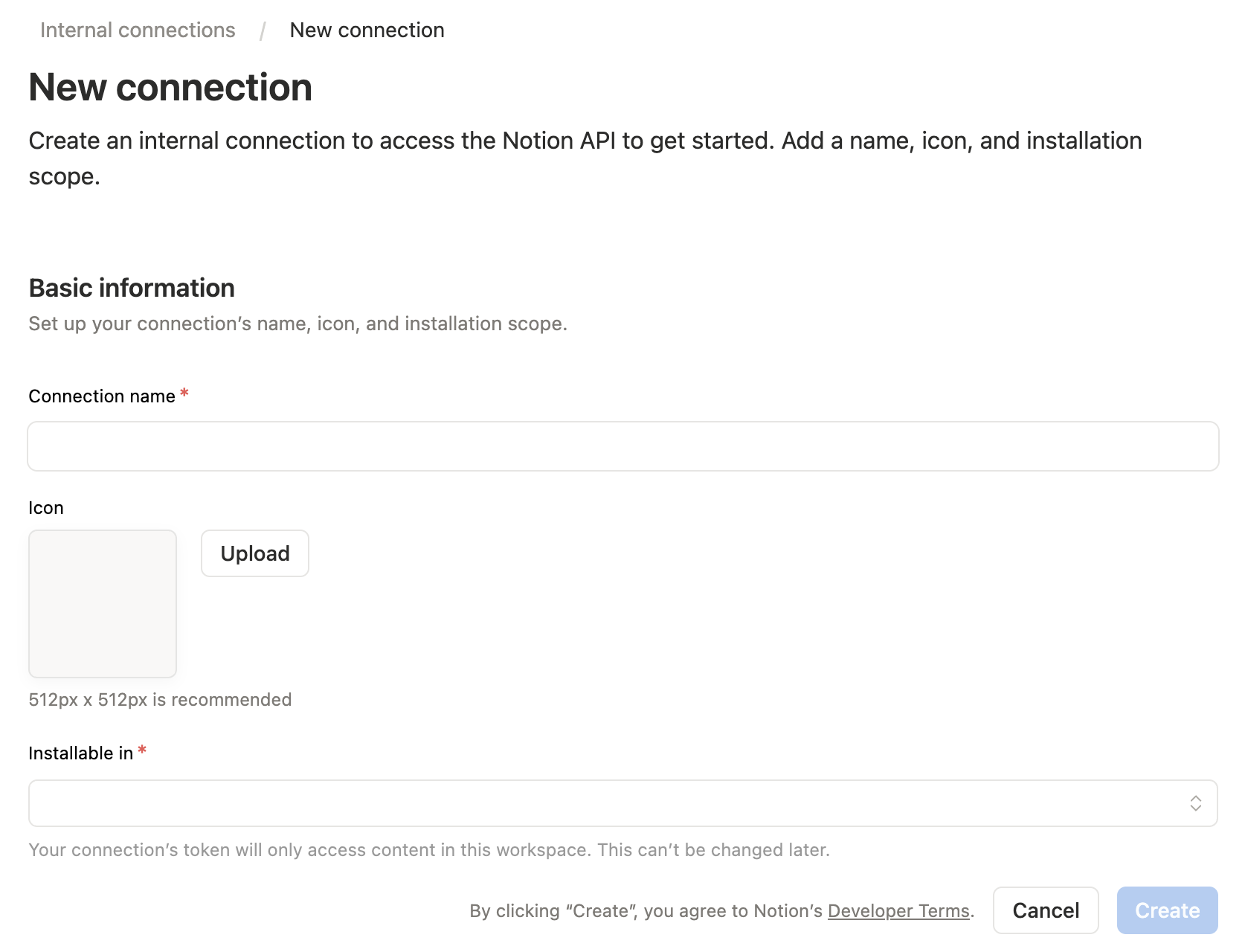
1. Crie uma integração do Notion
Abra o painel de integrações do Notion e crie uma nova integração interna.
2. Configure as permissões
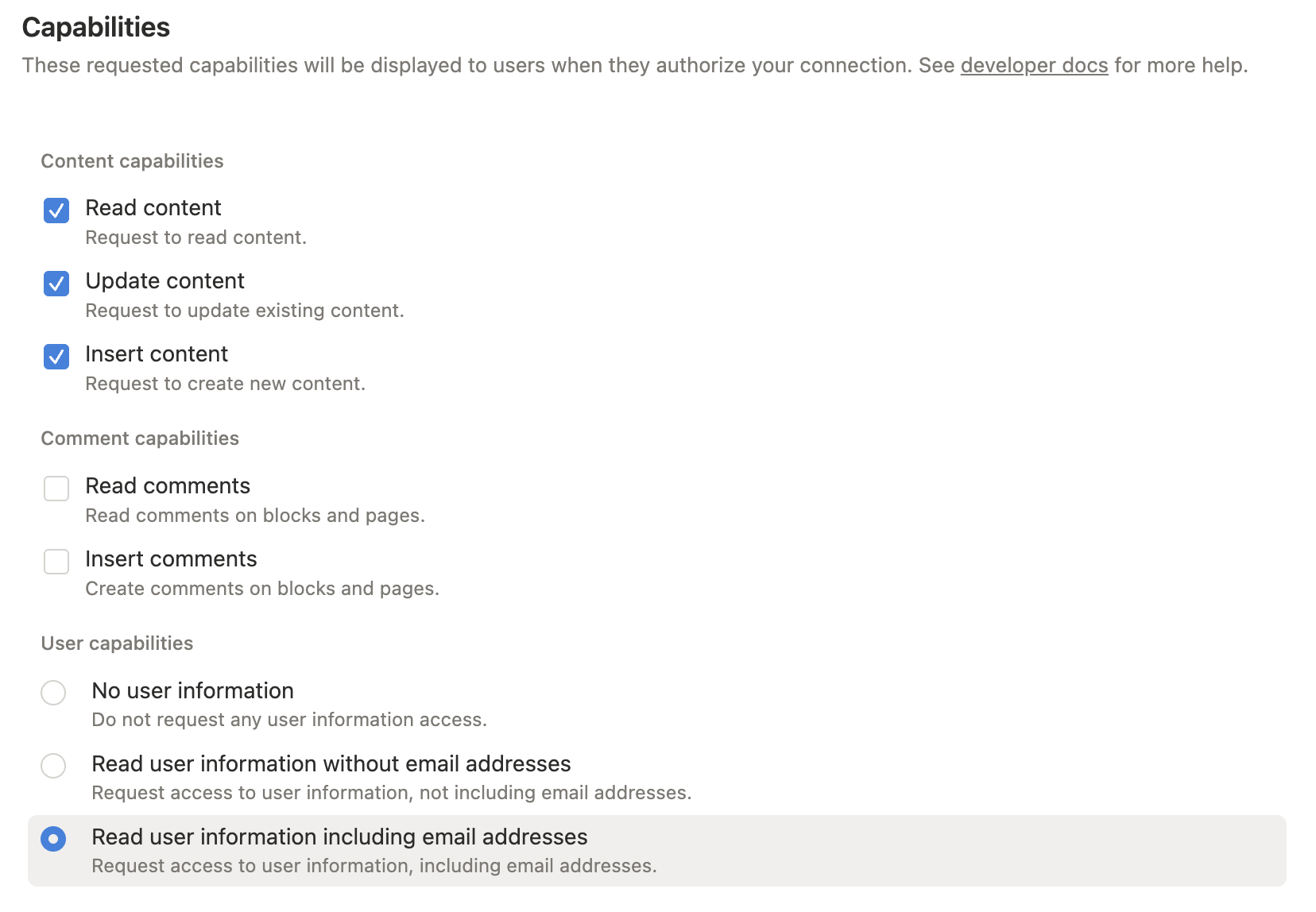
Conceda apenas as permissões que você precisa:
- Ler conteúdo: necessário para pesquisa, leitura de páginas, recuperação de fontes de dados e consultas.
- Inserir conteúdo: necessário para criar páginas/itens e anexar blocos.
- Atualizar conteúdo: necessário para atualizar páginas, blocos e esquemas de fontes de dados.
- Ler comentários / Inserir comentários: necessário apenas para ferramentas de comentários.
- Informações do usuário: necessário apenas ao usar ferramentas de consulta de usuários.
Para funcionalidade completa durante a configuração, habilite leitura, inserção e atualização de conteúdo. Adicione permissões de comentários ou usuários somente se você planeja usar essas ferramentas.
3. Conceda acesso ao conteúdo
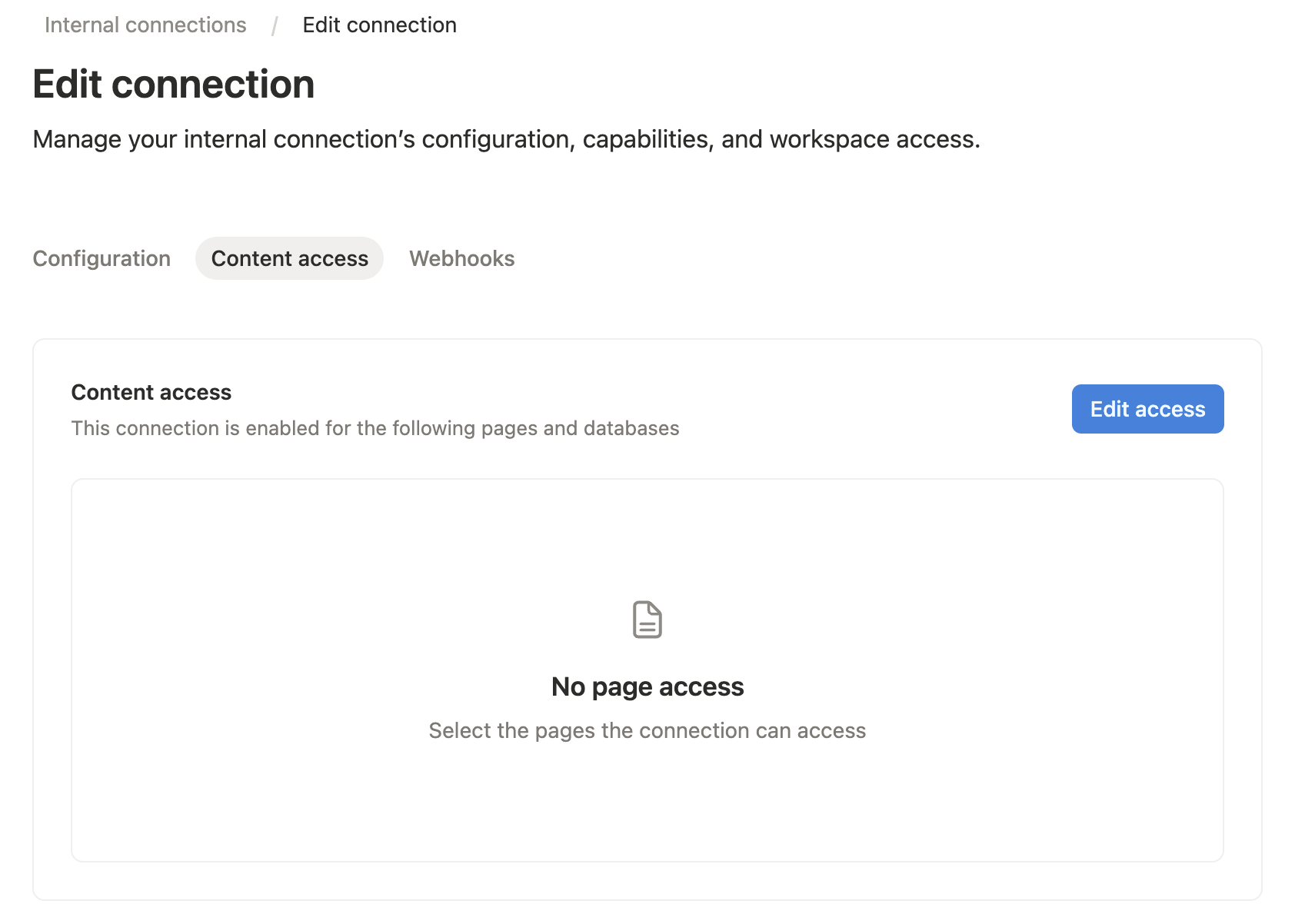
Abra a aba Acesso ao conteúdo da sua integração e selecione as páginas ou bancos de dados que o servidor MCP deve ler ou editar.
Você também pode conceder acesso a partir da página ou banco de dados alvo do Notion: abra o menu ..., escolha Conexões e adicione sua integração.
O Notion só permite que uma integração acesse páginas e bancos de dados que foram compartilhados com ela. Uma conexão adicionada a uma página também pode acessar os filhos dessa página.
4. Copie o token da integração interna
Copie o segredo da integração. Esse valor se torna NOTION_API_TOKEN na configuração do seu host MCP.

5. Configure seu host MCP
Para Cursor, Claude Desktop e outros hosts MCP, adicione esta configuração de servidor às suas configurações MCP:
{
  "mcpServers": {
    "notion": {
      "command": "npx",
      "args": ["-y", "@suekou/mcp-notion-server"],
      "env": {
        "NOTION_API_TOKEN": "secret_xxxxxxxxxxxxxxxxxxxxxxxxxxxxxxxxxxxxxxxxxxx"
      }
    }
  }
}
Para um checkout construído localmente:
{
  "mcpServers": {
    "notion": {
      "command": "node",
      "args": ["/absolute/path/to/suekou-mcp-notion-server/build/index.js"],
      "env": {
        "NOTION_API_TOKEN": "secret_xxxxxxxxxxxxxxxxxxxxxxxxxxxxxxxxxxxxxxxxxxx"
      }
    }
  }
}
Fluxo de Trabalho Recomendado
- Use
notion_findpara localizar uma página ou fonte de dados. - Use
notion_read_pagepara contexto da página e IDs de blocos editáveis. - Use
notion_inspect_data_sourceantes de consultar ou criar itens de fonte de dados. - Use
notion_query_data_source_by_valuesenotion_create_data_source_item_from_valuespara trabalhos comuns de fonte de dados. - Use
notion_append_markdown,notion_append_content,notion_update_contentounotion_update_content_batchpara edições normais de páginas. - Recorra a ferramentas JSON brutas somente quando as ferramentas simplificadas não cobrirem a forma da API do Notion que você precisa.
Para Desenvolvedores
Estas referências são principalmente para desenvolvimento, personalização e fluxos de trabalho MCP avançados:
- Configuração: variáveis de ambiente, argumentos de linha de comando, exemplos de host MCP, comandos de desenvolvimento e solução de problemas.
- Ferramentas: referência completa de ferramentas agrupadas por área de fluxo de trabalho.
- Fluxos de Trabalho: orientação prática sobre leitura, escrita, fonte de dados, migração e tratamento de erros.
- MCP Apps: detalhes interativos do Explorador de Fonte de Dados e da Bancada de Página.
Desenvolvimento
Este projeto usa Node.js 22 ou mais recente e pnpm.
pnpm install --frozen-lockfile
pnpm run build
pnpm test
Use o inspetor MCP durante o desenvolvimento local:
pnpm run inspector
Licença
Este servidor MCP é licenciado sob a Licença MIT. Isso significa que você é livre para usar, modificar e distribuir o software, sujeito aos termos e condições da Licença MIT. Para mais detalhes, consulte o arquivo LICENSE no repositório do projeto.