Sparkflights
Pesquise tarifas aéreas que a Sparkflights encontrou e verificou por cidade ou aeroporto, mês de partida, classe e preço, com um link para reservar cada uma. Hospedado, sem chave de API.
Servidor MCP hospedado
npx add-mcp 'https://www.sparkflights.com/mcp/search'Instala no Claude Code, Codex, Cursor e outros
Documentação
Sparkflights MCP server
Search the flight fares Sparkflights has found, from Claude, ChatGPT, Cursor, VS Code or any other MCP client, and watch a route for new ones.
https://www.sparkflights.com/mcp/search
The server is hosted — nothing to install. Searching needs no account; to save a route watch you sign in with a Google or Microsoft account. It uses streamable HTTP.
Tools
search_deals and get_deal only read fares. watch_route saves a watch to your account.
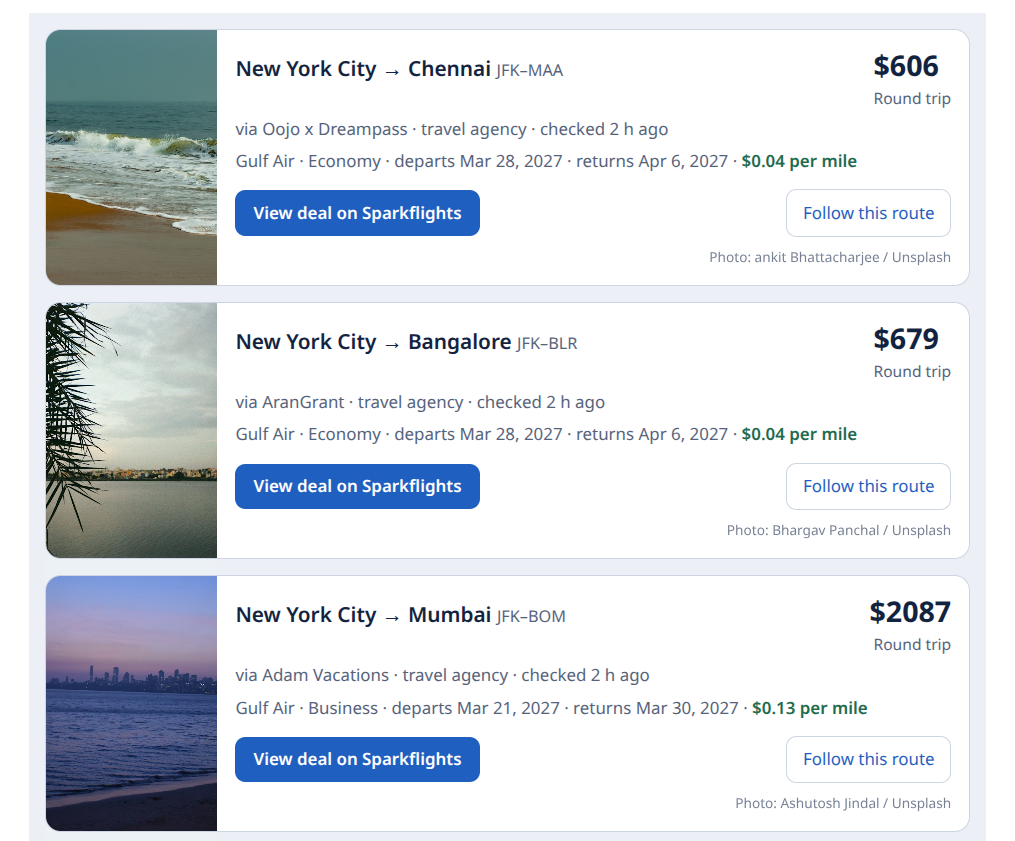
search_dealsfinds fares by origin and destination (an airport code such asJFK, or a city such asNew York), departure month, cabin, region and maximum price. Results are ranked by cost per mile.get_dealreturns one fare's itinerary, flights and the date pairs its fare page lists, with their prices.watch_routesaves a fare watch for the route — every airport of both cities, in the cabin you name. The first time you save one your client signs you in; new deals on the route then come by email and browser notification.
Endpoint
https://www.sparkflights.com/mcp/search has the three tools above. Searching needs no account; saving a watch signs you in with Google or Microsoft. This is the one to add to your client.
The old address, https://www.sparkflights.com/mcp, redirects there. Agents that submit the fares they find use the REST API or A2A; see For agents.
WebMCP (in-browser)
Sparkflights pages register tools on document.modelContext where the browser supports it (Chrome WebMCP origin trial), so an agent working in the page can call them without a connector:
search_flight_deals— the deal board's search form, as a declarative WebMCP tool: city, cabin, region and sort.filter_deals— the same form on city, region and route pages.search_deals,get_deal,watch_route— the tools ofhttps://www.sparkflights.com/mcp/search, loaded into the page by Cloudflare's WebMCP script.inspect_image_c2pa,scan_images_c2pa— added by the same Cloudflare script; they read image provenance.
Each fare links to its Sparkflights fare page, where you book it.
Each fare shows when its price was last checked; prices can change after that. An empty result means Sparkflights has no fare that matches, not that no flights exist. Sparkflights does not sell tickets or take payments.
Add it to your client
Claude (claude.ai or Claude Desktop): Customize → Connectors → Add → Add custom connector, paste the URL above, and under Authentication choose Sign in when needed (Claude may suggest "No sign-in"; with that, saving a watch cannot sign you in). Keep "Use Claude's published identity".
Claude Code:
claude mcp add --transport http sparkflights https://www.sparkflights.com/mcp/search
Cursor (~/.cursor/mcp.json):
{
  "mcpServers": {
    "sparkflights": {
      "url": "https://www.sparkflights.com/mcp/search"
    }
  }
}
VS Code (.vscode/mcp.json):
{
  "servers": {
    "sparkflights": {
      "type": "http",
      "url": "https://www.sparkflights.com/mcp/search"
    }
  }
}
ChatGPT: turn on developer mode, then add a custom MCP server with the URL above.
Other clients: mcp.json has the standard mcpServers entry.
Try asking
- Find flight deals from New York to London
- Are there any business class flight deals from San Francisco?
- Flights from Chicago in March under $500
- Any flight deals to Tokyo?
- Find flight deals from Los Angeles, then show me the dates and flights for the first one
- Watch Chicago to Lisbon for me
- Save a fare watch for Denver to Tokyo
Links
- Sparkflights
- For agents: how AI agents submit the fares they find and get credited for them
- Privacy · Terms
- Problems with the server: open an issue here, or email support@sparkflights.com
Publishing
server.json is published to the MCP Registry by .github/workflows/publish-mcp.yml when a v* tag is pushed. Bump version in server.json before tagging.