Upbit MCP Server
Acesse dados de mercado, gerencie contas e execute negociações na Upbit Cryptocurrency Exchange por meio de sua OpenAPI.
Documentação
Upbit MCP Server
Uma implementação de servidor para a OpenAPI da exchange de criptomoedas Upbit usando o Model Context Protocol (MCP). Este projeto fornece ferramentas para interagir com os serviços da exchange Upbit, como recuperação de dados de mercado (cotações, livros de ofertas, histórico de negociações, dados de gráficos), informações de conta, criação e cancelamento de ordens, gerenciamento de depósitos/retiradas e realização de análise técnica.
Recursos
- Recuperação de dados de mercado (ticker, livro de ofertas, negociações, dados de candles)
- Informações de conta (saldo, histórico de ordens)
- Criação e cancelamento de ordens
- Funções de depósito e retirada
- Ferramentas de análise técnica
Lista de recursos disponíveis
Consulta de dados de mercado
- Consulta de cotação atual de criptomoedas (
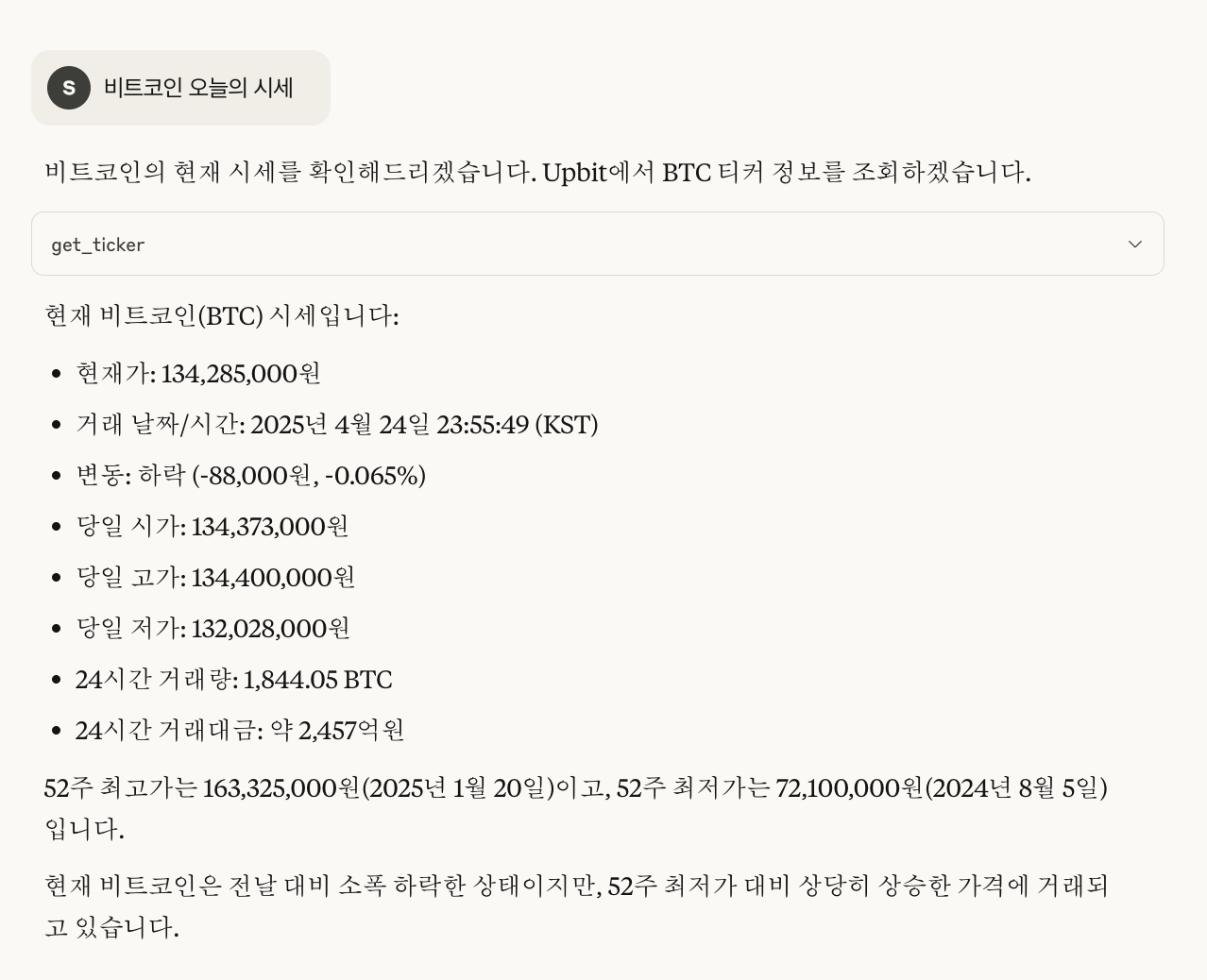
get_ticker) - Consulta de informações do livro de ofertas (
get_orderbook) - Consulta de histórico recente de negociações (
get_trades) - Verificação de informações resumidas dos principais mercados de criptomoedas (
get_market_summary)
Consulta de informações da conta
- Verificação da lista de ativos mantidos e saldo (
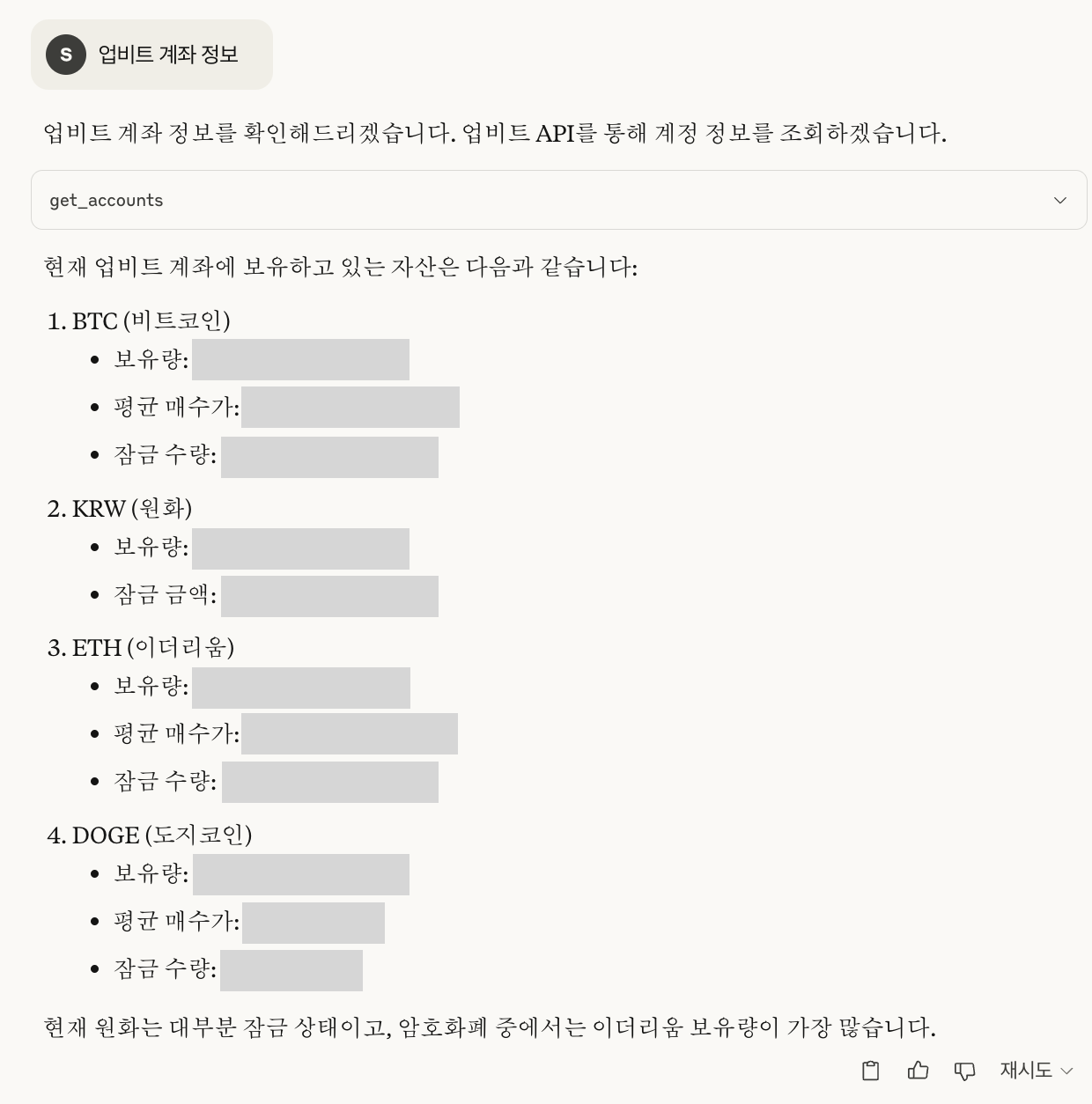
get_accounts) - Consulta de histórico de ordens (
get_orders) - Consulta de informações detalhadas de uma ordem específica (
get_order) - Consulta de histórico de depósitos e retiradas (
get_deposits_withdrawals)
Funções de negociação
- Criação de ordem de compra limitada/a mercado (
create_order) - Criação de ordem de venda limitada/a mercado (
create_order) - Cancelamento de ordem (
cancel_order)
Exemplo de chat
Abaixo está uma imagem de exemplo real de chat.
Pré-requisitos
Antes de começar, você precisa obter suas chaves de API da Upbit:
- Crie uma conta na Upbit se ainda não tiver uma
- Acesse o Centro de Desenvolvedores da Upbit
- Crie uma nova chave de API
- Certifique-se de definir as permissões adequadas (leitura, negociação, retirada conforme necessário)
- Armazene suas chaves de API (
UPBIT_ACCESS_KEY,UPBIT_SECRET_KEY) no arquivo.env(consulte a seção Instalação)
Instalação
-
Clone o repositório:
git clone https://github.com/solangii/upbit-mcp-server.git cd upbit-mcp-server -
Instale as dependências:
cd upbit-mcp-server
uv sync
Se você ainda não tem o
uvinstalado, pode instalá-lo da seguinte forma:O uso do
uvproporciona instalação mais rápida e resolução de dependências mais confiável.# Install uv curl -Ls https://astral.sh/uv/install.sh | sh # Add uv to your PATH echo 'export PATH="$HOME/.local/bin:$PATH"' >> ~/.zshrc source ~/.zshrc # or bashrc, depending on your shell -
Configure as variáveis de ambiente: Crie um arquivo
.envna raiz do projeto e adicione suas chaves de API da Upbit:UPBIT_ACCESS_KEY=your_access_key_here UPBIT_SECRET_KEY=your_secret_key_here
Uso
Instalar no Claude Desktop
Opção 1: Usando o arquivo de configuração do Claude (integração direta)
Você pode adicionar o servidor MCP diretamente ao arquivo de configuração do Claude:
-
Instale o Claude Desktop
-
Adicione o seguinte à configuração do seu Claude Desktop:
- macOS: ``~/Library/Application Support/Claude/claude_desktop_config.json`
- Windows:
%APPDATA%\Claude\claude_desktop_config.json
-
Adicione a seguinte configuração (ajuste os caminhos conforme necessário):
{ "mcpServers": { "upbit-mcp-server": { "command": "/full/path/to/upbit-mcp-server/.venv/bin/python", "args": [ "/full/path/to/upbit-mcp-server/main.py" ] } } } -
Reinicie o Claude para carregar a nova configuração.
Opção 2: Usando fastmcp
fastmcp install main.py --name "Upbit API"
Executar diretamente com Python
uv run python main.py
Modo de desenvolvimento (interface web)
fastmcp dev main.py
Atenção
- Este servidor pode processar negociações reais, portanto use-o com cuidado.
- Mantenha suas chaves de API seguras e nunca as envie para repositórios públicos.
Licença
MIT