OPET Fuel Prices
Fornece acesso aos preços atuais de combustíveis da OPET, uma empresa turca de distribuição de petróleo.
Documentação
Servidor MCP de Preços de Combustíveis OPET
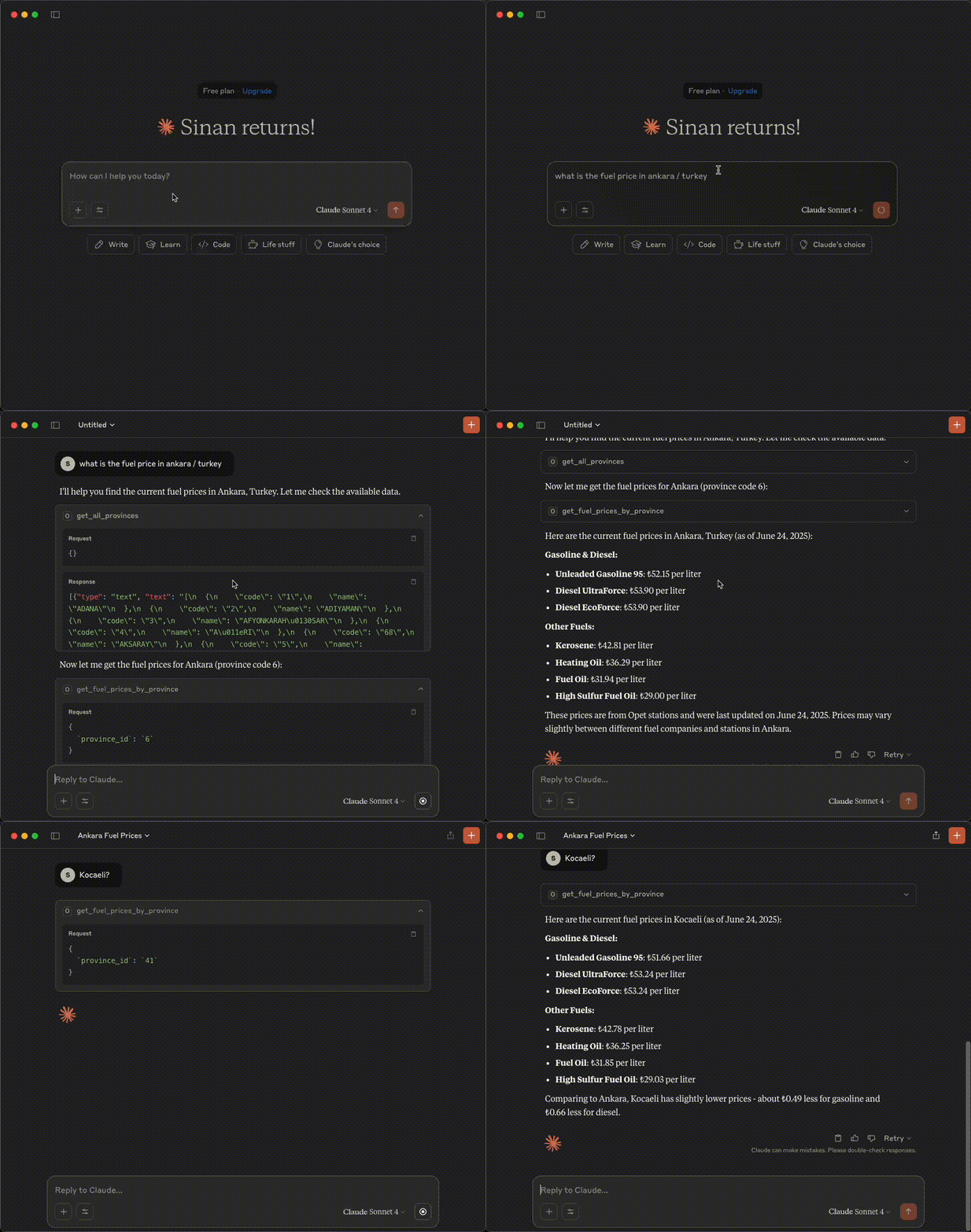
Um servidor Model Context Protocol (MCP) que fornece acesso aos dados de preços de combustíveis da OPET por meio do Claude AI.
Demonstração
Recursos
- Obter todas as províncias disponíveis
- Buscar preços de combustíveis para províncias específicas
- Obter o carimbo de data/hora da última atualização
- Tratamento de erros com mensagens detalhadas
Pré-requisitos
Antes de usar este servidor MCP, você precisa configurar o servidor da API OPET primeiro.
1. Instalar o Pacote OPET
Instale o pacote OPET de https://github.com/sinanerdinc/opet:
pip install opet
2. Iniciar o Servidor da API OPET
Inicie o servidor da API usando um dos seguintes métodos:
Opção A: Usando CLI
opet-cli --api
Opção B: Usando Docker
docker run -p 8000:8000 sinanerdinc/opet api
Opção C: Usando Docker com porta personalizada
docker run -p 5050:8000 sinanerdinc/opet api
O servidor da API estará disponível em http://localhost:8000 (ou na sua porta personalizada).
Instalação
Pré-requisitos
- Python 3.12 ou superior
- Gerenciador de pacotes uv (recomendado) ou pip
- Pacote OPET instalado e servidor da API em execução
Configuração
- Clone o repositório:
git clone <repository-url>
cd opet-mcp
- Usando uv
# Install uv if you don't have it
curl -LsSf https://astral.sh/uv/install.sh | sh

# Create virtual environment and install dependencies
uv venv -p 3.12
source .venv/bin/activate  # On Windows: .venv\Scripts\activate
uv sync
Configuração
Defina a URL da API OPET usando variáveis de ambiente. A URL deve apontar para o seu servidor da API OPET em execução:
# If using default port (8000)
export OPET_API_URL=http://localhost:8000

# If using custom port (e.g., 5050)
export OPET_API_URL=http://localhost:5050
Uso
Executando o Servidor
Inicie o servidor MCP:
# With uv
uv run fastmcp run server.py

# With pip
fastmcp run server.py
Exemplo de Configuração
Opção 1: Instalar o servidor no Claude com um nome personalizado e URL da API:
{
  "mcpServers": {
    "Opet Server": {
      "command": "uv",
      "args": [
        "run",
        "--with",
        "fastmcp",
        "fastmcp",
        "run",
        "/your_absolute_path/opet-mcp/server.py"
      ],
      "env": {
        "OPET_API_URL": "http://localhost:8000"
      }
    }
  }
}
Opção 2: Comando de Instalação
fastmcp install server.py --name "OPET Fuel Prices" \
  --env-var OPET_API_URL=http://localhost:8000
Ferramentas Disponíveis
get_all_provinces()
Recupera uma lista de todas as províncias onde os preços de combustíveis estão disponíveis.
get_fuel_prices_by_province(province_id)
Busca os preços atuais de combustíveis para uma província específica usando seu ID.
Parâmetros:
province_id(str): O identificador único da província
get_last_update_time()
Obtém o carimbo de data/hora de quando os preços de combustíveis foram atualizados pela última vez no sistema.
Licença
Este projeto está licenciado sob a Licença MIT - consulte o arquivo LICENSE para obter detalhes.