Weather Alerts
Fornece alertas meteorológicos em tempo real para estados dos EUA usando a API do National Weather Service.
Documentação
Exemplo de Iniciante em Servidor MCP
Visão Geral do Projeto
É um aplicativo Python que fornece alertas meteorológicos em tempo real para estados dos EUA usando a API do Serviço Nacional de Meteorologia (NWS). Ele aproveita o framework mcp (com FastMCP) e é projetado para fluxos de trabalho Python assíncronos modernos. O projeto é totalmente gerenciado com uv para gerenciamento de dependências e execução de tarefas.
Recursos
- Ferramenta de Alertas Meteorológicos: Busca e formata alertas meteorológicos ativos para qualquer estado dos EUA.
- Recurso Echo: Endpoint simples de eco para testes.
- Assíncrono e Moderno: Usa Python 3.12+ e padrões async/await.
- Inspetor MCP: Ferramenta visual para inspecionar e testar suas ferramentas e recursos MCP.
Estrutura do Projeto
.
├── main.py                # Simple entry point (prints a message)
├── pyproject.toml         # Project metadata and dependencies
├── uv.lock                # Locked dependencies for reproducible installs
├── server/
│   └── weather.py         # Main server logic and weather tool/resource
├── .venv/                 # (optional) Virtual environment
├── .python-version        # Python version pin (3.12)
├── .gitignore             # Standard Python ignores
└── README.md              # Project documentation
Pré-requisitos
- Python 3.12+
- uv (instale com
pip install uvse ainda não estiver instalado)
Configuração e Instalação
-
Clone o repositório:
git clone <your-repo-url> cd mcpproject -
Instale as dependências usando uv:
uv pip install -r uv.lockOu, se quiser instalar a partir do
pyproject.toml:uv pip install
Executando o Projeto
1. Execute o Script Principal
Para executar o ponto de entrada básico:
uv run python main.py
2. Desenvolva e Teste a Ferramenta de Clima
Para iniciar o servidor de desenvolvimento MCP para a ferramenta de clima:
uv run mcp dev server/weather.py
Isso também abrirá o Inspetor MCP no seu navegador—uma ferramenta visual para explorar e testar suas ferramentas e recursos MCP interativamente.
3. Instale a Ferramenta de Clima
Para instalar a ferramenta de clima para uso como ferramenta MCP:
uv run mcp install server/weather.py
Exemplo de Uso
Com o servidor de desenvolvimento em execução, você pode usar o Inspetor MCP ou um cliente compatível com MCP para chamar a ferramenta get_alerts:
- Nome da ferramenta:
get_alerts - Argumento: Código de estado dos EUA com duas letras (ex.:
CA,NY)
Exemplo (pela CLI):
mcp call get_alerts --state=CA
Usando com o Claude Desktop
Você também pode usar a ferramenta de alertas meteorológicos no Claude Desktop, conforme mostrado abaixo:
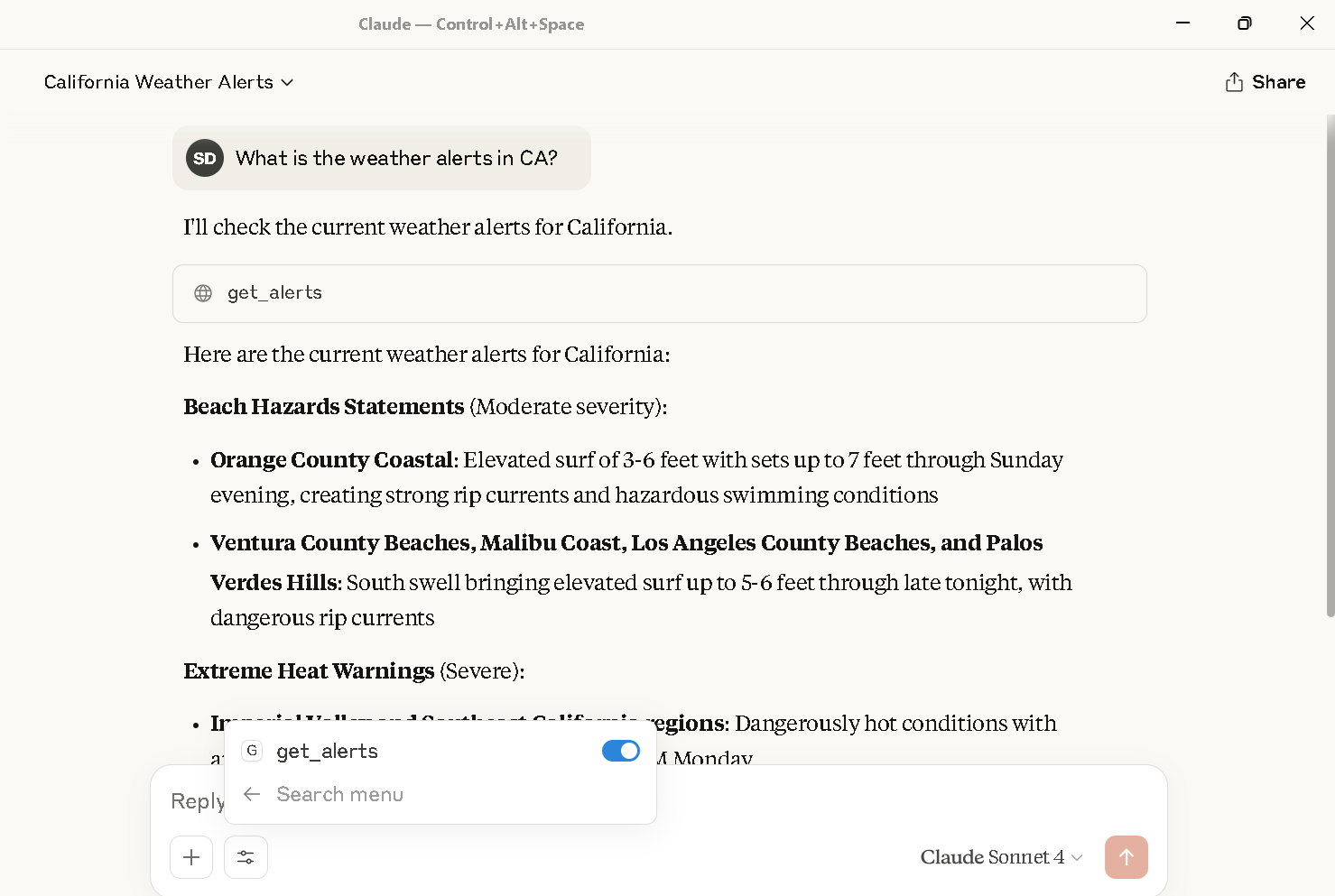
Alertas meteorológicos para a Califórnia exibidos no Claude Desktop usando a ferramenta get_alerts.
Configuração do Claude Desktop
Para chamar este servidor MCP a partir do Claude Desktop, você precisa atualizar seu arquivo claude_desktop_config.json para incluir o servidor.
Por exemplo:
{
  {
  "mcpServers": {
    "weather": {
      "command": "C:\\Users\\shubhechhadey\\.local\\bin\\uv.EXE",
      "args": [
        "run",
        "--with",
        "mcp[cli]",
        "mcp",
        "run",
        "C:\\Users\\shubhechhadey\\projects\\mcpproject\\server\\weather.py"
      ]
    }
  }
}
}
Anexado está a captura de tela: 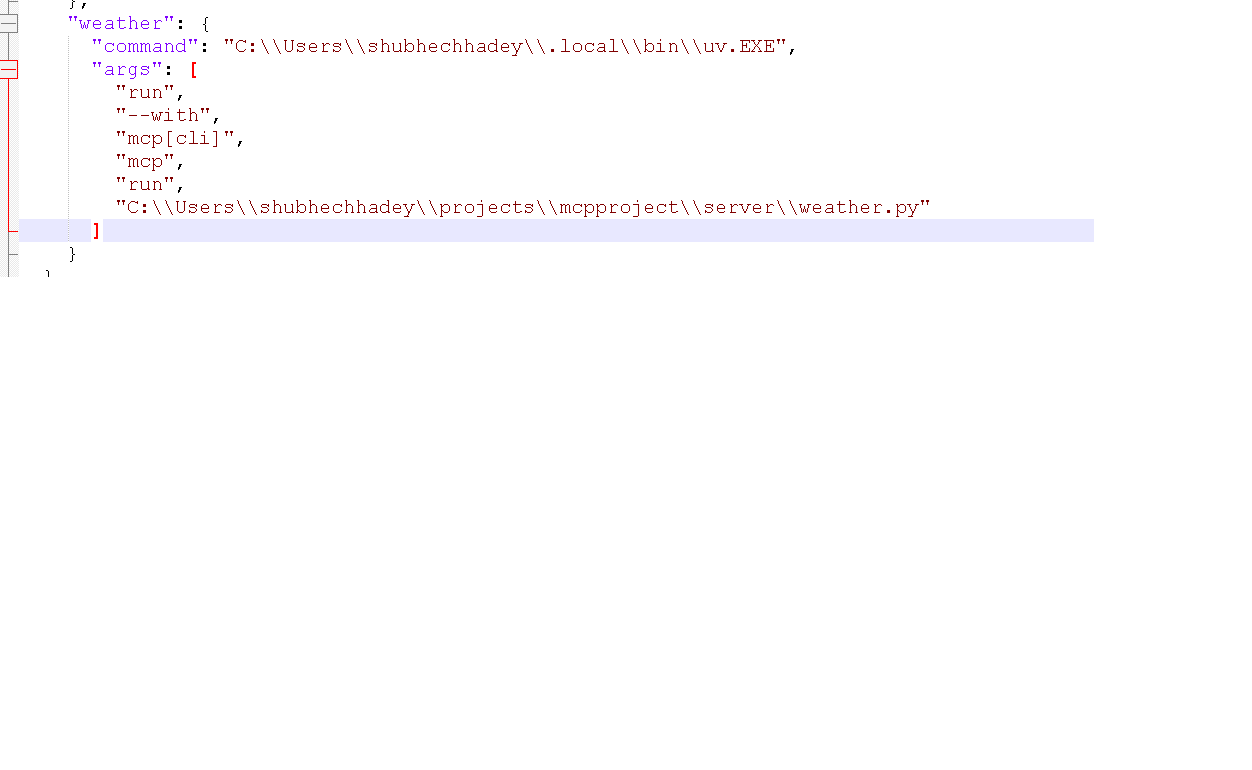
Observações
- Todos os comandos usam
uv